

აღწერა
When embedding a file/image/video/something to a page, or you try to edit them in the Library, you’ll be allowed to make changes on some meta data. Currently timestamp for uploading of the file and menu order are configurable, although they are still not well validated for wrong input.
TODO
- Metabox like shown here: http://wpsnipp.com/index.php/functions-php/start-date-end-date-metabox-for-events-custom-post-types/;
- Changing file name of the attachment (without the extension, of course);
- Control over which user roles can edit these fields;
- Validation error messages should be displayed;
- Use anonymous functions, instead of worrying what’ll happen if a function is defined by someone else;
- If a user types invalid input, they should be warned. Currently nothing happens – attachment is updated without updating with the wrong data.
As I’m lazy as hell, I’ll need your help to think of new features to implement!
Contributors are welcome on GitHub: https://github.com/vlood/modify-attachments-meta
ეკრანული სურათები
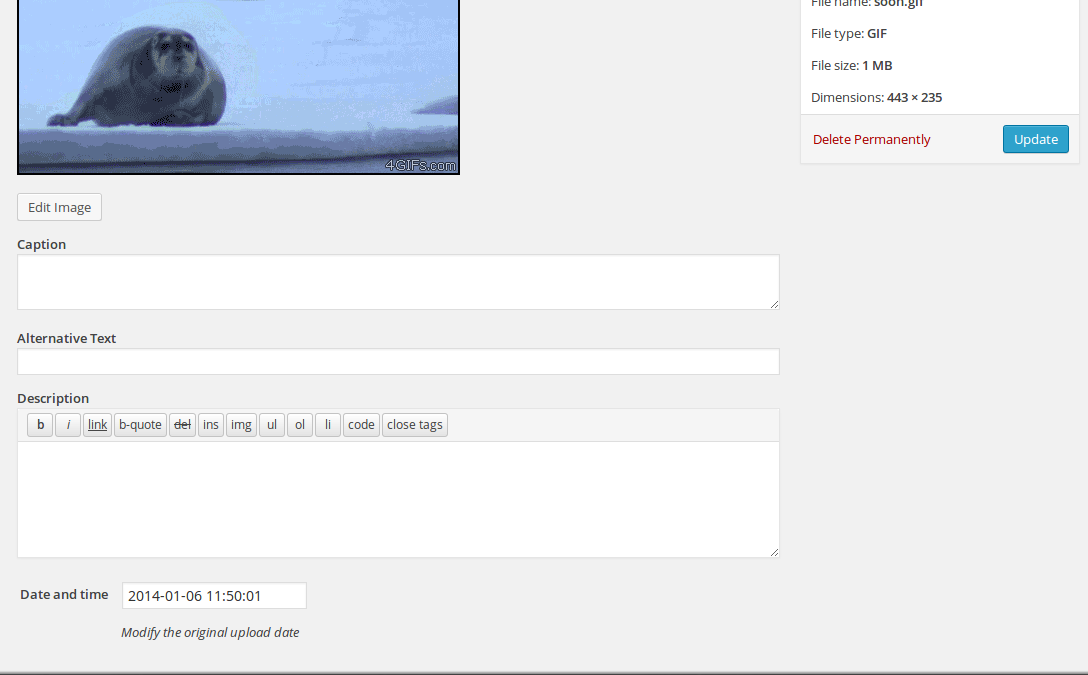
How editing date and time looks on the attachment edit page.
დაყენება
From your WordPress dashboard
- Visit ‘Plugins > Add New’
- Search for ‘Modify Attachments Meta’
- Activate Modify Attachments Meta from your Plugins page.
Now you can edit you attachments’ date and time of upload. Other features will be coming soon.
From WordPress.org
- Download ‘Modify Attachments Meta’.
- Upload the ‘modify-attachments-meta’ directory to your ‘/wp-content/plugins/’ directory, using your favorite method (ftp, sftp, scp, etc…)
- Activate it from your Plugins page.
ხდკ
- Does it have a settings page?
-
Nope.
მიმოხილვები


მონაწილეები & დეველოპერები
“Modify Attachments Meta” ღია პროგრამული უზრუნველყოფაა. შემდეგმა ადამიანებმა წვილი შეიტანეს მის განვითარებაში.
მონაწილეები
გადათარგმნეთ Modify Attachments Meta თქვენს ენაზე.
დაინტერესებული ხართ დეველოპმენტით?
დაათვალიერეთ კოდი, შეამოწმეთ SVN რეპო, ან გამოიწერეთ შექმნის ჟურნალი : RSS.
ცვლილებები
0.2 – 2014.12.25 (Merry Christmas!)
- Now menu order is editable (thanks to aspacecodyssey);
- Bulgarian translation was updated;
- Confirmed WordPress 4.1 compatibility;
0.1
- Editing an attachment date and time record is now possible;