

Katrangan
ZDAnalytics Connector helps you connect Google Analytics 4 (GA4) and/or Google Tag Manager (GTM) to your WordPress site without editing theme files.
Key features
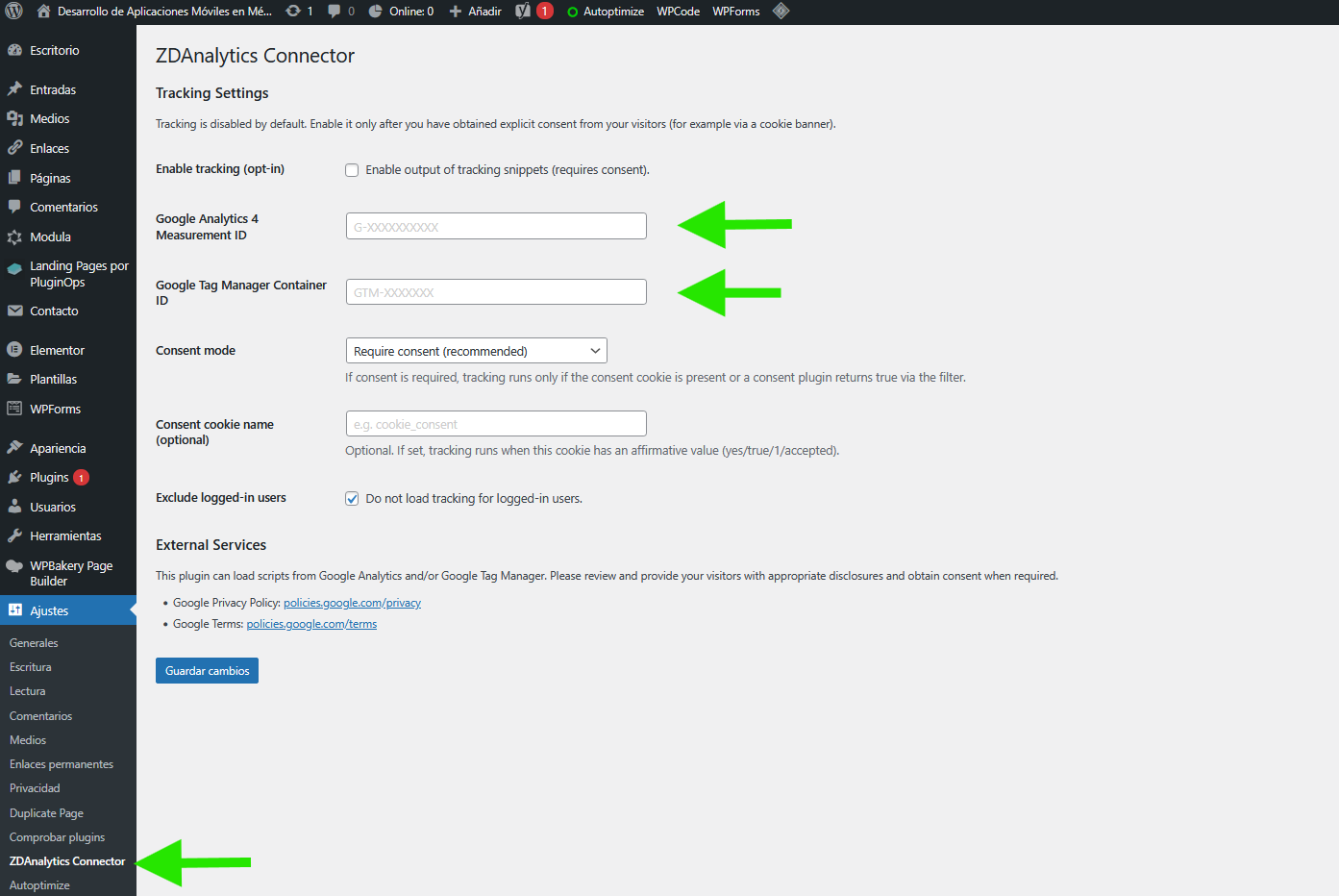
* Simple settings page (Settings ZDAnalytics Connector)
* Supports GA4 Measurement ID (G-XXXXXXXXXX) and GTM Container ID (GTM-XXXXXXX)
* Consent-friendly: when enabled, the plugin waits for consent before loading Google scripts
* Cache-friendly: consent checking happens in the browser, so it works with full-page caches (LiteSpeed, server cache, CDN, etc.)
* Optional: do not load tracking for logged-in users
External services
This plugin connects to external services provided by Google:
1) Google Analytics 4
* What it is used for: Website analytics/measurement.
* What data is sent: When loaded, Google scripts may collect usage data (e.g., page views, events, device/browser information) as configured in your Google Analytics property.
* When it is sent: When tracking is enabled and (if configured) the user has consented.
* Terms: https://policies.google.com/terms
* Privacy: https://policies.google.com/privacy
2) Google Tag Manager
* What it is used for: Tag management (loading additional tags you configure in GTM).
* What data is sent: Data collection depends on the tags you configure inside your GTM container.
* When it is sent: When tracking is enabled and (if configured) the user has consented.
* Terms: https://policies.google.com/terms
* Privacy: https://policies.google.com/privacy
Gambar conto


Pemasangan
- Upload the plugin zip and activate it.
- Go to Settings ZDAnalytics Connector.
- Enter your GA4 Measurement ID and/or GTM Container ID.
- (Optional) Enable consent requirement and set the consent cookie name used by your cookie banner plugin.
FAQ
-
Does this plugin track users by default?
-
No. You can disable tracking entirely using Enable tracking (opt-in). If Require consent before tracking is enabled, the plugin will not load Google scripts until consent is detected.
-
How does consent detection work?
-
If Require consent before tracking is enabled, the plugin checks the configured Consent cookie name (default:
cookie_notice_accepted) for a value such astrue,1,yes, oraccepted.
If the cookie name is empty, developers can use thezdac_user_has_consentedfilter to integrate with custom consent logic. -
No. Use any cookie/consent plugin you prefer and configure the cookie name in this plugin.
-
I use page caching (LiteSpeed/hosting cache/CDN). Will this work?
-
Yes. This plugin uses a small local loader script that checks consent in the browser and only then loads Google scripts, so it is compatible with full-page caching.
-
Should I use both GA4 and GTM at the same time?
-
You can, but avoid double-counting: if you load GA4 via GTM, you usually do not need to also set the GA4 Measurement ID in this plugin.
Mācā ulang

Contributors & Developers
“ZDAnalytics Connector (GA4 + GTM)” is open source software. The following people have contributed to this plugin.
Kontributor
Translate “ZDAnalytics Connector (GA4 + GTM)” into your language.
Interested in development?
Browse the code, check out the SVN repository, or subscribe to the development log by RSS.
Caathetan Owahan
1.8.10
- Improve admin field labels and inline help text.
- Improve plugin metadata for better discoverability.
1.8.9
- Added Basic/Advanced settings tabs and improved automatic consent detection.
- Bundled JS assets (admin + consent loader) in the plugin package.
1.8.8
- Added consent storage source (Cookie / Local Storage) and consent accepted values list.
- Added admin helper to detect cookies/localStorage keys from the current browser.
1.8.7.1
- Hotfix: fixed a PHP syntax error that could cause a fatal error on activation.
1.8.7
- Added cache-friendly, consent-aware loader that injects GA4/GTM only after consent is detected (works with full-page caches like LiteSpeed).
- Added settings: Enable tracking (opt-in) and Consent cookie name (
cookie_notice_acceptedby default). - Improved consent detection (cookie-based with filter fallback) and prevented noscript GTM output when consent is required.
1.8.5
- Improved sanitization (register_setting with sanitize_callback) and consent-first tracking behavior.
- Enqueued scripts properly (no direct echo of script tags).