Jupiter 8 patch button board restoration

One job that I need to do whilst I am waiting for the decal of Cora to be finished (my excitement to see her is certainly building!!) is to swap out the pushbuttons on the patch PCB board. Why? Because it’s possible to do, and I want Cora to get every single upgrade to her old parts for new ones that are available, identical and still being made. I’m already preparing to replace EVERY SINGLE SCREW in her with a new one of the exact same specs and have been researching this and ordering some online in preparation (I will go through and review every screw in a JUPITER 8, what size they are and where to get them from in an upcoming post with pics…it’s a daunting job!)

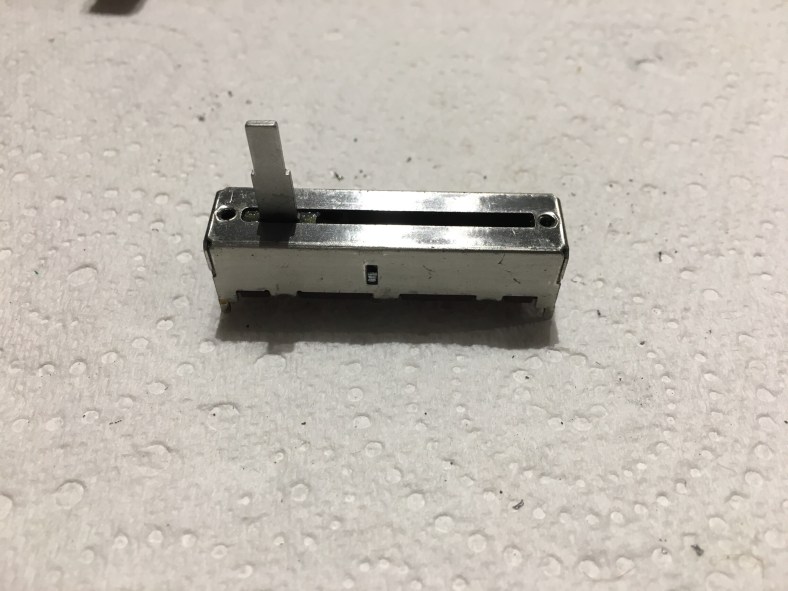
The Alps brand push buttons are still made to the exact same specs today which is a great thing. They’re not very expensive, and actually are also the identical ones that Roland used for the TR808 that they were manufacturing at the same time back in 80. But it’s important to get the identical ones that fit into the pcb holes and are the right height. I started by ordering 3 samples from Syntaur, that I know are the correct part. There are several different ones, different heights, normally on or normally off action, different little black support pin configurations etc so you need to be careful. From Syntaur they cost $2.95 each, here is their part number:
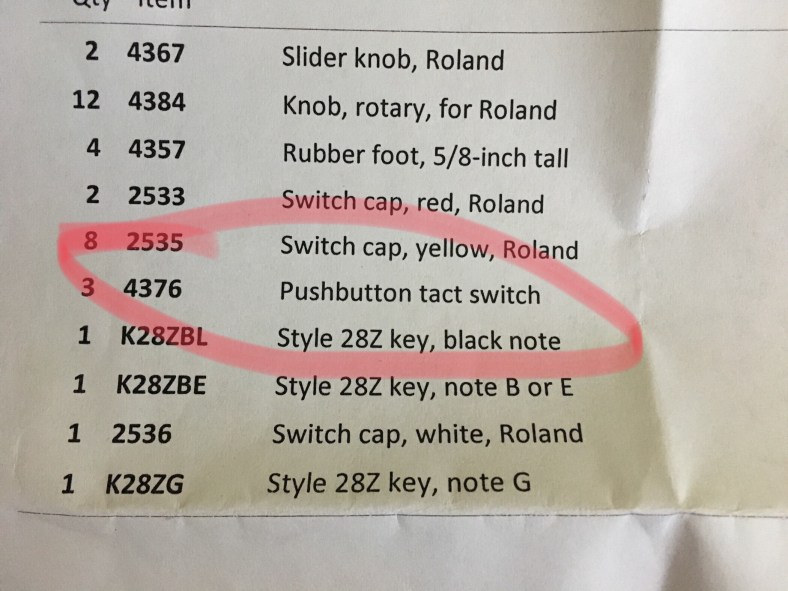
Once they arrived and I had a good look at them I came to the educated conclusion that they were the identical model Alps that are on RS Components.com .. this is their part number:

However look at the price difference. 40 buttons on Syntaur would cost you $118 .. plus their min shipping charge of $40. That’s $158 (assuming that’s all you ordered). Verses $34.88 and free shipping from RS. The same identical Alps brand button. Hmmm.

I must add here that some repair shops choose to upgrade these push buttons to an even higher spec by using more expensive push buttons that are sealed around the button to remove the chance of any dust entering the button, they often use ones by Omron. Up to you. There is a bit of fiddling to remove some of the black stem stands underneath the button to make it fit. I chose to replace with the originals as the “clicking action” would likely feel different and i want to keep everything as original as possible.

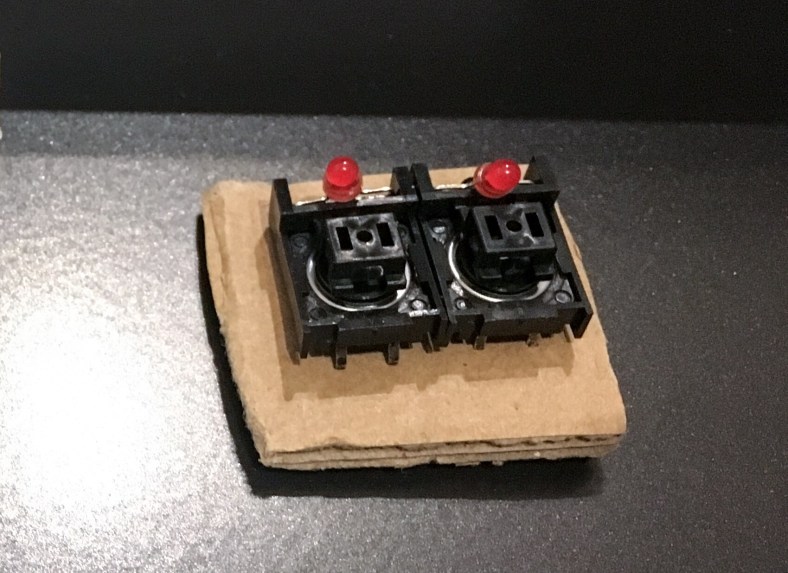
So here is what they look like:

Note on the actual round button a small depression dot. Means little other than it’s nice when installing to line them all up in the same direction so it looks neat. If you push on one of the old, original pushbuttons on a Jupiter 8 and instead of making a single click, it makes a double click or a crunching sound, or if the pushbuttons are 35 years old (ie Cora) then you know that they need to be updated and replaced. Often they are still working technically, but full of dust or other contaminants and rusted inside and it’s just a matter of time before they occasionally fail (frustratingly annoying) and some pushes dont register, so you are sometimes pushing buttons twice to get them to work, or they will completely fail. Here is what the patch button board looks like when you take one out of the jupiter 8 top panel (there are 2 of them)…. it’s after I cleaned all the cigarette Ash, smoke machine gunk and dandruff from it that had accumulated!:

On Cora, it seems there had been attempts at repair of push buttons in the past. Whoever did it, made a real mess demonstrated by the dismal soldering job. I was saddened to see that Cora had been treated so carelessly inside. How dare anyone do this to a Jupiter 8! What was he using to solder with a clothes iron? It appears that they heated up the tracks so high that a few of the pcb pads had lifted, and the solder points looked generally “burnt”. I suspect it was a previous owner who had little idea about how to solder by the looks of it.
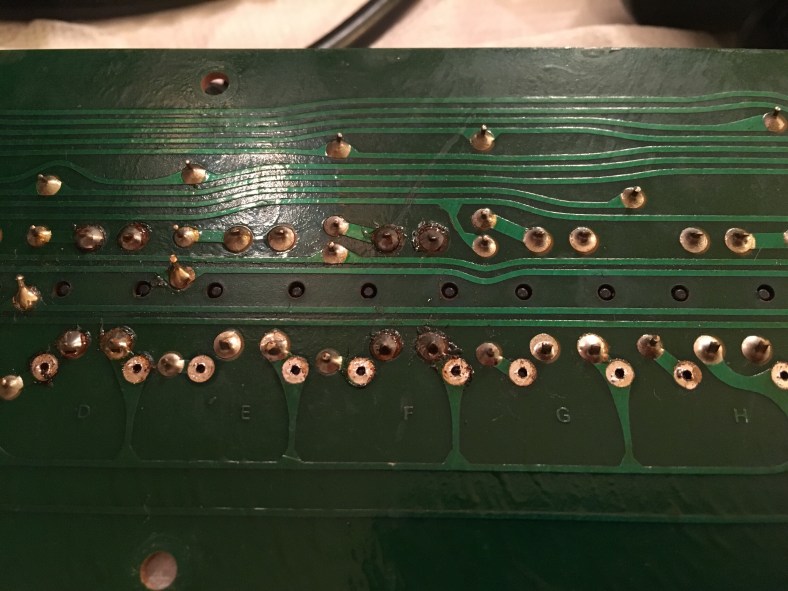
The repaired buttons were obvious from the burnt solder but also by the different shade of colored red LEDs that were re-installed. They didn’t match the original LED color of the others by a longshot, including a difference in intensity when they lit up. They were a lot lighter in overall shade when Off, and a lot brighter when on. You can see here the different shades of the LEDs, the one on the left is a lighter red: Basically… it looks bad when in use because the lower intensity LEDs give the impression of the button being “unhealthy” when pushed and lit up. All the LEDs really need to be identical. It was time to swap out those 1982 LEDs for some new ones, and the best time to do this was whilst I was already there and swapping over the push buttons at the same time. If you’re going to do this one job you may as well do both as it will save you a lot of time and effort if you need to do just the other one later.

The first step is to remove the button caps, and there is definitely a trick to it. If you try and simply pull them upwards and off you will snap the plastic hinge that they are attached to below and then you’re in trouble, as they do not make the plastic hinge housings anymore (although they are seemingly a perfect candidate for a 3D printing trial). This is the black plastic hinge and area I am talking about:

Quite incredible that a hinge made of a piece of plastic bending back and forth was used, I mean how long did they honestly think this would last before snapping off?? I remember when I was a kid and was making my model Knight Rider Car, the parts came on a frame that needed to be twisted off and it took a few pushes back and forth and the piece was broken off! This sure looks it would behave similar. I still have the car I made when I was 13 it sits on my studio speaker shelf proudly
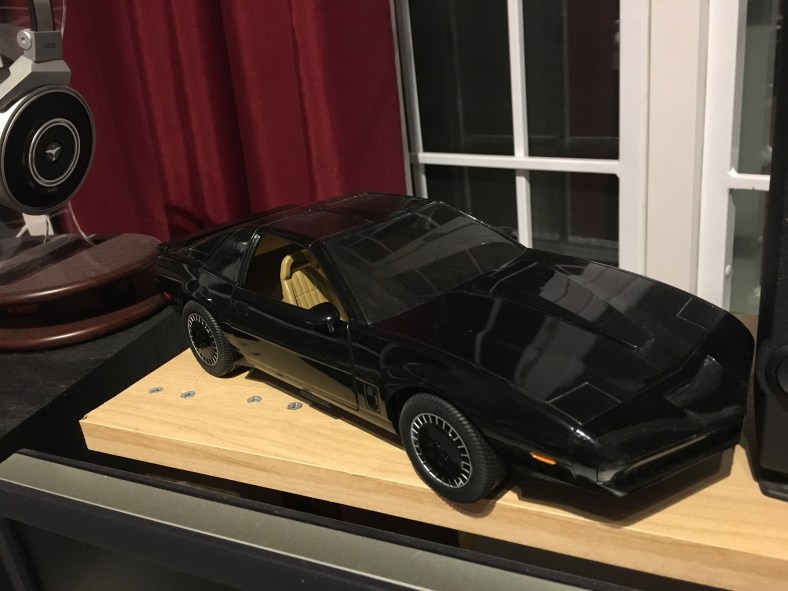
But I digress…

Roland sourced these black button frames from Alps also in the 80s. They were also bought by Korg and used in the Korg Monopoly and Polysix, the exact same black button frame ! (Korg just used different looking button caps on top but these guys are underneath!) If you try and twist the button cap off you can end up with the same problem..snap. Ouch. If you pull them off on the wrong angle, you can snap the little clips inside and underneath the button cap as the plastic has all gone brittle after 35 years and don’t like pressure being applied. This pic below is the underneath a button cap, with my screwdriver pointing to the clips that break off:

If the little clips snap then you’re up for another button cap. These are slightly easier to find as some colors have been remade in the past few years for TR808s, so the white, yellow orange and reds can be found but some of the colors such as the blues and the green are impossible to find. So be gentle gentle. Also the remade ones are a different white.. the original Jupiter 8 white button tops had a slight ivory color .. quite classy whereas the new remade white ones are made from a color plastic that could only be described as “ice cream container stark white”.

The left hand one is original NOS I received recently from Roland, it’s never seen the light of day (that makes them go yellow… see my previous post “Restoring white Jupiter 8 buttons..”) that’s just the slight ivory color used when they were new. Don’t think for a moment that you can just replace one button cap with the newly made ones and it will blend in next to the others! The new ones also have a different surface texture…slightly rougher. It’s obviously a different mould to the 80s originals so it’s not unexpected… the ones floating around currently come from a 3rd party called Technology Transplant, nothing to do with Roland. The new ones are fine… just not identical when next to the old. But break an old one and you’ll be up for 12 new button caps in the case of white ones, if you don’t want it to look like an obvious repair job and silly. Here is a video to show how to take the caps off successfully:

Using a very small jewel flat screwdriver you gently and patiently twist between the button cap and the plastic hinge, back and forth until it pops off. It takes some practice. Practice on the available replacement colors first! And do the blue and green last. A side note …from experience the white button caps are the most brittle and crack the easiest!

The two long patch button PC boards also bow CRITICALLY just from existing and worse if you hold them by the long ends. One fast move and the board will simply fold in half and crack as your hands clap together and that’s the end of it. Here they are performing their bowing trick just from resting on the table!! The thickness of these boards are wayyyyy under spec once populated with all the push buttons (this situation is even WORSE for the slider PCBs). It’s quite shocking actually how flimsy it becomes. Be very careful with how you handle the boards especially as they have a long clump of leads that are hard-wired to the end of each of them that can’t be removed and dangle around on the desk getting caught on everything (my soldering iron went flying) as you flip the pcb over and over to work on it. Another case of setting aside plenty of time and not rushing. Enjoy the job. Do only one board a day otherwise youll get frustrated and try to rush it and that’s when damage is done.

I started by desoldering the 4 pushbutton legs and the two LED legs. You can’t get the black plastic frame off the board to get to the button without doing the LED as well.

A lot of dirt and muck from years and years of abuse were trapped around and underneath those buttons as well:
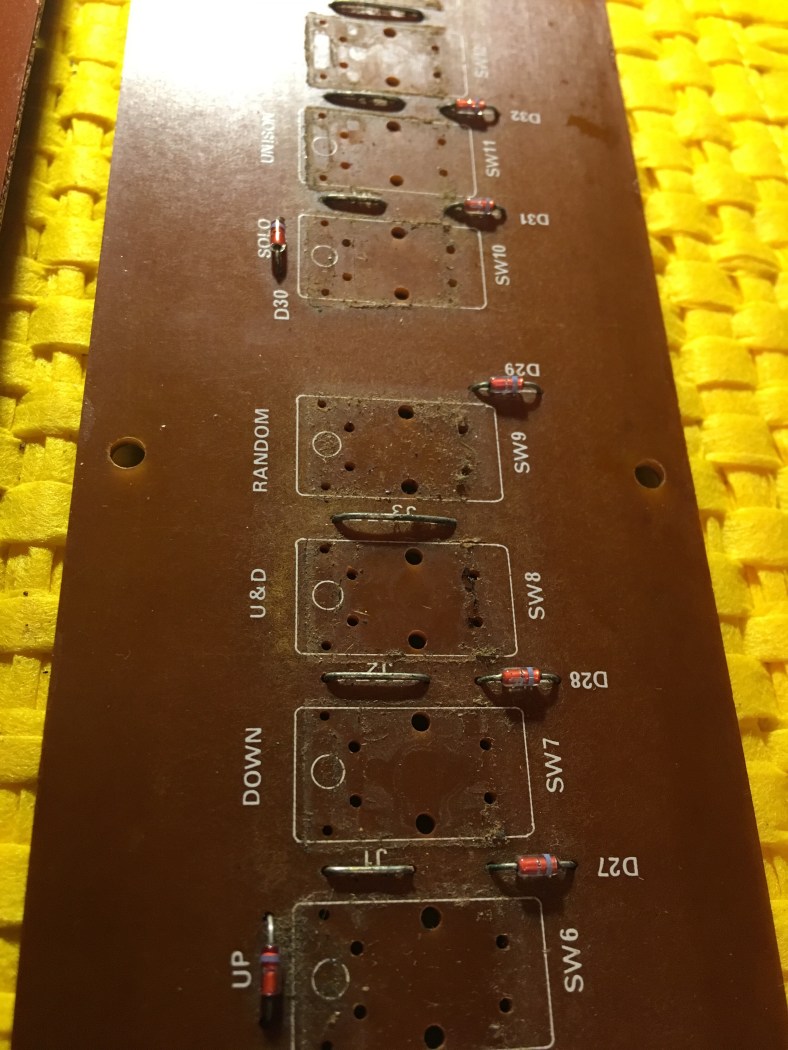
I used a cotton bud soaked simply in water to clean it up:
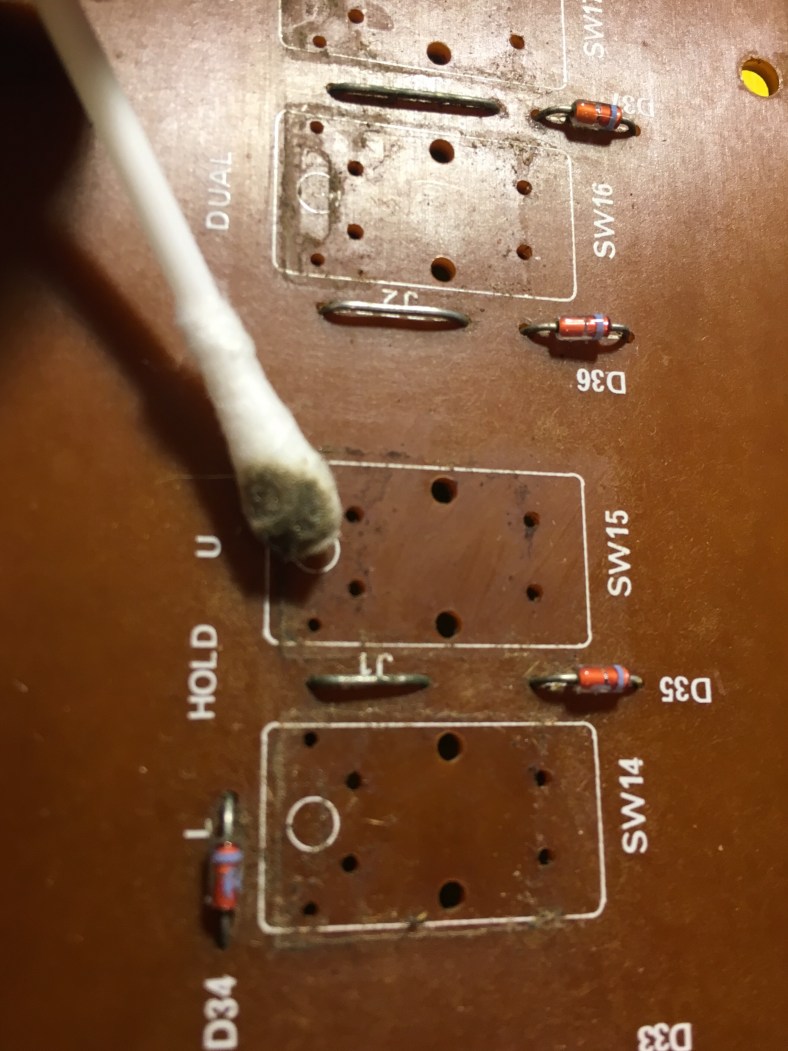
all of the buttons removed from both boards and cleaned up:

All the plastic frames need to have the LED removed from the frame and cleaned …just a cotton bud and water:

and new ones put in.

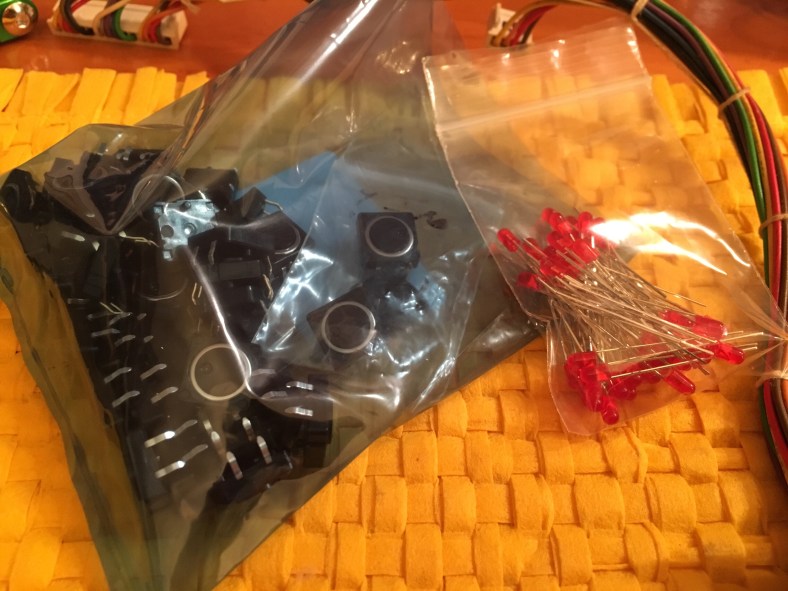
This requires a degree of skill. The legs need to be bent to fit EXACTLY back into the plastic frame holes and to sit at EXACTLY the same height in the frame. You need to get a few extra LEDs in case they break as you bend the legs. They’re cheap, only a few cents each. You need 44 (there are a few extra you’ll need for one of the Slider boards also) so get a pack of 50 x 3mm size. You could get a color other than red if you liked, such as green, it won’t look original but hey each to their own. Just don’t make the mistake of getting high intensity LEDs as they draw extra current and put extra strain on the switching chips on the boards that can burn them out. Not all LEDs are the same. Some have less of an even diffuse in the plastic, making them look kinda smokey and cheap. And some are not quite as wide as some others at the top or bottom of the bezel, although they’re technically meant to be. So buy a couple from different stores and compare how they look before purchasing 50. This is a Jupiter 8 after all…. Get the best quality ones you can find. Hell I bought 3 different sets of 50 before I settled on one that I was happy with! After all I’ll be staring into Cora’s twinkling lights with loving abandon for years to come so it has to be just right.

Also make sure whilst in the store (or when purchasing online) that all 50 come from the SAME BATCH…there are variances in brightness and the plastic they use between batches and brands … again there is not meant to be… but there is. One store pulled out a tray of “mixed” red 3mm LEDs and there were 3 different looking ones just in that tray! Stores keep receiving them from different suppliers and some spotty-faced junior assistant just chucks them in on top of the others in the tray it seems and gives the LED soup a bit of a stirr to mix them up. Shameful. Then it’s lucky dip for an unsuspecting customer.

Also test every LED before soldering it in. Every so often you find one DOA. Good to check brightness as well in comparison with each other. A great testing unit is this one… it’s not expensive and you’ll use it again one day after the job:

Ok so first bend the LED legs outwards sideways with your pliers:
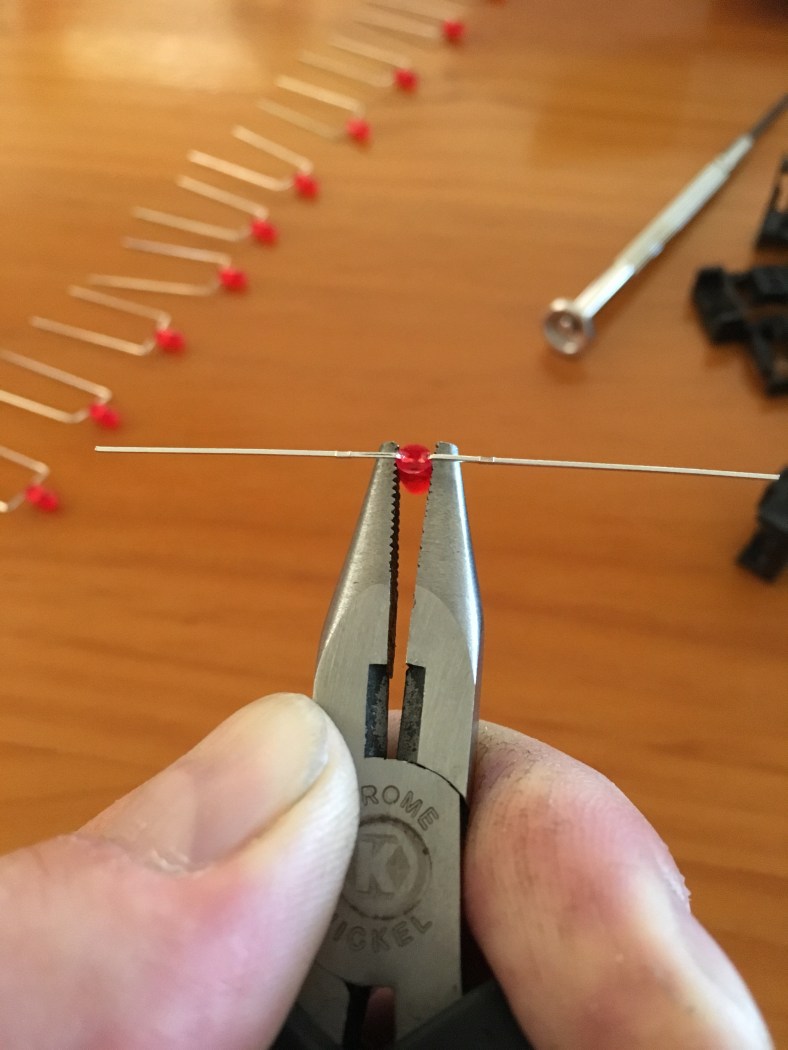
Sometimes … you will perform this first bend and shockingly a leg will just snap off or fall out of the bezel! This is another reason why you were smart and brought a bag of 50 LEDs, not the exact 44 (you did listen to me, right ??) Then after some trial and error you will find the right spot on your pliers to use as a measuring point for bending the legs over, I found that the 3rd set of teeth in from the tip of the pliers was my perfect spot:

Same for the other side … keep it lined up nice and straight now…
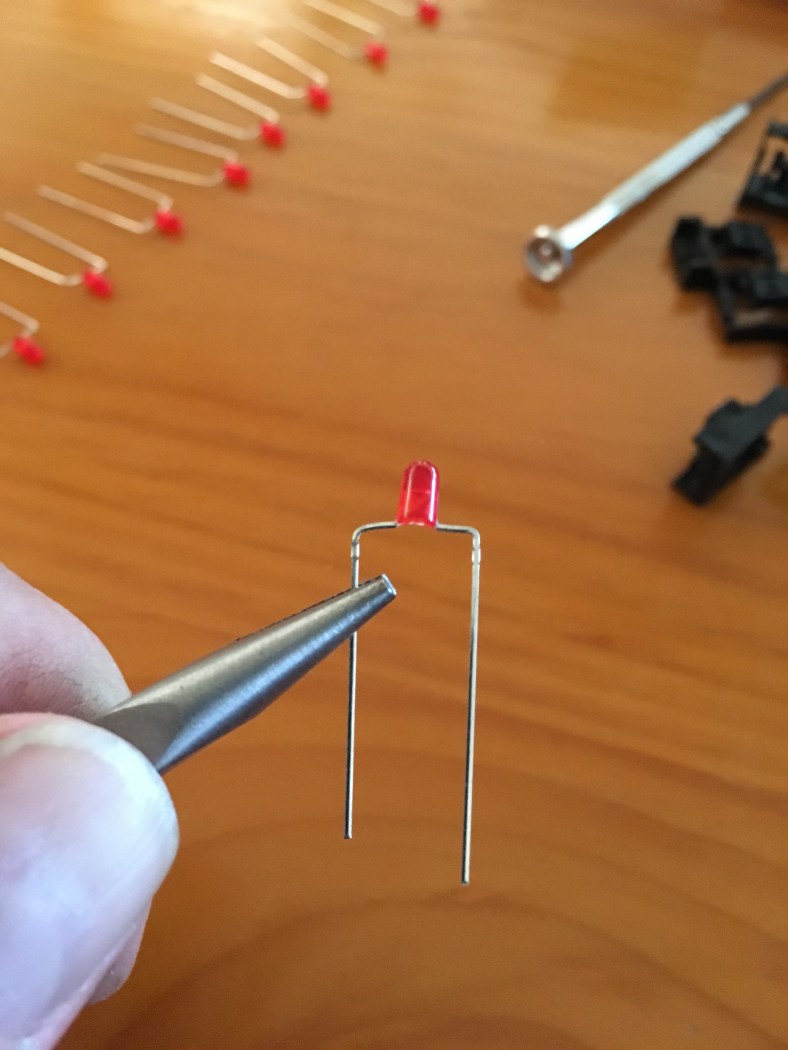
And then it drops into the button frame perfectly. Sometimes it’s not clear where the holes in the frame are for the legs… I’ve been thrown a few times thinking “daym this one is defective there’s no hole!” but I’ve always eventually found it. Patience…

Make sure you have orientated the LED the same way (ie +ve and -ve legs) as the one you just pulled out! LEDs have flat markings on the bezel body to help with this but your handy blue tester you purchased will help a lot as well. Then it’s just a matter of putting the new pushbutton into the PCB (it doesn’t matter what orientation/direction they go in but it’s nice to line up the depression dots). And then replacing the black plastic frame back over the top and making sure it’s sitting flat and the LED legs are coming thru the pcb to be soldered.

BUT… before you solder the LED in… it’s important that you get the sitting height of the LED right … and just as importantly, consistent with the others. I did this by sitting a button cap on top of the black frame (without actually clipping it in) and checking how far out the LED protruded up through it and making sure it was the same distance poking out every time:

This bending and measuring is a slow and delicate process. I enjoyed doing it. I took the bag of bits away with me and sat beside a river in the country and did them all whist I had a line in the water. By dusk I had 2 rainbow trout (a third got away ..but that’s another story) and a bag of correctly bent LED patch frames to show for it (plus a few empty beer bottles.) And the soldering I did later back home under decent light. All of the new LEDs, frames and buttons in their place. Note the attention to making all the LED heights above the button frames all the same when looking from the side:

Lastly, i decided not to mount the button caps back on just yet. Always thinking ahead, there’s every chance that I could have a dead pushbutton or LED after soldering and until the board is in Cora and functioning and every button tested I don’t need to risk stressing those rare button caps and chance another cracking of a clip to get to a button or LED again. The button caps can sit in a bag for now, looking like brightly colored candy just dying to be eaten…

Recapping a Jupiter 8 power supply

Whilst waiting for the decal workshop to do Cora’s top panel, and for the Engineering Metal workshop to make the new silver aluminium end cheeks, I had plenty of things to do in the meantime to occupy myself. One job was the recapping of the power supply board. Ok time to get down to the nitty gritty.

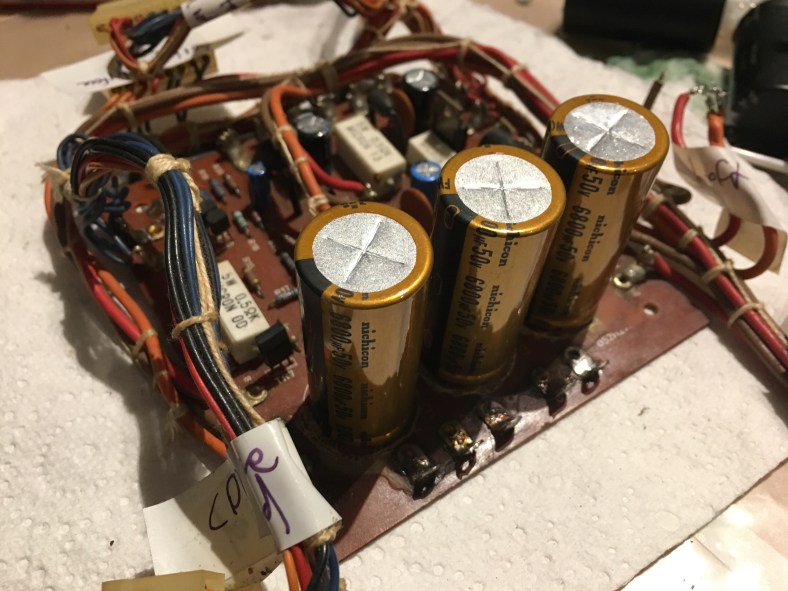
The biggest issues with jupiter 8s very often stem from instability and problems with PS voltages being delivered to the boards. Jupiter 8s drink a lot of juice. There’s lots of electronics to run, and it needs to be clean and stable power. There’s a lot more stress on the PS here than in most other synths. Often it’s not immediately apparent that there are problems if you just throw a voltmeter across points on the power supply as per the service note point locations because a voltmeter doesn’t show the fast fluctuation in voltage that is leaking through, that causes instability. It’s only showing an “average”. 9 times out of 10, it’s the 3 big 6800uf caps that have failed or worse, semi- failed but kinda still working covertly and not obviously failing. A good general rule is that if the synth is 35 years old … time to change the big power supply caps.

I have seen several people make the comment that “I turn on my Jupiter 8 and it works for about 30 minutes, then it locks up and stops making sound.” Again, first culprit to suspect is that the power supply has heated up, the old worn PS components have stopped working under heat and the output supply voltage has dropped, thereby underpowering things like the CPU and locking them up… or worse, instead of voltages going down, they go UP under heat stress as the ripple from the AC is not filtered properly and then secondary components on other boards start to blow. And it can be chips that blow…expensive ones in a Jupiter 8 that you REALLY want to avoid losing. (As a side note, second culprit when this happens after 30 or so minutes is a badly seated chip in its socket after 30 years of bumps on the road… the chip heats up and pops slightly out of the socket. I’ve fixed so many synths by just pushing down on chips into sockets with my thumb and hearing them “crack” back down into place fixing the faulty pin connection I’ve lost count).

It has been mentioned by several users that the rear heatsink grille gets HOTTT. Indeed it’s nickname in Jupiter 8 circles is “The Steak Grill”…suggesting it gets hot enough to cook a steak on.

But when Jupiter 8s were brand new and left the factory back in 1982, the grille would only get reasonably warm after 30 minutes. However many people now say that you could “fry an egg” on the rear heatsink and that was certainly the case with Cora! You can imagine the rise in temperature INSIDE the Jupiter 8 that was not anticipated in the design … cooking voice boards and stressing components. The reason for the increased temperature of the heatsink over the years is that the big filter caps in the power supply slowly stop being as effective, so the AC ripple in the 12v and 15v internal synth voltage gets bigger and bigger, and the 3 regulators strapped to the inside of the rear heatsink have to work harder and harder to keep things stable.

So they get hotter as they are working harder to compensate, and the heatsink they are strapped to gets hotter and the case it’s connected to gets hotter. Then as the heat inside the jupiter 8 gets higher, it dries out the big caps even faster, and the ripple becomes bigger so the regulators work harder and the heat rises more and more over time …it’s a vicious cycle.

So the regulators get damaged from the stress and overworking as well. In summary, if you’re going to change the power supply caps after 35 years, you should change the 3 regulators on the heatsink as well as they are probably stressed and close to being knackered.

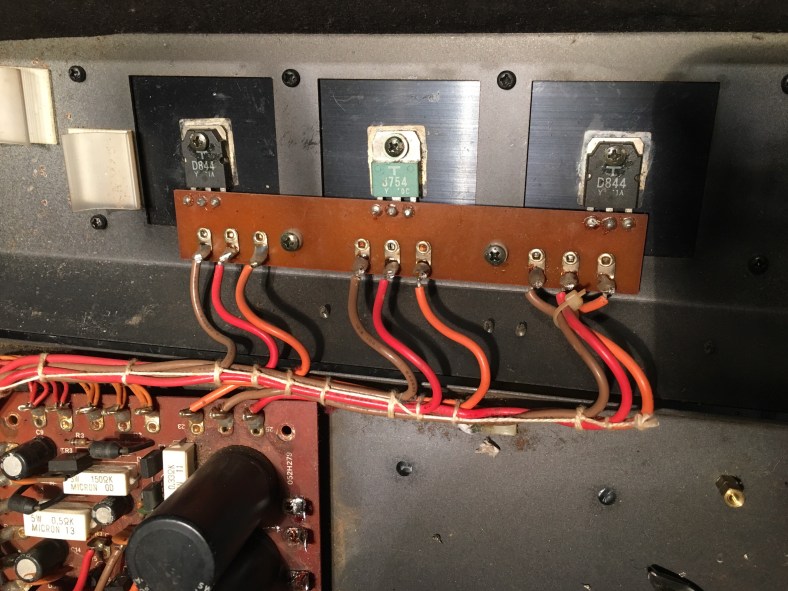
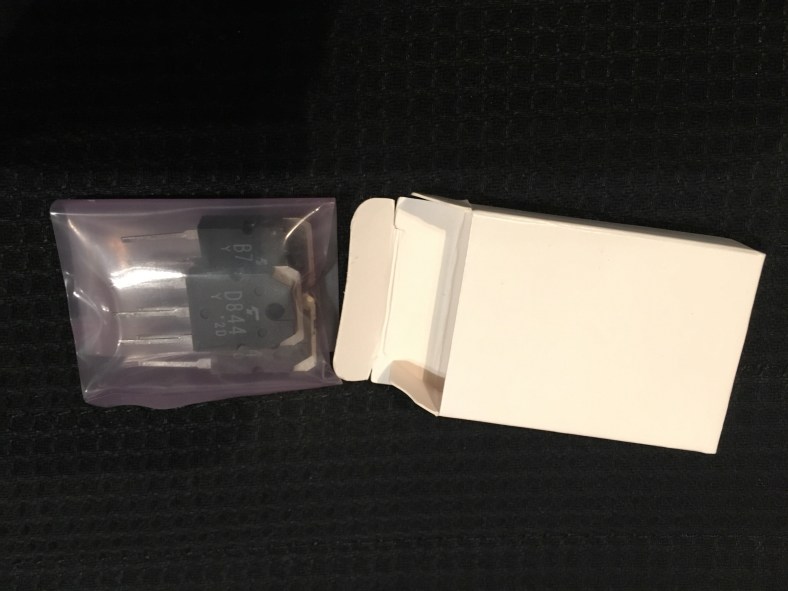
Fortunately a search of Ebay landed me New Old Stock (NOS) of these exact 3 regulator chips… at a reasonable price. Here is the regulator model numbers and the seller ;

They arrived neatly packaged in a little white box:

The main 3 caps were more complicated. It’s very important to me that replacement parts look the same as well as being ideally identical model number/brand. In the case of electrolytic capacitors however you don’t want 35 year old stock; the more recently made cap the better. But the size of caps for the same microfarad value has reduced since the 80s due to better manufacturing processes and newer component technology. So a 6800 35v cap (of which these 3 are in Cora) is a smaller form size to buy new today. Instead of opting for smaller ones like I have seen on some pics of jupiter 8 recaps and keeping them rated at 35 volts I decided to up the voltage to 50v and thereby getting the double bonus of a higher rated capacitor and the same form factor size as the originals.

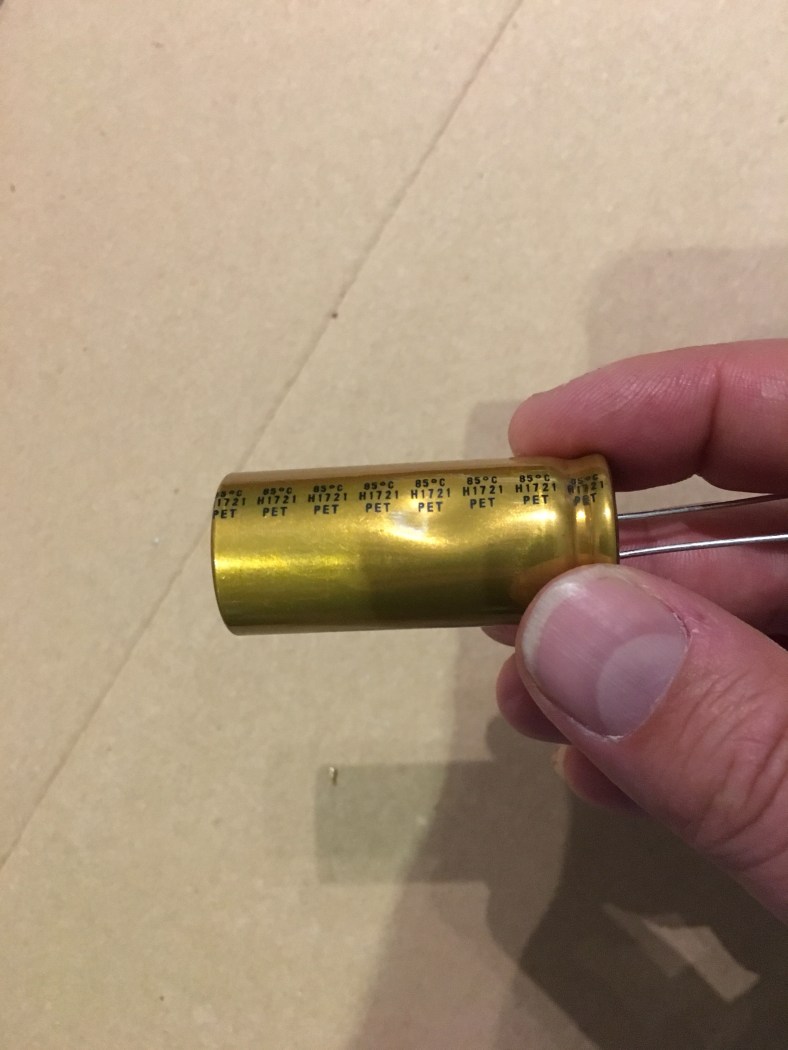
So specifically … I went with Nichicon UFW 6800uf 50v 85 deg C 2000h. I could not find a higher rated cap (ie 3000h@105 Deg C) that was the same size and with actual radial leads (rather than lugs) for sale but if you find one, by all means use it.

The specs are here:

Click to access e-ufw.pdf

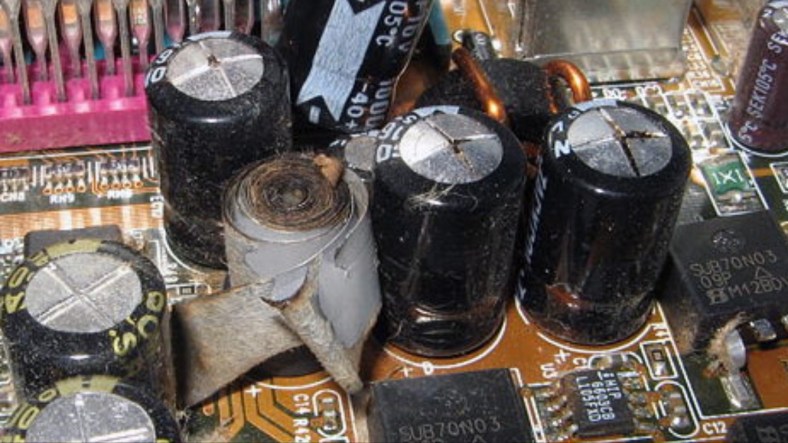
A great tip I’ve learned… why order 3 when you can order 4 and have one spare. Same postage cost for 3 or 4. And you have a backup in case one is faulty. I once ordered 22 switches that needed replacing and ordered exactly 22 new ones… the switches were $1 each but the shipping was a $30 flagfall starting at the first switch! And guess what… I broke one of the switches installing it (long story, I did something stupid) and I therefore needed one more matching one … another $30 shipping for one damn little switch !! The second time tho at least i learnt my lesson .. ordered 4 more. One to finish the job and 3 more for the spares box. Turns out exactly what I was prepared for occurred …one of the caps had a dent in it, im not sure if it was from shipping or whether mouser.com unscrupulously offloaded it to me. I’ll drop them an email they are usually quite good about these problems. But ideally you don’t want to install a cap looking like this:

as there’s a good chance the chemical layers have been damaged inside and it will not behave to spec or could even blow. That is an unacceptable chance to take for Cora! Fortunately I had 3 good ones to get the job done with and could move on.

It’s also really important to understand that Not all Caps are Created Equal. Some are made in Japan (excellent), most are made in China (can be excellent or not) and some are made in Taiwan or Korea etc (often bad).

What’s the difference? Well One can last 20 years and another can last 20 months ..or even 20 minutes.

Put the best into your prized Jupiter 8…you don’t want to be pulling it apart in a years time to change the caps again. The stress of the heat from the soldering Iron on the board and traces etc over and over is not worth it. Or the hassle of having a cap blow and take one of your precious voice boards with it.

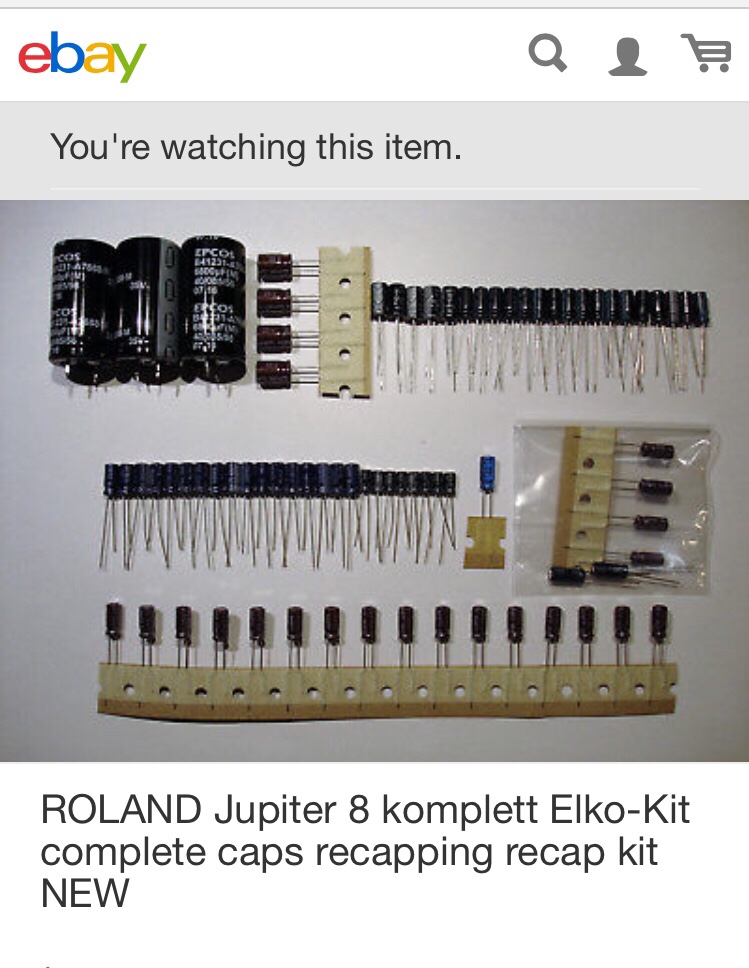
For instance there’s a guy on Ebay selling a Jupiter 8 “recap kit” for about 30Euros total!! No mention of brands other than “quality”..hmm… there’s no way those big PS caps are any kind of reliable brand, a single big Nichicon PS cap can cost 10Euros on its own!

I went for Nichicon brand from the reputable online site (mouser.com). DO NOT BUY CAPS FROM EBAY.. EVER. It’s where fake caps thrive. Remember everything is bootleg copied in China these days .. Nichicon looking/branded caps included. They make fake branded Car tyre rims in China that collapse when you hit an object on the road and can kill you…and fake heart medication in China that can kill you.. they will feel no guilt in comparison if they just sell you fake capacitors that end up killing your Jupiter.

I won’t go on about caps any further most of what is to be said about it has been said already in this gearslutz thread about cap selection for jupiter 8 power supplies so take a read and do your own research:

https://www.gearslutz.com/board/electronic-music-instruments-and-electronic-music-production/411562-best-capacitors-recap-roland-jupiter-8-synthesizer.html

Here’s a blog by synthfix where he covers this exact jupiter 8 PS recapping process that I embarked on also. An excellent explanation of what to do and will save me repeating a full explanation of the process here completely:

http://synthfix.blogspot.com.au/2011/06/roland-jupiter-8-power-suppy-recap.html?m=1

This is also a great post by oldgearguy in relation to jupiter 8 caps on that Gearslutz thread:

My arpeggiator / output board doesn’t have the big non polarized caps across the outputs like the version 2 of this board that oldgearguy is referring to (See my post “A different Board B”) so it’s not going to be something thats relevant to me. But an interesting observation.

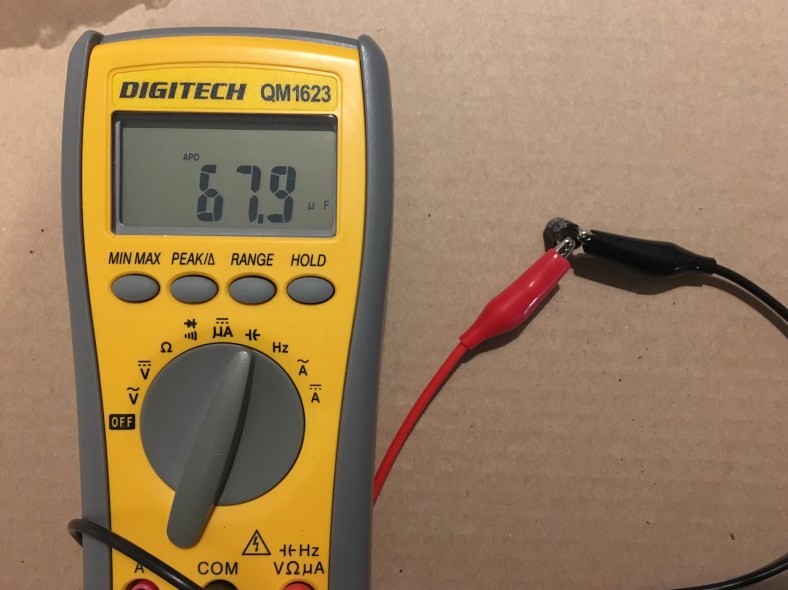
I chose to swap out EVERY electro cap on the PS board. Cora gets the “full service” wherever possible. And glad I did too, there were a couple that were waaayyy under spec, like this one that was meant to be 100uf… not good!!:

Only 67.9uf! Ouch, The main 3 big caps were not quite so bad, although they were showing stress from the classic tell-tale sign of a “dome” on their top. They were meant to come in at 6800uf but were showing around 6200uf on average:

Of course, this is not under stress or heat and only after less than 30 seconds of test. Try again at 50 degrees and under load for half an hour and these values can just fall off the edge of a cliff when the caps are old and dry inside.

Take off the 3 big ones slowly, as the Roland glue that they used to hold them down (so they would not come loose from the pcb due to their size and weight from rough treatment on the road causing the PS to fail and ruin the gig …remember when manufacturers cared?) is tough to break through. The glue was applied AFTERWARDS so you can move forward with confidence that the glue is not underneath the caps to any significant degree. Slice under the cap thru the glue blobs with a Stanley knife and around…and GO SLOW. Wriggle bit by bit. Make sure the cap legs are completely desoldered and free from the track pads underneath before you start with the knife. You don’t want to snap the board on a $10,000 synth. You will cry. I treated it with kid gloves and it took me half an hour. Just be patient and don’t rush or you’ll regret it, set aside a whole afternoon if you have to!

Once the 3 big caps are off it’s easier to flip the PS board over and keep it stable as it sits flat nicer so I swapped out all the smaller caps at this point one by one, replacing as I went. The underside:

Don’t take them all out and think you will remember which value went where, just do one cap at a time. Then the 3 big new caps go back on last.

Heart transplant done and no-one died yay! I must say I do like the gold color.. something prestigious about the way it looks now 🙂

Jupiter 8s have technically 2 PS boards. The first is an input board that accepts the AC voltage adjacent to the AC lead input. (I must say at this point ..a hard- wired power lead Roland? Seriously ? No removable kettle lead plug? Yuk. I’ll fix this on Cora later!) This AC receiving board looks different on various Jupiter 8s depending on the local voltage or possibly depending on the serial number. I’ve seen a few incarnations. Cora is 240v and looks like this:

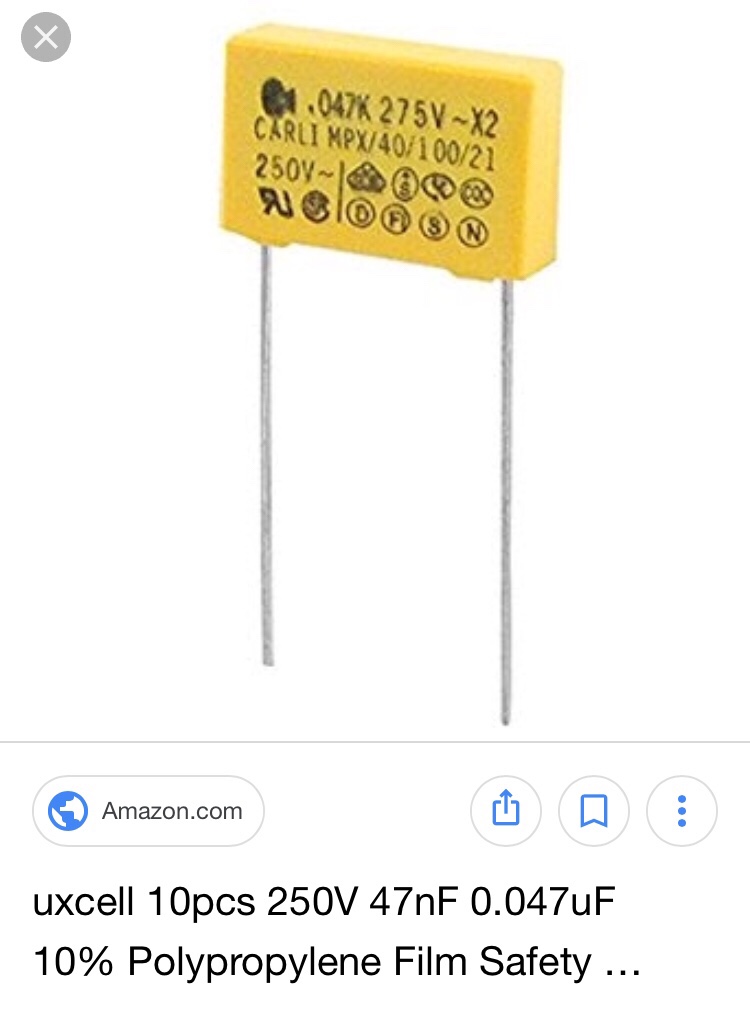
A bunch of fuses, solder lugs, two big black plastic looking square things, listed on the pcb markings as D1 and D2 (so I’m guessing some old-Skool diodes in weird packaging doing some rectifying…but before the transformer?) and up the top there’s a great big brown poly film cap of 0.047uf that looks like something out of an old Valve radio:

This is a classic film power filter cap. Do not replace this cap as much as you might be tempted whilst you’re “cleaning house” with the rest of the Power supply. These days the replacement is one of these yellow puppies:

But the original brown poly film caps can last forever and many ppl say that the modern replacement yellow square filter caps can make your equipment sound “different”. I would have thought that this might make sense as part of an audio circuit, but in a power supply ? Anything is indeed possible just look at the meticulous design that goes into modern turntable power supplies that audiophiles claim makes an audible difference. For this one I wasn’t prepared to take the chance and left it well enough alone. Unless it’s burnt out from a power surge and clearly in trouble or not working, don’t touch this cap.

I’ll save the mounting of the new regulators onto their little pcb strip until the very end when the top panel returns. They will need to line up with the holes on the big rear fin heatsink and I think I’m going to want to re-anodize the heatsink black so it looks shiny new. I’m already going to have to visit an anodizing workshop for the side aluminum cheeks soon so what the hell I think I’ll do the heatsink as well whilst I am there. Maybe no-one will see the heatsink on the back, but I’ll see.

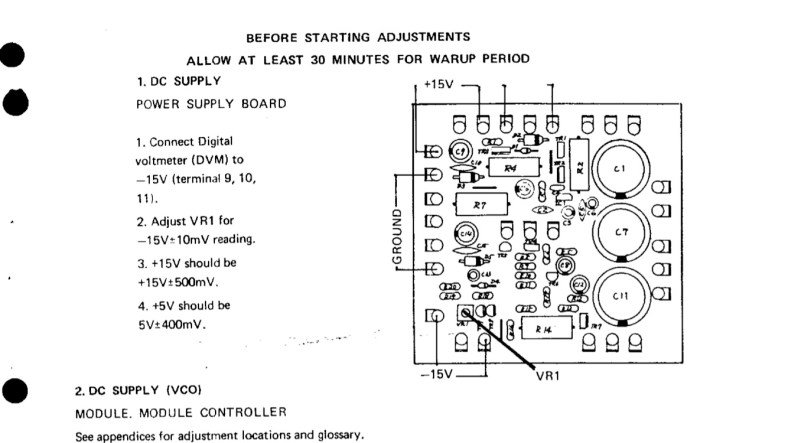
Once Cora is back together my first point of call will be to check the voltages on this PS board now across the lugs as per the Service manual and adjust the pots to get it right. With all these cap changes it’s sure to have stirred up things in the circuit:

Okay onto the next job …

New Jupiter 8 sliders found !!!

It was quite an extraordinary thing.

I found some new Jupiter 8 sliders!!! It was a Festivus miracle!

In reality it was down to a lot of perseverance, and a little piece of luck thrown in as well. Here’s what happened…

For a while now I have posted on forums, blogs and social media groups about my predicament with slider rust and damage, and requested help from anyone with NOS (new old stock), old used stock, or even (out of desperation) simply loose parts to sliders. Anything. I’ve also contacted every Roland spare parts department world-wide, and asked every synth repair shop I could find world-wide after exhaustive searches of the net, and could not find any. I heard from several sources that Ko at Moddless Factory in Japan has spare sliders, that he had bought mountains of the last Roland Japan ones from the japan factory. It made sense as the Jupiter 8s were made in Japan that it would be the place where the most spares would be remaining. He ignored me at first, then after several repeat requests did not deny having them but said he would not help me or sell any to me. It was what I thought might be my last hope for Cora and it was very disappointing.

One day on Facebook messenger I was contacted by Majid from Gearfix UK in Scotland:

He thought maybe he had a few complete, unused sliders in the workshop!! Finally an understanding friend! After searching for so long it was the most exciting possible news ever! Majid is a truely nice guy. We had a great chat, and a few days later he managed to locate them and sent me some pics of what he found.
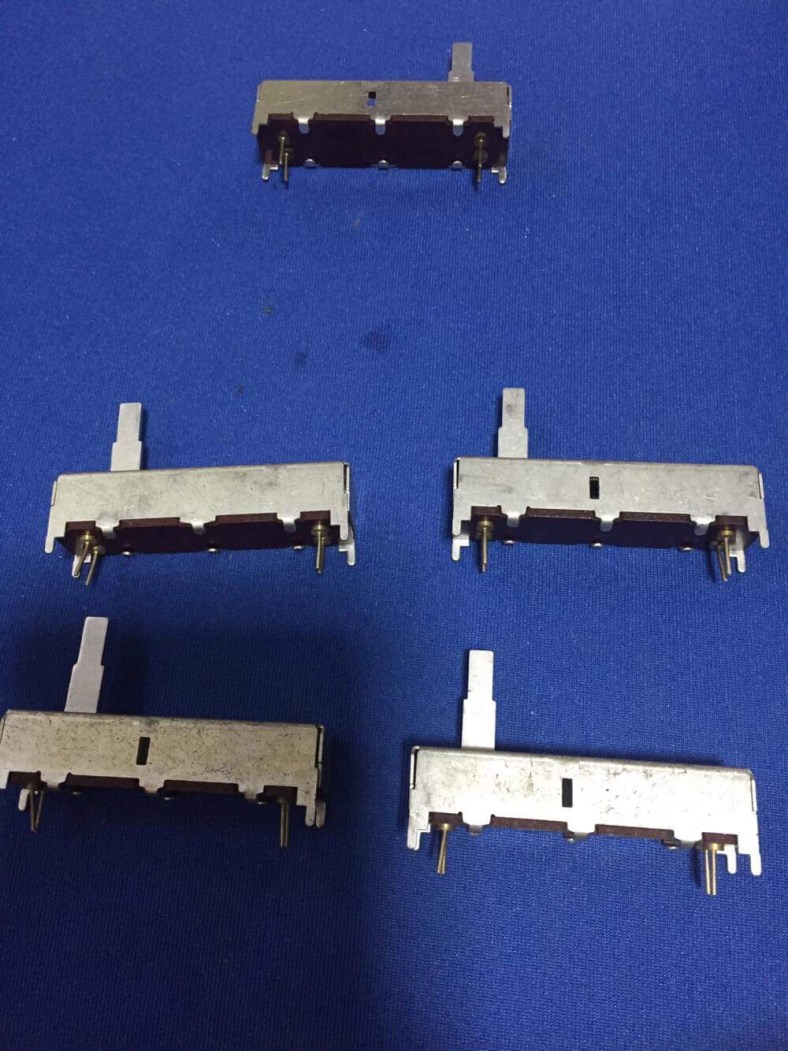
The good news is that he found 5 NOS jupiter 8 sliders! The bad news however was that the values were not quite ideal.

Cora has mainly 10k sliders. Every control slider on the top two main control PCBs are 10k sliders. There are over 20 of them. Then there is 4 sliders in the mod wheel PCB on the left side of the keyboard, two are 50k and the other two are very unusual and rare stereo sliders (the cases are wider/fatter than the rest) and then there is one normal looking single 500k slider, it is the “Arpeggio speed” slider on the output board.

Everyone who needs sliders for a Jupiter 8 nearly always needs the 10k ones as they are the most populated in the top panel. Majid only had one 10k. The other 4 were 500k….Only used once in a Jupiter 8 for the arpeggiator. It soon became apparent that the 500k and 50k sliders were the ones that I was most likely to ever find. People simply didn’t need them as much.

My slider issues were several-fold. Many had badly rusted cases. Or I had broken the clips on several whilst trying to fix them by opening and closing them too many times. And some had damaged tracks on the PCBs, where the carbon tracks had been “worn through”. With Majid’s sliders, i could fix many of my problems by transferring some of my good 10k PCBs into these new slider metal cases. And I could use one of the 500k sliders as is. And I could do some divide-down parallel resistor trickery to convert a 500k slider into a 50k slider. Majid prepared the package.

He also had a few patch button sets (push button/plastic hinge/LED) which was nothing short of miraculous as well. I had damaged one hinge whilst pulling off a button cap, and having one as a backup for the future would be really useful so Majid sent me 2 of these as well:

This find would not get me completely out of trouble .. but it was a good start.

It did however, start me thinking.

I had asked all of the Roland spare parts divisions world-wide previously if they had any 10k sliders, like every other poor bugger had done before me over the years. And I been turned away with a laugh. But maybe, just maybe…they had not been completely cleared out of the less-popular 50k or 500k ones??? Like I mentioned ..Perseverance. I had to try again.

When you call a Roland spare parts, you can’t just call up and ask “hey you got any Jupiter 8 sliders??”. They turn you away. Their warehouse is massive. They need ROLAND PART NUMBERS..or forget it. And not manufacturers part numbers, but the Roland part numbers, which are different. You can only get these from the Roland service notes. The parts sit in tiny labeled draws on walls from the ground to the ceiling. They can’t just “go look” for you. When you place that call, you need to be ready. You need to have done your research.

So I tried again with my local Roland Spares. But this time I quoted the part numbers for the 50k and 500k sliders. Tapping away on their inventory search keyboard in the background, instead of the obligatory “nice try” giggle I received last time there was a pause …then “hmm, okay…”. And then a “well… you just might be in luck.” There was 3 x 50k sliders listed! I almost dropped the phone as I madly scrambled for my credit card in excitement! Yes please! Are you sure that is all that’s left??? Are they really there? I want them !

My hunch was right. The values of the sliders other than 10k were rarely called upon or searched. Fortunately I had learnt the tricks of slider restoration (see my previous post “Advanced Slider Restoration”) and could assemble a “best of” from these parts. So I would have 8 new sliders in total with both finds now… but only 1 x 10k in reality. But at least new metal cases, new stalks and pads for some others. This would not get me completely out of trouble with Cora…but beggars can’t be choosers…it was a very decent start!

So I waited for both packages to arrive.

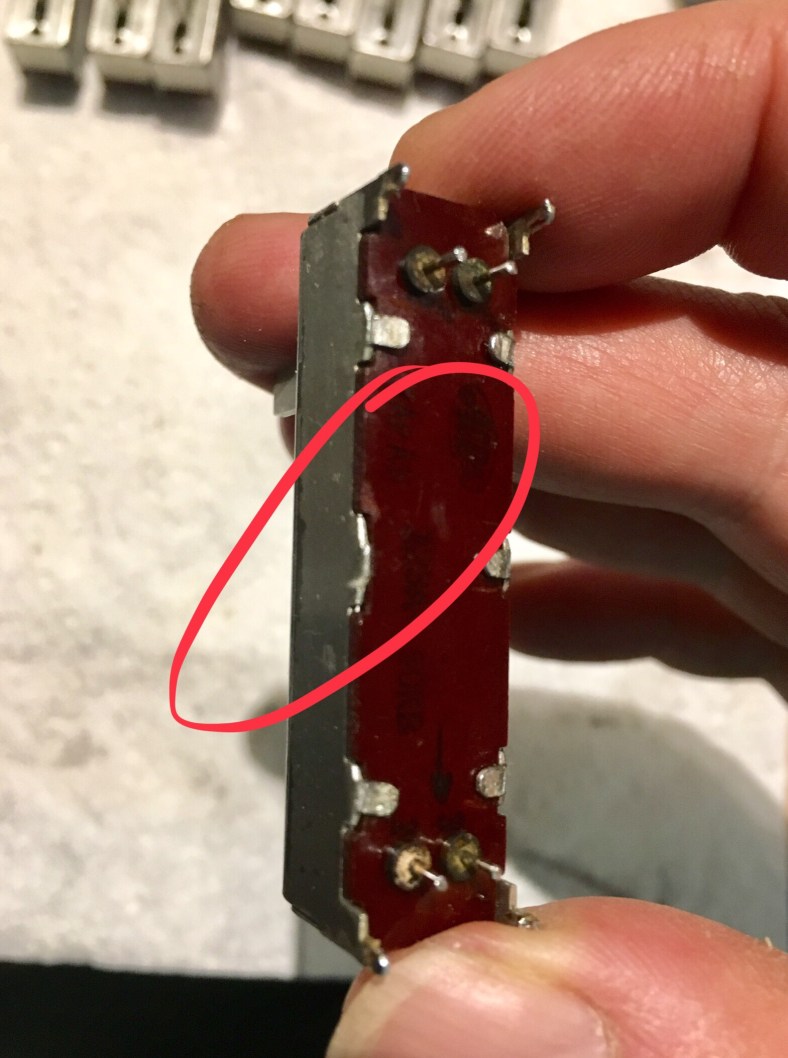
Once you start to pull off sliders from the 2 main slider PCBs inside a Jupiter 8, you start to quickly realize that there is “kinda” markings on the underside of the ALPS sliders… mostly. Some are reasonably clearly marked with dark printing. You can see the “ALPS” badge and the markings… like this:

Some sliders have a darker colored board underside than some others due to variances between batches it seems, and the underside turned out as dark brown. The black ink printing against these ones is not as easy to read against the dark base color. On some, the ink is not that strongly printed.. it’s faint and blurry. You know there is markings there ..what it says exactly tho is questionable. You can go mad straining to try and read these ones! Like this:

And some… simply don’t have any printing on them at all. They’re blank underneath! Like this:
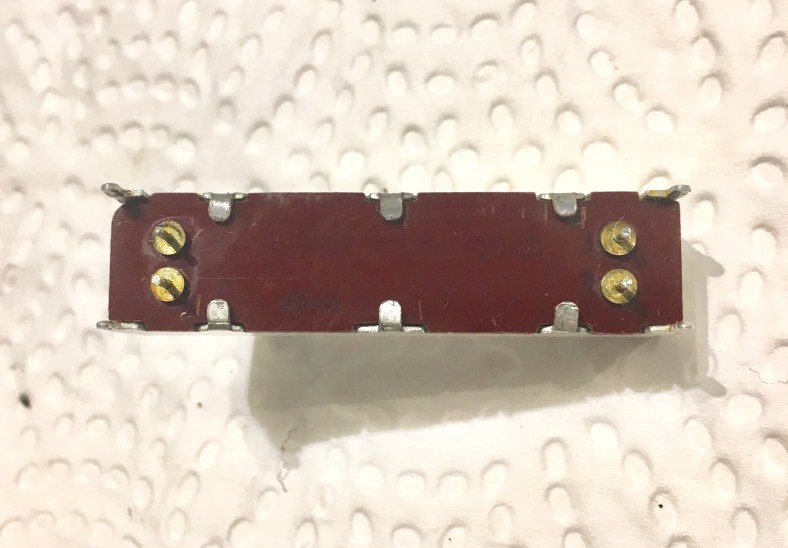
It’s down to guessing from it’s location and using a multimeter to deduce the value.

Well first to arrive were the local Roland 3x50k sliders:

Hang on…what’s this !!! Could it be true? How could this be!!!! It looks like I might have been sent 3 of the mystical 10k sliders that have been out of stock for over 20 years instead ! How is this possible ! It’s not clear by the markings, they are very vague.

A test with a multimeter confirmed it.. somehow I received three new 10k sliders from Roland! I jumped straight onto the phone to spare parts…if there was 3 of them, maybe there was more! And maybe there’s 50k sliders that I was meant to be sent as well! A chat to Cameron in spares however put the Karbash on that dream. It seems that due to the unclear markings, they were filed in the wrong drawer many years ago. They were the last 3 … and they were in the 50k drawer so there’s no 50k sliders actually left either in reality. Amazing result tho!

Second to turn up all the way from Scotland was Majid’s parcel…

These were exactly as promised. New, unsoldered… beautiful sliders. I would be pulling 2 of the 4 x 500k sliders apart and using the parts with my most badly damaged 10k slider boards to get some up and working again. The new 10k slider from Majid would go in the most-used slider position of all time, the Gold Medal of positions … the Filter Cutoff. Now I could at least put Cora together with these parts.

(If you have any spare sliders or slider parts for a Jupiter 8 to help Cora with her remaining damaged sliders PLEASE contact me via the contact page!! Thank you !!)

Jupiter 8 Powder coating success!!

I received the call from Topcote that I had been waiting for… Cora’s brand new powder coat was finished !!

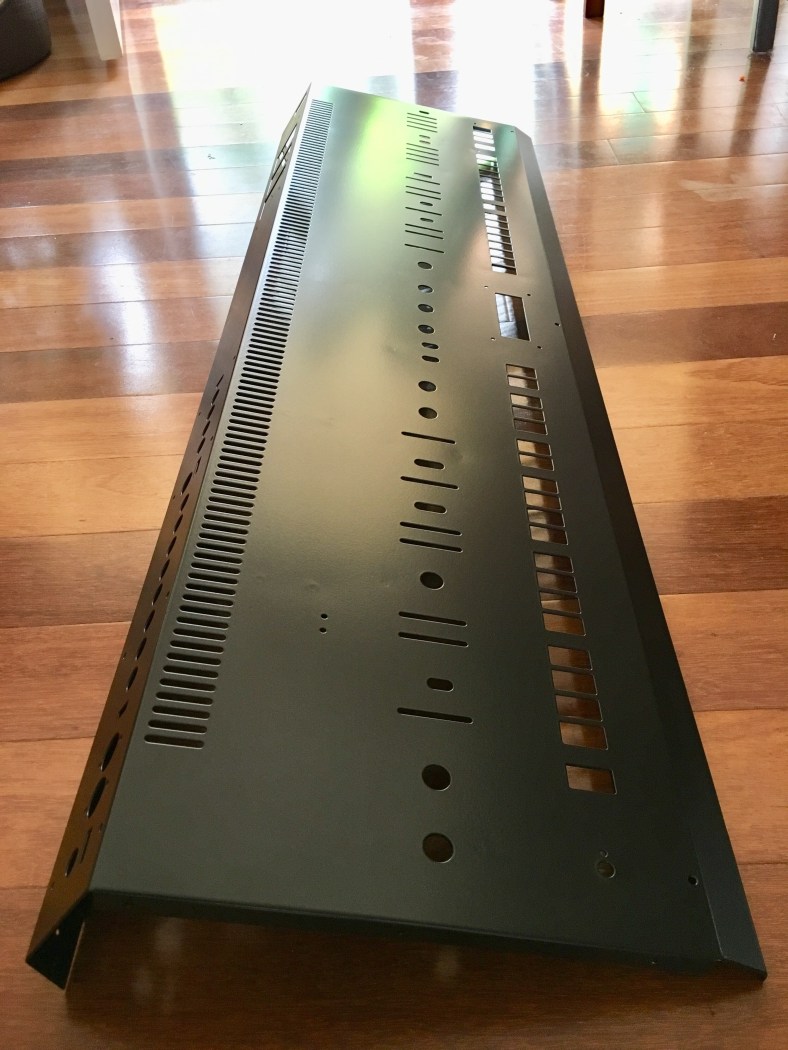
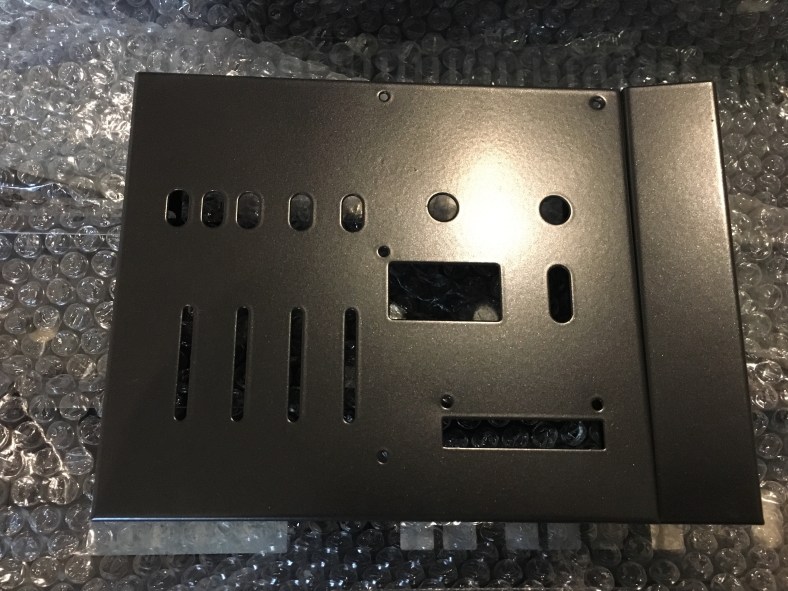
I am glad I trusted in Clive… the color is perfect and the coat is smooooth! Cora recieved a full grey Zinc undercoat to stop rust, then a light sand to remove blemishes and then the powder coat. Only a few of the Roland spot welds remain very lightly visible, but a marked improvement on how it was before when she left the Roland factory. Here’s Clive in his workshop showing me the result:

unwrapped and on the workshop bench:

from another angle the panel back home:

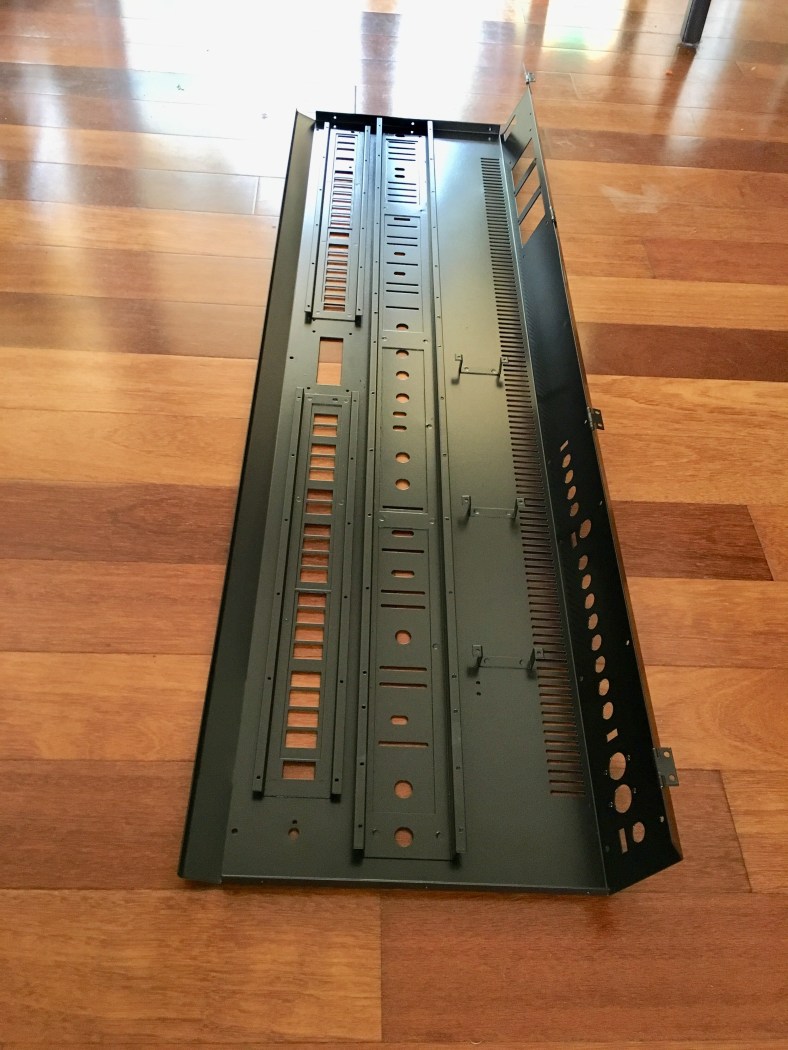
And the rear:

It’s important to mention here that you don’t want to over-hassle workshops and call them every day for your job. Gentle nudges every 2-3 weeks is all you should be doing. You don’t want your valuable synth work squeezed in or rushed through and damaged. For example, the light thickness of Cora’s metal panels mean that they can only be “baked” in the oven at the lowest temperature that the powder coating process works at…for at least 4 hours between 180-200 degrees. They don’t often run the ovens that low. You have to be patient, you don’t want them throwing your job in with others that is not ideal temp just to keep you quiet. Any higher temperature and the entire panel can buckle and twist…essentially the metal melts! It’s a very delicate process. Clive also completely powder coated the underside of everything as well, to completely remove the possibility of air coming into contact with any surface, unlike Roland who only originally powder coated the top side of the panel and sprayed black paint on the underside in certain areas.. a cheaper option. Here’s the underside of the top panel beautifully powder coated:

The side mod panel was also done, including zinc coating! Roland never did this for the side panels originally, which is why they are always the first to rust and bubble on Jupiters. Roland just powder coated straight over the metal for these, and the results of Roland’s lazy effort shows through 30 years later on many of these mod panels on owners synths that have deteriorated considerably. They are always to first to rust (if you’re looking to get a Jupiter 8, a good tip is to look closely at this side mod panel metal for rust and bubbles first as an indication of the condition of further rust inside and elsewhere). Here’s the mod panel plus the right hand spacer… newly stripped, sanded, rust treated, zinc undercoated and powder coated!:

Its a beautiful thing.

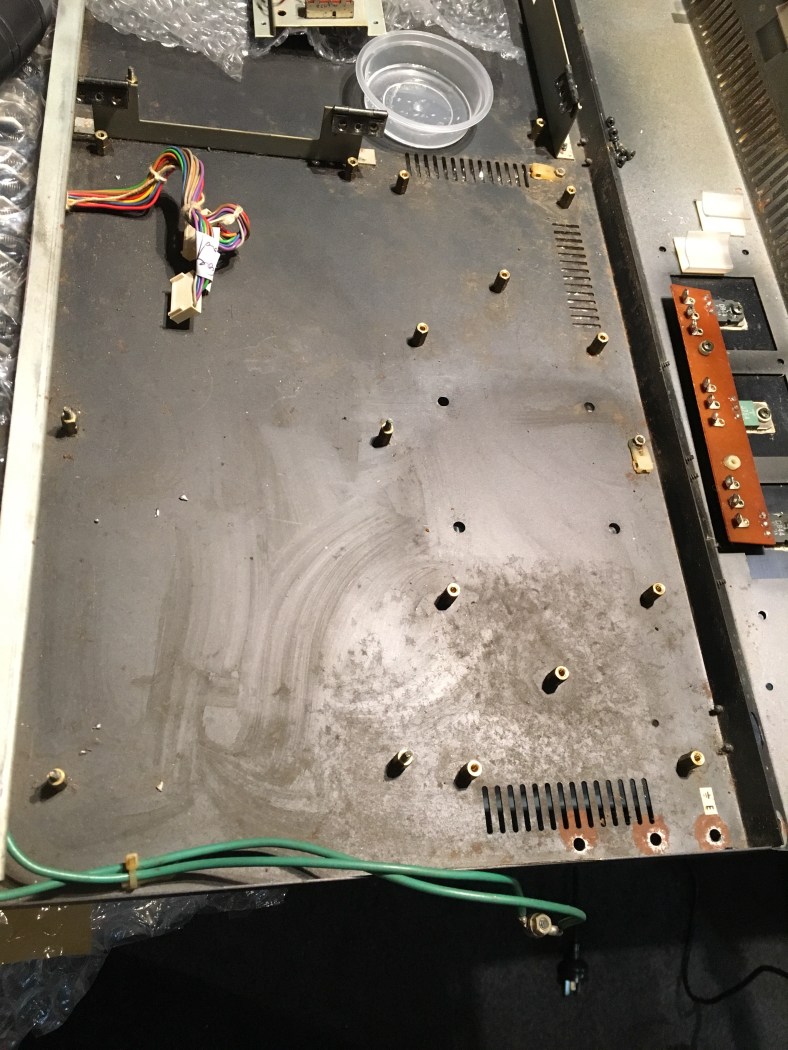
The bottom panel was only ever spray painted black by Roland…never powder coated. It rusted badly in Cora the Corroder … for lots of reasons I think. Stray ions from all the electronics, mixes of different metals touching each other such as brass pcb stands always creates rust etc But in my situation the bar drinks and sticky smoke machine fluid in the air that washed through Cora during her hard-beaten touring years leaked around inside via the keys and sat on the inside metal floor of the synth, slowly eating away. Here is what she used to look like :

Now!:

Thanks Clive at Topcote for an awsome job and looking after my Cora!!!

Next stop… the Decal graphics workshop. They are closed until mid-Jan and then Cora has a 2 week wait (probably more after the Christmas build-up of jobs) so it’s looking more like another 4-6 weeks wait before I have a completed top panel to work with. Daym. Never mind as I mentioned we can’t rush these things, decals can very easily be printed crooked if rushed! and there’s plenty to do meanwhile on Cora…Like rebuilding the power supply and patch button pcbs. Plus my brand new remade Aluminium side cheeks are due back from the workshop soon! And with Cora’s bottom panel returned that doesn’t require decals we can start re-installing boards and rebuilding her…

Advanced Jupiter 8 slider restoration

This week I found myself deep in jupiter 8 Slider Hell.

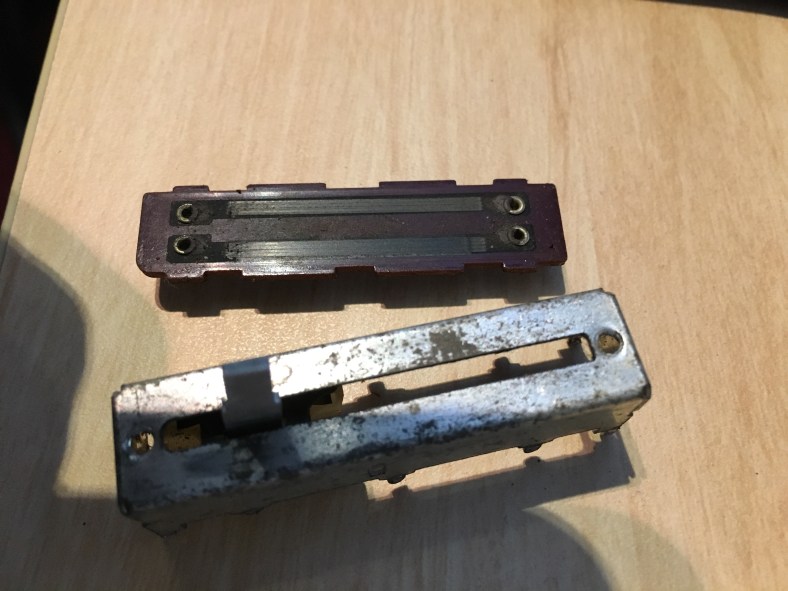
Restoring Cora’s slider metal cases was not such a hard process (see previous thread “A different Board B”) but I was in for a rude shock when it came to putting the sliders all back together.

Once you pull a slider apart, they never “feel” the same way again. Which is not to say they feel worse than previously, they will just always feel DIFFERENT. It may be tighter, or more loose, or stickier in places, and there’s just no getting around it. It’s due to a slider having several interactive key parts that all secretly work together towards the one goal of a smooth glide…or not. The interactions are more complex than it outwardly appears. It’s not a job for the feint-hearted without patience. I’ve learnt a lot about sliders in the last week. I’ve blown hours and hours getting just one working reasonably to my satisfaction…and ruined several as well. Be warned…they’re easy to open up.. but then it’s a god-damn bloody nightmare. Your hands are covered in dirty grease up to your elbows and you end up with new grey hairs on your head by the end of the process. But all Jupiter 8 owners will end up dragging themselves through this slimy swamp sooner or later … the ALPS brand (used in Cora) simply don’t make the 30mm throw sliders anymore. Nothing even close for the past 20 years by them or any other brand is on the planet. Forget about finding extra ones in any Roland spare parts Dept around the world.. every country has been raped and rinsed many years ago. Every one. No stone has been left unturned by service techs and other owners searching for replacements already. Even kinda obscure places like Roland Holland. Out. No sliders. Nada. Don’t bother trying. You get chuckles and an attitude of ” you’re dreaming .. you’re like 25 years too late.” I’ve tried them all, every service Dept that’s listed world-wide.. as have many other Jupiter 8 owners before me it seems. Daym. I was going to have to really do this the Hard Way.

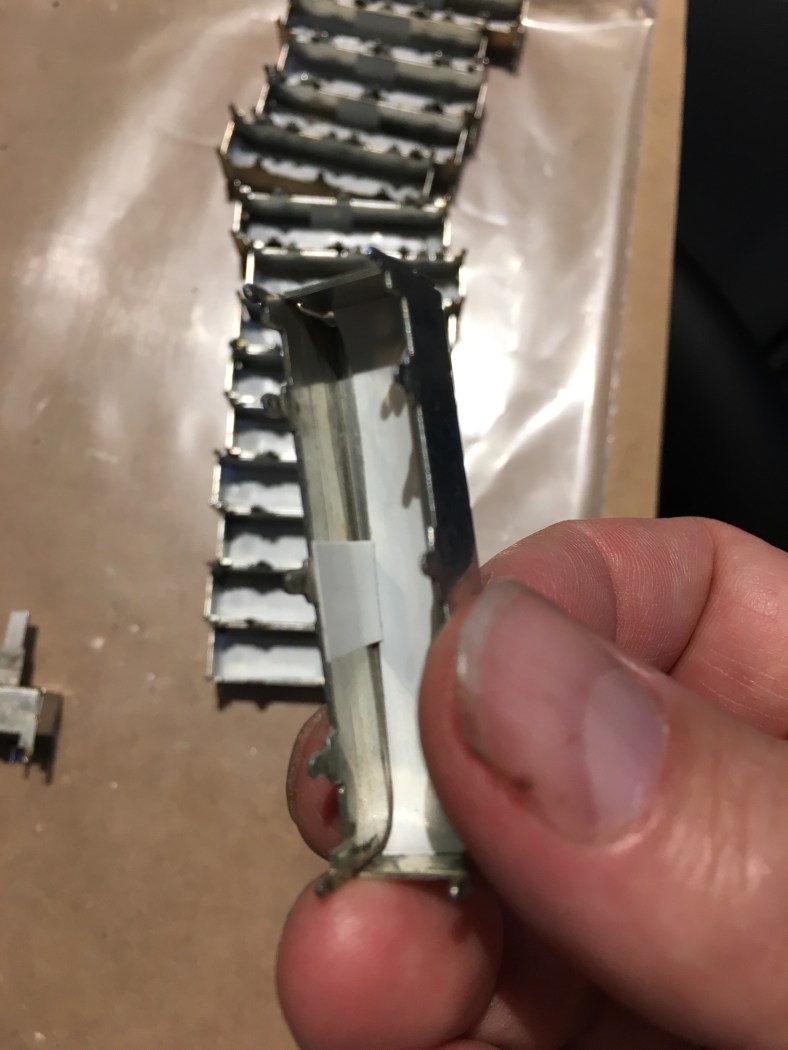
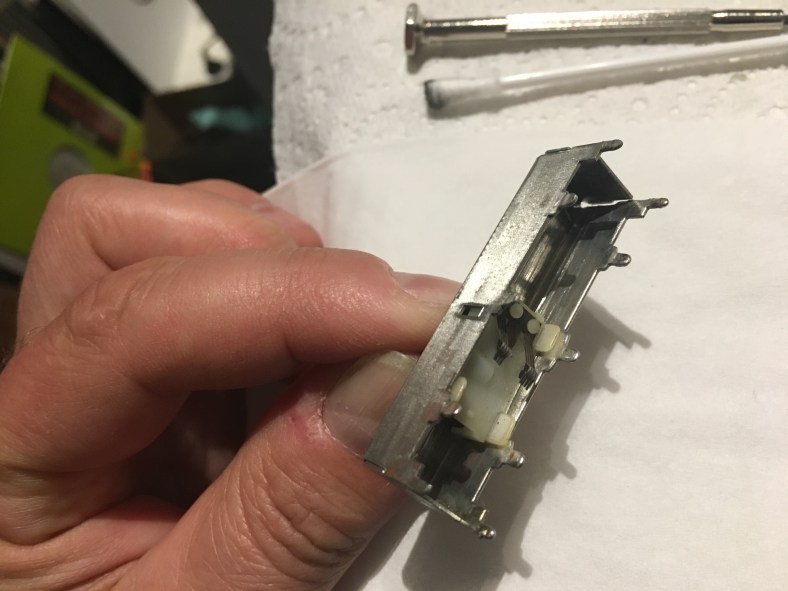
The first thing that you quickly learn is that you only get a MAXIMUM of 3 open and closes of a slider case… before the metal closing tabs weaken and snap off, and then you are in really big trouble, like this, like me:

You don’t want to be in this position. I buckled over in despair and after I got over the shock …I sat down and held my head in my hands for quite a while. I felt like that for the first time, I had not helped Cora but had actually hurt her, something that I never wanted to do. I hadn’t “restored”, I had gone backwards and done DAMAGE. To a part that is no longer available. Ouch.

I stopped working on Cora and left her alone for a few days to recoup and collect my thoughts. What the hell exactly had I done. I have often found in life that when I have found myself doing the wrong thing, the best thing to do is to stop what you’re doing first of all, and put the shovel down…to avoid digging yourself into a deeper hole. Then sit back and reflect on what youve done and why, and have a good think about how to avoid doing it again before picking up the shovel again. Otherwise you can blink and find that you’ve got not five …but 20 damaged sliders in no time, and no way to turn the clock back. (I use this philosophy not just for sliders but for other things like relationships as well!).

Why was I opening and closing them too many times? Because the feel of the movement simply wasn’t right. Specifically, there was a graininess as you moved the slider stem, that felt like there was sand in the slider, and it would “stick” in places. But it was clean I had seen with my own eyes there wasn’t a single particle of Devils Dust left in there! I don’t get it! I had tried continuing to throw grease upon grease upon grease in to try to fix it, but it STILL felt grainy and sticky and now it was all clogged up with messy grease all over the place to boot. What the hell!!

As my restoration required polishing of the slider cases to remove rust, and the spraying of them with a clear coat to seal, it made sense to open up all the sliders and spray the cases in one go. There was no way that overspray of the clear sealant was the problem inside because I had sealed up the cases beforehand :

Once polished and sprayed:

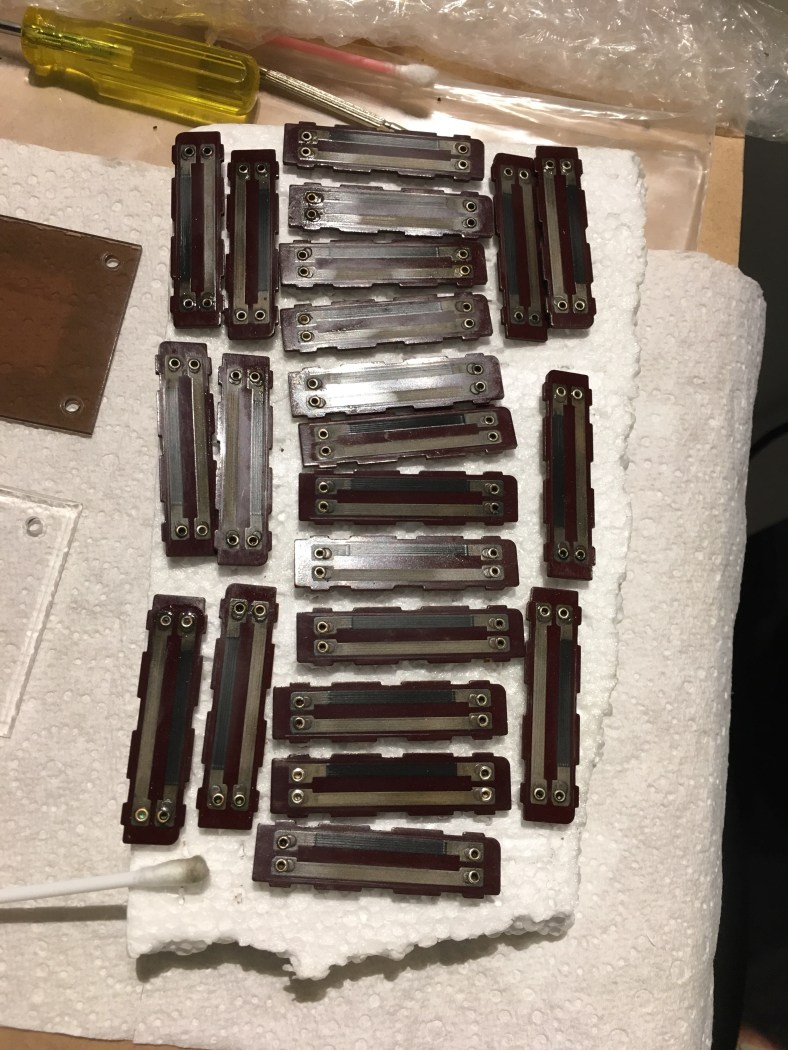
All the slider carbon track PCB boards and stalks needed to come out at once also (after all they were almost exclusively the same 10kb value):

and here is the “rub”…(pardon the pun)

When a slider has been used for many years, the little green plastic slider pads (seen above) develop a unique fingerprint groove that is worn into them, based on the shape of the metal it rubs against inside the case, and any pieces of dirt that may have accumulated over the years inside Ie. Each green plastic pad above has a different pattern of scratches on it. If you put a slider stalk combo (stalk with brushes/pressure spring/green friction pad) into a metal casing that is different to the one it came from.. the scratch “grooves” that had worn into the pad over the years don’t line up exactly with the original ones that were created due to wear and tear. So the slider feels like a Dog… it feels like there’s sand in it, and it’s movement sticks, even when it’s completely clean, and covered in grease, because the opposing tiny hair-fine grooves are “catching” and gripping on each other, rather than smooth sliding. Exactly what I was experiencing!

Sliders are such fluid animals. You can open up a perfect, brand new one, close it up immediately and it won’t feel the same when you use it. Those metal tabs underneath (that I managed to break off) that you need to bend open to pull it all apart are bent at the factory together at specific and accurate pressures. When you bend them open by hand, and close them with pliers separately, you NEVER get the closing pressure to be the same on each, or the same pressure that the original manufacturing machine used. It’s just not possible. Thus… all the changes in feel once they’re opened. Sometimes at the top of the slider track it feels tighter, sometimes there’s a “tight spot” in the middle, etc. You can muck around for an hour or so and get close to the original feel.. but never the same. And those tabs keep threatening to break off at any moment and then it’s Game Over.

90% of the problems of bad slider feel have nothing to do with friction against the actual carbon track board or the contact brushes that run over them. Most beginners will think this is the problem. The pressure between them here is so light that it rarely causes problems with glide feel (unless it’s dirty of course). After days and weeks of trial and error, I’ve pretty-much come up with a sure-fire workflow to getting a slider right… smooth, tight and working.

It’s mostly down to the friction between the plastic green gliding pad, pushing up against the metal casing inside. Assuming everything is already clean and free from old grease or dust, first stop is for the little green pad to be sanded and polished, removing those hairline grooves I mentioned had formed on them. You can see the grooves reflecting here :

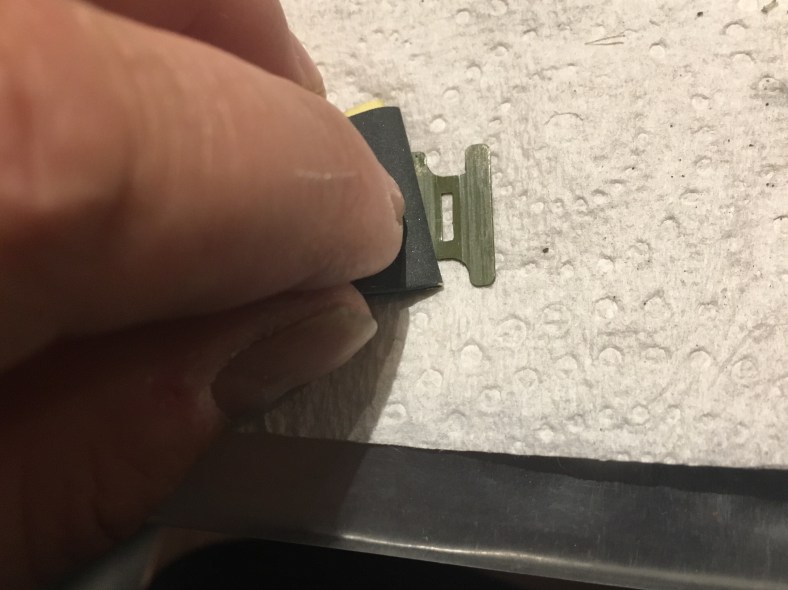
First a sand with 1200 sandpaper … the finest you can get :

Then a polish with the Dremel and a white cotton polishing head:

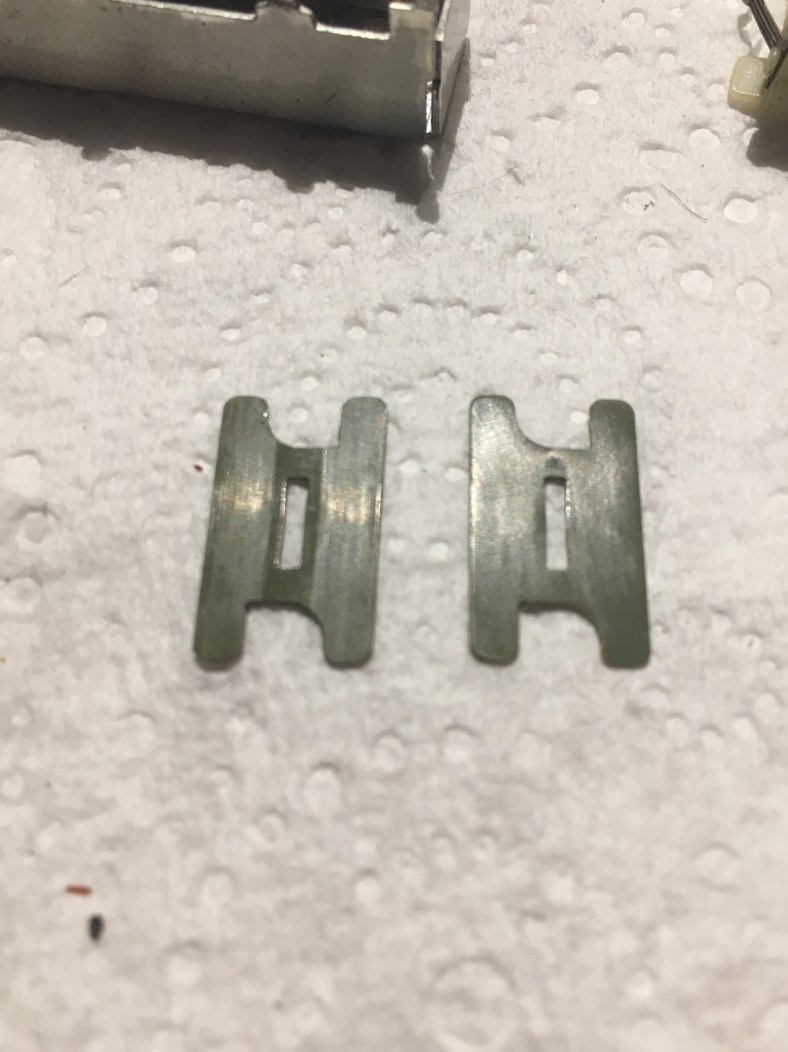
Be careful not to sand for too long and weaken the plastic, or to polish for too long as the plastic gets hot and starts to buckle and deform! The grooves are now gone and the difference is easily seen …here’s before and after:

One important note: there are two sides to the green pads, one is polished and the other is more of a matt surface. Do not think it is just a case of flipping over the green pad and using the other side instead of putting in the work to clean and polish. The matt side does not glide .. it grips. #fail

Now we turn to the inside casing, focusing on the area inside that the green gliding pad pushes up against. It has to be polished smooth smooth smooth. One of the reasons why sliders start to feel “sandy” is because the rust that has formed on the outside of the slider case has creeped around and through to the inside.

Take a look at inside one of my slider cases, no rust in this one but you can see the unique scratch fingerprint, this would match the marks on one of my green gliding pads that was in this particular unit…

First stop is a thorough and vigorous rub with mineral turpentine to break down the hard grease deposits ..

It looked clean in the first pic, right?? But take a look at this dirty black bud head that came out of it !! Note that I’m sitting the case on a new, clean absorbent makeup pad, to avoid damage from scratching against the table and to soak up mineral turps that leaks out. Next a new cotton bud to completely dry the case up inside, then a new pad down to avoid contamination and a good rub with methylated spirits (alcohol) to clean it up. The mineral turpentine must be removed completely from the scene as it breaks down new grease that we are going to add later, and could melt the stalk plastic bracket that holds the contact brushes:

Now a polish inside with a little spinning wire metal brush on my Dremel to remove those scrape marks, focusing pressure on the two tracks either side of the long slit:

Next a thorough check of the stalk plastic, and a little filing on the sides to make sure no rough plastic is present that might grab the case sides and to make sure there’s no scratch tracks in the plastic either :

Then (and this is the key at this point) …an install of the stalk with its spring and green gliding pad WITHOUT GREASE… just a cold test, pulling the stalk against the case, with runs up and down quickly to get a raw feel for how smooth things are working.

It feels good … but does it also sound quiet ? Or is there a “scraping” sound as you move the slider ? Put the slider up to your ear and move the slider as you listen carefully.. can you hear a problematic high pitched ringing ? You will quickly find yourself wandering the hallway with slider cases up to your ear like some mad electronic scientist. The wife sure gave me some strange looks and rolled her eyes more than once (she just doesnt understand!). Slider cases act like damn speaker enclosures.. once the carbon PC board is placed on the underside, and you seal the tabs up, the slightest little sounds suddenly become LOUD! We are going to do as many tests as we can without touching or bending those delicate case tabs until the VERY end. So take that brown pcb and push it onto the underside and “pretend” the tabs are closed by squeezing it shut with your fingers as you keep moving the slider…effectively making an “electronic sandwitch”. At this point the shifty secrets of the slider problems will be truely revealed as you move the stalk up and down ! You’ll know if you will need to do more polishing or smoothing or cleaning. Or sometimes, for reasons only the Slider Gods know, need to try using a different stalk/spring/green pad set from your pile on the desk in the casing when all else fails. Often you suddenly have it all working smoothly because that case “likes” that stalk combo more. At this point, shake your head sideways and say “Go Figure…”

I hear you ask at this point “but there’s still no grease in there, won’t adding grease make things run smoother and quieter, so I should not worry so much?? If I hear problems now can’t I just throw grease in there to fix it rather than polishing and cleaning which is harder and more of a pain to do?” You would be WRONG to think this, and if you tried it your slider restoration would FAIL. Been there, done that. The mechanism has to run completely smoothly and silently before any grease is put in for your job to be successful. All the grease does in a slider in reality is stop wear and tear and tighten up the feel of the slider a little bit. It does not help with smoother movement (believe it or not), because in reality once grease is applied, very little is left between the green pad and the casing in only a few movements and you experience the grinding sand sticking effect again. Grease does not do the heavy lifting in a slider. It’s a complimentary afterthought. For it to be doing anything meaningful inside, the slider would need to be literally FULL of grease, and then it would fail electrically.

OK everything moving smoothly? Nice and quiet? Time to add finally some grease and close the slider up. Move the stalk to one extreme and and apply a track of grease to each side of the slider hole tracks:

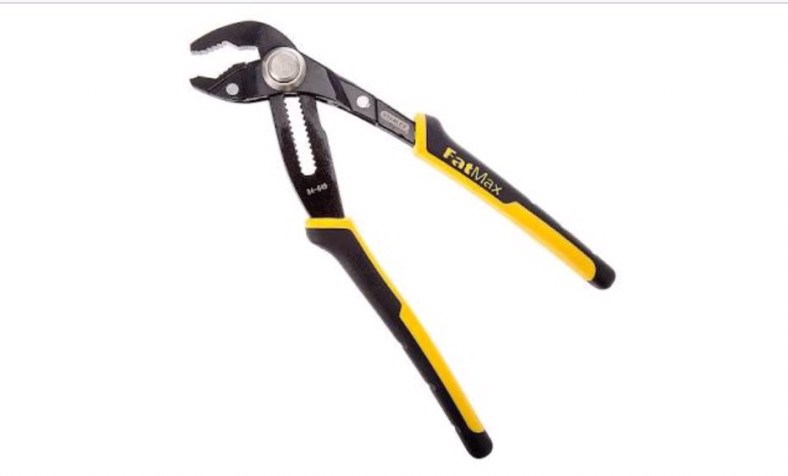
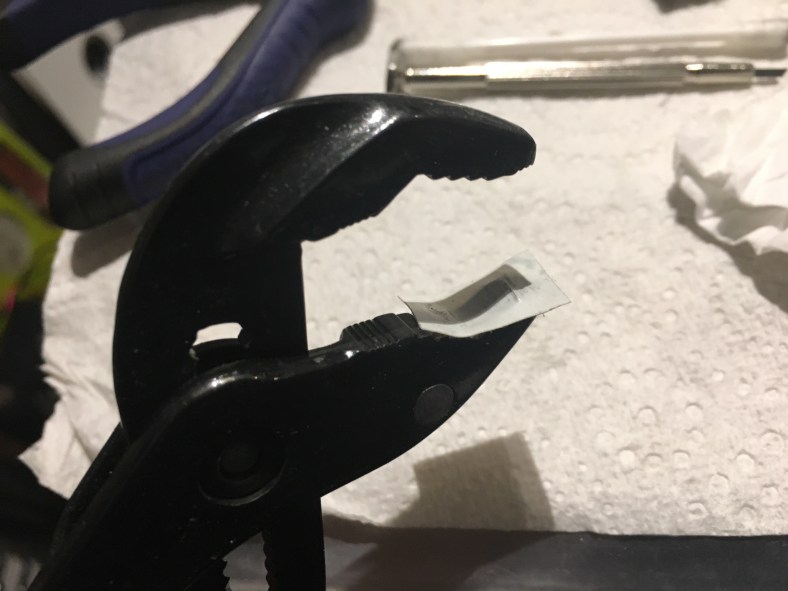
then try and lift the stalk and green pad “up and over” onto the grease, so the grease is not just pushed to one end of the case on the first slide but is between the green pad and the metal. Again a few runs up and down with the stalk to check for grease distribution and then it’s time to finally close up the tabs. The best tool for the job is to use a set of small “groove joint pliers”, to get up and around the case properly and close with direct pressure downwards, rather than a sideways squashing motion from normal nose pliers that can push the case out of shape. I have a small pair of Stanley Fatmax, yellow and black colored, that are my pride and joy as it’s hard to find a pair that’s small and also have a “button slide lock” on them. (The type with the simple bolt-ratchet system to open up the grip keep slipping and jamming up on me and driving me bonkers).

Be gentle with the slider case, the smallest alignment change in the metal shape will result in the slider sticking or jamming in places. It doesn’t take much. You also don’t want the pliers to scratch up the fine work you have done in polishing and respraying the top of the case, so stick some electrical tape on the bottom clamp to avoid damage :

Finally .. case closed! Rust free! Smooth! No tabs broken! This one was a success !

EDIT: 19/7/19 Here is a great new video showing the entire process published by Synthead….some great hints here. His slider metal looks shiny and brand new already to start with so he is a lot luckier than me! No rust here. And the internal plastic looks a nice white color (unlike my yellowy brown aged ones) so im guessing this is a much later Jupiter 8. Watch this video before attempting!


Final note: if you have some spare Jupiter 8 sliders please sell them to me! As I damaged several of them before working all this out. New or used, ill take anything ! On top of $$ you will get a “Thank You” on this blog by name personally and will feel good that you had a hand in helping Cora to be all that she can be! Use the “Contact” section of this blog. Many thanks!

Putting a Jupiter 8 keybed back together

I had all of Cora’s keys washed and cleaned and ready to be installed back into the key bed. I was just waiting for some new piano felt to arrive … the original Roland felt was beaten down and filthy dirty and had become solid stiff in places where the brown marking was particularly bad… all signs of Cora having drunk a beer down her keys in her life as a nightclub party girl.

Cora has two felt strips. One strip for the keys to hit on the way down, another to hit on the way up. They are 8mm wide, 3mm thick and approx 1m long… the full length of the keybed. Finding a replacement was not that easy, I wanted them to be identical. Most of the ones on Ebay or local stores were blue or red, and not the same felt quality.

Finally I tracked down Piano Forte supplies online, who specialize in this exact kind of thing and supply a cream colored product called “Crescendo” …a premium quality product, that Jurgen cuts to custom size. A few weeks later and it arrived … perfect!

Here they are side by side …the texture even feels the same :

I was so happy to find this felt. I am determined to update and replace as many things in Cora like this as I can along the way. (I’m going to try and replace as many of the rusted and damaged and missing screws in her as possible as well, although that may be harder as there is a lot of custom looking ones. And a lot of anodized black ones that are VERY hard to track down in black.)

Time to mount the felt onto the metal rack so I can get my polished keys back in. Some of the online felt comes with adhesive on one side for mounting. Not Crescendo felt however. It’s very important not to use the wrong glue .. if you use Supaglue or Araldite for instance you will be in big trouble ! As the felt soaks it up and then goes rock hard … and still doesn’t glue very well either. You need to use “Tacky Craft Glue” for this job, like this one:

Spread it on cleanly with a cotton bud:

And dont overdo it as it will squash out once pushed down. Flip it over and drop into the same place as Roland had it, I’d taken a picture for measurement before I started restoring the keybed metal for this day:

And on she goes looking like a whole new keybed part now!:

But there was another problem now. The white spare replacement keys that I had bought online it seems were more white than the white of my keys. It finally made it obvious that my whole set of white keys, were not THAT white at all.. but a shade of cream yellow, obviously due to sun damage and age. A similar problem to the patch buttons. It looked quite average with different colored white keys sitting next to each other:

Hmmm… would the same trick I used for the white patch buttons to bring them back to the original white work with the thicker, stronger key plastic as well? Only one way to find out:

Keys were put together in groups of two and then bagged in sandwich seal bags from the supermarket:

along with the same hydrogen peroxide brushed onto them that I had used for the patch buttons. And laid out in the sun all day and overnight (24 hrs total) The next morning … pure white keys! It worked for them just as well. Problem solved. Finally time to re-install the keys. Starting at the top:

Working your way down the board you need to pay attention to the getting the correct black key pattern (easy to screw up!) keeping in mind that the black keys tuck behind the white keys so black ones have to be installed several steps ahead of the white keys:

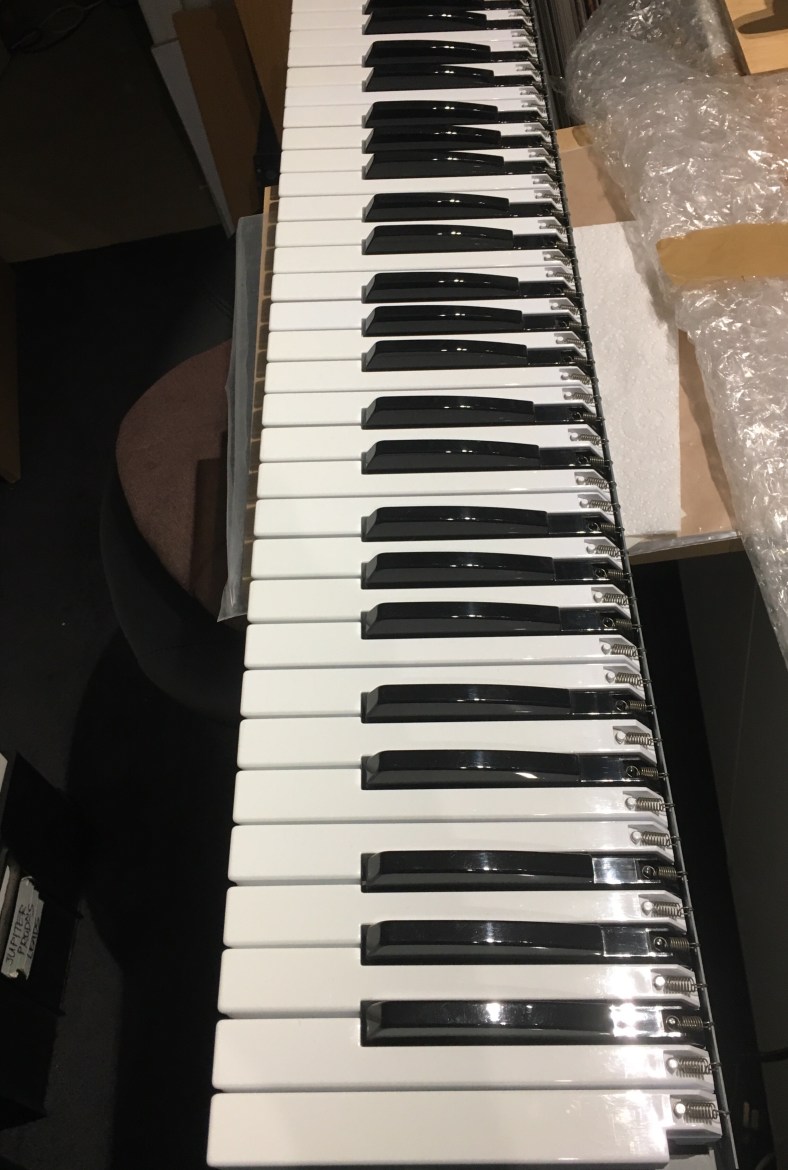
Finally it was back together …

Jupiter 8 – ready for the Powder Coating process

I wanted to get Cora the Corroder ready for her big day …the visit to the Powder Coater for the first step towards her new shiny coat. One of the big problems with powder coating is that you CAN’T use polyfiller or anything similar to fill in the small bumps and rust holes in the metal… because the powder coating process involves baking in an oven at over 200Deg c and the pollyfilla shrinks in the heat and then falls out of the cracks !!! As well as the fact that powder coating requires the base to be metal otherwise the paint does not electrostatically stick …. you end up getting blotchy holes in the paint surface where the filler is. Cora was not going to end up looking like an acne-ridden teenager that chugs sugary soft drinks on my watch! So I did lots of research. The good news is that I discovered there is one product you can use, that specifically works for this situation from the US…called JB Weld. It’s a “steel weld” glue that actually has metal particles in it. One of its marketing points is specifically that it can be Powder Coated. Yay. And therefore it will also withstand over 200deg required for the process.

The Secret here I discovered when it comes to smoothing out a metal panel is to mix up a small amount.. the size of a coin. Then touch it with the tip of your finger, and then touch the spot on the panel top and rub it on in a small circular motion.

Leave for 15 hours (no later as it hardens too much, no less as it hasn’t hardened enough) and then gently sand it before it becomes completely set. It will sand back beautifully and smoothly and easily at 15 hrs. You can see here I have sanded the one on the right side down smooth. The two on the left are still to be done. Then leave it for at least another 24 hours to completely harden up.

The powder coating workshop that I decided Cora was going to visit was called “Topcote Powder Coating”.

It was on the other side of town in an industrial area near the airport and this place was literally on the opposite side of the street from a workshop I had been in discussion with to attempt the tricky decal silk screen printing. Google maps had confused me with its directions to find the place and I thought it was the decal workshop when I walked in by accident with Cora ! The guy “Clive” that greeted me was cool and accommodating, and once I realized my mistake I quickly changed my stream of reasoning for seemingly being there and discussed powder coating hehe. He found the exact Roland powder coat color from metal swatches, he checked to see that he had the actual paint color in stock, gave me some advice on how to strip the paint properly (rather than sand blast it) and even ran out the back to grab a tin of paint thinner and said “you’ll need this for the job too before you bring her in” and handed me the tin for free! He also talked about temperature concerns of the oven due to the thin metal and how he would put it in a particular spot in the oven where it would not buckle or warp due to overheat. Right there and then, I knew this guy was the man for the job and the powder coating place I had originally in mind that had done some previous work for me (much closer to home) was to be bumped for this most precious of jobs. I never much liked the disgruntled old stir-crazy menopausal woman that begrudgingly would answer the desk at my local workshop anyways. And you never got to speak to the actual guy doing the work there so you never knew if the messages were getting through. But here, this guy Clive was …da Man. He knew his stuff. He’s been doing this all his life… he’s made all the mistakes there is to make. I resigned myself to needing to return and make several more trips across town. But nothing would be too much trouble for my special Cora, to have her handled with respect and care that she deserves… and done right.

And Clive also explained one other thing to me…everything that I wanted to be powder coated needed to be done together, all at once. None of this dropping-off-bits-at-a-time business. Because half the time painting is spent loading the paint into the guns and cleaning out the paint afterwards. If I was going to do that, it would cost me a fortune. If they were all dropped off together, it would be a package deal price. So everything needed stripping, filling, sanding and cleaning together. There were quite a few parts involved here once I started adding them up! Including both the left mod controller panel, the right keyboard spacer thingy, the front metal strip under the keys, the whole base panel, and the little DCB plate that covers the adapter plug hole on the back of the synth. All needed to be the same color, needed to be stripped and prepped for the day. A Big job. One that would take a long time, lots of fiddling, and could not be rushed. I’ve always found that when I’ve been pressed for time and tried to get through a job to a deadline, that’s always when I’ve managed to damage something. This needed patience. And I wanted to enjoy it! It took several weeks. First was the final finishes to the top panel. Every place where there was a bracket weld underneath, there was a round metal coin-like mark on the other side. It was a silver filler on the top, to hide the weld burn. And in many places, the weld was still causing a “dip” in the surface top metal. I spoke to a few people about this.. including Clive who said that the paint would collect in these small crators, and, umm, in his words “look like shit” if they were left that way. The answer he said was to tap them out from the other side. Now apparently i was a panelbeater! The number of different hats I was wearing during the course of this project was shaping up to be rediculous. But I jumped right in.

I used the head of a nail, upside down, as suggested…with Cora on a solid wooden table. With 4 solid taps, knocked back the panel to be even and flat. Trial and error to get the weight and swing right, occasionally I overdid it and had to flip the panel over and swing it back the other way to be flat:

I used a light hammer that believe it or not, came with my house when I bought it! I knew that little sukker would come in handy one day. Found it in an old drawer in the garage when I moved in.. bonus. It’s great in that it has a nice flat head on it…important. Then an anti rust treatment:

That turned Cora into some disturbing white and purple shades. 24 hrs later, some scrubbing, sanding and polishing. This is where I needed to keep running my hand up and down on Cora’s bare metal face, over and over to feel any final blemishes for a good 20 minutes or so. I really connected with her on a truely physical level at that moment. To the point where my wife serendipitously walked into the garage right when I was close up against her with my head and running my eye along her surface to see any imperfections reflecting against the light, and feeling across her face with my other hand. The wife took one look and jealously asked for me to “please stop fondling your synthesizer and come in for dinner.” Yes…Finally her top panel was sparkling and ready.

later the underside needed to be cleaned up as well, as I came to the realization that it would need to be coated too and some rust was bleeding through the slider gaps from underneath:.

Then it was on to the large base panel. First a stripping:

It had taken a few knocks and scrapes over the years on synth stands. You can see the lines of rust near the paintbrush, where the original Roland paint had been taken off years ago through to bare metal and rust had replaced it. The paint comes up so easily once the paint stripper gel is applied, amazingly you can just take it up with the most gentle of strokes;

Then a good metal brushing to remove rust.

It didn’t look as pretty as the top panel, but believe me when you ran your hand across the metal, it felt smoooooth. The rest of the parts were then done, collected up, and taken to Clive’s workshop to join the powder coating job queue.

I was nervous leaving her there. But I would see her again soon.

Jupiter 8 – A Different Board B

I was taking a good look at the poor state of the Board B in Cora tonight:

More rust on the slider casing and pots…I was giving it an archaeological clean gently with the brush to get all the muck and dust and debris out from in between the components…

This small but important board sits on the top panel on the left hand side of the synth, and has crucial circuitry for the final audio output stages as well as the arpeggio slider. One of the complaints that were made was that the output of a jupiter 8, particularly the balanced Cannon 3 pin outputs on the rear, were noisy. It seems that Roland addressed this issue in the later models by re-designing the board and adding several more caps… I’m guessing to decouple things further to remove hum as well as to assist with more effective output impedance matching. See the new row of blue caps along the top near the plugs that have appeared on this later version of the board :

The white input and output plugs across the top are the same size and in the same order. So I assume this new board is directly swappable for the older version. Hmmm…I wonder what the improvement would be and if I could get this pcb made up from the service note pcb track images, there are plenty of places online that make one-off pcb boards to spec. And then transfer the parts across. Would it be worth the trouble??

Anyways there’s plenty of healthy rust here again on the pot ground screens and the slider. This slider is unlike all the others on the panel and is a 500k one. I desoldered and took the fader off to work on it and then figured if I was going to work on one slider I may as well work on several so I desoldered all of them from the left slider board as well… plenty of rust there too!

I then cleaned up underneath where the slider was on the PCB…

And disassembled all the sliders. The fact that there is a lott of grease and grime on the PCB underneath tells me these faders were judiciously sprayed internally at some stage with some kind of lube..I would doubt it was expensive Fader Lube probably more likely to be the usual WD40 culprit…bad for faders. And the spray overflowed and leaked out the bottom of the fader and dripped onto the pcb. Have a look at the ton of crap living in them!:

Those cases would need the same treatment … a polish to remove the rust and a sealer to avoid it coming back. You need to make sure that you seal off the top of the case with tape inside so spray doesn’t leak inside … the spray sticks to the inner walls of the slider case and then when you put them back together the slider no longer runs smoothly…. you feel every blob of spray like grains of sand in the slider ! (I learnt this the hard way). The smoother and more polished the inner side walls of the slider case is, the smoother the slider feels. So I also poked the slider cases into some polystyrene foam so there could be no leaking of spray underneath either. Here is what you do:

Cut some electrical tape in half and stick it inside inside. Make sure you add an extra piece for the side window to seal that too. Then into the polystyrene:

Notice how I give them enough space between to spray each side easily. Then once over with the clear sealer spray, 24 hours later nice and clean and sparkly slider housings!:

Jupiter 8 slider dust felt protector rubber – found the replacement!

Lots of people have been trying to find a replacement for the black felt that was glued to the inside panels on a Jupiter 8 (and other Roland synths of this era). The black felt becomes brittle with age and becomes stiff, and actually crumbles and small pieces often crack off and fall into your synth, especially if it’s lived in a hot place or damp atmosphere and therefore rusted to hell (like my Cora).

The felt is a rubber- like mat substance that the slider stalks protrude through and help to stop dust from dropping through into the slider (it only partially works in reality) and also makes your synth look cleaner as you don’t see the silver slider case or other components on the boards underneath through the gap when using the synth. I’ve seen many posts where people have used a thin grey carpet- like particle felt that is most easily available …like this :

The problem with this stuff is that little particles and strands fall away with use as the slider pole drags through this carpet and fall into the slider …=big trouble shortly down the line. Plus it wears away quickly due to the loss of particles and leaves a wide slider gap again for dust. Basically … it looks okay for a few months (but it’s not ideal because it’s not black either) and it causes more headaches later. Plus it’s REALLY hard to stick down.

I did a lot of research on what this material used by Roland originally was and I’ve found the replacement ! It’s called “Black EVA foam sheet board.” And it’s identical! The original Roland sheet was 1mm thick. (Some make the mistake of thinking it’s 3mm but that is not the case … much too thick !) You can buy an exact 1mm thick sheet that can be cut up and will be enough to replace the old rubber for the whole Jupiter 8 on EBay for under $6US delivered from China, including postage! Incredible!

When it arrived i was blown away, it’s just like the real thing but only new! And less brittle.

So it’s just a matter of cutting it to size and gluing it back into place. Which sounds easy enough but I’m sure there will be a trick to it. I’ll update this post when I get around to gluing this into the panel (it’s at the powder coating workshop as we speak) as the type of glue will be an important factor as well.

Here is a pic of some of the original felt I removed from Cora side-on …right next to the new material so it can be seen it’s the same size and that 1mm thickness is correct ;

Progress with the Jupiter 8 internal Rust!!!

I’ve been working on the extra metal pieces that are not going to be powder coated, and getting them into shape. They were all originally a grey color and inside Cora, but splattered with rust. Here is a before and after for the keybed metal!!:

It looks brand new! Turned out so well I was wrapped! Everything was stripped off including the felt strips and the little rubber protectors for every key. Then a jolly good scrubbing with a wire metal drill brush:

A soft wire brush drill bit helped a lott. (The soft ones are colored gold.. hard wire brush tools are grey). There are lots of sharp teeth and edges on the keyboard metal… wear gloves and go slow. The spinning brush often catches on things sticking out … use a drill that has speed control with the trigger so you can slow down the revolutions otherwise the drill can catch and fly out of your hands …oh and wear gloves. A dab of methylated spirits along the felt runs and after a few minutes they came up easily with a flat spinning wire blade version of a wire brush. The secret is to spray these kind of things with a Zinc spray, and then a clear coat to seal it, not just an enamel grey spray or those “anti rust” sprays that have a bit of everything all in one, but not enough zinc. I used this zinc spray:

Two light coats, 24 hours waiting between. Then sealed with a clear top coat, I used this stuff I found at Aldi for $5 bucks “Transparent Protection Spray” sounded exactly like what it was after …worked great! :

Sat it out on a stump in the sun for the deed and let it rest there between layers (brought it in for the night to avoid morning moisture on it):

And it came up good as new !

Same deal for that rusty jack back plate:

Given a good spray with anti- rust:

And left for 24 hours, which reacts with the rust and neutralizes it (but turns it a nasty dark purple):

Then it needs a jolly good polish/sanding:

placeholder://

And here’s the finished jack metal plate after the same process!

The same process for the other voice board brackets and the internal pieces are done and ready to go back into Cora once the powder coating of the case is completed!