JavaScript Coding Editor & IDE1.8.18
Publisher Description

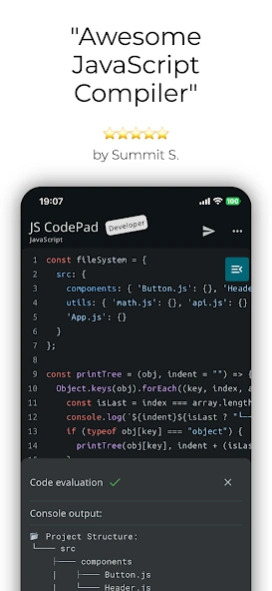

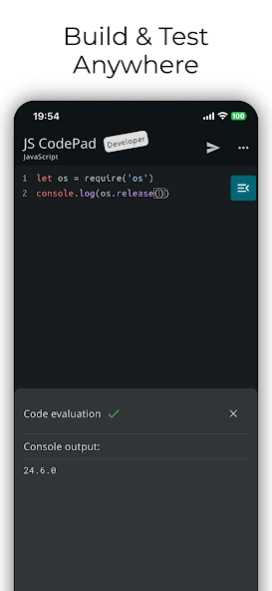
Compile & Run JS, TS & HTML code on Node.js runtime offline. Learn programming!
A fully functioning offline node.js runtime on your mobile device.
It lets you run JavaScript and TypeScript code and scripts offline on your phone, without any internet connection or server setup.
You can use it as a compiler, a console, an engine, a runtime, WebView, or an IDE.
Whether you are a professional developer, a student, or a hobbyist, JavaScript CodePad will help you practice and improve your coding skills anytime, anywhere.
Built in tsc compiler transpiles your TypeScript code to JavaScript offline.
Use the WebView mode to access the built-in Web Browser Window and DOM interface. Combine HTML, CSS, and JavaScript and learn building Web apps.
Organise your code into modules and run multiple JS files using Node.js as a runtime (Internet connection required).
You can run, execute, and evaluate JS code and programs from this app.
Lightweight app with full JavaScript syntax highlighting, code completion and editor actions like undo, redo, comment lines, and indent selection to enhance your developer productivity.
Enhanced productivity with live JS and TS code analysis as you type. Catch errors before you run the code.
Built-in AI Assistant, whenever you get an error in your code, AI can suggest how to resolve it.
AI Assistant can also refactor your code, clean it up, check it for bugs, write comments and documentation strings or just explain it.
Blazing fast, all single script and Web View code is ran directly on the embedded node.js runtime or built in Web browser.
Enhance your programming and JavaScript skills by solving built-in coding problems.
Learn JavaScript with the MDN tutorial. Become a JavaScript coding master.
Learn TypeScript with the official TypeScript handbook.
Test your JavaScript and TypeScript knowledge, the app will tell you if you are writing valid JavaScript.
With JavaScript CodePad, you can:
- Write and execute JavaScript code with syntax highlighting and auto-indentation.
- Run and compile TypeScript code and scripts
- Test and debug your code with the built-in console and error messages.
- Share and load your code snippets for later use
- Customised keyboard with special keys and shortcuts for JavaScript and TypeScript
- Code completion
- Code formatting
- Code linting
- Solve built-in coding challenges
- Access JavaScript and TypeScript tutorial and library reference from the app
- Learn new concepts and techniques
- Write HTML, CSS and JS code and run it in a built-in WebView
- Run multiple JS files
Download it today and unleash your creativity with the most popular programming language in the world.
Note that certain features like Code completion, WebView mode and project mode require paid Developer upgrade.
About JavaScript Coding Editor & IDE
The company that develops JavaScript Coding Editor & IDE is CloudBit Ltd.. The latest version released by its developer is 1.8.18.
To install JavaScript Coding Editor & IDE on your Android device, just click the green Continue To App button above to start the installation process. The app is listed on our website since 2026-01-03 and was downloaded 3 times. We have already checked if the download link is safe, however for your own protection we recommend that you scan the downloaded app with your antivirus. Your antivirus may detect the JavaScript Coding Editor & IDE as malware as malware if the download link to com.markodevcic.js_code_pad is broken.
How to install JavaScript Coding Editor & IDE on your Android device:
- Click on the Continue To App button on our website. This will redirect you to Google Play.
- Once the JavaScript Coding Editor & IDE is shown in the Google Play listing of your Android device, you can start its download and installation. Tap on the Install button located below the search bar and to the right of the app icon.
- A pop-up window with the permissions required by JavaScript Coding Editor & IDE will be shown. Click on Accept to continue the process.
- JavaScript Coding Editor & IDE will be downloaded onto your device, displaying a progress. Once the download completes, the installation will start and you'll get a notification after the installation is finished.
Program Details
System requirements
Download information
Pricing
Version History
version 1.8.18
posted on 2026-01-03
Bug fixes
version 1.8.14
posted on 2025-07-08
Performance improvements
version 1.8.11
posted on 2025-03-02
Fix ANR
version 1.8.10
posted on 2025-02-25
Added option to highlight matching braces
version 1.8.9
posted on 2025-02-15
Crash fixes
version 1.8.4
posted on 2024-11-24
Added AI Code Generation
version 1.8.2
posted on 2024-11-01
Added code search and quick help editor actions
version 1.8.1
posted on 2024-10-22
Added TypeScript support
Bug fixes
version 1.8.0
posted on 2024-10-13
Added node.js runtime for single script code runs
Added code linting and code formatting
version 1.7.0
posted on 2024-05-22
Added AI Assistant
