Java
Publisher Description
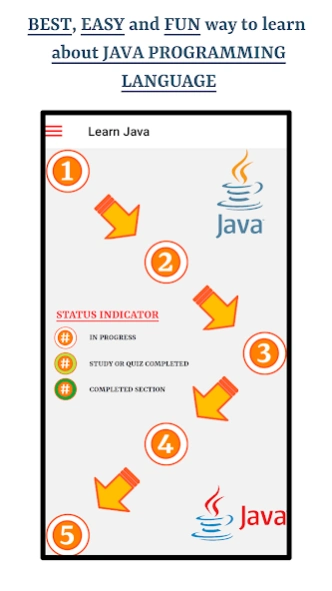


Learn Java Programming Language Using MCQs
This app is a great resource to learn about
Java Programming Language
. The app is engineered to make users perfect understanding common Java Programming Language questions by studying for a very short amount of time. Audio functionality and bookmarking is available throughout the app on chapter, section, study mode and quiz modes.
The app will help you learn the correct pronunciation of terminologies used in Java Programming Language using English language. Following are the
main features
of this app
1.
Supports pronouncing Java Programming Language terminologies in English Language
2.
Uses Text to Speech Engine for Audio Functionality
3.
Quizzes
4.
Study Mode
5.
Bookmarking Study Flashcards and Quiz Questions
6.
Progress Indicators for Every Chapter
7.
Visualization for Overall Progress
About Java
The company that develops Java is Ghumman Tech. The latest version released by its developer is 1.0 .
To install Java on your Android device, just click the green Continue To App button above to start the installation process. The app is listed on our website since 2024-09-26 and was downloaded 0 times. We have already checked if the download link is safe, however for your own protection we recommend that you scan the downloaded app with your antivirus. Your antivirus may detect the Java as malware as malware if the download link to com.ghummantech.learnjava is broken.
How to install Java on your Android device:
- Click on the Continue To App button on our website. This will redirect you to Google Play.
- Once the Java is shown in the Google Play listing of your Android device, you can start its download and installation. Tap on the Install button located below the search bar and to the right of the app icon.
- A pop-up window with the permissions required by Java will be shown. Click on Accept to continue the process.
- Java will be downloaded onto your device, displaying a progress. Once the download completes, the installation will start and you'll get a notification after the installation is finished.
Program Details
System requirements
Download information
Pricing
Version History
version 3.2
posted on 2024-09-26
Progress Indicators are added.
Study Mode is added.
Quiz Mode is added.
Bookmarking is available.
Ability to play the sound for text is available.
Added All Bookmarks Tab in the Menu items.
Bug Fix for Text To Speech issue.
Fixed app name in About Us screen.
Changed hamburger menu icon.
Removed menu icon from all screens except Home.
