
説明
Zamango Analytics plugin let you add counters and statistics trackers (Google Analytics, GoStats or other) to your blog.
Main features of Zamango Analytics:
- simple and intuitive interface
- minimum of settings will not embarrass you
- high speed functionality
Other developers of such type of plugins try to make some functionality that is not very helpful and makes their blogs slow. This plugin is fast, simple and has required functionality.
スクリーンショット

General settings 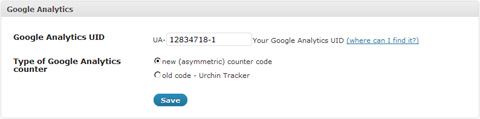
Google Analytic settings 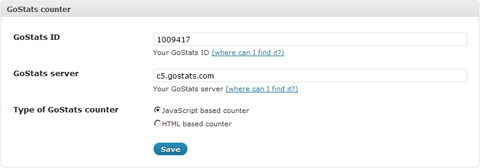
GoStats settings 
Custom counter settings
インストール
Installation procedure is the same as most other plugins have:
- Extract the
zamango-analytics.zipto your hard drive - Upload
zamango-analyticsfolder into/wp-content/plugins/directory of your website - Activate
Zamango Analyticsplugin onPluginspage of your wordpress admin panel
FAQ
- Is it obligatory to use v.2.8+ of WordPress? Will pluging work on older wordpress builds?
-
Zamango Analytics uses few features which were implemented in WordPress v.2.8.0 so it will not work correctly on older versions.
Althought I use it myself on wordpress 2.7.4 with few limitaions. - Where does plugin display my stats?
-
It is very hard to add stats reports to the plugin. In order to keep it fast, plugin just inserts tracking codes to the wordpress pages, so you only can view your reports through apropriate tracking systems.
評価
このプラグインにはレビューがありません。
貢献者と開発者

変更履歴
1.0
- First public build.