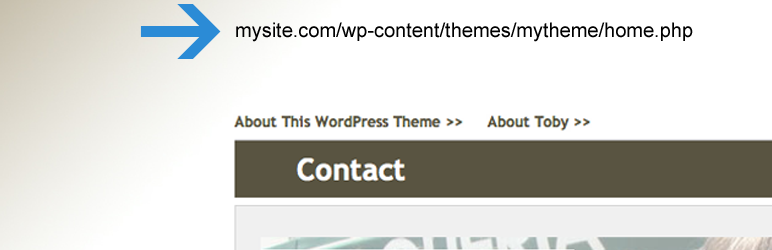

説明
This is a debugging plugin that displays the current php file that is loading on the front end of the website.
Thanks to VegasGeek and Mark Gason for the code and inspiration for this plugin, respectively.
スクリーンショット

Location of template file displayed in the admin bar
インストール
There are two methods of installing the plugin:
From the WordPress plugins page
1. Download the plugin
2. Upload the what-template-file-am-i-viewing folder to your /wp-content/plugins/ directory.
3. Active the plugin in the plugin menu panel in your administration area.
From inside your WordPress installation, in the plugin section.
1. Search for the what template file am i viewing plugin
2. Install it and then active it.
FAQ
-
Where do I see the output of this plugin?
-
The output of the plugin displays in the admin bar at the top of the page on the front end of your site.
-
Where is the options page for this plugin?
-
There are no options for this plugin, nor is there an options page.
評価


貢献者と開発者
What Template File Am I Viewing? はオープンソースソフトウェアです。以下の人々がこのプラグインに貢献しています。
貢献者

“What Template File Am I Viewing?” をあなたの言語に翻訳しましょう。
開発に興味がありますか ?
変更履歴
1.0
- 最初のリリース
1.1
- Hide the output for non-admins (a.k.a. The output will not display for website visitors.)
1.2
- Moved the output to the admin bar