

説明
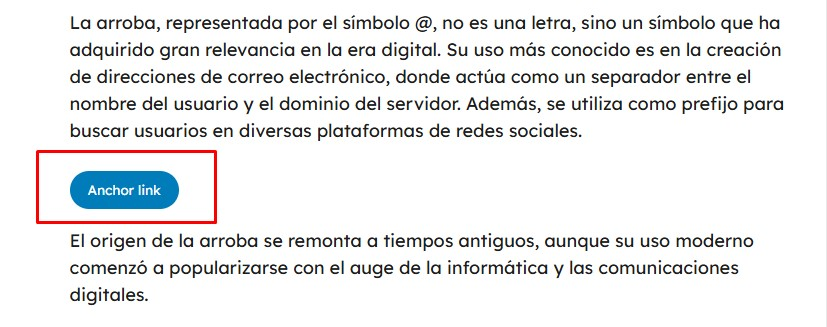
Custom Anchor Block enhances your WordPress editor by adding a versatile anchor link block. Create smooth-scrolling anchor links that can be styled as either text or buttons with fully customizable colors and styles.
Key Features:
* Create anchor links as text or buttons
* Fully customize button colors (background, text, and border)
* Choose from different button styles (Primary, Secondary, Outline)
* Select button sizes (Small, Normal, Large)
* Multi-language support (English and Spanish available)
* Easy to use interface integrated with the block editor
* No coding knowledge required
Perfect for:
* Long-form content navigation
* FAQ sections
* Table of contents
* Landing pages
* Product documentation
* Course materials
Usage
- Add a heading or paragraph where you want users to scroll to
- Set an HTML anchor ID in the block’s Advanced settings (e.g., “section1”)
- Add the Custom Anchor Block where you want the link to appear
- Enter the same anchor ID
- Choose between text or button style
- Customize colors and appearance as needed
Development
This plugin is developed using modern JavaScript and build tools. The source code is available in the /src directory.
Build Tools
- Node.js and npm are required for development
- The plugin uses @wordpress/scripts for building
Development Setup
- Clone the repository
- Install dependencies:
npm install - For development with auto-rebuild:
npm run start - For production build:
npm run build
Source Files
/src/index.js– Main JavaScript source code for the block editor containing React components and block registration/src/style.css– Original CSS styles for both editor and frontend display
Build Output
/build/index.js– Compiled and minified JavaScript/build/index.asset.php– WordPress dependencies and version information/build/style-index.css– Compiled and optimized CSS
Development Dependencies
The plugin uses the following development tools:
* @wordpress/scripts: Provides build tools and configurations for WordPress block development
* Package configuration in package.json:
json

  {

    "scripts": {

      "build": "wp-scripts build",

      "start": "wp-scripts start",

      "format": "wp-scripts format",

      "lint:js": "wp-scripts lint-js"

    },

    "devDependencies": {

      "@wordpress/scripts": "^26.0.0"

    }

  }
スクリーンショット



ブロック
このプラグインは2個のブロックを提供します。
- Anchor Link
- Custom Anchor Anchor Block
インストール
- Upload the plugin files to ‘/wp-content/plugins/custom-anchor-block’
- Activate the plugin through the ‘Plugins’ menu in WordPress
- Use the ‘Anchor Link’ block in the editor
FAQ
-
Yes, you can fully customize the background, text, and border colors for each button individually.
-
Does it work with all themes?
-
Yes, the plugin is designed to work with any WordPress theme that supports the block editor.
-
Can I use it in multiple languages?
-
Yes, the plugin comes with English by default and can be translated into any language.
評価
このプラグインにはレビューがありません。
貢献者と開発者

“Custom Anchor Block” をあなたの言語に翻訳しましょう。
開発に興味がありますか ?
変更履歴
1.0.3
- Added source code directory and comprehensive development documentation
- Removed deprecated load_plugin_textdomain function
- Updated function prefixes to ‘customanchblock_’ to ensure plugin compatibility
- Updated constant names to use unique identifiers (CUSTOMANCHBLOCK_VERSION)
- Updated script and style handles for better plugin isolation
- Updated code structure to prevent conflicts with other plugins
1.0.2
- Updated plugin ownership details
- Updated compatibility with WordPress 6.7
1.0.1
- Added button color customization
- Improved multilanguage support
- Enhanced block editor integration
1.0.0
- Initial release
- Basic text and button anchor options
- Multi-language support framework