
説明
The plugin periodically deletes or moves to trash comments based on the comment status. You can use one of the default WordPress CRON periods or use a custom hour and interval.
The administartion page is under the “Comments” main menu
スクリーンショット
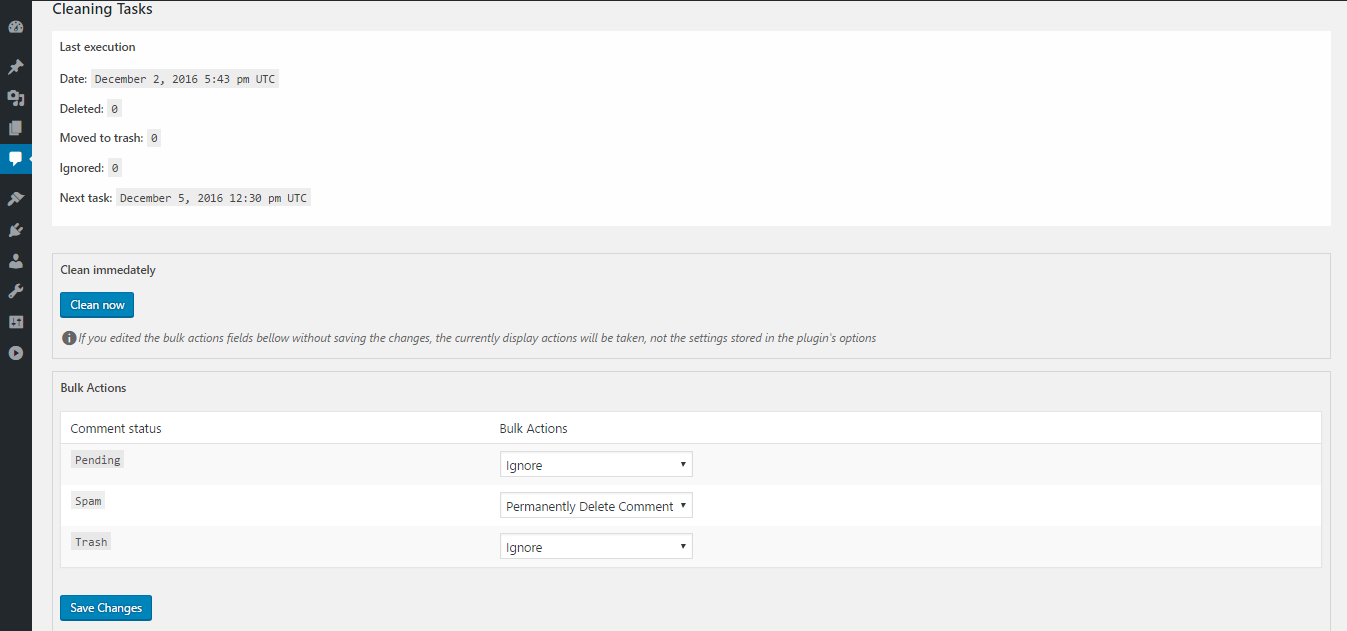
The admin page
インストール
Uploading in WordPress Dashboard
- Navigate to the ‘Add New’ in the plugins dashboard
- Navigate to the ‘Upload’ area
- Select
another-comments-cleaner.zipfrom your computer - Click ‘Install Now’
- Activate Another Comments Cleaner on the Plugins dashboard
Using FTP
- Download
another-comments-cleaner.zip - Extract the
another-comments-cleanerdirectory to your computer - Upload the
another-comments-cleanerdirectory to the/wp-content/plugins/directory - Activate Another Comments Cleaner on the Plugins dashboard
FAQ
- Installation Instructions
-
Uploading in WordPress Dashboard
- Navigate to the ‘Add New’ in the plugins dashboard
- Navigate to the ‘Upload’ area
- Select
another-comments-cleaner.zipfrom your computer - Click ‘Install Now’
- Activate Another Comments Cleaner on the Plugins dashboard
Using FTP
- Download
another-comments-cleaner.zip - Extract the
another-comments-cleanerdirectory to your computer - Upload the
another-comments-cleanerdirectory to the/wp-content/plugins/directory - Activate Another Comments Cleaner on the Plugins dashboard
- Is it possible to clean instantly all spam comments on the entire network (multisite)
-
No, you have to click on the clean button for each site, or set up a cleaning task on each site and let WordPress do the job automatically
評価
このプラグインにはレビューがありません。
貢献者と開発者

“Another Comments Cleaner” をあなたの言語に翻訳しましょう。
開発に興味がありますか ?
変更履歴
0.8
- initial release