

説明
2013年から最も信頼されている WordPress 移行 & バックアップソリューション
All-in-One WP Migration は、WordPress サイト移行のゴールドスタンダードであり、小規模ブログから Fortune 500企業や政府機関まで、世界中の 6,000万以上のサイトで使用されています。当社のプラグインは、初心者に優しいシンプルさでエンタープライズレベルの信頼性を提供します。
なぜAll-in-One WP Migrationを選ぶのか ?
- 簡単な移行: データベース、メディア、テーマ、プラグインを含むサイト全体をワンクリックでエクスポートします
- ゼロダウンタイム: サービスを中断することなく移行を完了します
- ユニバーサルな互換性: 低価格の共有ホスティングからハイエンドの専用サーバーまで、すべてのホスティングプロバイダーで動作します
- 技術的卓越性: メモリ効率の高い処理 (512KBチャンク) による信頼性を重視した設計で、リソースが限られた環境に最適です
- 技術的なスキルは不要: あらゆるスキルレベルのユーザー向けに設計された直感的なインターフェース
- クロスデータベースサポート: MySQL、MariaDB、SQLite データベース間をシームレスに移動
- 安全で信頼性が高い: ボーイング、NASA、ハーバード、スタンフォード、Automattic、世界中の政府機関から信頼されています
どのように機能するか – 1-2-3のように簡単です:
- ソースサイトと宛先サイトにプラグインをインストールします
- ワンクリックでサイトを .wpress ファイルにエクスポートします
- ドラッグアンドドロップインポーターを使用して、目的のサイトにインポートします
開発者およびパワーユーザー向け:
- 高度な検索と置換: 移行中の変更を正確に制御
- 選択的コンテンツ移行: 特定のコンテンツ タイプを含める / 除外する
- PHP 5.3-8.4互換性: 事実上すべてのホスティング環境で動作します
- Custom WPress Format: 私たちの最適化されたアーカイブフォーマットは、データの整合性を保証します
- フックシステム: カスタム統合とワークフローのための広範な API
- コマンドラインサポート: WP-CLI 経由で移行を自動化
Premium Extensions:
以下のプレミアム拡張機能を使用して、移行ワークフローを強化します:
- 無制限のサイトサイズ: あらゆるサイズのサイトを移行
- クラウド ストレージ統合: Dropbox、Google Drive、OneDrive などへの直接移行
- マルチサイトサポート: 複雑なWordPressネットワークを移行
- スケジュールされたバックアップ: 自動化された定期的なバックアップ
- データベースフィルタリング: 特定のテーブルまたはデータを除外します
注目の機能:
- WCAG 2.1 AA レベルのアクセシビリティ準拠
- モバイル対応インターフェース
- オンラインで WPRESS ファイルを閲覧 または ローカルに解凍
- URL とパスの自動置換
- SQLite/MySQL マイグレーションのための WordPress Playground の統合
- WordPress の最新バージョンとの互換性を確保するため、隔週で定期的に更新を行います
- 日本語を含む50以上の言語に対応
政府や大企業からの信頼:
多くの企業顧客、政府機関、および大学は、All-in-One WP Migration を使用し、愛用し、信頼しています。以下はその一部です: ボーイング、NASA、VW、IBM、ハーバード大学、スタンフォード大学、レゴ、P&G、オートマティック、カリフォルニア州、ハワイ州。
All-in-One WP Migration のこの広範な採用と利用は、web サイト移行のあらゆるニーズに対して、プラグインが如何に安全で、信頼性が高く、適応性があるかを実証しています。
更新頻度 :
私たちのチームは、All-in-One WP Migration を最新かつ安全に保つことに専念しています。私たちは、βリリースを含む最新のWordPress バージョンとの互換性を確保するために、2週間ごと、または少なくとも月に1回アップデートをリリースします。私たちの積極的なテストと WordPress コアチームへのフィードバックは、潜在的な課題に事前に対処するのに役立ち、ユーザーに信頼性と互換性のある移行とバックアップ・ソリューションを提供します。
完全な互換性とサポート:
All-in-One WP Migration は、広範囲にわたりテストされ、ほとんどの WordPress プラグインとテーマとの互換性が確認されています。
つまり、All-in-One WP Migration をインストールし使用する際に、WordPress サイトの速度低下、バグ、故障の原因となるクロスプラグイン互換性の問題を経験することはありません。
実際、All-in-One WP Migration は、複数のテーマやプラグインベンダーと提携し、彼らのテーマやプラグインを単一の、使いやすく、インストールしやすいパッケージとして私たちと一緒に配布しています。
これらのベンダーは、信頼性の高い製品の配信、サポート、移行、およびバックアップを顧客に提供するために、私たちと私たちのプラグインを信頼しています。
クラウドストレージ対応:
All-in-One WP Migration は、トップクラスのクラウドストレージサービスをサポートし、シームレスに同期します。
このプラグインは、AWS、Google Compute Cloud、および Microsoft Azure 上で動作するすべての Bitnami WordPress サイトにプリインストールされています。
ケース・スタディー :
- 中小企業の成長 : ある小規模なオンライン小売業者は、ショッピングシーズンのピーク時に増加するトラフィックに対応するため、より堅牢なホスティングソリューションにシームレスに移行でき、ダウンタイムのないスムーズな顧客体験を実現しています。
- 教育機関 : ある有名大学では、All-in-One WP Migration を利用して、複数の学部サイトを単一の統一された WordPress ネットワークに統合し、管理を簡素化するとともにサイトのセキュリティを強化しました。
- 政府の信頼性 : デジタル・アクセシビリティを向上させるという指示を受けて、ある政府機関は当社のプラグインを使用して、重要な情報への一般公開に影響を与えることなく、コンテンツを新しい規格準拠プラットフォームに移行しました。
お問い合わせ
プライバシーポリシー
All-in-One WP Migration は、ユーザーの個人情報を十分に尊重し、保護するように設計されています。プラグインのお問い合わせフォームに入力する際に、ユーザーのメールアドレスを収集することに同意を求めています。
All-in-One WP Migration は、一般データ保護規則 (GDPR) に完全に準拠しています。
GDPR に準拠したプライバシーポリシーは こちら をご覧ください。
スクリーンショット
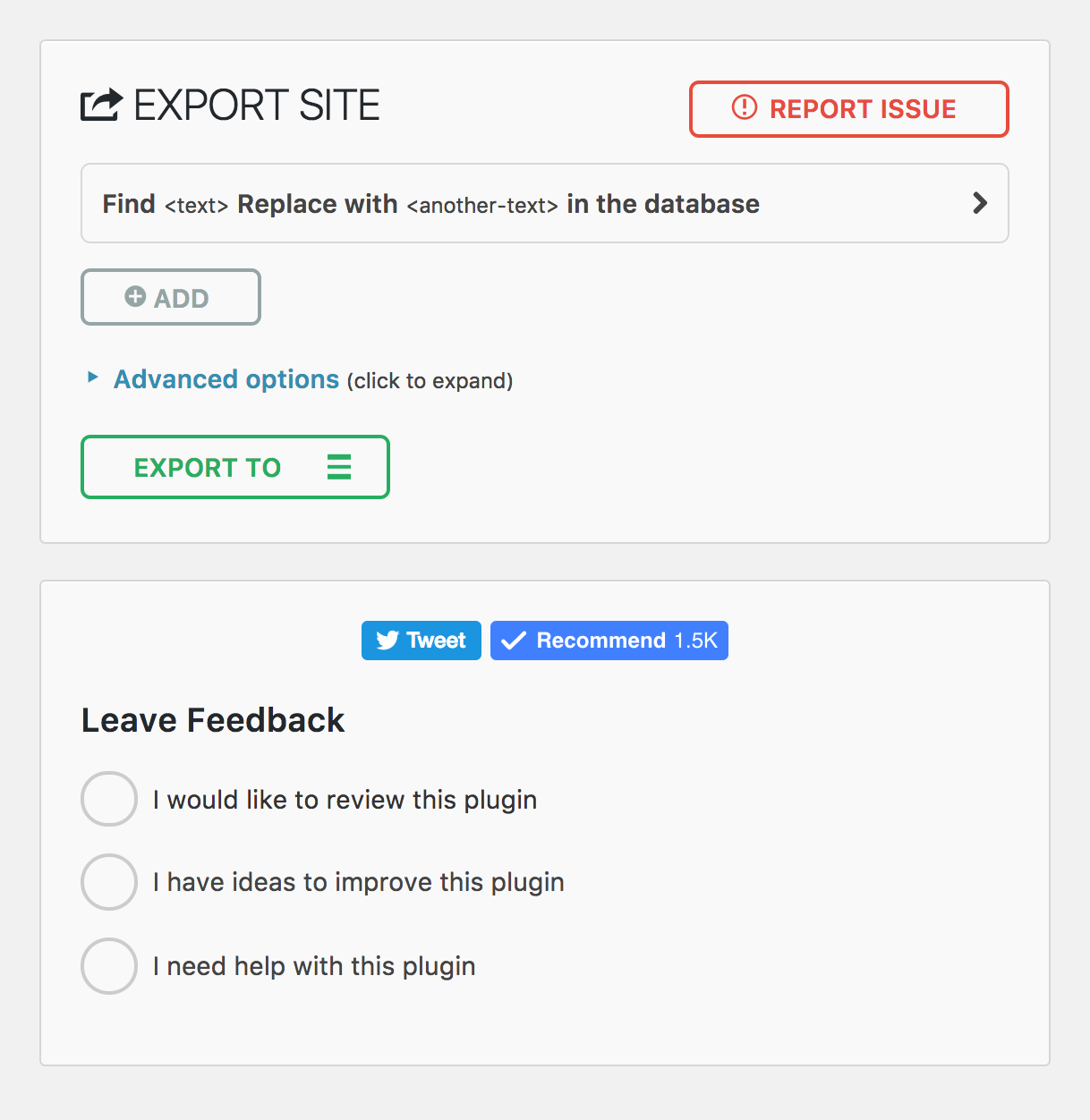
モバイル・エクスポートページ 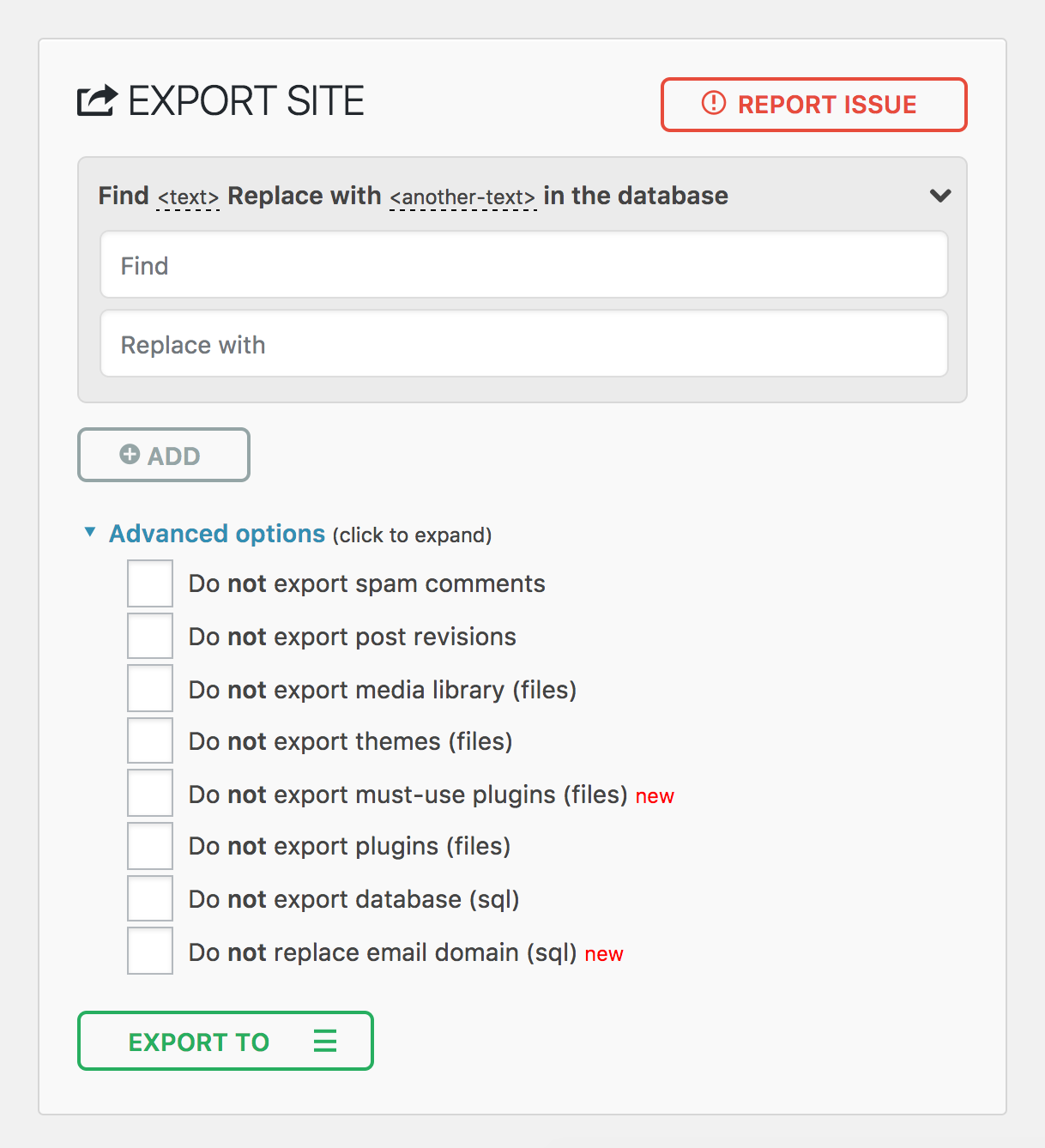
モバイル・インポートページ 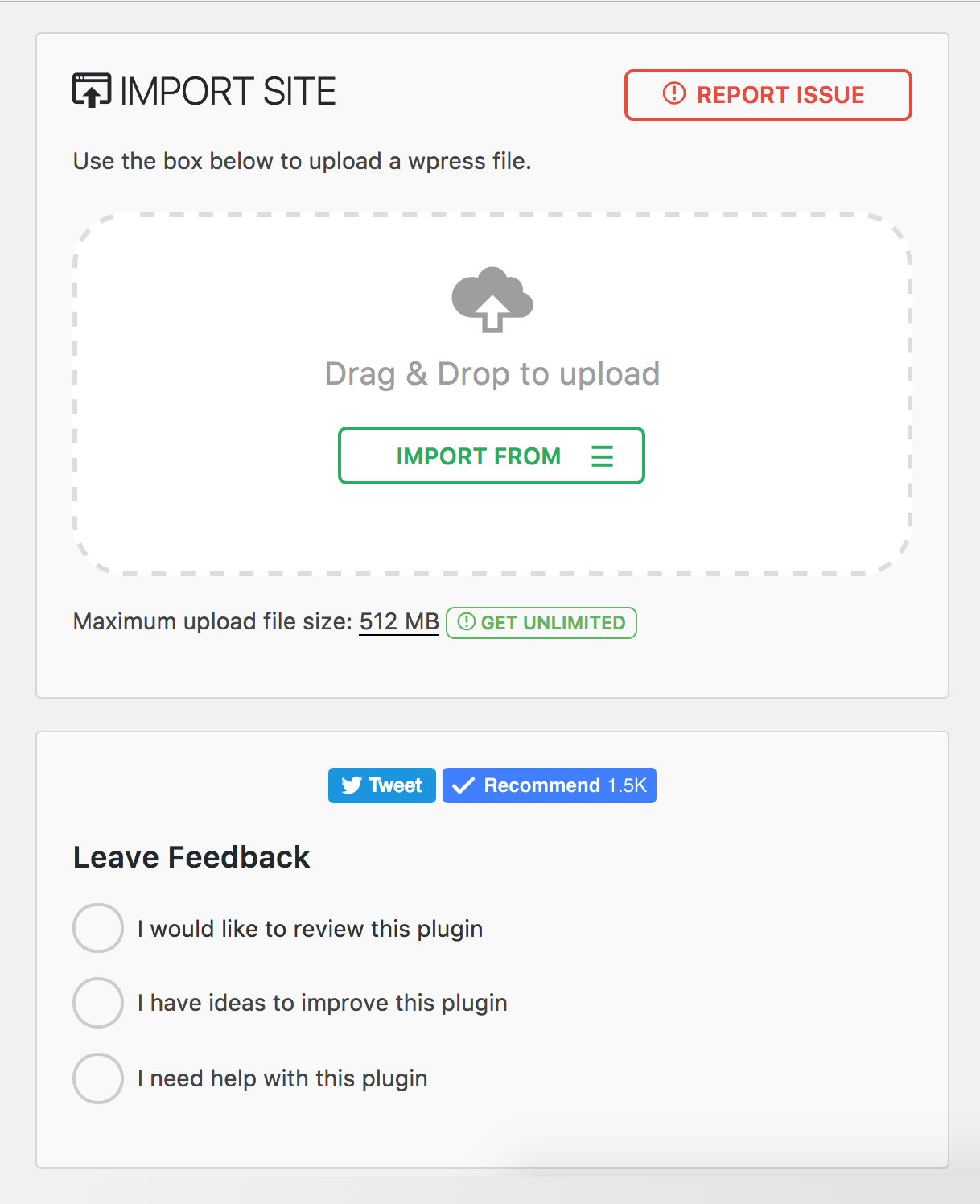
プラグインメニュー 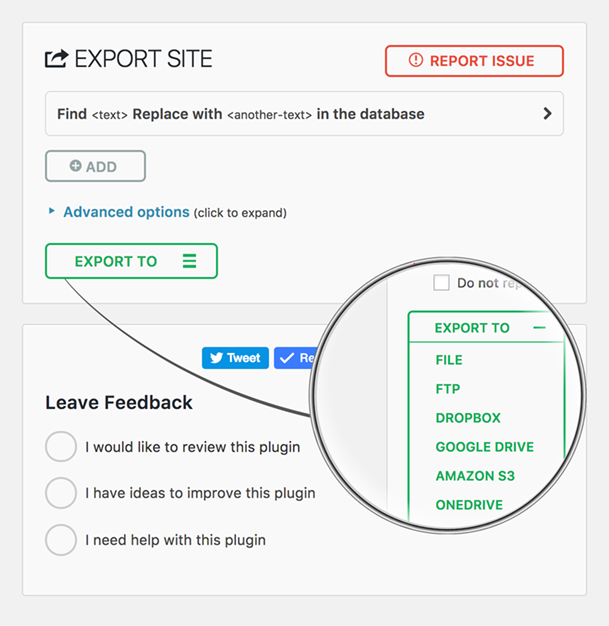
インストール
- All-in-One WP Migration は WordPress プラグインダッシュボードから直接インストール可能です。
- 「新規追加」をクリックして「All-in-One WP Migration」を検索します。
- インストールと有効化
上記の手順とは別に、このページの「ダウンロード」ボタンからプラグインの ZIP ファイルをダウンロードし、WordPress の管理画面からアップロードしてインストールすることもできます
評価


貢献者と開発者
All-in-One WP Migration and Backup はオープンソースソフトウェアです。以下の人々がこのプラグインに貢献しています。
貢献者


変更履歴
7.101
修正
- PHP strict モードとの互換性を向上させるため、アーカイブ内のファイルサイズと更新日時の型処理を改善しました
- 投稿リビジョンを除外する際、関連する postmeta エントリも適切に除外するようにしました
改善
- パフォーマンスの向上とバンドルサイズの削減のため、完全な Vue 3 フレームワークにアップグレードしました
7.100
改善
- PHP と JavaScript の依存関係を最新バージョンにアップグレードしました
7.99
追加
- バックアップファイルの処理を改善するため、ファイル操作に Gzip 圧縮サポートを追加しました
修正
- 互換性向上のため、非推奨となった jQuery の `bind()` メソッドを `on()` に置き換えました
- `$_FILES` 入力から `stripslashes_deep` を削除し、ファイルアップロードのセキュリティを強化しました
改善
- 信頼性向上のため、ストリーム操作を `ai1wm_write()` に置き換えました
- JavaScript の依存関係を最新バージョンを使用するように更新しました
7.98
追加
- ホスティングプロバイダーとの互換性を高めるため、`WP_IMPORTING` 定数に対応しました
修正
- ファイルアップロードにおける格納型クロスサイトスクリプティングの脆弱性 (CVE-2025-8490)。 WordFence と Jack Pas に報告していただいたことに感謝します。 詳細はこちら。
- エラー報告を改善するため、ファイルアップロードの例外処理を改善しました
改善
- MySQLi データベースハンドラーにおける PHP 8 互換性の問題を修正しました
- セキュリティと信頼性を強化するため、ファイルアップローダーをリファクタリングしました
7.97
追加
- AUTO_INCREMENT チェックにおける SQLite のサポート
修正
- 文字列の長さの検証を伴うエッジケースを処理するためにシリアル化された値をデータベースに置換
7.96
追加
- wp_options テーブルに AUTO_INCREMENT がない場合の管理者通知警告
7.95
追加
- エクスポート初期化時の開発者向け新アクションフック ai1wm_status_export_init
修正
- テーマのエクスポートの進行状況表示に誤ったパーセンテージが表示される。
- Uninstall.php スクリプトの機能
- エクスポートとインポートのボタンの順序
- ドロップダウンの高さのスタイル設定の問題
7.94
追加
- インポート時に Elementor プラグインのキャッシュを更新する
7.93
修正
- スタイル登録の末尾のカンマによる PHP7と PHP5との互換性の問題
7.92
改善
- プラグインチェックプラグイン (PCP) 検証に合格
- アーカイブ名の生成
7.91
追加
- WordPress 用 CiviCRM サポート
7.90
追加
- データベースのパフォーマンスを向上させるために、MySQL の遅延行検索を無効にする定数を導入しました。
改善
- 安定性と効率性を向上させるために強化された SQLite データベース統合
- 認証されていない PHP オブジェクトインジェクション脆弱性 (CVE-2024-10942) に対処するため、シリアライズ置換メカニズムを強化しました。この問題を責任ある形で開示してくださった Webbernaut 氏に深く感謝いたします
- ユーザーエクスペリエンスを向上させるため、エクスポート中に wp_rocket_settings オプションを保持
修正
- 解決された PHP 8.4の非推奨の警告
7.89
改善
- パフォーマンスとセキュリティを向上させるために Node.js 22 にアップグレードしました。
- スムーズかつ安全に動作し続けるよう、すべてのプラグインの依存関係を更新しました。
7.88
修正
- アップロードの進行状況が100% で止まってしまう問題を修正
- アップロードが完了する前にキャンセルできない問題を修正
改善
- ユーザー向けのメッセージが、より親しみやすく、直接的、一貫性があり、より有益なものになるように改善されました。
7.87
修正
- エラーログのファイル名にランダムな接頭辞を付加することで、エラーログが既知の名前で公開されてしまう脆弱性を解決し、推測できないようにしました。エラーログは、毎日およびプラグインの更新時に自動的に削除されるようになりました。この問題を責任を持って公開してくれた villu164 氏に感謝します。
- 管理者ユーザが特定の入力を通して任意の PHP コードを注入できてしまう脆弱性を解決しました。この脆弱性を悪用するには管理者レベルのアクセスが必要であり、 権限のないユーザがこの操作を実行できないようになっています。この問題を責任を持って開示してくれた Ryan Kozak 氏に感謝します。
7.86
修正
- PHP 8.4との互換性と WP-CLI 経由でのバックアップファイルのリストアに関する課題を解決。
7.85
追加
- PHP 8.4 互換性
7.84
追加
- カスタムアクションと統合を可能にする、エクスポートとインポートのプロセス中の、新しいフック
7.83
修正
- WordPress Playground 環境でバックアップファイルのダウンロードに失敗する課題を解決。
7.82
追加
- SQLite 対応
- WordPress Playground 対応
7.81
追加
- リセットハブページ : 新しいリセットハブページを導入し、効率的なサイト管理のための強力なリセットツールをユーザーに提供。この機能により、WordPress 環境のリセットが容易になり、開発やテストのワークフローがスムーズになる。
改善
- W3TC サポートの改善
- PHP 互換性チェック : 異なる PHP バージョンにサイトを移動 / 復元する際に、警告通知を表示。
7.80
追加
- 「update-services」プラグインへの対応
- ホスティングプロバイダーとの互換性を向上させるため、バックアップ名に於けるドメイン名のドットをダッシュに置換。
改善
- マルチサイトからスタンドアロン、スタンドアロンからマルチサイトへのエクスポートとインポートのサポートが強化され、移行プロセスが合理化されました
7.79
追加
- WordPress 6.4 に対応
7.78
追加
- プラグイン内に新しいスケジュール ページを実装し、プレミアム拡張機能専用のさまざまな高度な機能を表示します
7.77
追加
- WordPress 最新バージョン(6.3)で動作検証済み
7.76
修正
- 詳細設定から [bata] ラベルを削除しました