
Descrizione
Improve your SEO with real-time feedback, schema, and clear guidance. Upgrade for AI tools, Google Docs integration, and 24/7 support, no hidden fees.
Yoast SEO: The #1 WordPress SEO Plugin
Since 2008, Yoast SEO has helped millions of websites worldwide improve their visibility and SEO performance.
Our mission is SEO for Everyone — from small local businesses to some of the most visited sites on the web.
Yoast SEO gives you everything you need to manage your on-site SEO effectively.
The Yoast SEO Premium plugin and its extensions unlock even more advanced and AI-powered tools.
Handing you the competitive edge
SEO is the most consistent and cost-effective source of website traffic — but it can be complex. Whether you’re just starting out or an advanced user, Yoast SEO helps you handle SEO confidently and efficiently.
Don’t have time to stay on top of AI search and best practices? Keeping Yoast SEO updated means you automatically benefit from ongoing technical improvements, schema updates, and AI advancements — all guided by our signature traffic light approach.
Empower search engines to better understand your website using Schema.org structured data integration, and access in-depth content and readability analysis tools that help you create content designed to perform well in search.
Quick and easy setup
Setting up Yoast SEO is quick and straightforward — no technical background required.
Our step-by-step configuration wizard walks you through essential setup details so Yoast SEO can generate accurate structured data that helps search engines understand your site.
Switching from another SEO plugin like Rank Math or AIOSEO? Migration is seamless.
Import your existing SEO data and settings safely with our built-in import/export tools.
Content and AI features
Unlock your content’s full potential with Yoast SEO’s advanced content analysis and AI-powered tools.
Content optimization features:
– Detailed SEO analysis to guide keyword targeting and site performance.
– Readability analysis for clear, engaging, and user-friendly writing.
– SERP previews for both desktop and mobile results.
– HowTo and FAQ blocks with built-in schema support.
– Breadcrumbs block for improved navigation.
– Inclusive Language Analysis to make your content more considerate and accessible.
– Semrush integration for keyword research directly in Yoast SEO.
– Wincher integration to track keyword performance inside your dashboard.
– Elementor integration for seamless optimization within your favorite builder.
AI features (included in Premium):
– Yoast AI Generate – Instantly create five SEO-friendly titles and meta descriptions, with one-click regeneration for more options.
– Yoast AI Optimize – Improve keyphrase placement (introduction, distribution, density) automatically.
– Yoast AI Summarize (New 2025) – Generate quick content summaries for briefs or social posts.
– All AI tools included – No extra accounts, limits, or hidden costs.
These tools help you craft optimized, helpful content that resonates with readers and performs strongly across search platforms.
Taking care of your technical SEO
Yoast SEO automatically handles much of your site’s technical SEO, freeing you to focus on your content.
Key technical SEO features:
– Automated meta tag optimization right out of the box.
– Canonical URLs to prevent duplicate content issues.
– Advanced XML sitemaps for clear site indexing.
– Best-in-class Schema.org integration to improve search understanding and appearance.
– Complete breadcrumb control for visitors and crawlers.
– Performance improvements that help reduce load times.
– Crawl settings to manage how bots access your site and reduce environmental impact.
– LLMs.txt management to guide how large language models interact with your content.
Every update delivers ongoing technical SEO enhancements automatically.
Keep your website in perfect shape
Whether you’re a creator, business owner, or developer, Yoast SEO helps maintain your website’s SEO health:
- Cornerstone content tools to organize and prioritize key pages.
- Front-end SEO inspector to view and edit titles, descriptions, and schema live.
- SEO roles to delegate plugin access securely across teams.
- Regular 2-week update cycle to ensure compatibility with the latest SEO standards and search engine changes.
Powerful integrations
Yoast SEO works seamlessly with popular WordPress tools to enhance your workflow and results:
- Google Site Kit: Access insights from Search Console, Analytics, and PageSpeed directly inside WordPress.
- Advanced Custom Fields (ACF): Combine with ACF Content Analysis for Yoast SEO for advanced field optimization.
- Elementor: Use full Yoast SEO functionality inside Elementor’s editor.
- Algolia: Enhance internal search accuracy and performance.
- Semrush: Discover and optimize for high-value keywords.
- Wincher: Track keyword positions and trends in Google Search.
- Jetpack: Manage SEO and social previews all in one place.
- Easy Digital Downloads (EDD): Improve digital product visibility with integrated schema.
- Mastodon: Verify your website on Mastodon with Yoast SEO Premium.
- WooCommerce: Optimize ecommerce SEO with the dedicated WooCommerce extension.
Yoast SEO Premium – AI-powered SEO for WordPress
Yoast SEO Premium enhances everything in Yoast SEO with advanced automation, AI tools, and professional support.
Trusted by millions, it helps you optimize efficiently for both traditional and AI-driven search.
Tackle your SEO challenges:
– Keep pace with algorithm and AI search updates.
– Target the right audience effectively.
– Automate redirects, crawl controls, and internal linking.
– Identify orphaned content and improve site structure.
– Get support when you need it.
Premium highlights:
– AI-generated titles and meta descriptions.
– Smart internal linking suggestions.
– Social previews for Facebook and X.
– Redirect Manager with bulk tools and automatic prompts.
– Bot Blocker for AI crawlers (GPTBot, CCBot, Google-Extended).
– IndexNow integration for fast content updates.
– Front-end SEO Inspector for real-time editing.
– SEO Workouts to improve orphaned and cornerstone content.
– Google Docs add-on for seamless SEO writing in Docs.
– 24/7 premium support from SEO specialists.
Includes at no extra cost:
– Yoast Local SEO: Optimize for local audiences and Google Maps.
– Yoast Video SEO: Ensure Google understands your videos with video sitemaps and schema.
– Yoast News SEO: Increase visibility in Google News and Top Stories.
Yoast WooCommerce SEO – Advanced SEO for Online Stores
Yoast WooCommerce SEO builds on Yoast SEO Premium with ecommerce-specific tools to improve your store’s visibility and conversion potential.
Key ecommerce SEO features:
– WooCommerce-specific XML sitemap excluding non-shopping content.
– Product structured data for enhanced rich results (price, reviews, availability).
– Canonical URL management to prevent duplicates.
– Ecommerce-focused content analysis for GTINs, SKUs, and short descriptions.
– AI Generate for ecommerce – Instantly create optimized titles and meta descriptions for product and category pages.
Benefits:
– Improve product visibility with automated structured data.
– Enhance crawl efficiency for large catalogs.
– Save time through metadata templates and automation.
– Increase engagement with AI-optimized ecommerce metadata.
Built for WooCommerce, trusted by thousands of online stores worldwide.
For Developers
Yoast SEO is built with developers in mind. With modern APIs, hooks, and a unified indexables system, you can extend or integrate SEO functionality across custom themes, plugins, or headless setups.
REST API
Retrieve SEO metadata for any post or URL, including meta tags, Open Graph, Twitter Cards, and Schema.org data.
Learn more about the REST API.
Surfaces API
Access SEO data directly in code via YoastSEO()->meta->for_current_page().
Supports titles, descriptions, canonicals, and schema.
Read the Surfaces API documentation.
Metadata API
Use the Metadata API to filter, override, or extend meta tags with WordPress hooks such as wpseo_title, wpseo_metadesc, and wpseo_canonical.
Schema API
The Schema API lets you modify or extend Schema.org graph pieces, including Article, Organization, Person, Breadcrumb, and WebPage entities.
Block Editor compatibility
Yoast SEO integrates directly with the WordPress Block Editor (Gutenberg).
It outputs schema for HowTo and FAQ blocks by default, and developers can extend schema for custom blocks.
Indexables
At the core of Yoast SEO lies the indexables system, unifying all SEO data for faster queries and consistent metadata across outputs.
Ongoing support and education
Yoast is powered by expert developers, testers, and SEO specialists who keep improving the plugin.
We’re committed to helping users grow their SEO skills with resources such as:
- Yoast SEO Academy: Free and premium SEO courses (included in all paid plans).
- Yoast SEO blog, newsletter, and webinars.
- Yoast SEO Update podcast for the latest SEO insights.
- Bug reports on GitHub (for issue tracking, not support).
Yoast SEO — built to make search optimization accessible, reliable, and ready for the future of AI search.
Screenshot
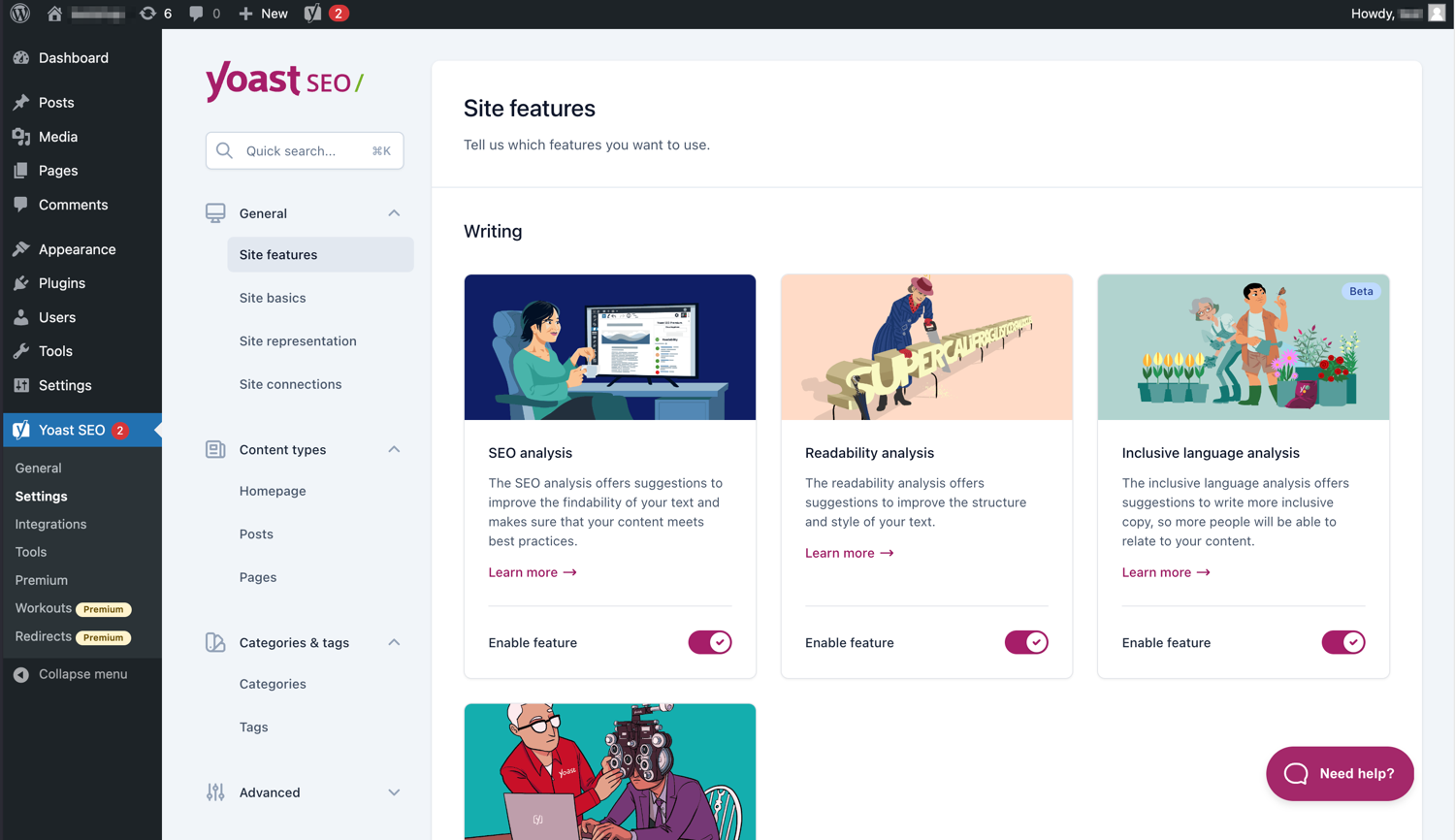
L’interfaccia moderna rende Yoast SEO facile da usare. 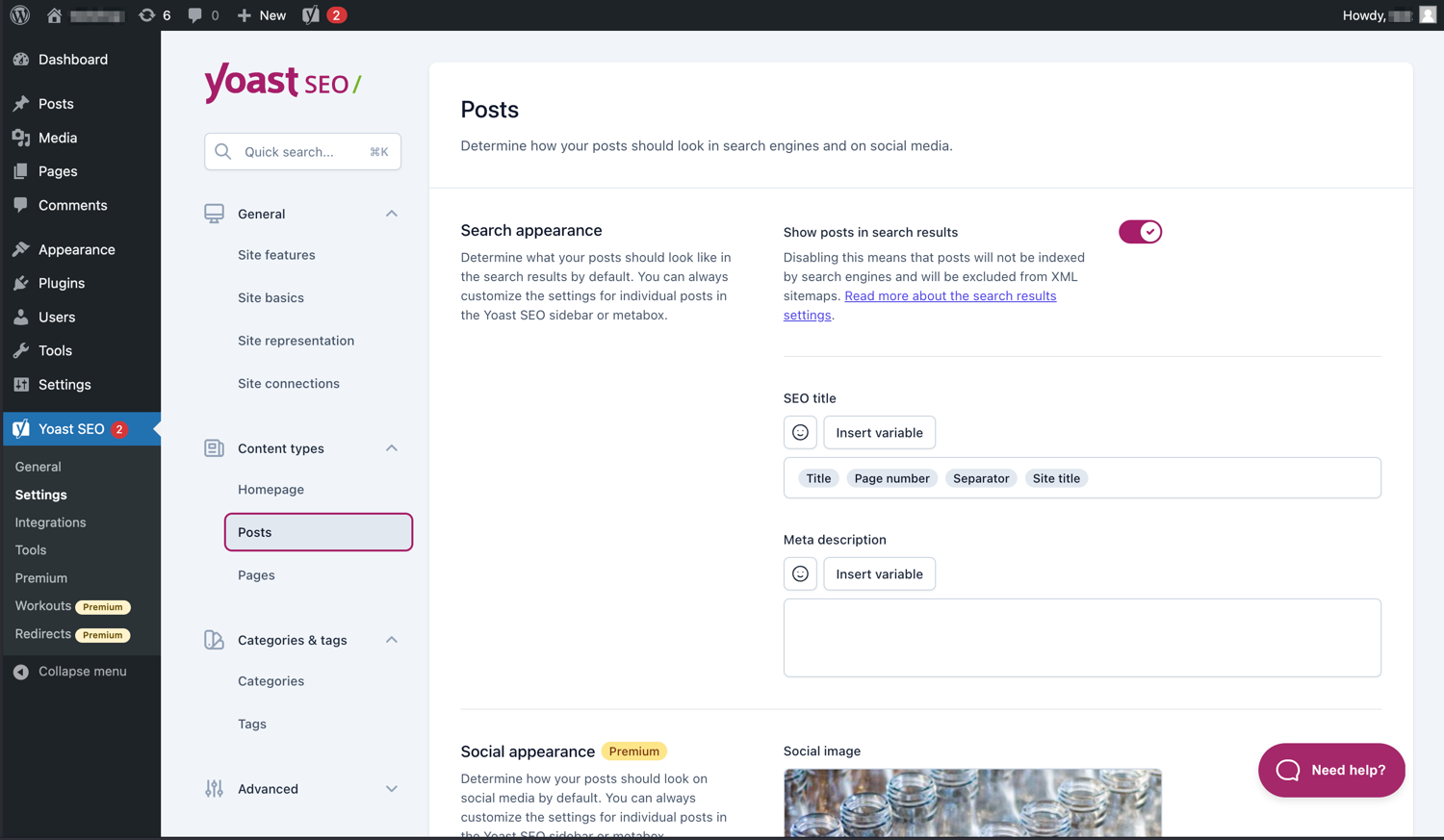
Gestisci facilmente il modo in cui i tuoi articoli e le tue pagine appaiono nelle SERP. 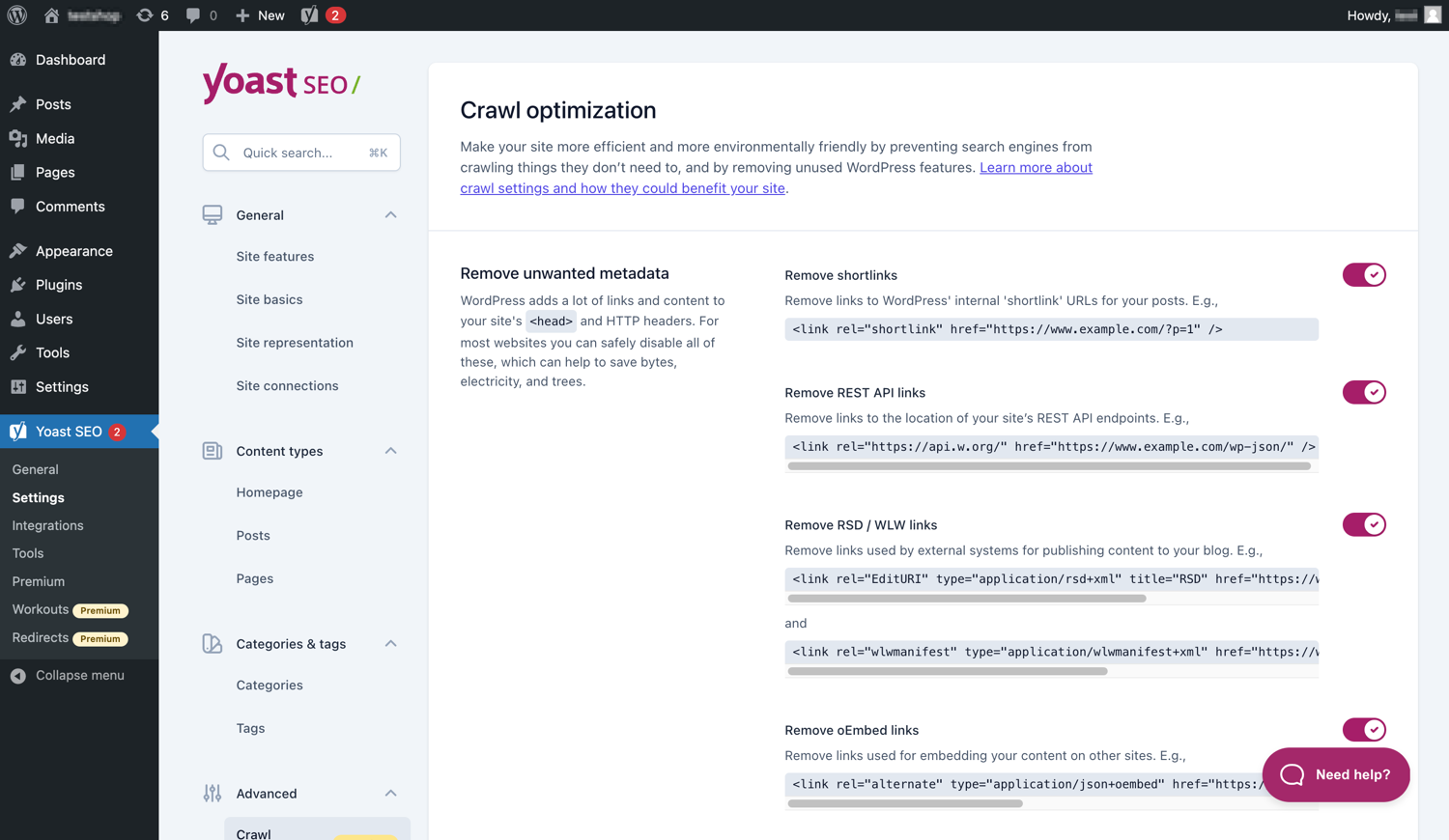
Yoast SEO Premium dispone di opzioni aggiuntive per l’ottimizzazione del crawl. 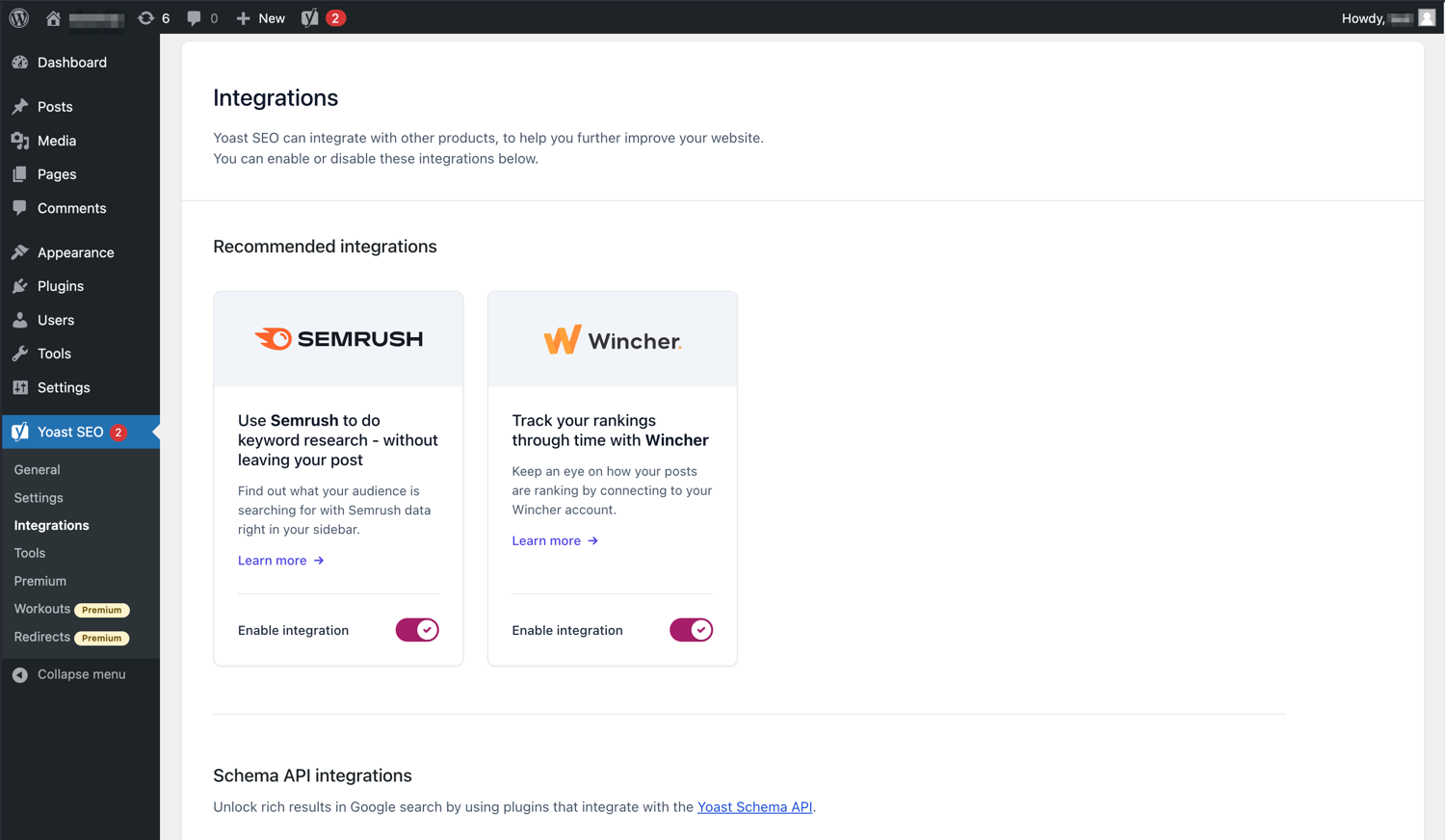
Yoast SEO si integra con strumenti come Semrush e Wincher. 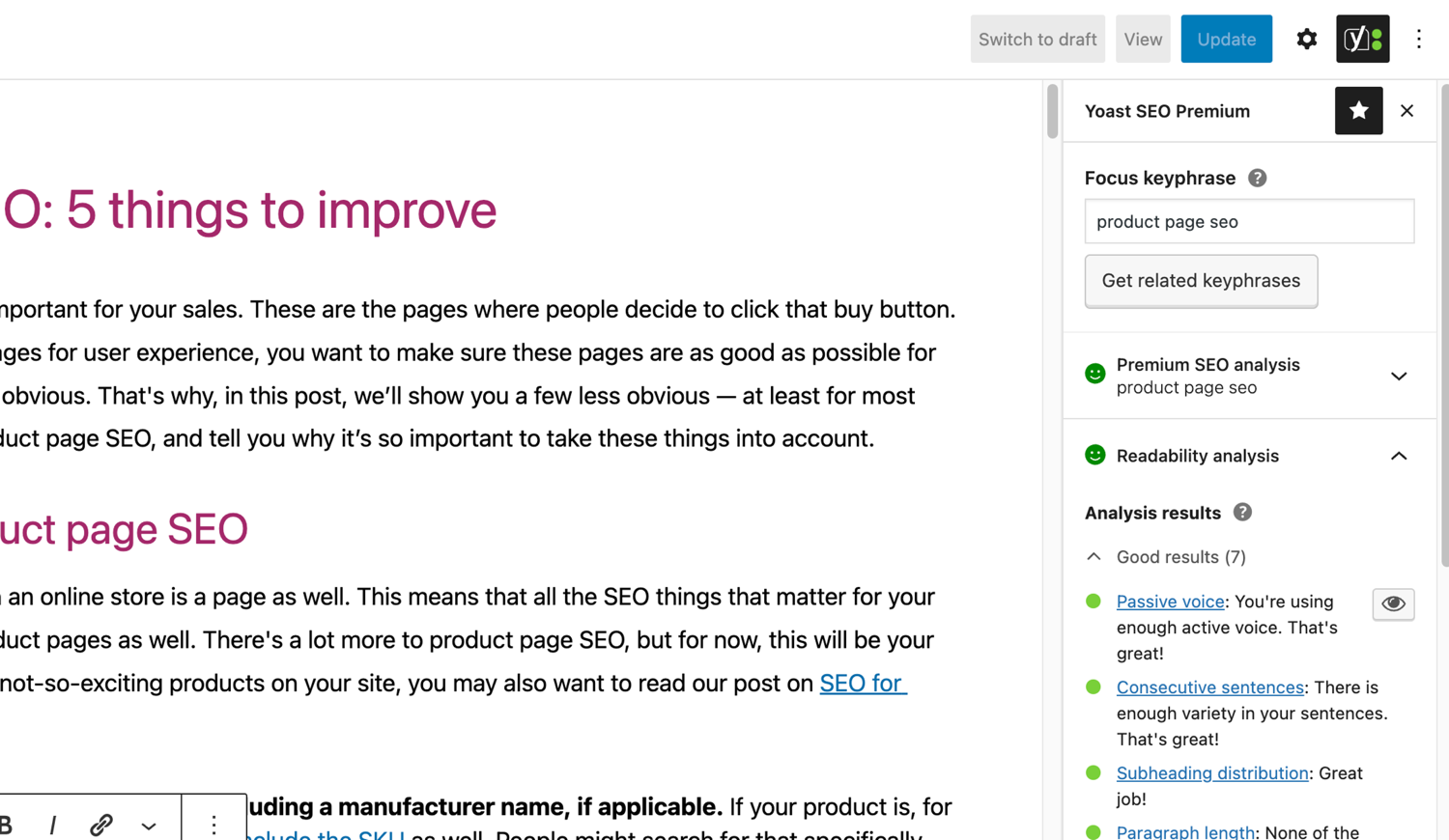
Le famose analisi SEO e di leggibilità di Yoast SEO. 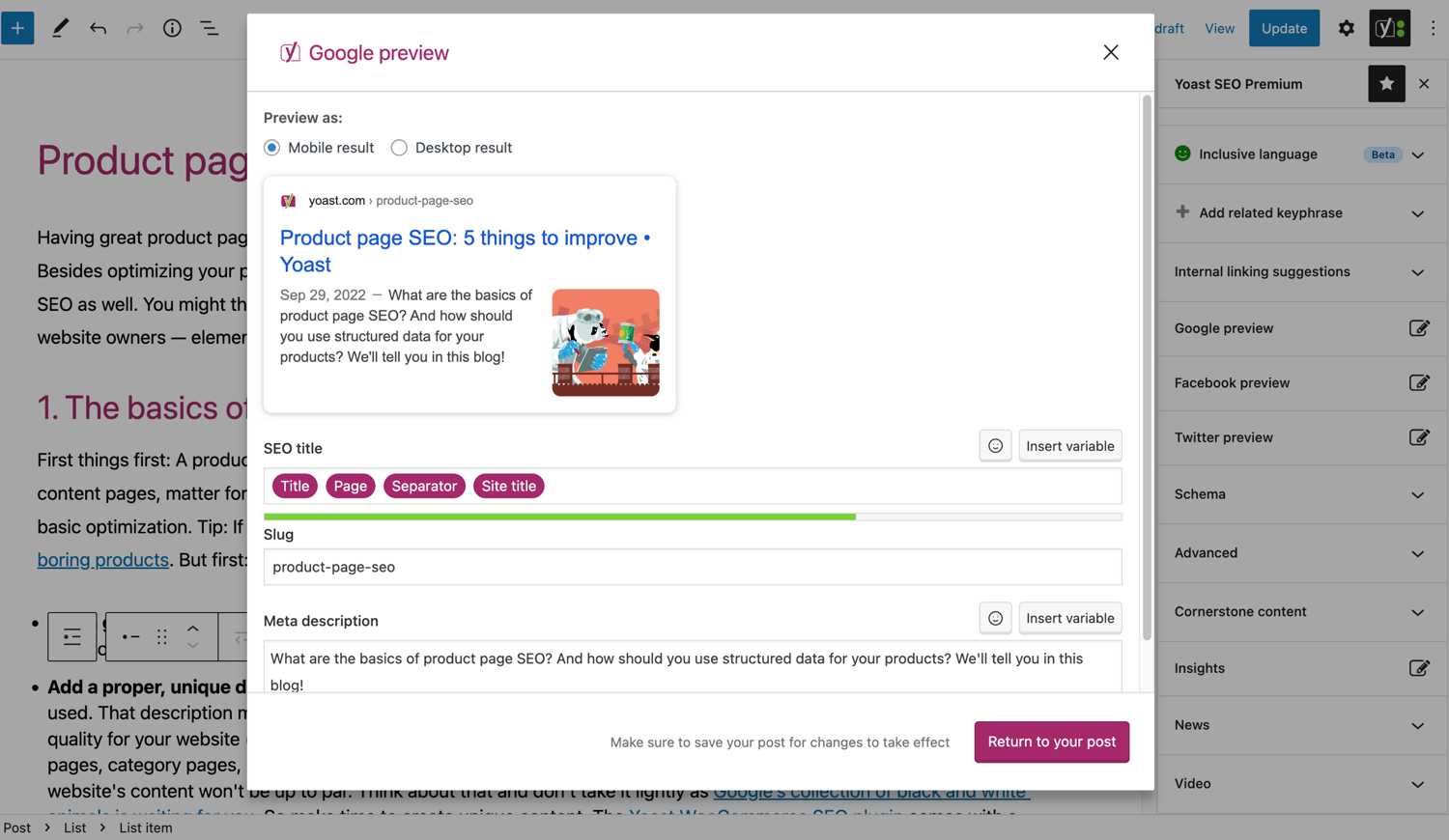
Guarda come appare il tuo articolo su Google. 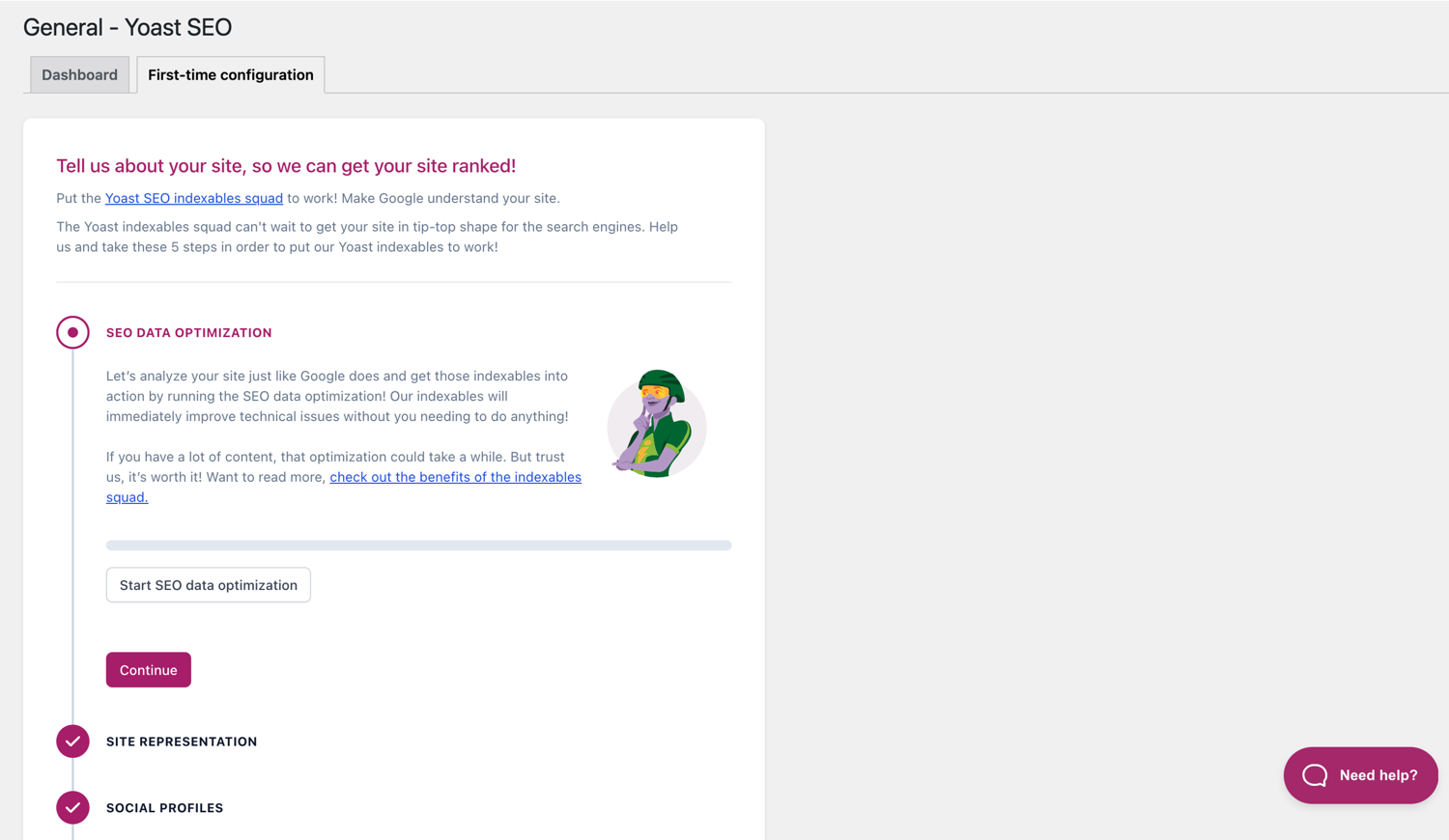
La configurazione iniziale ti aiuta a partire velocemente. 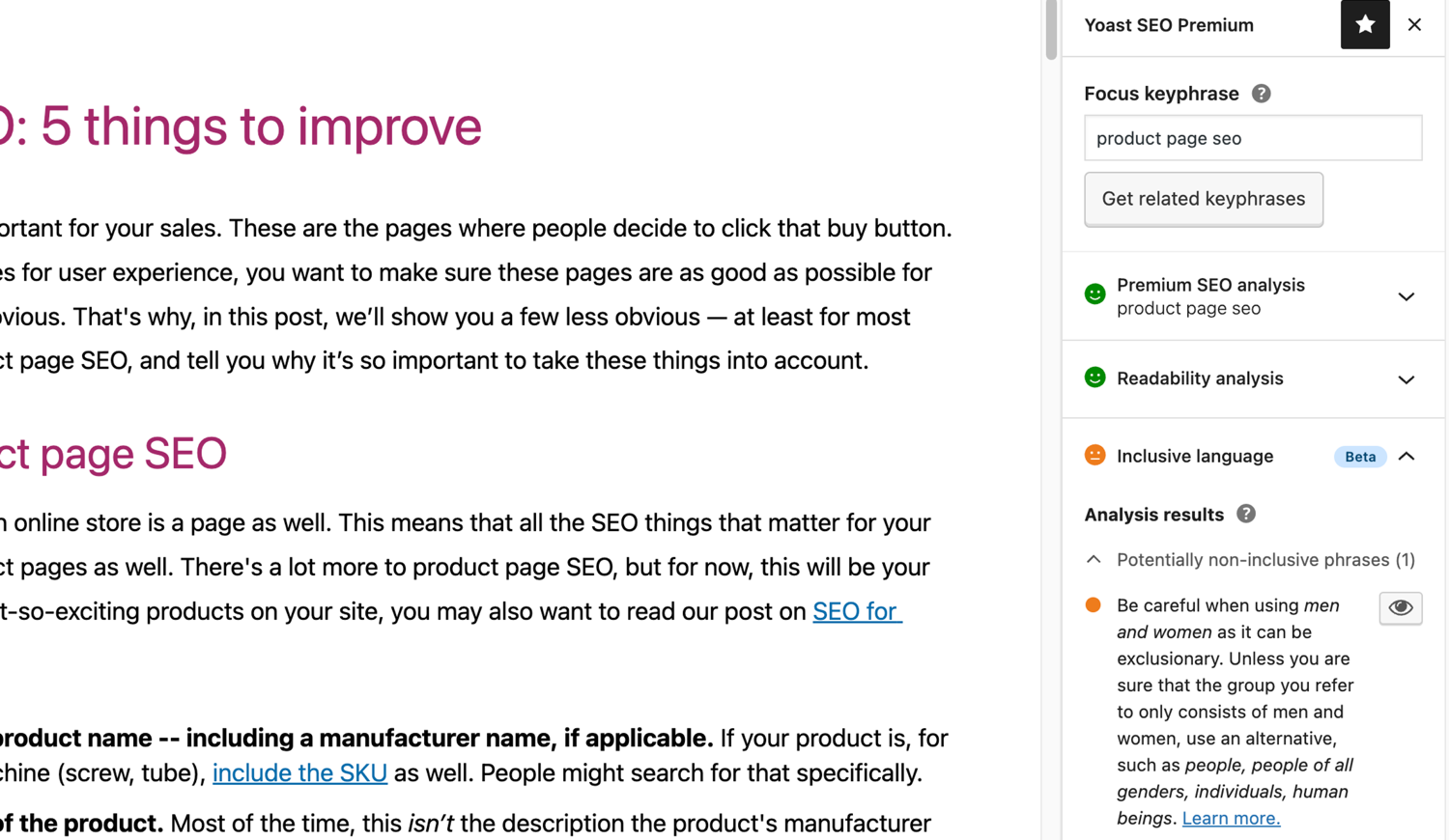
L’analisi del linguaggio inclusivo in Yoast SEO. 
Blocchi
Questo plugin fornisce 2 blocchi.
- Yoast How-to Create a How-to guide in an SEO-friendly way. You can only use one How-to block per post.
- Yoast FAQ List your Frequently Asked Questions in an SEO-friendly way.
Installazione
L’avvio di Yoast SEO consiste in due soli passaggi: l’installazione e la configurazione del plugin. Yoast SEO è progettato per funzionare con le esigenze specifiche del tuo sito, quindi non dimenticare di eseguire la prima configurazione di Yoast SEO come spiegato nel passaggio “dopo l’attivazione”! Per leggere la guida più aggiornata su come installare i prodotti Yoast SEO, visita la nostra sezione di aiuto.
FAQ
-
Come funzionano le Sitemap XML nel plugin Yoast SEO?
-
Avere una mappa del sito XML può essere vantaggioso per la SEO, in quanto Google può recuperare le pagine essenziali di un sito web molto velocemente, anche se la struttura dei collegamenti interni di un sito non è perfetta.
La Sitemap indice (sitemap_index) e le singole sitemap del sito vengono aggiornate automaticamente via via che aggiungi o rimuovi il contenuto e includono i Tipi di contenuto che desideri che i motori di ricerca indicizzino. I Tipi di contenuto segnalati come noindex non appariranno nelle sitemap. Approfondisci il tema delle Sitemap XML. -
Come posso aggiungere il mio sito internet a Google Search Console?
-
È semplice aggiungere il tuo sito web a Google Search Console.
1. Crea un account su Google Search Console e accedi.
2. Fai clic su ‘Aggiungi una proprietà’ nel menu a cascata Cerca proprietà.
3. Inserisci l’URL del sito nella scheda Seleziona il tipo di Proprietà>Prefisso URL e fai clic su ‘Continua’.
4. Fai clic sulla freccia ‘Tag HTML’ per aprire le opzioni.
5. Copia il meta tag.
6. Accedi al tuo sito WordPress.
7. Fai clic sul menu ‘Y SEO’ nella bacheca.
8. Fai clic su ‘Impostazioni SEO>Generale’.
9. Fai clic su ‘Strumenti per Webmaster’.
10. Incolla il codice nel campo Google e fai clic su ‘Salva le modifiche’.
11. Torna nella Google Search Console e fai clic su ‘Verifica’.Se desideri ulteriori dettagli, vai al nostro articolo nella sezione di aiuto del sito.
-
I passaggi seguenti sono una soluzione temporanea in quanto le modifiche manuali apportate ai file dei temi potrebbero essere sovrascritte con i futuri aggiornamenti dei temi. Ti suggeriamo di contattare lo sviluppatore del tema per una soluzione permanente. Abbiamo scritto un articolo (in inglese) importance of breadcrumbs for SEO.
Per implementare la funzione breadcrumbs in Yoast SEO, dovrai modificare il tuo tema. Ti consigliamo di eseguire un backup prima di qualsiasi modifica dei file dei temi. Il tuo host provider può aiutarti a eseguire un backup.
Copia il seguente codice nel tema in cui vuoi che siano visualizzati i breadcrumb. Se non sei sicuro, dovrai sperimentare dove inserirlo:<?php if ( function_exists( 'yoast_breadcrumb' ) ) { yoast_breadcrumb( '<p id="breadcrumbs">','</p>' ); } ?>I luoghi più comuni in cui puoi posizionare i breadcrumb sono all’interno del file
single.phpe opage.phpappena sopra il titolo della pagina. Un’altra opzione che rende davvero facile aggiungerli in alcuni temi è semplicemente incollare il codice alla fine del fileheader.php.Nella maggior parte dei temi non-Woo, questo pezzo di codice non dovrebbe essere aggiunto al tuo file
functions.php.
In alternativa, puoi aggiungere manualmente lo shortcode per i breadcrumb a singoli articoli o pagine:[wpseo_breadcrumb]Se hai bisogno di maggiori dettagli o una guida dettagliata, leggi la nostrar Giuda all’implementazione dei breadcrumb di Yoast.
-
Come posso fare per non indicizzare gli URL?
-
Yoast SEO fornisce nolte opzioni per impostare i noindex per un’URL o un gruppo di URL. Leggi come impostare i noindex in questa guida.
-
Google mostra la descrizione sbagliata, come posso risolvere?
-
Se hai creato delle belle metadescrizioni per i tuoi articoli del blog, niente è più fastidioso di Google che mostra totalmente un’altra descrizione per il tuo sito nello snippet risultati di ricerca.
Possibili cause possono essere:
1. una descrizione sbagliata nel codice
2. la cache di Google obsoleta
3. la manipolazione dei termini di ricerca
4. Google ha ignorato la meta descrizioneLeggi qui come risolvere il problema della descrizione sbagliata.
-
Quanto spesso viene aggiornato Yoast SEO?
-
Yoast SEO è aggiornato ogni 2 settimane. Se vuoi sapere perché, leggi questo articolo in cui spieghiamo perché rilasciamo aggiornamenti ogni 2 settimane!
-
Come posso ottenere supporto?
-
Poiché il nostro plugin gratuito viene utilizzato da milioni di persone in tutto il mondo, non riusciamo ad offrirti un supporto completo via email. In caso di problemi con il plugin Yoast SEO per WordPress, puoi chiedere assistenza sul nostro forum di supporto all’indirizzo wordpress.org o passare alla versione Premium o consultare la nostra sezione di aiuto all’indirizzo yoast.com/help/.
I plugin che compri su Yoast sono chiamati ‘plugin premium’ (anche se Premium non è nel nome) e includono un anno di aggiornamenti e supporto personale via email. Questo significa che puoi contattare il nostro team di supporto per ogni domanda riguardo a tali plugin.
-
Cosa succede ai miei dati se abilito il monitoraggio sull’utilizzo?
-
Questa pagina su yoast.com spiega quali dati raccogliamo per migliorare Yoast SEO. Raccogliamo i dati solo quando acconsenti esplicitamente. Leggi di più su come gestiamo i tuoi dati nella nostra Informativa sulla privacy.
-
Ho una domanda diversa da quella elencata qui
-
Puoi trovare la risposta a questa domanda nella sezione di aiuto sul nostro sito: yoast.com/help/.
Recensioni


Contributi e sviluppo
“Yoast SEO – Advanced SEO with real-time guidance and built-in AI” è un software open source. Le persone che hanno contribuito allo sviluppo di questo plugin sono indicate di seguito.
Collaboratori


“Yoast SEO – Advanced SEO with real-time guidance and built-in AI” è stato tradotto in 58 lingue. Grazie a chi traduce per il contributo.
Traduci “Yoast SEO – Advanced SEO with real-time guidance and built-in AI” nella tua lingua.
Ti interessa lo sviluppo?
Esplora il codice segui il repository SVN, segui il log delle modifiche tramite RSS.
Changelog
27.7
Release date: 2026-05-27
Yoast SEO 27.7 brings more enhancements and bugfixes. Find more information about our software releases and updates here.
Bugfixes
- Fixes a bug in Schema aggregator where products Schema pieces had incorrect
@idvalues formainEntityOfPageandimageproperties. - Fixes a bug where a
FocusTrapwarning was thrown and the X button did not receive focus when the replace content confirmation modal from the AI Content Planner was opened. - Fixes a bug where a warning was triggered in the console when editing a post with the Content Planner feature enabled.
- Fixes a bug where only the first piece was returned when indexables were not available.
- Fixes a bug where the AI features section was rendered twice on the user profile page.
- Fixes a bug where the block editor was crashing when some AI features were triggering errors.
- Fixes a bug where the Content Planner inline banner was displayed when editing a template or template part.
Other
- Makes the Academy, Upgrade and Brand insights links visible to more user roles.
27.6
Release date: 2026-05-12
Introduces Yoast AI Content Planner to Yoast SEO Premium, giving five site-specific post ideas and a structured starter draft the moment you open a new post. Haven’t used your free AI sparks yet? Give it a try on us. Read the full release post here.
Miglioramenti
- Adds the Content Planner feature, which allows users to get AI-powered content suggestions and structured outlines for new posts directly from the block editor. This is available as part of the free sparks allowance in Yoast SEO Free.
Other
- Improves documentation in a docblock. Props to @MukundaKatta.
- Introduces a shared contributor guide for humans and AI coding tools.
Versioni precedenti
Per il registro delle modifiche delle versioni precedenti, fare riferimento a il registro delle modifiche su yoast.com.