
Descrizione
Questo plugin permette agli utenti di clonare articoli di ogni tipo, o di copiarli in nuove bozze per poi modificarli.
Come funziona:
-
In ‘Modifica Articoli’/’Modifica Pagine’, puoi fare clic sul link ‘Clona’ sotto il titolo dell’articolo/pagina: ciò creerà immediatamente una copia e ritornerà alla lista.
-
In ‘Articoli’/’Pagine’, puoi selezionare uno o più elementi, quindi scegliere ‘Clona’ nella tendina ‘Azioni di gruppo’ per copiarli tutti in un colpo solo.
-
In ‘Modifica articoli’/’Modifica pagine’, puoi fare clic sul link ‘Nuova bozza’ sotto il titolo dell’articolo/pagina.
-
Nella schermata di modifica dell’articolo, puoi fare clic su ‘Copia in una nuova bozza’ sopra ‘Cancella’/’Sposta nel cestino’ o nella barra di amministrazione.
-
Visualizzando un articolo essendo loggati, puoi fare clic su ‘Copia in una nuova bozza’ nella barra di amministrazione.
3,4 e 5 porteranno alla pagina di modifica per la nuova bozza: cambia quello che vuoi, fai clic su Pubblica e hai finito.
C’è anche un template tag che puoi aggiungere nei tuoi template per clonare i tuoi articoli/pagine dal front-end. Facendo clic sul link verrai portato alla pagina di modifica della nuova bozza, come avviene con il link della barra di amministrazione.
Duplicate Post ha molte impostazioni utili per personalizzare il suo comportamento e limitare il suo utilizzo a certi ruoli o tipi di contenuto. Dai un’occhiata all’ampia documentazione su yoast.com e alla nostra guida per lo sviluppatore.
Contribuisci
Se lo trovi utile e vuoi contribuire, ci sono due modi:
- Invia le tue segnalazioni di bug, i tuoi suggerimenti e le tue richieste di funzionalità su GitHub;
- Se vuoi tradurlo nella tua lingua (si tratta solo di alcune linee di testo), puoi usare il progetto di traduzione;
Screenshot

Classic editor. 
Editor a blocchi. 
Lista degli articoli. 
Menu della barra di amministrazione. 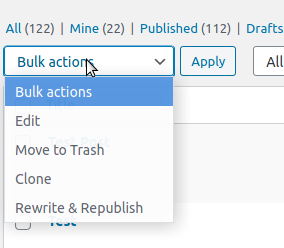
Azioni di massa. 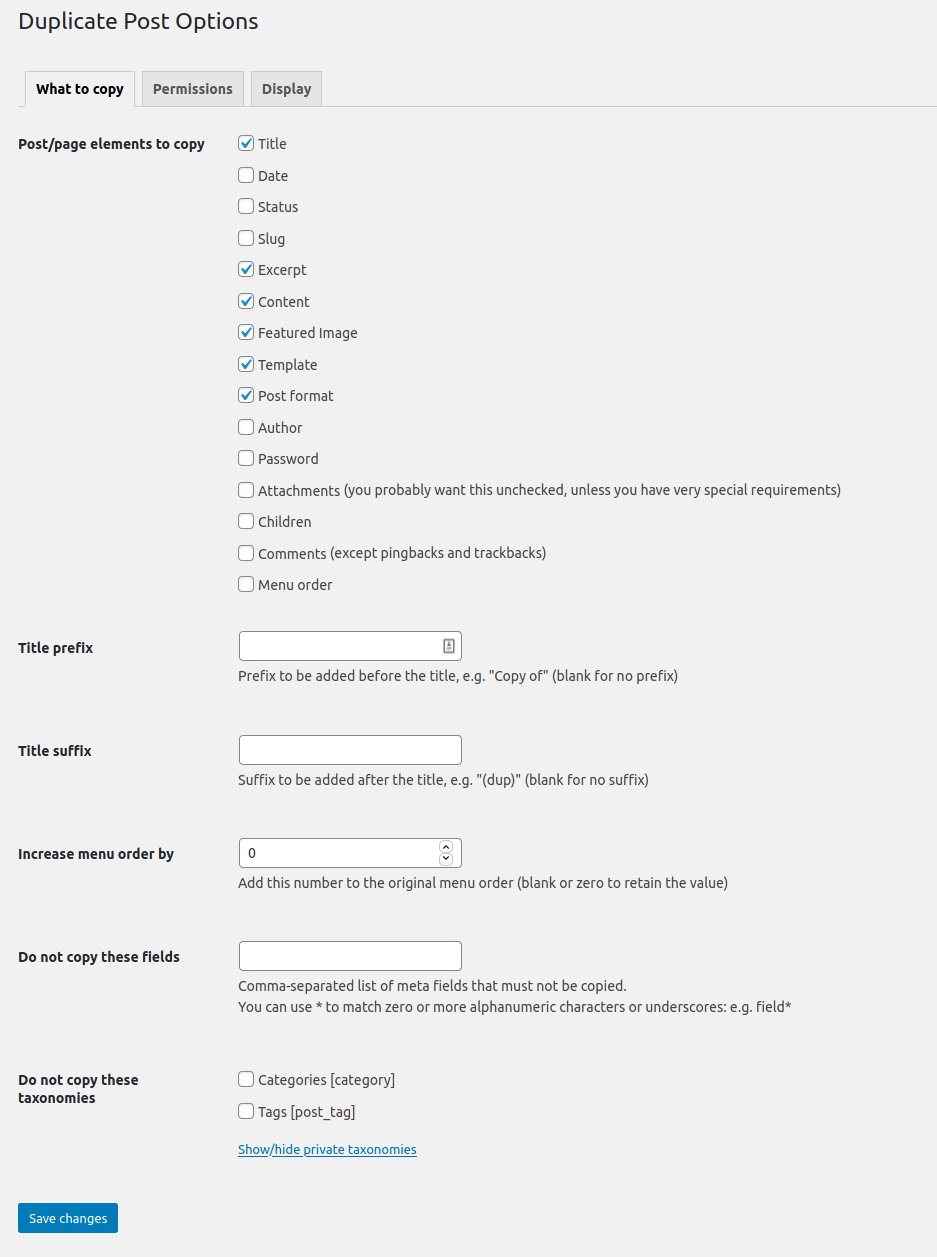
La pagina delle opzioni.
Installazione
Usa la funzione “Aggiungi un nuovo plugin” di WordPress, cercando “Duplicate Post”, oppure scarica l’archivio e:
- Scompatta l’archivio sul tuo computer
- Carica la cartella
duplicate-postnella cartella/wp-content/plugins/ - Attiva il plugin attraverso il menu ‘Plugin’ di WordPress
- Vai a Impostazioni -> Duplicate Post e personalizza il comportamento secondo necessità
FAQ
-
Il plugin non funziona, come mai?
-
Come prima cosa, controlla la tua versione di WordPress: non è previsto che il plugin funzioni più su delle vecchie versioni. Accertati anche di aggiornare all’ultima versione del plugin!
Poi prova a disattivarlo e a riattivarlo, qualche utente ha segnalato di aver risolto i problemi in questo modo.
Fa’ attenzione anche alla scheda “Permessi” nelle Impostazioni: assicurati che il plugin sia abilitato per i ruoli e i tipi di contenuto desiderati.
Se non è così, forse c’è qualche conflitto con altri plugin: scrivimi pure nel forum e proveremo a trovare una soluzione (sarà di grande aiuto se proverai a disattivare tutti i tuoi altri plugin uno alla volta per vedere quale interferisce con il mio… ma fallo solo se sai cosa stai facendo, non sarò responsabile di alcun problema dovesse presentarsi).
-
Il plugin non è tradotto nella mia lingua!
-
Dalla versione 3.0 le traduzioni del plugin sono gestite dalla piattaforma WordPress.org e il plugin è fornito senza file di lingua, per cui prima di tutto aggiorna le traduzioni in Bacheca->Aggiornamenti.
Se Duplicate Post è ancora in inglese, o se ci sono alcune stringhe non tradotte, puoi aiutare a tradurlo nella tua lingua: ti serve solo un account WordPress.org.
Recensioni


Contributi e sviluppo
“Yoast Duplicate Post” è un software open source. Le persone che hanno contribuito allo sviluppo di questo plugin sono indicate di seguito.
Collaboratori

“Yoast Duplicate Post” è stato tradotto in 51 lingue. Grazie a chi traduce per il contributo.
Traduci “Yoast Duplicate Post” nella tua lingua.
Ti interessa lo sviluppo?
Esplora il codice segui il repository SVN, segui il log delle modifiche tramite RSS.
Changelog
4.6
Release date: 2026-03-09
Introduces smoother post duplication, more reliable rewrite workflows, and better compatibility across languages and configurations. Read more here!
Enhancements
- Improves the compatibility with the Block Editor.
- Improves the style of the Copy to a new draft and Rewrite & Republish actions in the Block Editor.
- Replaces the metabox with a sidebar panel in the Block Editor.
Bugfixes
- Fixes a bug where cloning an attachment did not copy its caption as expected. Props to @masteradhoc.
- Fixes a bug where cloning an attachment did not copy its description as expected.
- Fixes a bug where notices would not be appearing in the block editor, throwing console errors, with some locales.
- Fixes a bug where Rewrite & Republish copies could remain orphaned, blocking editors from creating a new Rewrite & Republish copy for the original post.
- Fixes a bug where the block editor button were not styled if the admin bar links where not present.
- Fixes a bug where translations where missing in the buttons and the notices in the Block Editor. Props to @petitphp.
Other
- Improves security of the Bulk Clone action and the republishing of a copy.
- Adds
duplicate_post_before_republishandduplicate_post_after_republishaction hooks fired before and after republishing. Props to @piscis. - Deprecates the
dp_duplicate_postanddp_duplicate_pagehooks and introduces a new unifiedduplicate_post_after_duplicatedaction hook that replaces them. The new hook includes the post type as a fourth parameter for flexible filtering. - Sets the minimum supported WordPress version to 6.8.
- Sets the WordPress tested up to version to 6.9.
- Drops compatibility with PHP < 7.4.
- Verified compatibility with PHP up to version 8.5.
- Fixes the Developer Guide link that was leading to a non-existent page. Props to @masteradhoc.
- Fixes the documentation link to use a shortlink. Props to @masteradhoc.
- Improves how the translations are loaded by relying on the WordPress mechanism for that. Props to @swissspidy.
- Improves discoverability of security policy in Packagist.
- Users requiring this package via [WP]Packagist can now use the
composer/installersv2.
4.5
Release date: 2022-06-28
Enhancements
- Improves the impact of the plugin on the performance of the site by avoiding useless calls on the
gettextfilter.
Bugfixes
- Fixes a bug where a section in the Classic Editor’s submitbox would be displayed with incorrect margins.
Other
- Sets the WordPress tested up to version to 6.0.
Earlier versions
For the changelog of earlier versions, please refer to the changelog on yoast.com.