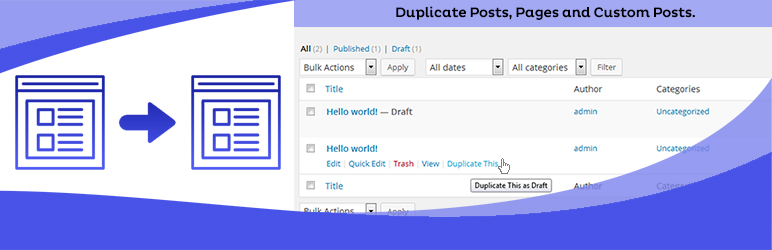

Descrizione
Duplica facilmente articoli, pagine e tipi di contenuto personalizzati con un solo clic. Puoi duplicare le tue pagine, articoli e tipi di contenuto personalizzati con un semplice clic e verranno salvati con le opzioni selezionate (bozza, privato, pubblico, in attesa).
Caratteristiche Principali di Duplicate Page Pro
- Ruoli Utente: Consente ai Ruoli Utente di accedere a Duplicate Page.
- Post Type: Filtro per mostrare il link Duplica Pagina sui post type.
- Posizione Link Clona: Opzione per scegliere la posizione del link clona.
- Stato: Opzione per selezionare Stato Articoli Duplicati.
- Reindirizzazione: Opzione per reindirizzare dopo aver fatto clic sul link clona.
- Titolo Clona Link Opzione per cambiare il testo Duplica Articolo.
- Prefiso Articoli: Opzione per aggiungere il prefisso agli articoli.
- Suffisso Articoli: Opzione per aggiungere il suffisso agli articoli.
- Editor: e molti altri filtri e funzionalità.
Acquista la versione Pro con molteplici funzionalità & supporto.
Contattaci supporto solo per utenti Pro.
Come usare.
- Prima attiva il plugin.
- Go Select to Duplicate Page settings Menu from Settings Tab and savings settings.
- Poi creare un nuovo articolo/pagina o usarne uno già inserito.
- Dopo aver fatto clic su duplica questo link, un duplicato della pagina o articolo verrà salvato come bozza, pubblicato, in attesa, privato, in base all’opzione selezionata.
Requisiti minimi per Duplicate Page
- WordPress 3.3+
- PHP 5.x
- MySQL 5.x
Screenshot

Schermata di attivazione 
Schermata Impostazioni Duplicate Page. 
Seleziona Opzione dalla pagina Impostazioni. 
Fai clic su Duplica questo. 
Duplica articolo / pagina comparirà.
Installazione
- Carica la cartella
duplicate-pagenella directory/wp-content/plugins/. - Attiva il plugin usando il menu “Plugin” di WordPress.
Recensioni


Contributi e sviluppo
“Duplicate Page” è un software open source. Le persone che hanno contribuito allo sviluppo di questo plugin sono indicate di seguito.
Collaboratori
“Duplicate Page” è stato tradotto in 37 lingue. Grazie a chi traduce per il contributo.
Traduci “Duplicate Page” nella tua lingua.
Ti interessa lo sviluppo?
Esplora il codice segui il repository SVN, segui il log delle modifiche tramite RSS.
Changelog
4.5.9 (8th May, 2026)
- Security Fix: Replaced role-based check (contributor) with capability-based check (edit_posts) per WordPress coding standards.
- Bug Fix: Resolved Elementor and page builder layout not preserved after duplication.
- Bug Fix: Switched from add_post_meta() to update_post_meta() to prevent duplicate meta entries on duplicated posts.
- Bug Fix: Added wp_slash() to meta values before saving to prevent double-unslashing which corrupted page builder JSON data.
4.5.8 (21st Apr, 2026)
- Security fixes
4.5.7 (2nd March, 2026)
- Compatible with WordPress 6.9.4
4.5.6 (16th Oct, 2025)
- Compatible with WordPress 6.8.3
4.5.5 (9th June, 2025)
- Compatible with WordPress 6.8.1
4.5.4 (29th July, 2024)
- Compatible with WordPress 6.6.1
= 4.5.3(11th Sept, 2023)
- Compatible with wordpress 6.3.1
= 4.5.2(4th May, 2023)
- Compatible with wordpress 6.2
= 4.5.1(8th Feb, 2023)
- Fixes compatibility issues with event calendar plugin.
- Minor bug fixes
= 4.5(14th Dec, 2022)
- Checked compatibility with wordpress v6.1.1
- Fixes elementor sections compatibility issue
= 4.4.9(15th Jul, 2022)
- Compatibile con WordPress 6.0.1
= 4.4.8(27th Jan, 2022)
- Compatibile con WordPress 5.9
= 4.4.7(16th Dec, 2021)
- Aggiunto il controllo per il ruolo editor
= 4.4.6(7 Dicembre, 2021)
- Fixed security issues.
= 4.4.5(29 Sett, 2021)
- Fixed the issue for content HTML displaying in the sidebar.
= 4.4.4(16th Sep, 2021)
- Fixed sanitization Issues as per wordpress standards.
= 4.4.3(8th Sep, 2021)
- Updated code sanitization process for secure data submission
= 4.4.2(6th Sep, 2021)
- Added sanitization as per wordpress standards.
4.4.1(27th July, 2021)
- Checked compatibility with wordpress v5.8
- Fixed php warnings
4.4(18th Mar, 2021)
- Tested upto wordpress v5.7
4.3(28th Aug, 2020)
- Tested with wordpress v5.5
4.2(26th March, 2020)
- Fixed Translations string issue
4.1(20th Feb, 2020)
- Fixed Translations issue
4.0(20th Sep, 2019)
- Corretto bug duplicazione slug
3.9 (6th Aug, 2019)
- Problemi compatibilità sistemati
3.8 (18th July, 2019)
- Corretto bug con GT3 editor
3.7 (18th July, 2019)
- Corretta compatibilità con altri editor
3.6 (16th July, 2019)
- Indirizzati problemi di sicurezza di WordPress
3.5 (2nd Apr, 2019)
- Compatibile con Gutenberg e advanced custom fields
3.4 (1st Apr, 2019)
- Indirizzati problemi di sicurezza di Sucuri
3.3 (14th March, 2019)
- Compatibile con WordPress 5.1.1
3.2 (25th Dec, 2018)
- Compatibile con Gutenberg (editor a blocchi)
3.1 (5th Dec, 2018)
- rimossa la seccatura
3.0 (3rd Dec, 2018)
- German Formal lang added
2.9 (16th Nov, 2018)
- Minor bug fixes
2.8 (20th Oct, 2018)
- Compatible with php 7.3 and wordpress 5.0
2.7 (28th July, 2018)
- removed useless adsense code
2.6 (24th March, 2018)
- Aggiunto popup di registrazione e correzioni minori.
2.5 (5th Feb, 2018)
- Risolti problemi di traduzione.
2.4 (29th Nov, 2017)
- Sistemato il problema dove Duplicate Page aggiungeva il nome dell’articolo originale.
2.3 (27st april, 2017)
- Correzioni minori.
2.2 (28th Jan, 2017)
- Traduzioni Stringhe.
2.1 (25th Aug, 2016)
- Un nuovo campo di testo è stato aggiunto in Impostazioni per aggiungere un suffisso agli articoli duplicati e rimuovere confusione rispetto alla pagina attualmente duplicata.
1.4 (18th Jun, 2016)
- Nuove funzionalità aggiunte
1.3 (23th May, 2016)
- Nuove funzionalità aggiunte
1.2 (05th May, 2016)
- Aggiunto Menu Impostazioni Duplicate Page.
1.1 (04th May ,2016)
- Corretti alcuni bug nella 1.0