

Descrizione
Allow users to securely login and register for your site using the Civic Secure Identity Platform. To get started, you will need to register with the Civic app and then use the app to log into the developer portal to obtain your App ID and API keys.
Note: This plugin requires that the php-gmp extension is installed
on your WordPress server. PHP version 7.x is required. For PHP 5.6 compatibility, use plugin version 1.x.
The latest source code and development progress is available on GitHub.
Screenshot
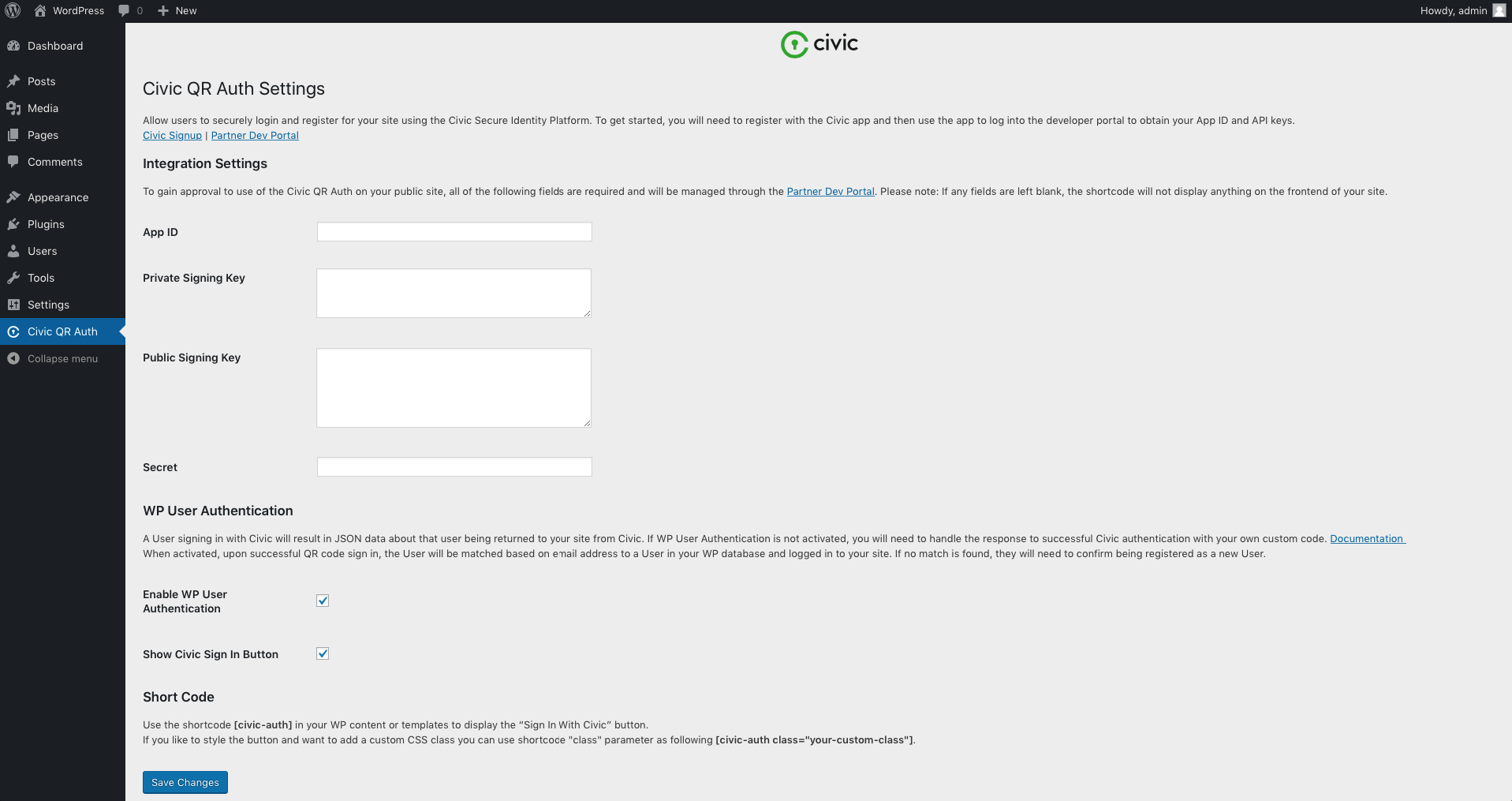
Settings page. 
Login form.
Installazione
- Upload the plugin files to the
/wp-content/plugins/civic-sipdirectory, or install the plugin through the WordPress plugins screen directly. - Activate the plugin through the ‘Plugins’ menu in WordPress.
- Set app id, private key, public key and secret in ‘Civic QR Auth’ settings page.
FAQ
- Installation Instructions
-
- Upload the plugin files to the
/wp-content/plugins/civic-sipdirectory, or install the plugin through the WordPress plugins screen directly. - Activate the plugin through the ‘Plugins’ menu in WordPress.
- Set app id, private key, public key and secret in ‘Civic QR Auth’ settings page.
- Upload the plugin files to the
- How to display “Sign In With Civic” button on WP login/registration page?
-
The “Sign In With Civic” button will be displayed on the login and registration pages after the plugin is activated. You can hide the button by switching off the “Show Civic Sign In Button” setting.
- How to display “Sign In With Civic” button on other pages?
-
You can place
[civic-auth]shortcode in your templates to display “Sign In With Civic” button. - How could I implement custom authentication workflow?
-
If you see some important functionality is missing, feel free to open an issue on GitHub. Otherwise you can implement your custom authentication workflow by hooking to the
civic_sip_authaction. Remember to disable default workflow by switching off “Enable WP User Authentication” setting first. In this scenario requested scope data will be passed directly to your callback function.
Recensioni


Contributi e sviluppo
“Civic SIP” è un software open source. Le persone che hanno contribuito allo sviluppo di questo plugin sono indicate di seguito.
Collaboratori
“Civic SIP” è stato tradotto in 1 lingua. Grazie a chi traduce per il contributo.
Traduci “Civic SIP” nella tua lingua.
Ti interessa lo sviluppo?
Esplora il codice segui il repository SVN, segui il log delle modifiche tramite RSS.
Changelog
2.0.2
- Vendor folder size reduced
2.0.1
- Update dependencies for PHP 7.2 compatibility
2.0.0
- PHP 7.2 compatible
- Minimum PHP version is 7.0.
1.1.3
- Auth cookies are cleared before login.
- 3rd argument added to
wp_loginaction call.
1.1.2
- The intended URL is respected now. User is redirected to desired page after successful login.
- The login flow now respects ‘Remember me’ checkbox state and sets the corresponding cookie expiration correctly.
1.1.1
- Civic modal pop up is not showing when Enter is pressed.
1.1.0
- Show/hide “Sign in With Civic” button option added.
- Login flow now respects “Anyone can register” setting.
- Added system requirements check for PHP and WP version. Also php-gmp extension is checked.
1.0.0
- Initial release.