

Lýsing
Multi Location Marker allows you to add and display multiple locations on a single Google Map using a shortcode. It helps you create an interactive and professional map for your website without any coding.
You can manage unlimited markers from the admin panel, customize marker titles and icons, control map zoom and position, and define your service area using built-in drawing tools. The plugin also supports geo-location detection and direction links, making it easy for visitors to find and navigate to your locations.
Designed for simplicity and performance, Multi Location Marker is ideal for businesses that want to showcase stores, offices, or service coverage areas clearly and efficiently.
Key Features
- Add unlimited markers on a single Google Map
- Apply elegant Google Map styles
- Display custom titles on each marker
- Adjust map zoom level and center position
- Upload and use custom marker icons
- Use drawing tools to define and highlight your service area
- Automatically fetch your current geo-location and drop a marker
- Add a Get Directions link inside marker titles
- Reset the map or remove markers with a single click
- Display maps anywhere using a shortcode
- Works with pages, posts, and custom post types
From Admin Dashboard
- In your WordPress Dashboard go to „Plugins“ -> „Add Plugin“.
- Search for „Multi Location Marker“.
- Install the plugin by pressing the „Install“ button.
- Activate the plugin by pressing the „Activate“ button.
Manually
- From wordpress directories, Upload
Multi Location Markerto the/wp-content/plugins/directory - Now activate the plugin through the ‘Plugins’ menu in WordPress
Skjámyndir
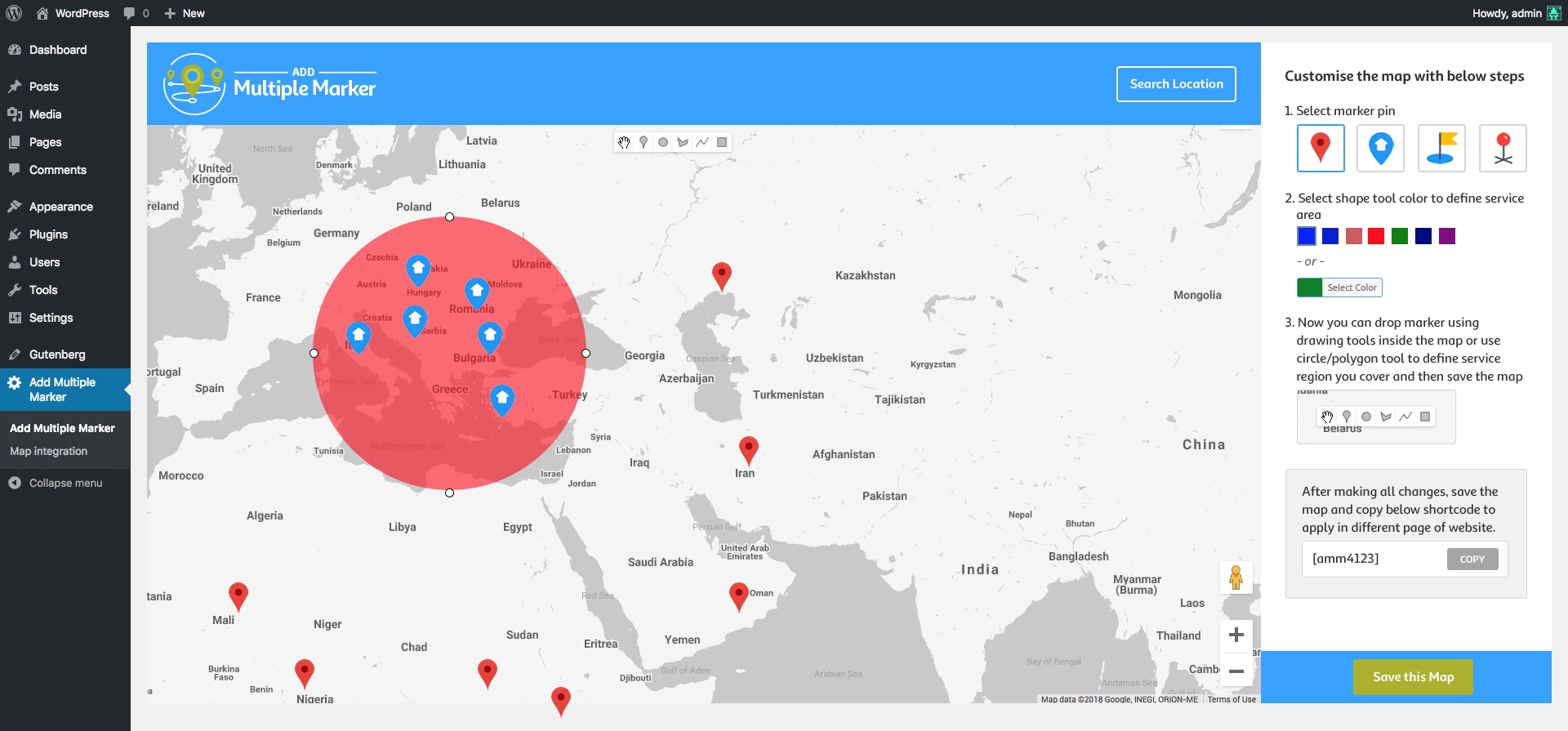
Backend view. 
Customize title 
Different Map Styling
SOS
-
How do I set the map position?
-
The map position is based on the latitude and longitude saved in the backend. Once saved, the same position will be displayed on the frontend.
-
Is there any limit on the number of markers?
-
No. You can add unlimited markers on a single map.
-
Can I highlight my service or business area?
-
Yes. The plugin includes drawing tools that allow you to define and display your service or coverage area on the map.
-
Does this plugin support automatic location detection?
-
Yes. You can fetch your current geo-location and instantly place a marker.
-
How do I display the map on my website?
-
Simply copy the generated shortcode and paste it into any page, post, or widget area.
-
We’d love to hear from you. Please contact us at [email protected]
Umsagnir

Þátttakendur & höfundar
“Multi Location Marker” er opinn hugbúnaður. Eftirfarandi aðilar hafa lagt sitt af mörkum við smíði þessarar viðbótar.
Höfundar


Translate “Multi Location Marker” into your language.
Interested in development?
Browse the code, check out the SVN repository, or subscribe to the development log by RSS.
Breytingarsaga
1.3
- Compatible with WordPress 6.8
- Fix – Title display issue
- Fix – Security Vulnerability
- Fix – Remove shape not working without page reload
- Fix – Display close (X) icon in sidebar hamburger menu
- Fix – Responsive view
1.2
- Made compatible with WordPress 5.8.1 and Bugs Fixes.
1.1
- Bugs Fixes