

ImBatch 7.6
Apply multiple image editing tasks in a sequence to several pictures
 Download
Program info


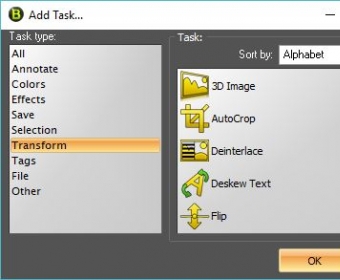


ImBatch is a Windows utility designed to help you complete various types of image processing tasks. You can use it to resize, rename, convert, and edit as many pictures as you like at the same time.
The program works with a lot of image formats, enables you to compare the original files with the resulting photos, and features easy-to-configure output settings. Furthermore, it takes a matter of moments to export large amounts of images, no matter how many editing tasks you select.
Another advantage is the fact that ImBatch preserves the quality of the original pictures.
I tested most of its built-in tools and they all provided me with quality results in no time. Also, they required minimum graphics editing experience as they featured easy-to-configure output settings.
The one thing I didn't like about this program was the appearance of its interface. Still, this isn't that big of a deal as ImBatch works flawlessly and provides you with a wide variety of helpful features.
To conclude, it's definitely worth giving this program a try if you're looking for an effective image processing tool for your Windows PC.
Pros
- Supports batch processing
- Works with various image formats
- Provides you with many editing options
- Fast processing speed
Cons
- Unappealing interface
Details
Extensions

No information available
The data will be available later.


