
Deskripsi
Improve your SEO with real-time feedback, schema, and clear guidance. Upgrade for AI tools, Google Docs integration, and 24/7 support, no hidden fees.
Yoast SEO: The #1 WordPress SEO Plugin
Since 2008, Yoast SEO has helped millions of websites worldwide improve their visibility and SEO performance.
Our mission is SEO for Everyone — from small local businesses to some of the most visited sites on the web.
Yoast SEO gives you everything you need to manage your on-site SEO effectively.
The Yoast SEO Premium plugin and its extensions unlock even more advanced and AI-powered tools.
Handing you the competitive edge
SEO is the most consistent and cost-effective source of website traffic — but it can be complex. Whether you’re just starting out or an advanced user, Yoast SEO helps you handle SEO confidently and efficiently.
Don’t have time to stay on top of AI search and best practices? Keeping Yoast SEO updated means you automatically benefit from ongoing technical improvements, schema updates, and AI advancements — all guided by our signature traffic light approach.
Empower search engines to better understand your website using Schema.org structured data integration, and access in-depth content and readability analysis tools that help you create content designed to perform well in search.
Quick and easy setup
Setting up Yoast SEO is quick and straightforward — no technical background required.
Our step-by-step configuration wizard walks you through essential setup details so Yoast SEO can generate accurate structured data that helps search engines understand your site.
Switching from another SEO plugin like Rank Math or AIOSEO? Migration is seamless.
Import your existing SEO data and settings safely with our built-in import/export tools.
Content and AI features
Unlock your content’s full potential with Yoast SEO’s advanced content analysis and AI-powered tools.
Content optimization features:
– Detailed SEO analysis to guide keyword targeting and site performance.
– Readability analysis for clear, engaging, and user-friendly writing.
– SERP previews for both desktop and mobile results.
– HowTo and FAQ blocks with built-in schema support.
– Breadcrumbs block for improved navigation.
– Inclusive Language Analysis to make your content more considerate and accessible.
– Semrush integration for keyword research directly in Yoast SEO.
– Wincher integration to track keyword performance inside your dashboard.
– Elementor integration for seamless optimization within your favorite builder.
AI features (included in Premium):
– Yoast AI Generate – Instantly create five SEO-friendly titles and meta descriptions, with one-click regeneration for more options.
– Yoast AI Optimize – Improve keyphrase placement (introduction, distribution, density) automatically.
– Yoast AI Summarize (New 2025) – Generate quick content summaries for briefs or social posts.
– All AI tools included – No extra accounts, limits, or hidden costs.
These tools help you craft optimized, helpful content that resonates with readers and performs strongly across search platforms.
Taking care of your technical SEO
Yoast SEO automatically handles much of your site’s technical SEO, freeing you to focus on your content.
Key technical SEO features:
– Automated meta tag optimization right out of the box.
– Canonical URLs to prevent duplicate content issues.
– Advanced XML sitemaps for clear site indexing.
– Best-in-class Schema.org integration to improve search understanding and appearance.
– Complete breadcrumb control for visitors and crawlers.
– Performance improvements that help reduce load times.
– Crawl settings to manage how bots access your site and reduce environmental impact.
– LLMs.txt management to guide how large language models interact with your content.
Every update delivers ongoing technical SEO enhancements automatically.
Keep your website in perfect shape
Whether you’re a creator, business owner, or developer, Yoast SEO helps maintain your website’s SEO health:
- Cornerstone content tools to organize and prioritize key pages.
- Front-end SEO inspector to view and edit titles, descriptions, and schema live.
- SEO roles to delegate plugin access securely across teams.
- Regular 2-week update cycle to ensure compatibility with the latest SEO standards and search engine changes.
Powerful integrations
Yoast SEO works seamlessly with popular WordPress tools to enhance your workflow and results:
- Google Site Kit: Access insights from Search Console, Analytics, and PageSpeed directly inside WordPress.
- Advanced Custom Fields (ACF): Combine with ACF Content Analysis for Yoast SEO for advanced field optimization.
- Elementor: Use full Yoast SEO functionality inside Elementor’s editor.
- Algolia: Enhance internal search accuracy and performance.
- Semrush: Discover and optimize for high-value keywords.
- Wincher: Track keyword positions and trends in Google Search.
- Jetpack: Manage SEO and social previews all in one place.
- Easy Digital Downloads (EDD): Improve digital product visibility with integrated schema.
- Mastodon: Verify your website on Mastodon with Yoast SEO Premium.
- WooCommerce: Optimize ecommerce SEO with the dedicated WooCommerce extension.
Yoast SEO Premium – AI-powered SEO for WordPress
Yoast SEO Premium enhances everything in Yoast SEO with advanced automation, AI tools, and professional support.
Trusted by millions, it helps you optimize efficiently for both traditional and AI-driven search.
Tackle your SEO challenges:
– Keep pace with algorithm and AI search updates.
– Target the right audience effectively.
– Automate redirects, crawl controls, and internal linking.
– Identify orphaned content and improve site structure.
– Get support when you need it.
Premium highlights:
– AI-generated titles and meta descriptions.
– Smart internal linking suggestions.
– Social previews for Facebook and X.
– Redirect Manager with bulk tools and automatic prompts.
– Bot Blocker for AI crawlers (GPTBot, CCBot, Google-Extended).
– IndexNow integration for fast content updates.
– Front-end SEO Inspector for real-time editing.
– SEO Workouts to improve orphaned and cornerstone content.
– Google Docs add-on for seamless SEO writing in Docs.
– 24/7 premium support from SEO specialists.
Includes at no extra cost:
– Yoast Local SEO: Optimize for local audiences and Google Maps.
– Yoast Video SEO: Ensure Google understands your videos with video sitemaps and schema.
– Yoast News SEO: Increase visibility in Google News and Top Stories.
Yoast WooCommerce SEO – Advanced SEO for Online Stores
Yoast WooCommerce SEO builds on Yoast SEO Premium with ecommerce-specific tools to improve your store’s visibility and conversion potential.
Key ecommerce SEO features:
– WooCommerce-specific XML sitemap excluding non-shopping content.
– Product structured data for enhanced rich results (price, reviews, availability).
– Canonical URL management to prevent duplicates.
– Ecommerce-focused content analysis for GTINs, SKUs, and short descriptions.
– AI Generate for ecommerce – Instantly create optimized titles and meta descriptions for product and category pages.
Benefits:
– Improve product visibility with automated structured data.
– Enhance crawl efficiency for large catalogs.
– Save time through metadata templates and automation.
– Increase engagement with AI-optimized ecommerce metadata.
Built for WooCommerce, trusted by thousands of online stores worldwide.
For Developers
Yoast SEO is built with developers in mind. With modern APIs, hooks, and a unified indexables system, you can extend or integrate SEO functionality across custom themes, plugins, or headless setups.
REST API
Retrieve SEO metadata for any post or URL, including meta tags, Open Graph, Twitter Cards, and Schema.org data.
Learn more about the REST API.
Surfaces API
Access SEO data directly in code via YoastSEO()->meta->for_current_page().
Supports titles, descriptions, canonicals, and schema.
Read the Surfaces API documentation.
Metadata API
Use the Metadata API to filter, override, or extend meta tags with WordPress hooks such as wpseo_title, wpseo_metadesc, and wpseo_canonical.
Schema API
The Schema API lets you modify or extend Schema.org graph pieces, including Article, Organization, Person, Breadcrumb, and WebPage entities.
Block Editor compatibility
Yoast SEO integrates directly with the WordPress Block Editor (Gutenberg).
It outputs schema for HowTo and FAQ blocks by default, and developers can extend schema for custom blocks.
Indexables
At the core of Yoast SEO lies the indexables system, unifying all SEO data for faster queries and consistent metadata across outputs.
Ongoing support and education
Yoast is powered by expert developers, testers, and SEO specialists who keep improving the plugin.
We’re committed to helping users grow their SEO skills with resources such as:
- Yoast SEO Academy: Free and premium SEO courses (included in all paid plans).
- Yoast SEO blog, newsletter, and webinars.
- Yoast SEO Update podcast for the latest SEO insights.
- Bug reports on GitHub (for issue tracking, not support).
Yoast SEO — built to make search optimization accessible, reliable, and ready for the future of AI search.
Tangkapan Layar
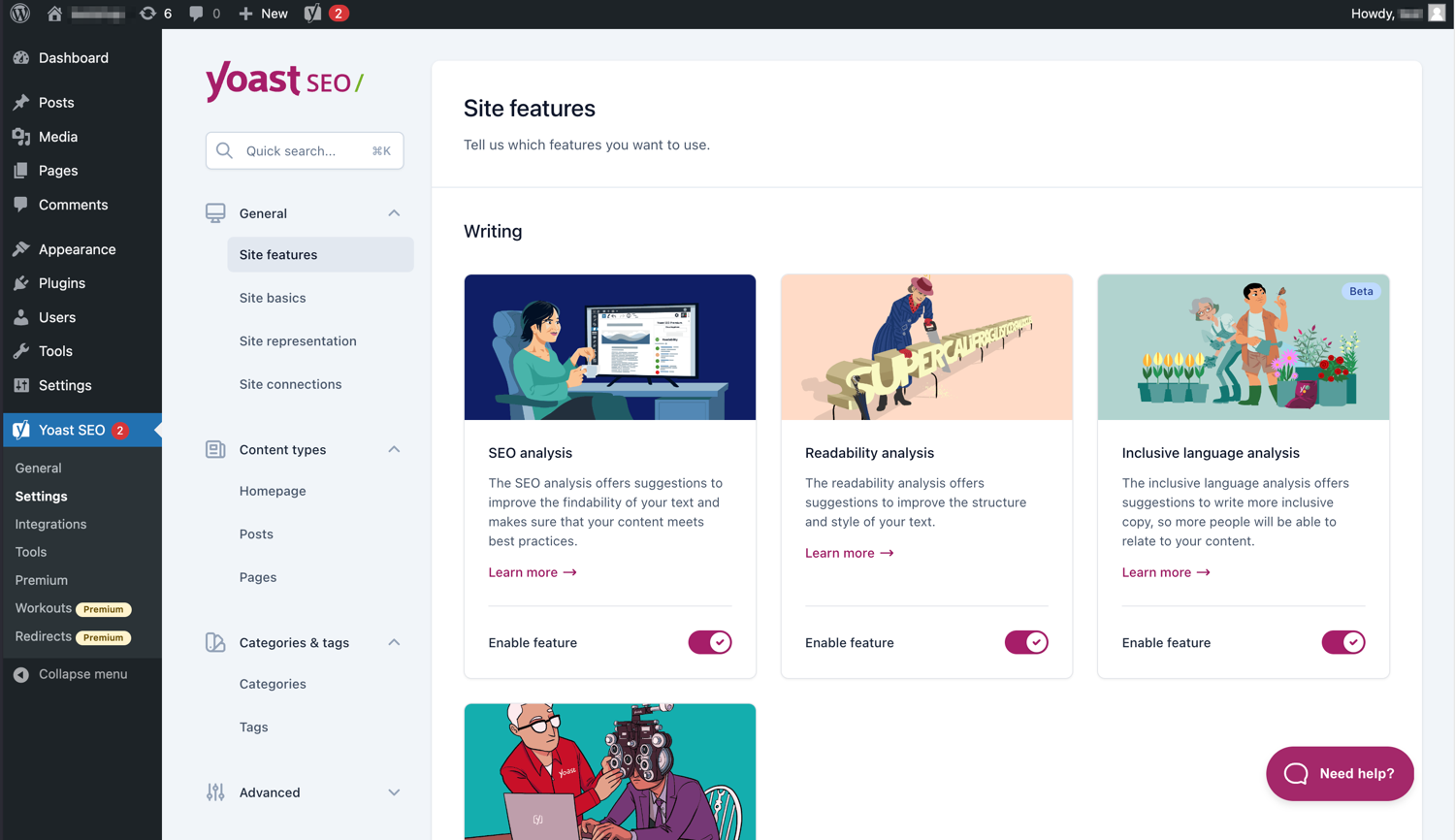
Antarmuka yang modern membuat Yoast SEO mudah untuk digunakan. 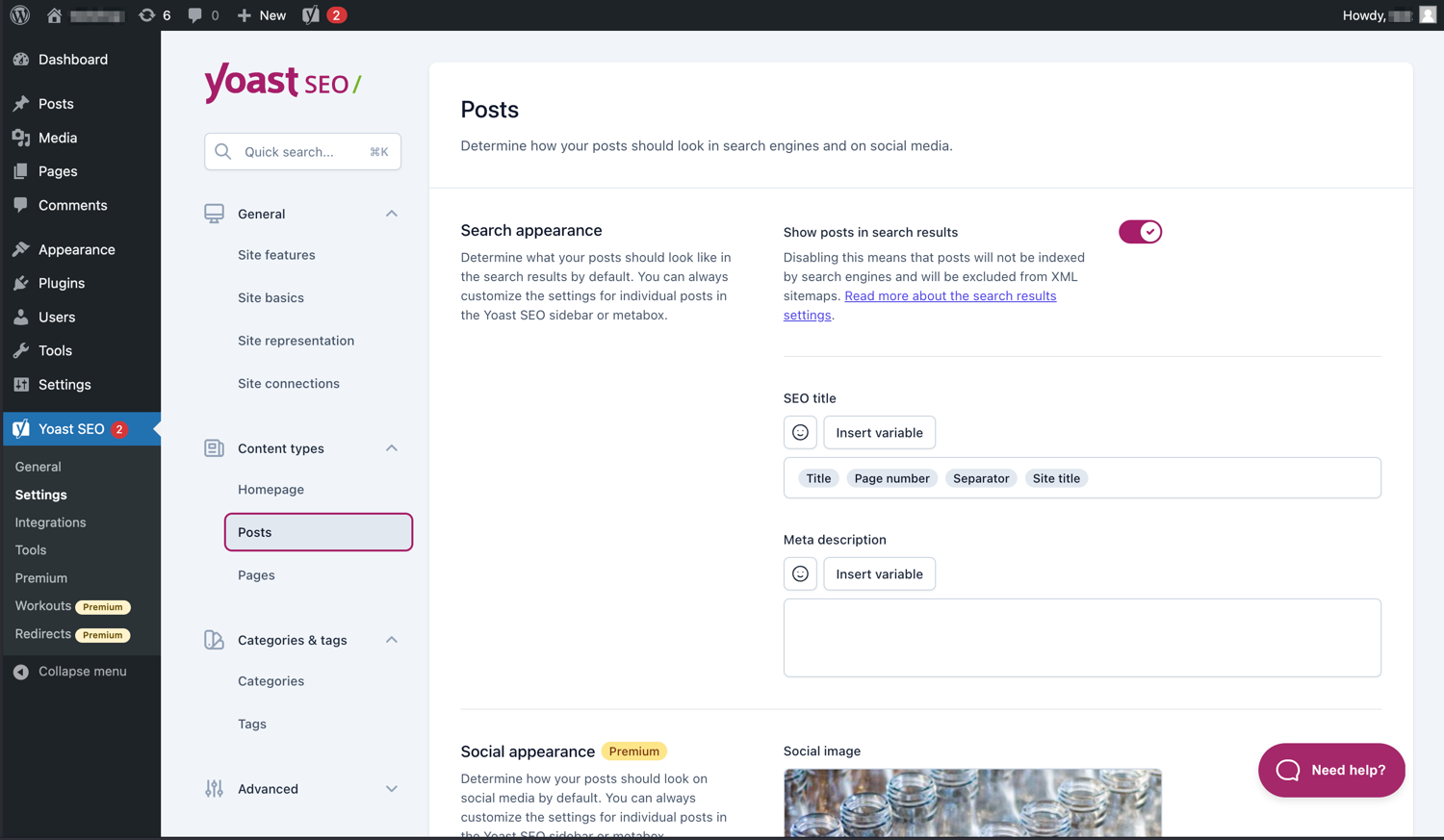
Atur dengan mudah bagaimana artikel dan halaman Anda terlihat di halaman hasil mesin pencarian. 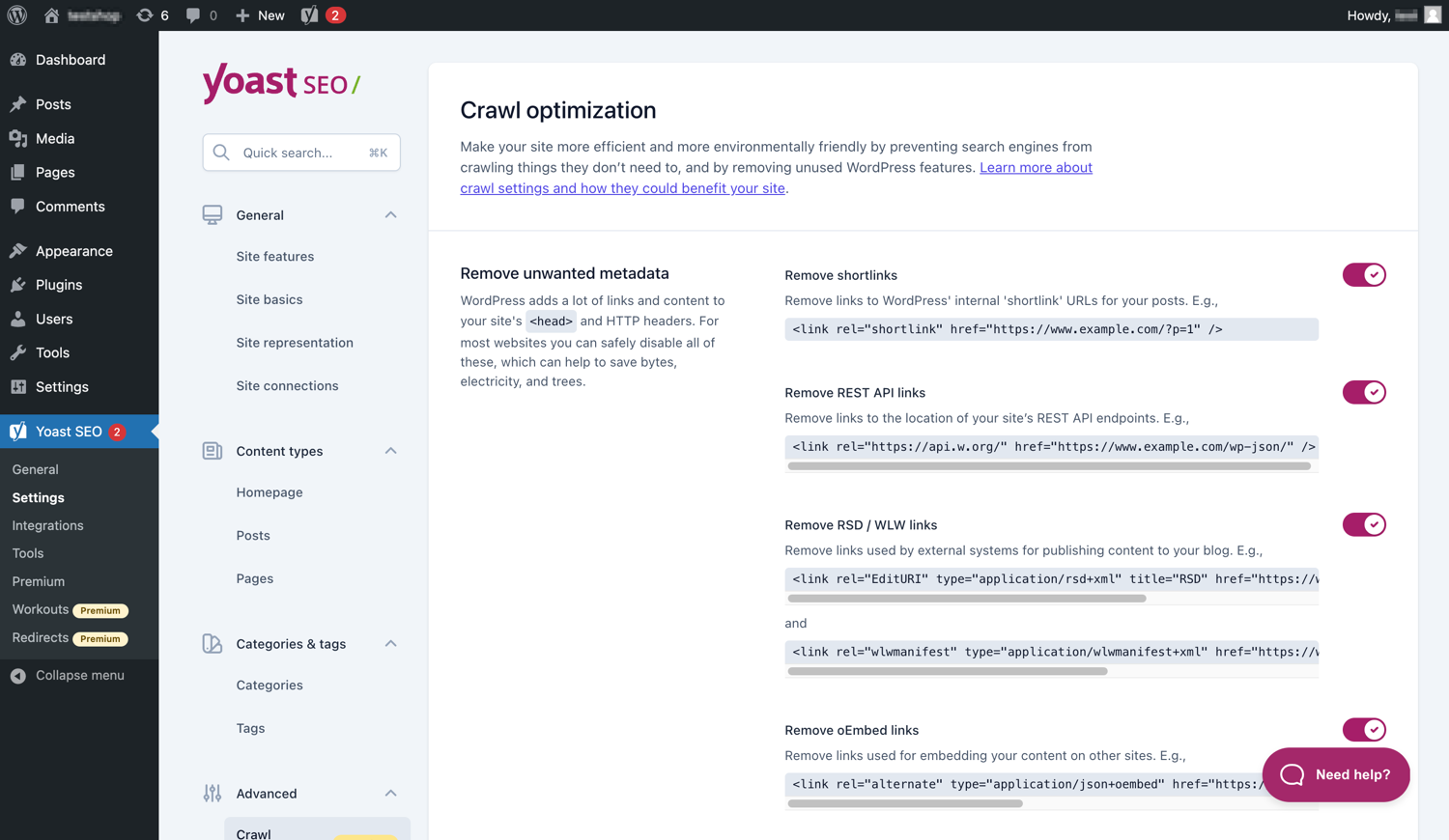
Yoast SEO Premium memiliki lebih banyak pilihan optimasi pemindaian. 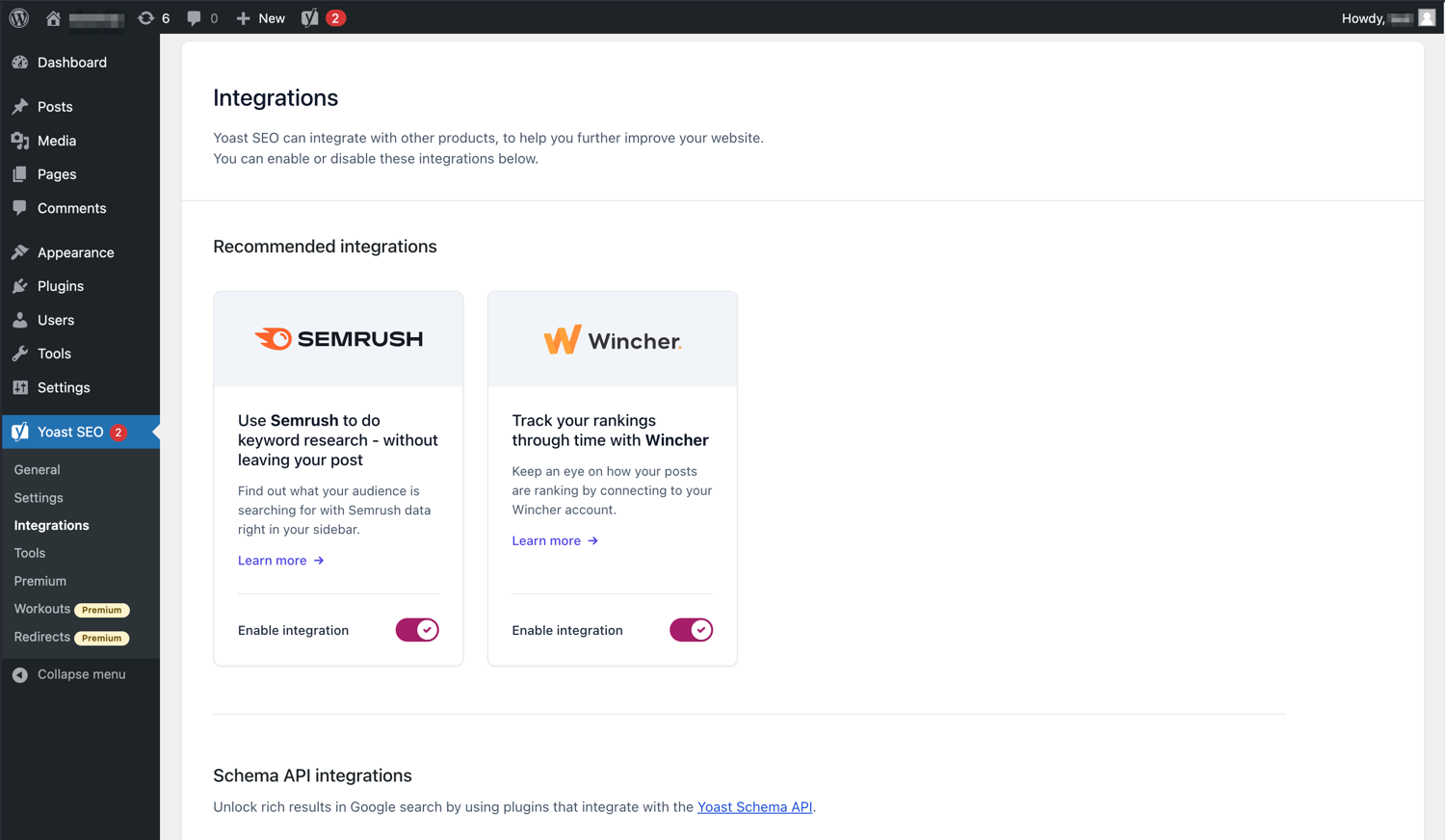
Yoast SEO berintegrasi dengan alat seperti Semrush dan Wincher. 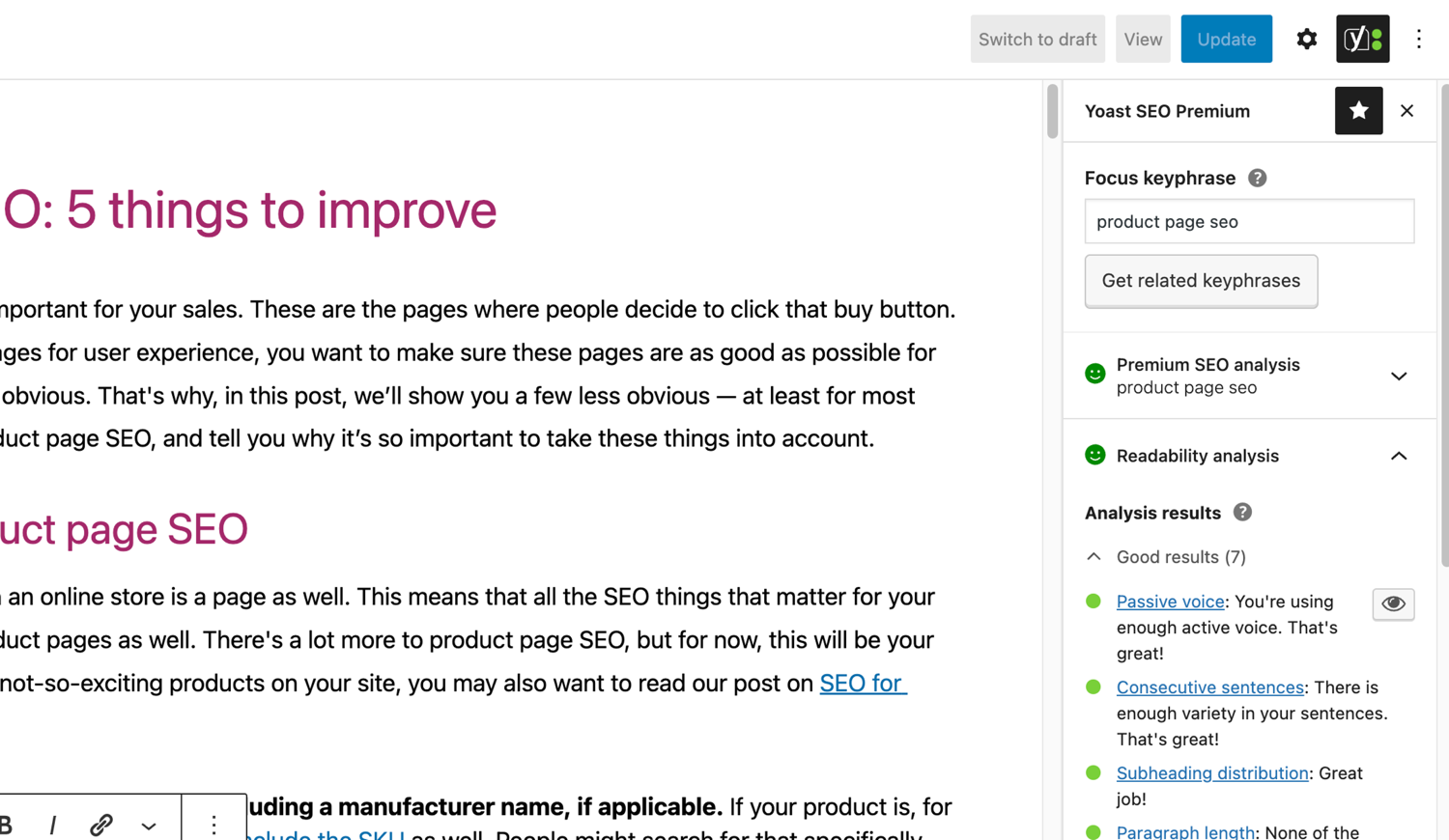
Analisis SEO dan keterbacaan yang terkenal di Yoast SEO. 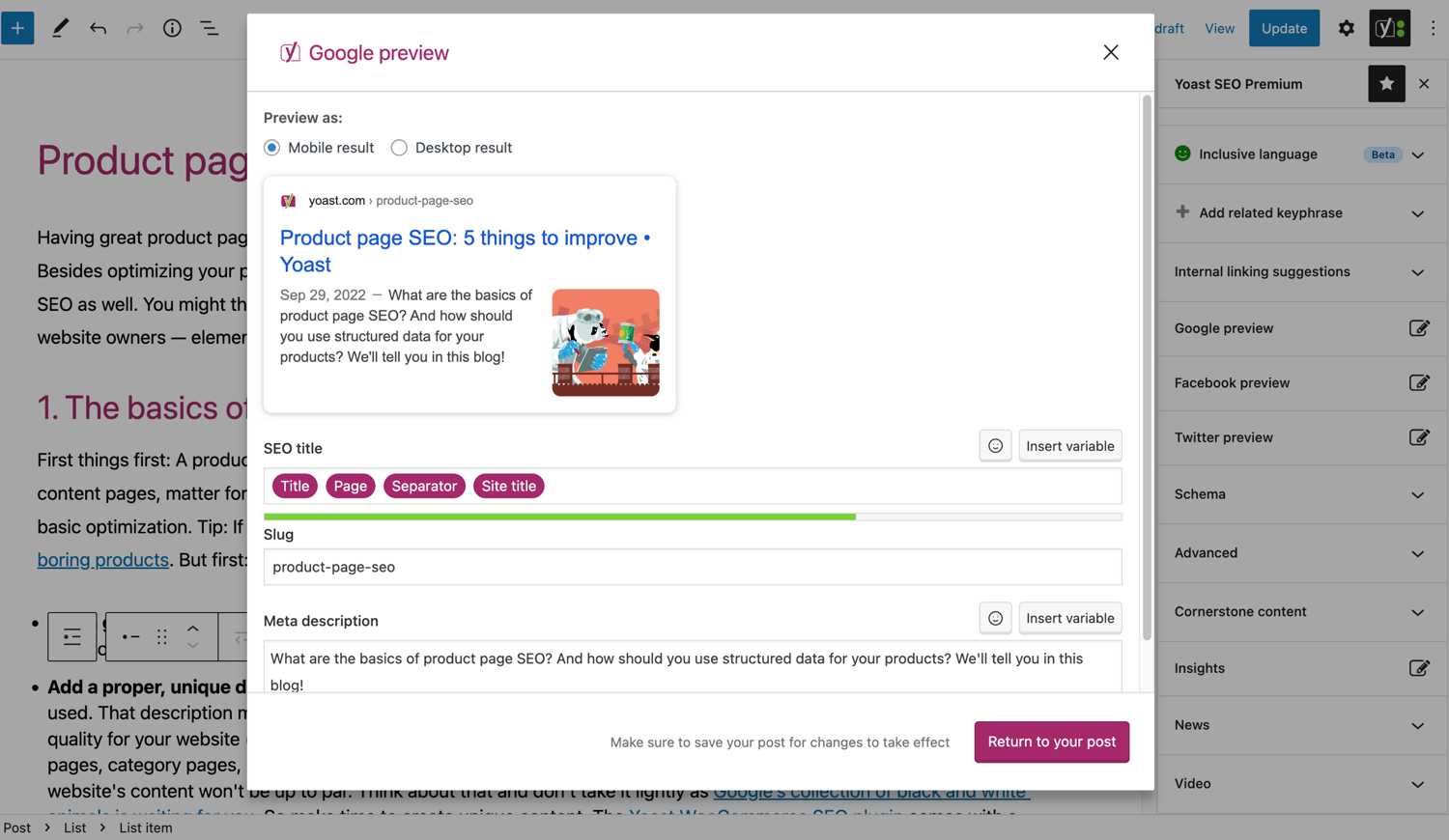
Lihat bagaimana artikel Anda terlihat di Google. 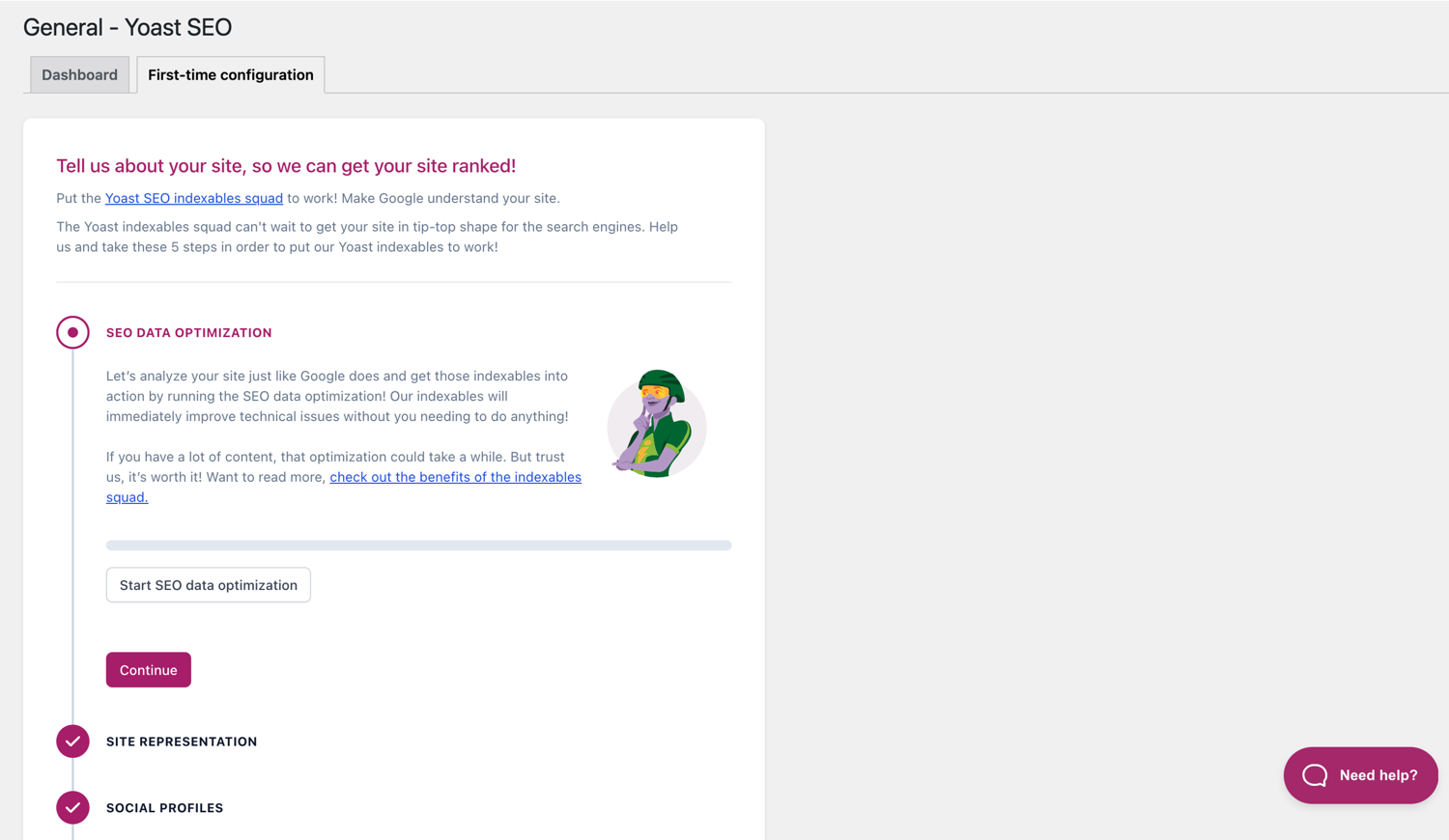
Konfigurasi awal membantu Anda memulai dengan cepat. 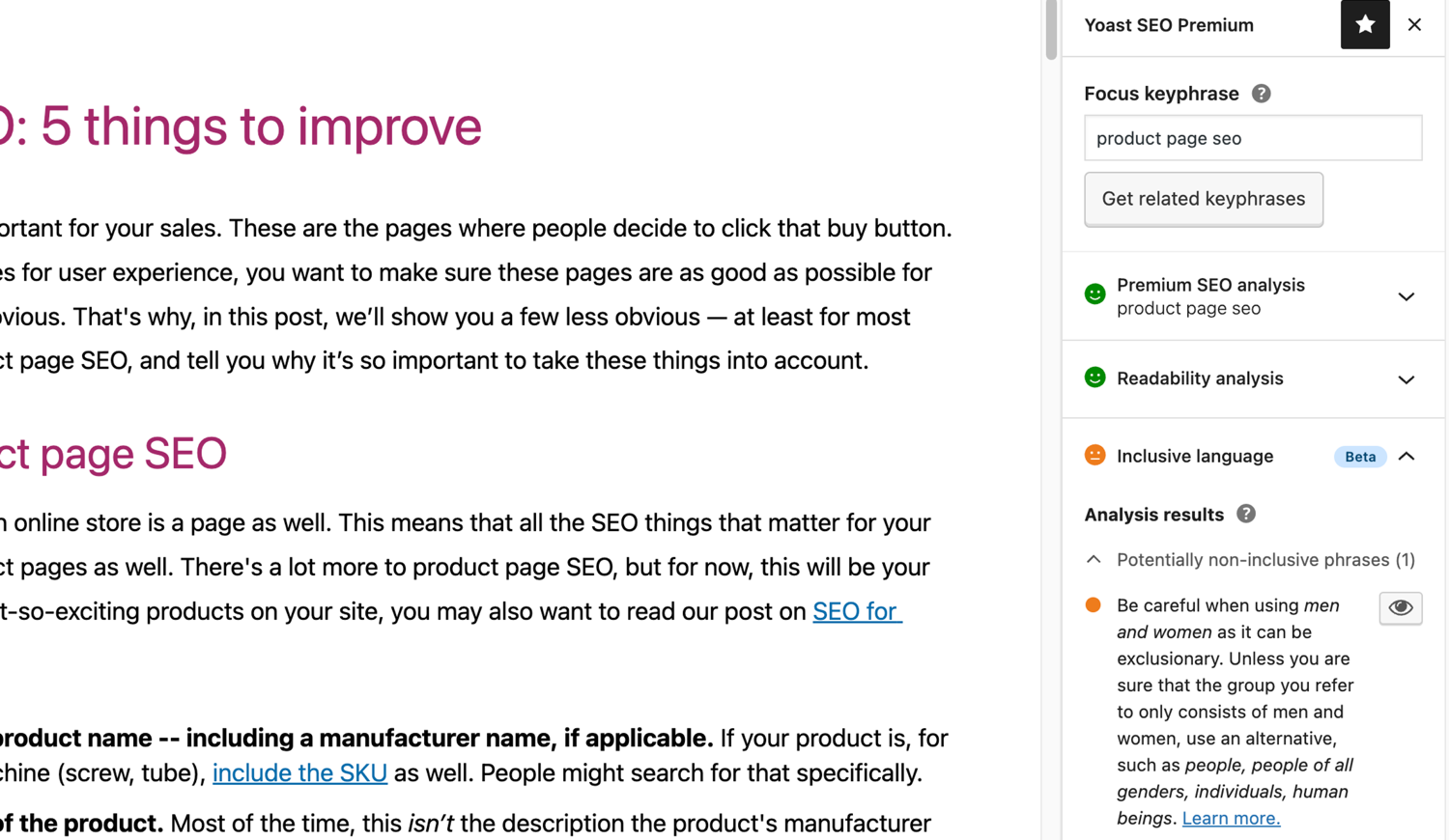
Analisis bahasa inklusif di Yoast SEO. 
Blok
Plugin ini menyediakan 2 blok.
- Yoast How-to Create a How-to guide in an SEO-friendly way. You can only use one How-to block per post.
- Yoast FAQ List your Frequently Asked Questions in an SEO-friendly way.
Instalasi
Memulai dengan Yoast SEO hanya terdiri dari dua langkah: memasang dan menyiapkan plugin. Yoast SEO dirancang untuk bekerja dengan kebutuhan spesifik situs Anda, jadi jangan lupa untuk melakukan konfigurasi pertama Yoast SEO seperti yang dijelaskan dalam langkah ‘setelah aktivasi’! Untuk panduan terbaru tentang cara menginstal produk Yoast SEO, silakan kunjungi pusat bantuan kami.
Tanya Jawab
-
Bagaimana cara kerja Peta Situs XML dari plugin Yoast SEO?
-
Mempunyai sebuah peta situs XML bisa sangat bermanfaat untuk SEO karena Google dapat mengetahui tiap halaman dalam sebuah situs dengan sangat cepat, meskipun tautan internalnya belum begitu sempurna.
Indeks peta situs dan peta situs individu diperbarui secara otomatis ketika Anda menambah ataupun menghapus konten serta akan memasukkan artikel yang ingin diindeks oleh mesin pencari. Post Type yang ditandai dengan noindex tidak akan tampil di peta situs. Selengkapnya seputar Peta Situs XML. -
Bagaimana cara menambahkan situs web saya ke Google Search Console?
-
Sangat mudah untuk menambahkan situs web Anda ke Google Search Console.
1. Buat akun Google Search Console dan login ke akun Anda.
2. Klik ‘Tambahkan properti’ di bawah drop-down pencarian.
3. Masukkan URL situs web Anda ke dalam kotak dan klik ‘Lanjutkan’.
4. Klik panah di sebelah ‘tag HTML’ untuk memperluas opsi.
5. Salin tag meta.
6. Masuk ke situs WordPress Anda.
7. Klik ‘SEO’ di dasbor.
8. Klik pada ‘Umum’.
9. Klik pada tab ‘Webmaster Tools’.
10. Tempelkan kode ke isian Google dan klik ‘Simpan Perubahan’.
11. Kembali ke Google Search Console dan klik ‘Verifikasi’.Bila Anda ingin melihat langkah-langkah yang lebih rinci, silakan kunjungi artikel dalam basis pengetahuan kami.
-
Langkah-langkah di bawah ini adalah solusi sementara karena penyuntingan manual pada berkas tema dapat ditimpa ketika tema diperbarui. Silakan hubungi pengembang tema untuk mendapatkan solusi permanen. Kami telah menulis sebuah artikel tentang pentingnya breadcrumbs untuk SEO.
Untuk menerapkan fungsi breadcrumbs di Yoast SEO, Anda harus mengedit tema Anda. Kami sarankan untuk melakukan backup sebelum Anda mengedit berkas tema. Penyedia hosting Anda dapat membantu melakukannya.
Salin kode berikut ke tema di mana Anda ingin meletakkan breadcrumbs. Jika Anda tidak yakin, Anda perlu bereksperimen dengan penempatannya:<?php if ( function_exists( 'yoast_breadcrumb' ) ) { yoast_breadcrumb( '<p id="breadcrumbs">','</p>' ); } ?>Tempat yang biasa digunakan untuk meletakkan breadcrumbs yaitu di dalam berkas
single.phpdan/ataupage.phptepat di atas judul halaman. Cara lain yang cukup mudah pada beberapa tema adalah hanya dengan menempelkan kode ke berkasheader.phpdi bagian paling akhir.Pada sebagian besar tema non-WooTheme, cuplikan kode ini tidak boleh ditambahkan ke dalam berkas
functions.phpAnda.
Atau, Anda dapat secara manual menambahkan shortcode breadcrumb ke setiap artikel atau laman:[wpseo_breadcrumb]Bila Anda ingin melihat lebih detail atau panduan langkah demi langkah, silakan baca Panduan implementasi breadcrumbs pada Yoast SEO.
-
Bagaimana membuat tautan menjadi noindex?
-
Yoast SEO menyediakan banyak pilihan untuk pengaturan sebuah atau sekelompok URL menjadi noindex. Baca selengkapnya tentang bagaimana cara melakukannya dalam panduan ini.
-
Google menampilkan deskripsi yang salah, bagaimana saya memperbaikinya?
-
Jika Anda telah membuat meta deskripsi yang baik untuk artikel blog, sungguh menyebalkan ketika pada hasil pencarian Google ternyata menampilkan deskripsi yang sepenuhnya berbeda untuk situs Anda.
Kemungkinan penyebabnya:
1. Deskripsi pada kode salah;
2. Cache pada Google telah kedaluwarsa;
3. Manipulasi istilah pencarian;
4. Google mengabaikan deskripsi meta.Anda bisa baca di sini mengenai bagaimana cara untuk memperbaiki deskripsi yang salah.
-
Seberapa sering Yoast SEO diperbarui?
-
Yoast SEO diperbarui setiap dua minggu. Jika Anda ingin tahu mengapa, silakan baca artikel ini tentang mengapa kami merilisnya setiap dua minggu!
-
Bagaimana saya mendapatkan bantuan?
-
Karena plugin gratis kami digunakan jutaan orang di seluruh dunia, kami tidak dapat memberikan bantuan satu persatu. Bila Anda memiliki kendala mengenai plugin Yoast SEO for WordPress, Anda bisa meminta bantuan melalui forum kami di wordpress.org atau lihat basis pengetahuan kami di kb.yoast.com.
Plugin yang Anda beli di Yoast adalah ‘plugin premium’ (meskipun namanya tidak mengandung kata Premium) dan menyertakan pembaruan gratis dan dukungan premium selama setahun penuh. Anda dapat menghubungi tim bantuan kami jika memiliki pertanyaan seputar plugin tersebut.
-
Apa yang terjadi pada data saya jika saya mengaktifkan pelacakan penggunaan?
-
Halaman yoast.com ini menjelaskan data apa yang kami kumpulkan untuk meningkatkan Yoast SEO. Kami hanya mengumpulkan data jika Anda secara eksplisit ikut serta. Baca selengkapnya tentang cara kami menangani data Anda di Kebijakan Privasi kami.
-
Saya memiliki pertanyaan yang belum tercantum di sini
-
Pertanyaan Anda kemungkinan besar telah terjawab dalam basis pengetahuan kami: kb.yoast.com.
Ulasan


Kontributor & Pengembang
“Yoast SEO – Advanced SEO with real-time guidance and built-in AI” adalah perangkat lunak open source. Berikut ini mereka yang sudah berkontribusi pada plugin ini.
Kontributor


“Yoast SEO – Advanced SEO with real-time guidance and built-in AI” telah diterjemahkan dalam 58 bahasa. Terima kasih kepada para penerjemah untuk kontribusi-nya.
Terjemahkan “Yoast SEO – Advanced SEO with real-time guidance and built-in AI” dalam bahasa Anda.
Tertarik mengembangkan?
Lihat kode, periksa repositori SVN , atau mendaftar ke log pengembangan melalui RSS.
Log Perubahan
27.7
Release date: 2026-05-27
Yoast SEO 27.7 brings more enhancements and bugfixes. Find more information about our software releases and updates here.
Bugfixes
- Fixes a bug in Schema aggregator where products Schema pieces had incorrect
@idvalues formainEntityOfPageandimageproperties. - Fixes a bug where a
FocusTrapwarning was thrown and the X button did not receive focus when the replace content confirmation modal from the AI Content Planner was opened. - Fixes a bug where a warning was triggered in the console when editing a post with the Content Planner feature enabled.
- Fixes a bug where only the first piece was returned when indexables were not available.
- Fixes a bug where the AI features section was rendered twice on the user profile page.
- Fixes a bug where the block editor was crashing when some AI features were triggering errors.
- Fixes a bug where the Content Planner inline banner was displayed when editing a template or template part.
Lainnya
- Makes the Academy, Upgrade and Brand insights links visible to more user roles.
27.6
Release date: 2026-05-12
Introduces Yoast AI Content Planner to Yoast SEO Premium, giving five site-specific post ideas and a structured starter draft the moment you open a new post. Haven’t used your free AI sparks yet? Give it a try on us. Read the full release post here.
Enhancements
- Adds the Content Planner feature, which allows users to get AI-powered content suggestions and structured outlines for new posts directly from the block editor. This is available as part of the free sparks allowance in Yoast SEO Free.
Lainnya
- Improves documentation in a docblock. Props to @MukundaKatta.
- Introduces a shared contributor guide for humans and AI coding tools.
Earlier versions
Untuk catatan perubahan dari versi sebelumnya, silakan merujuk ke catatan perubahan di yoast.com.