

Deskripsi
CS Google Analytics is the simple plugin which enables you to place your analytics code and verify your website from the admin panel.
You will find following option with plugins:
- Place your google UA code (UA-XXXXXXXX-X)
Tangkapan Layar
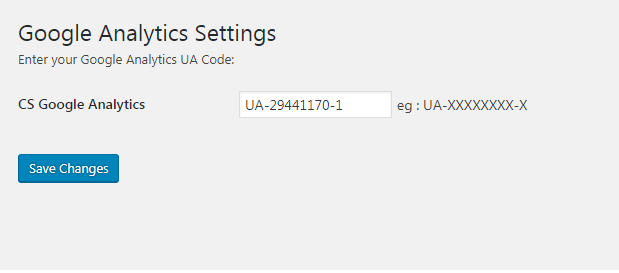
1 Backend Setting
Instalasi
- Put the plug-in folder
cs-google-analyticsinto [wordpress_dir]/wp-content/plugins/ - Go into the WordPress admin interface and activate the plugin
- Search for Google Analytics menu link
- Enter your UA code
- Click
Savebutton
Have fun!!!
Ulasan

20 Juli 2017
This plugin works very well and very easy to use and configure.
thank you…
Kontributor & Pengembang
“CS Google Analytics” adalah perangkat lunak open source. Berikut ini mereka yang sudah berkontribusi pada plugin ini.
Kontributor
Terjemahkan “CS Google Analytics” dalam bahasa Anda.
Tertarik mengembangkan?
Lihat kode, periksa repositori SVN , atau mendaftar ke log pengembangan melalui RSS.
Log Perubahan
1.0.2
Test upto lastet WordPress version
1.0.1
Icon Url Fixed
1.0
Initial version