
Description
This Plugin allows you to transfer posts / custom post types and even Divi layouts from one web site to another.
This is how it works:
1. Install the plugin Action Scheduler by Automattic on your web site (required for subscriptions).
2. If you wish to import Advanced Custom Fields (ACF), you should install the plugin ACF to REST API by Aires Gonçalves on the source web site.
3. Get an administrator app password on your source web site.
4. Take note of the app password and the user name.
5. Install the plugin xm Importer
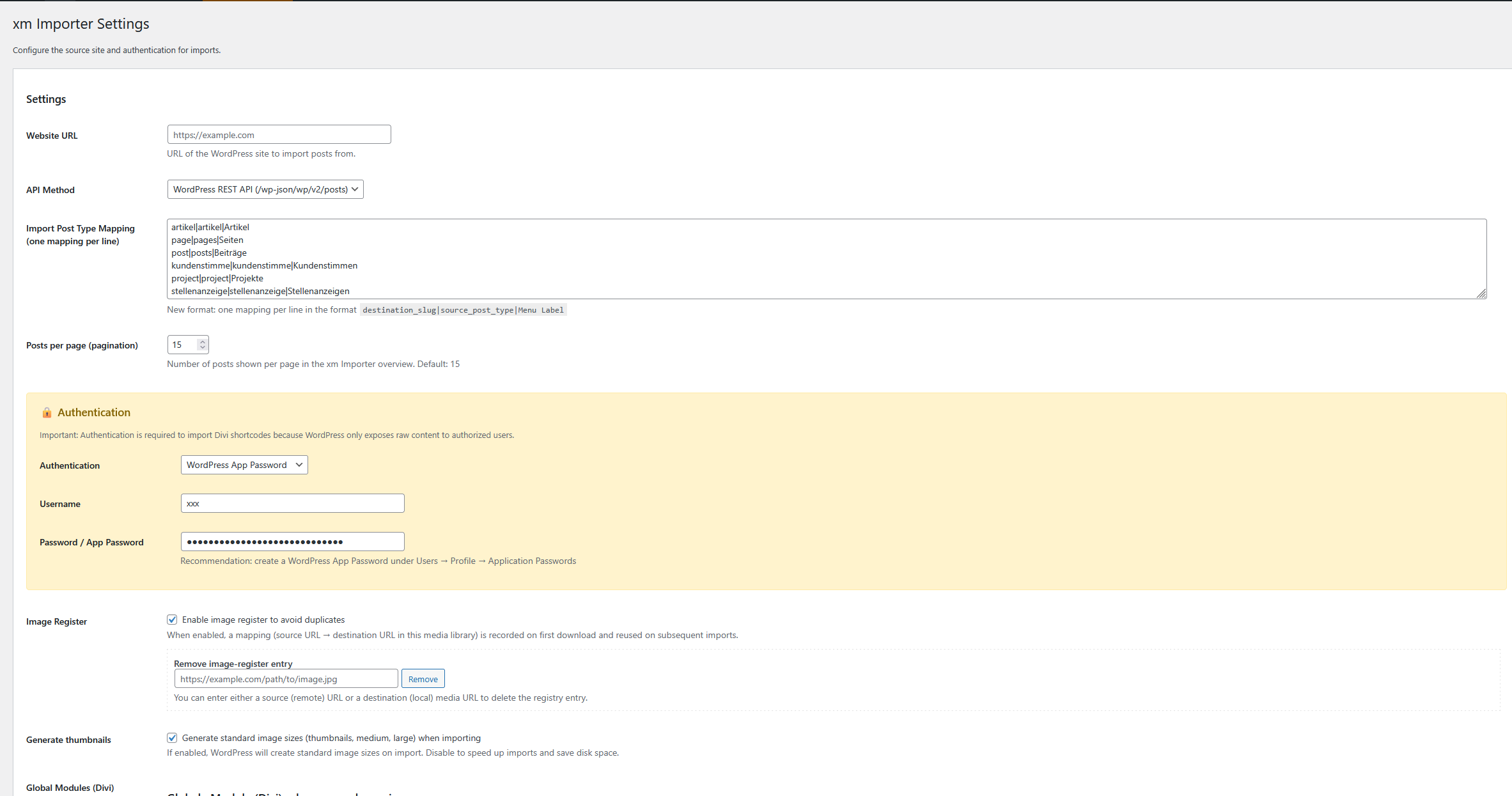
6. In the main menu, go to xm Importer -> Settings
7. In the field Website URL, enter the URL of the source web site
8. In the field API-Methode, choose WordPress REST API (currently the other options are not recommended)
9. In the field Import Post Typ Mapping, register the post-types, that you wish to import. Use the schema target_slug|sorce_post_type|menu-label Example: post|posts|Posts
page|pages|Pages
article|article|Article
(While pages and posts have a differing source_post_type, custom post types like article usually have a target_slug=source_post_type.)
10. Posts per page (pagination) – Here you can choose the amount of Posts displayed on each page.
11. In the field Authentication, use “WordPress App Password” – Currently othe Methods are not recommended.
12. Username – Enter the username that you used earlier to create your app password. (On the source web site.)
13. Passwort/App Password – Enter the app password here, which you have created in step 3
14. Image Register – This option is recommended, as it allows you to maintain an image register and stops wordpress from downloading duplicate images.
15. Click on Save Settings.
16. Posts overview: In the main menu under xm Importer you should now see menu entries for the post types that you registered. (posts, pages, articles or whatever it is you entered.)
17. If you open one of these tabs, you should see an overview of downloadable posts from the source web site.
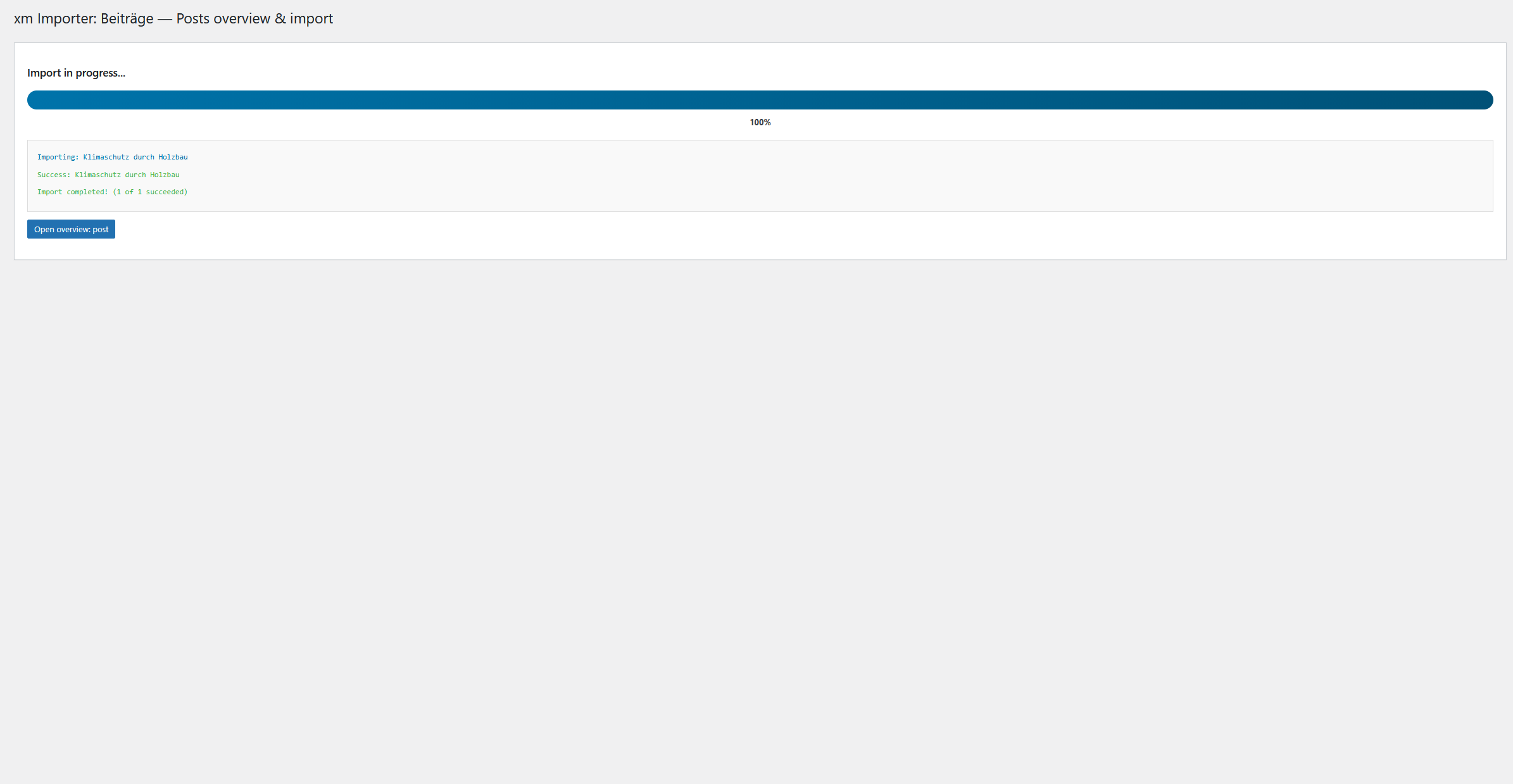
18. You can now mark posts to download and click “Import selected posts” to download them.
19. In the menu entry “Subscriptions” you can register post types and categories for frequent downloading (subscriptions).
20. To register a category, click “Add entry” and configure the subscription. You can use the method “Sync & overwrite”, so that posts stay up-to date. This overwrites existing posts if there is an update.
21. If you make changes to a downloaded post on the target web site, the functionality of synchronising and overwriting “Sync & overwrite” is paused. You then have to do a manual update in the posts-overview (Button: “Update available”)
22. Before a post is overwritten, because you activated the option “Sync & overwrite”, a backup of the old post is placed in your trash.
Screenshots


Reviews
There are no reviews for this plugin.
Contributors & Developers
“xm Importer” is open source software. The following people have contributed to this plugin.
Contributors
Translate “xm Importer” into your language.
Interested in development?
Browse the code, check out the SVN repository, or subscribe to the development log by RSS.
Changelog
v1.01 – Changed Plugin class, externalized JS code, Added Setting to create Image Thumbnails
v1.02 – Changed function names -> Prefix xmimp_
v1.03 – Changed function names -> Prefix xmimp_
v1.04 – Translation DE added
v1.05 – Possibiity to trash posts from the posts overview added.
v1.06 – Made function to import post Thumbnails more robust