shellngn/pro
Shellngn Pro
100K+
shellngn/pro repository overview

Self-hosted web-based gateway for SSH, SFTP, Telnet, RDP, and VNC
Secure browser-based access to your infrastructure.
Manage terminal sessions, transfer files, and connect to remote desktops—no client software required.
Screenshots
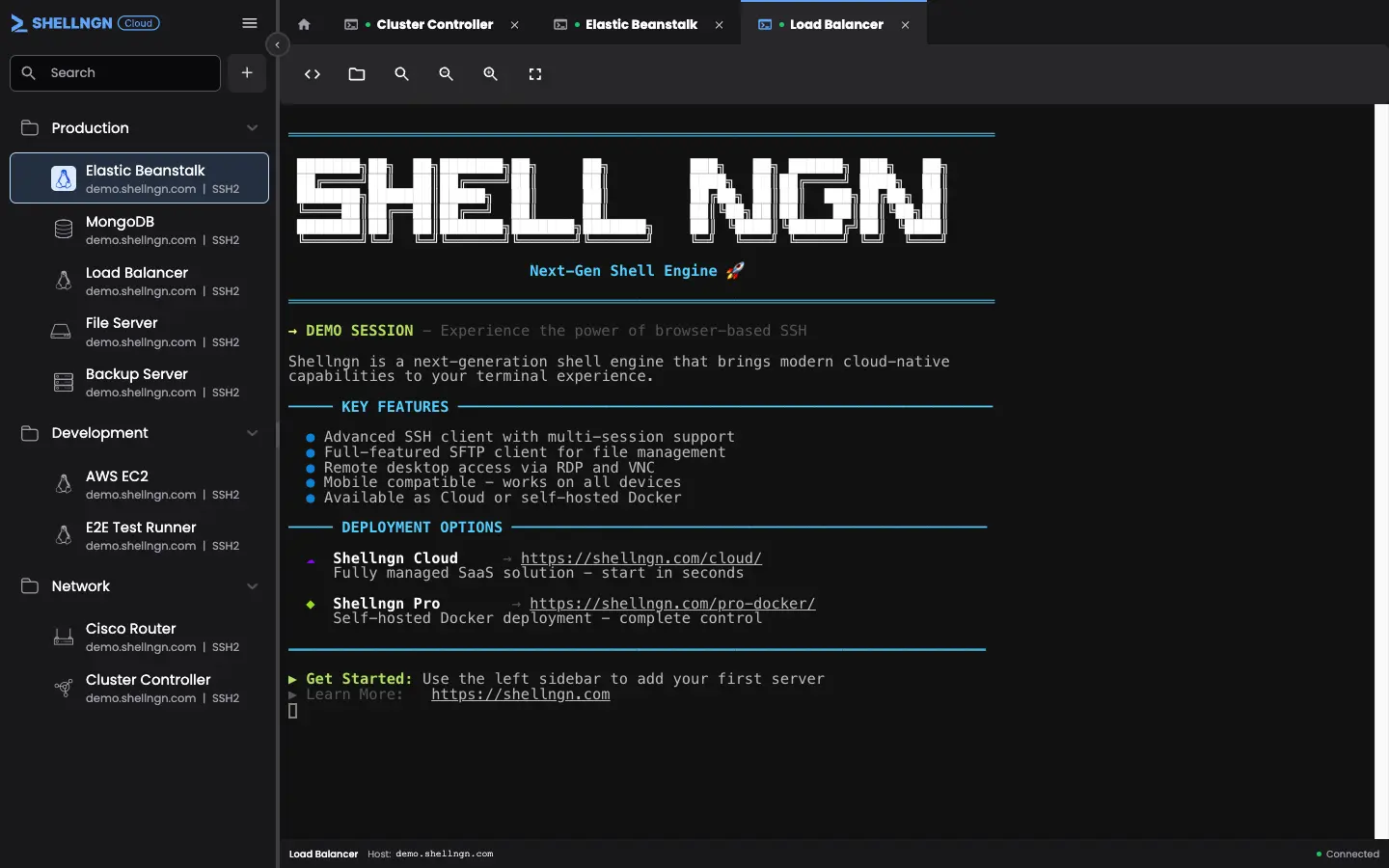
Multi-tab terminal with syntax highlighting and command history
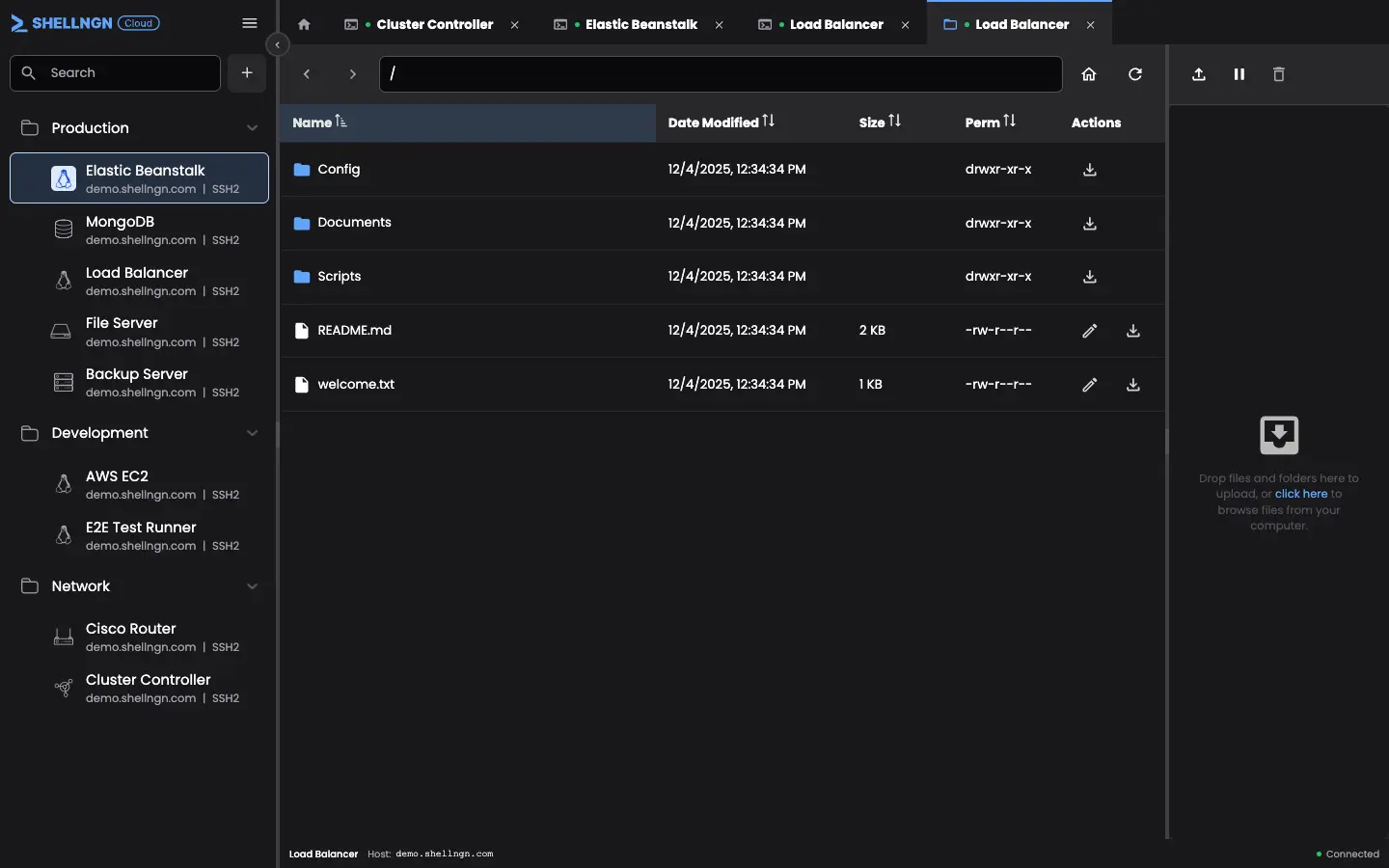
SFTP file browser with drag-and-drop uploads
Features
Terminal & File Management
- Multi-Tab Sessions – Manage multiple connections from one browser window
- One-Click Connect – Save server credentials and connect instantly
- Command Snippets – Automate repetitive tasks with saved commands
- SFTP Browser – Upload, download, and edit files with drag-and-drop
Remote Desktop
- RDP – Windows Remote Desktop and Terminal Server support
- VNC – Linux/Unix remote desktop access
Security
- SAML 2.0 SSO – Azure AD, Okta, Google Workspace, OneLogin, ADFS
- Two-Factor Authentication – TOTP-based 2FA
- Encrypted Credentials – AES encryption for stored passwords and keys
- Session Audit Logs – Track all connections with user and timestamp
Access Control
- Role-Based Permissions – Admin, team lead, and user roles
- Team-Based Access – Restrict server visibility by team
Mobile Support
Full keyboard, command snippets, SFTP browser, and file editor on mobile devices.
Quick Start
docker run -d --name shellngn-pro \
  --mount source=shellngn-data,target=/home/node/server/data \
  -p 8080:8080 \
  -e HOST=0.0.0.0 \
shellngn/pro:latestAccess at http://localhost:8080
Default credentials: admin / admin
Environment Variables
| Variable | Default | Description |
|---|---|---|
PORT | 8080 | HTTP listening port |
HOST | 0.0.0.0 | Host to listen on |
CORS | * | Cross-origin resource sharing origin |
BASE_URL | / | URL path prefix (for reverse proxy) |
TLS_CERT | – | Certificate filename in /home/node/server/data/tls |
TLS_KEY | – | Private key filename in /home/node/server/data/tls |
RESET_USER | – | Reset user password (e.g., admin:newpass) |
LOG_LEVEL | info | Log verbosity: error, warn, info, http, debug |
LOG_TO_FILE | false | Enable file logging with daily rotation |
LOG_DIR | ./logs | Directory for log files (requires LOG_TO_FILE=true) |
HTTPS / SSL
For production, use a reverse proxy for SSL termination:
- Traefik – Automatic Let's Encrypt certificates
- Nginx Proxy Manager – GUI-based configuration
- Caddy – Automatic HTTPS by default
The container runs HTTP internally; the reverse proxy handles HTTPS and forwards traffic to port 8080.
NGINX Reverse Proxy
WebSocket support is required for terminal sessions:
location / {
    proxy_pass http://localhost:8080;
    proxy_http_version 1.1;
    proxy_set_header Upgrade $http_upgrade;
    proxy_set_header Connection 'upgrade';
    proxy_set_header Host $host;
    proxy_cache_bypass $http_upgrade;
}Resources
License
Production use requires a valid license. Contact [email protected]
Tag summary
Content type
Image
Digest
sha256:40352b38f…
Size
105.5 MB
Last updated
about 1 month ago
Requires Docker Desktop 4.37.1 or later.