
विवरण
Allows admins to add Google Analytics code to <head> and use it only when site is switched to “Search Engine Visibility”.
Use Settings->Reading: check/uncheck “Search Engine Visibility” and add code to “GA code fields”.
स्क्रीनशॉट्स
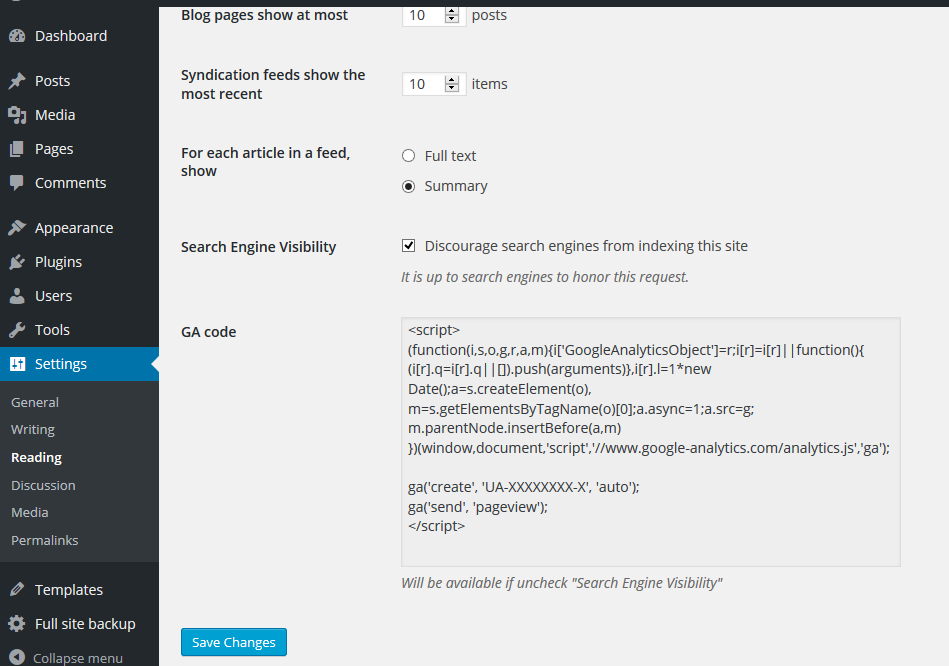
Simply paste Google Analytics code into GA code fields
इंस्टॉलेशन
- Upload entire
/ga-addfolder to/wp-content/plugins/directory - Activate plugin through Plugins menu in WordPress
- Add code Google Analytics in Settings>Reading “GA code fields”
समीक्षाएं
इस प्लगइन के लिए कोई समीक्षा नहीं है।
सहायक &डेवलपर्स
यह खुला स्रोत सॉफ्टवेयर है। अनुगामी लोगो ने इस प्लगइन के लिए योगदान दिया है।
योगदानकर्ता
Translate “GA Code Visibility” into your language.
Interested in development?
Browse the code, check out the SVN repository, or subscribe to the development log by RSS.
बदलाव विवरण
0.4
- Tested with WP 5.7
0.3
- Tested with WP 5.0.3
0.2
- Tested with WP 4.9.4