

विवरण
Site Notes streamlines the process of handing over websites from agencies to clients. It provides a visual commenting system that allows teams to annotate web pages with feedback, manage tasks, and collaborate effectively during the transition period.
Key Features
- Visual Commenting System – Click on any element to add comments with screenshots
- Task Management – Create, assign, and track tasks with priority levels
- Status Tracking – Monitor progress with open, in-progress, and resolved statuses
- Screenshot Capture – Automatic screenshot generation for visual context
- Responsive Design – Works seamlessly on desktop and mobile devices
- User Permissions – Proper role-based access control
- Admin Dashboard – Comprehensive overview of all comments and tasks
- Translation Ready – Full internationalization support
Perfect For
- Web agencies streamlining client feedback collection
- Freelance developers managing client collaboration
- Website maintenance teams handling ongoing communication
- Design reviews with visual feedback on layouts
- Bug reporting with clear visual documentation
How It Works
- Add Comments – Click on any page element to add a visual comment
- Capture Context – Screenshots are automatically generated for clarity
- Set Priorities – Organize feedback with High, Medium, and Low priorities
- Track Progress – Monitor status from Open to In Progress to Resolved
- Collaborate – Add replies and updates to comments
- Manage – Use the admin dashboard for overview and bulk actions
From the team at AnalogWP – creators of Style Kits for Elementor, trusted by thousands of designers worldwide.
Support
For support, feature requests, or bug reports:
We’re committed to providing excellent support and regular updates.
स्क्रीनशॉट्स
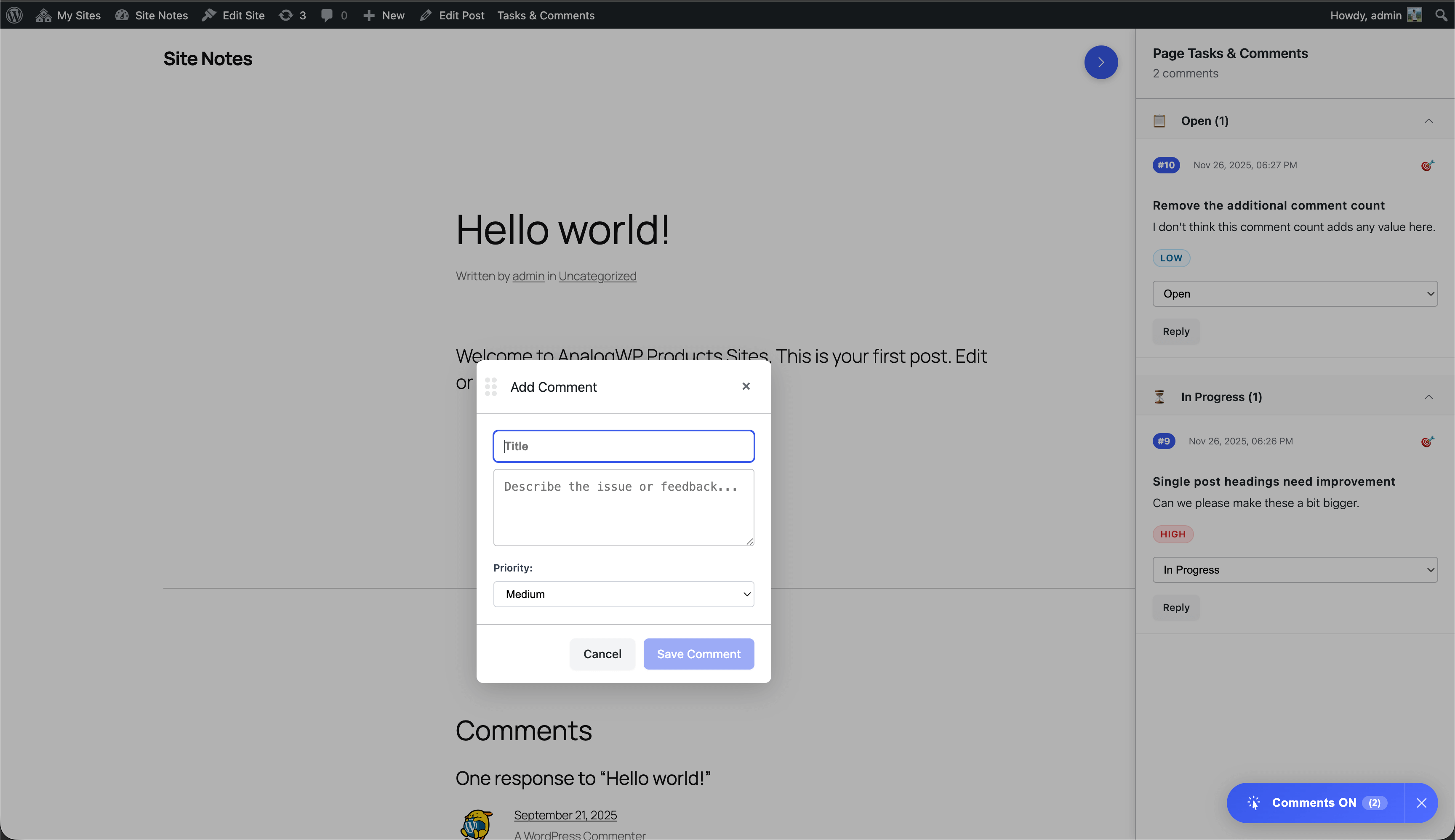
Visual commenting interface on the frontend 
Comment details sidebar with screenshot 
Admin dashboard with Task management interface 
Comment/note details page inside Admin dashboard 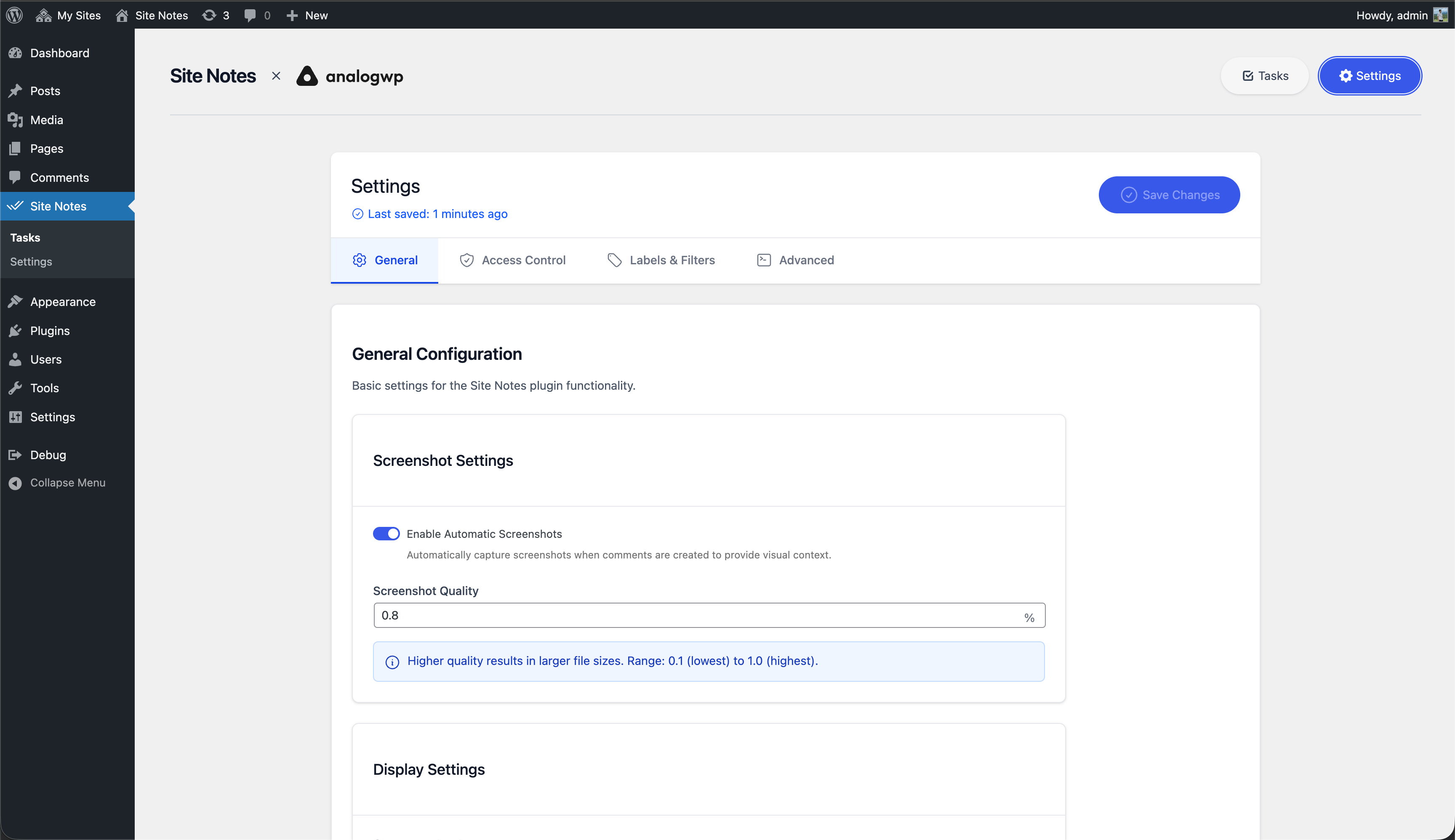
Admin settings page
इंस्टॉलेशन
Automatic Installation
- Go to Plugins > Add New in your WordPress admin
- Search for “Site Notes”
- Click Install and then Activate
- Navigate to Site Notes in the admin menu
Manual Installation
- Download the plugin ZIP file
- Go to Plugins > Add New > Upload Plugin
- Choose the ZIP file and click Install Now
- Activate the plugin
- Navigate to Site Notes in the admin menu
सामान्य प्रश्न
-
Can clients without WordPress accounts add comments?
-
Yes, the plugin supports comments from non-logged-in users, making it perfect for client feedback without requiring WordPress accounts.
-
Are screenshots automatically generated?
-
Yes, when you add a comment by clicking on an element, a screenshot is automatically captured to provide visual context.
-
Can I customize the comment statuses?
-
Currently, the plugin uses standard statuses: Open, In Progress, and Resolved. Customization options may be added in future versions.
-
Is the plugin translation-ready?
-
Yes, the plugin is fully translation-ready with proper internationalization support using the ‘analogwp-site-notes’ text domain.
-
What are the minimum requirements?
-
WordPress 6.2+, PHP 7.4+, and a modern web browser with JavaScript enabled.
-
Does it work with any theme?
-
Yes, the plugin is designed to work with any WordPress theme. It uses non-intrusive overlay techniques for the commenting system.
समीक्षाएं


सहायक &डेवलपर्स
यह खुला स्रोत सॉफ्टवेयर है। अनुगामी लोगो ने इस प्लगइन के लिए योगदान दिया है।
योगदानकर्ता


Translate “Site Notes: Feedback, Notes with Sitewide Visual Commenting” into your language.
Interested in development?
Browse the code, check out the SVN repository, or subscribe to the development log by RSS.
बदलाव विवरण
1.1.2
- Fix settings page not loading due to an undefined sprintf function usage
- Other minor changes
1.1.1
- Fix issues with release
1.1.0
- Added Freemius SDK
- Added Plugin Settings action link
- Other minor changes
1.0.3
- WP.org release
1.0.2
- Fix WP Plugin Review Team warnings
1.0.1
- Fix WP Plugin Review Team warnings
1.0.0
- Initial release
- Visual commenting system with click-to-comment functionality
- Task management with priority levels (High, Medium, Low)
- Status tracking (Open, In Progress, Resolved)
- Screenshot capture for visual context
- Admin dashboard for comprehensive management
- User permission controls
- Translation support
- Responsive design for mobile compatibility
- WordPress admin bar integration