
תיאור
日本語のユーザー様へ:
「マニュアル作成に、無駄なリソースをかけていませんか?」
ウェブサイトの納品時、クライアントに渡す操作マニュアル。
見積もりでは「おまけ」扱いだったはずなのに、気づけば膨大な時間と労力を消費している…そんな経験はありませんか?
PDFで作ったマニュアルは、納品後に情報が古くなり、更新も面倒。どこに保存したか分からなくなることもしばしばです。
Manual Dogは、そんなウェブ制作者の「隠れたコスト」を解決するために生まれました。
マニュアルの作成、更新、そして閲覧。そのすべてを、クライアントが日頃から慣れ親しんだWordPressの管理画面内だけで完結させましょう。
Manual Dogは、いつでも最新の情報を、必要な人のすぐそばに届けます。
v1.1.0 の新機能:
- マニュアル一覧 — タイトル・投稿者・日付を一覧表示。編集・削除もここから。
- 並び順設定 — ドラッグ&ドロップで並び替え。右にずらすと子(入れ子)に、左にずらすと親階層に戻せます。
For English speakers:
ManualDog is a simple and intuitive manual management plugin designed for use within the WordPress admin area. It allows you to create, organize, and display manuals exclusively for logged-in users, making it perfect for client handoffs, internal company guides, or user documentation.
What's new in v1.1.0:
- All Manuals page — View all manuals in a clean table with title, author, date, edit, and trash actions.
- Sort Order page — Drag and drop to reorder manuals. Drag right to nest (make a child), drag left to un-nest. No extra plugins needed.
צילומי מסך
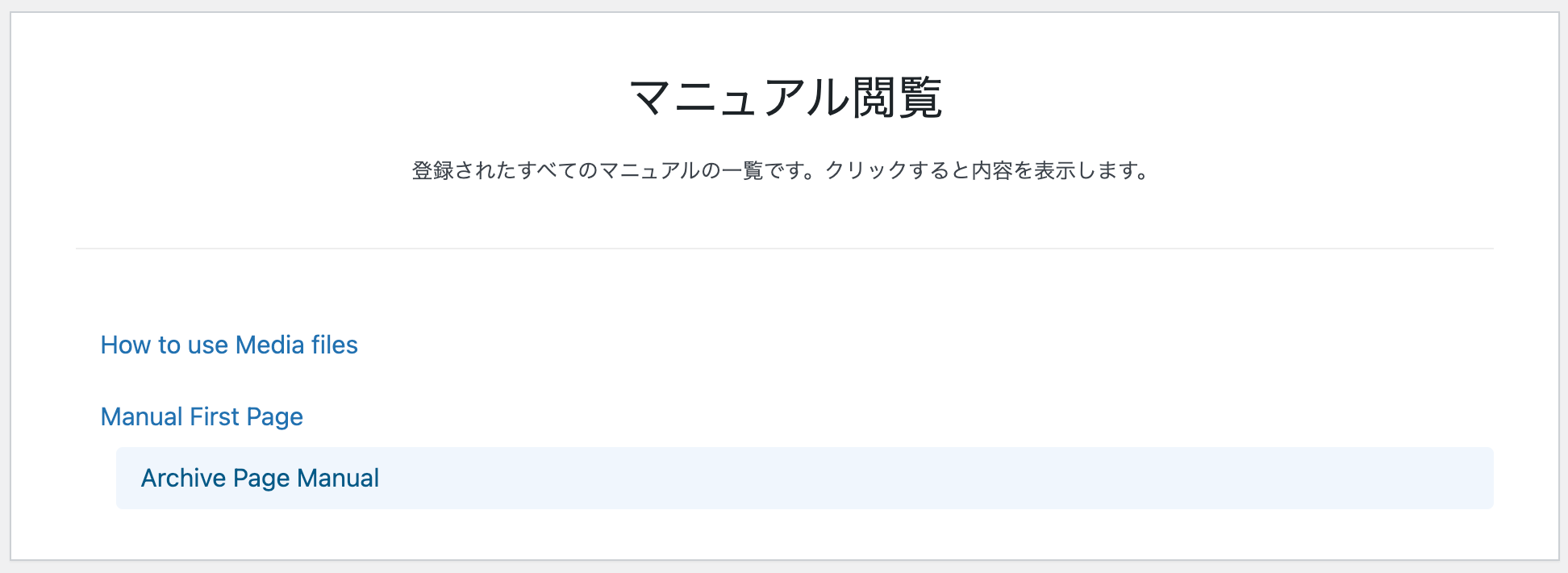
The modern, two-column manual viewer interface, providing an immersive reading experience. / 閲覧に集中できる、モダンな2カラムのビューワー画面です。 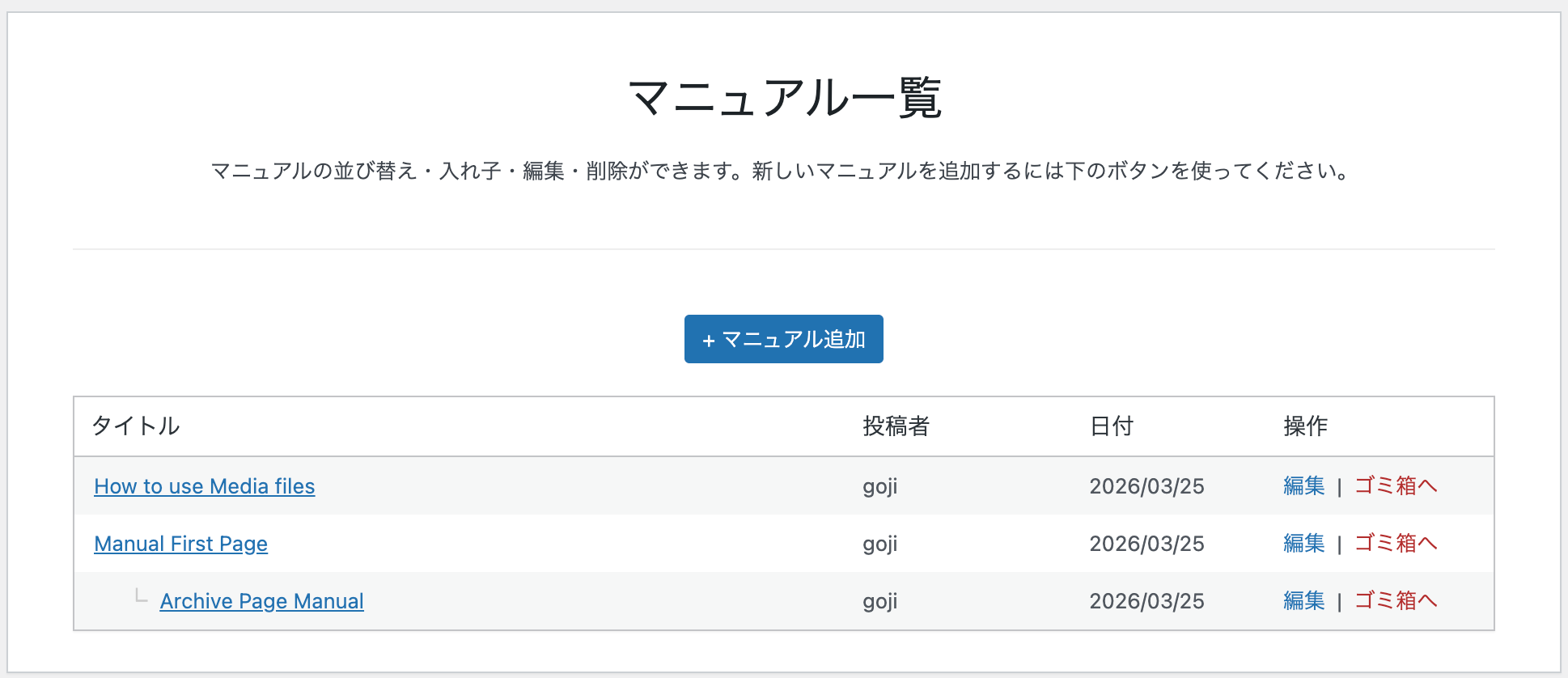
The All Manuals page showing a clean table with title, author, date, and actions. / タイトル・投稿者・日付・操作を一覧できる、マニュアル一覧ページです。 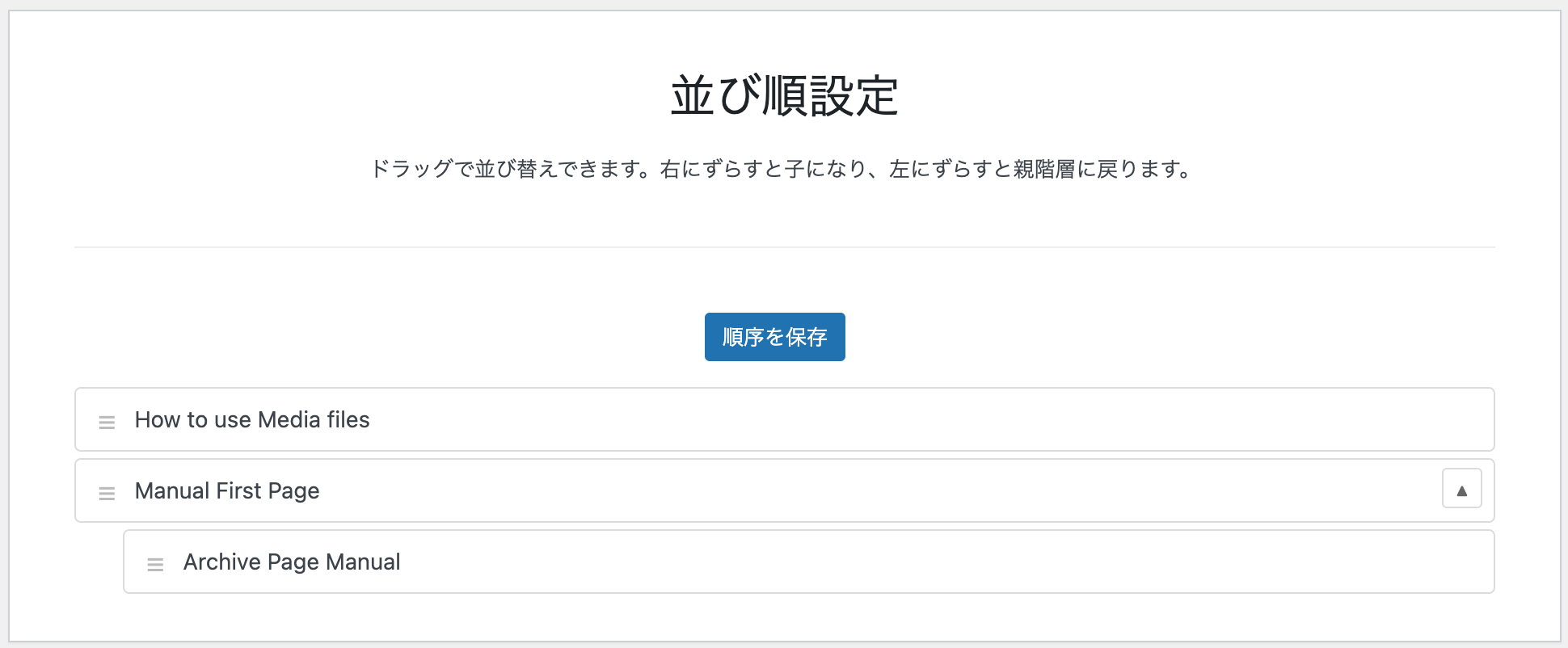
The Sort Order page with drag-and-drop reordering and nesting support. / ドラッグ&ドロップで並び替えと入れ子設定ができる、並び順設定ページです。 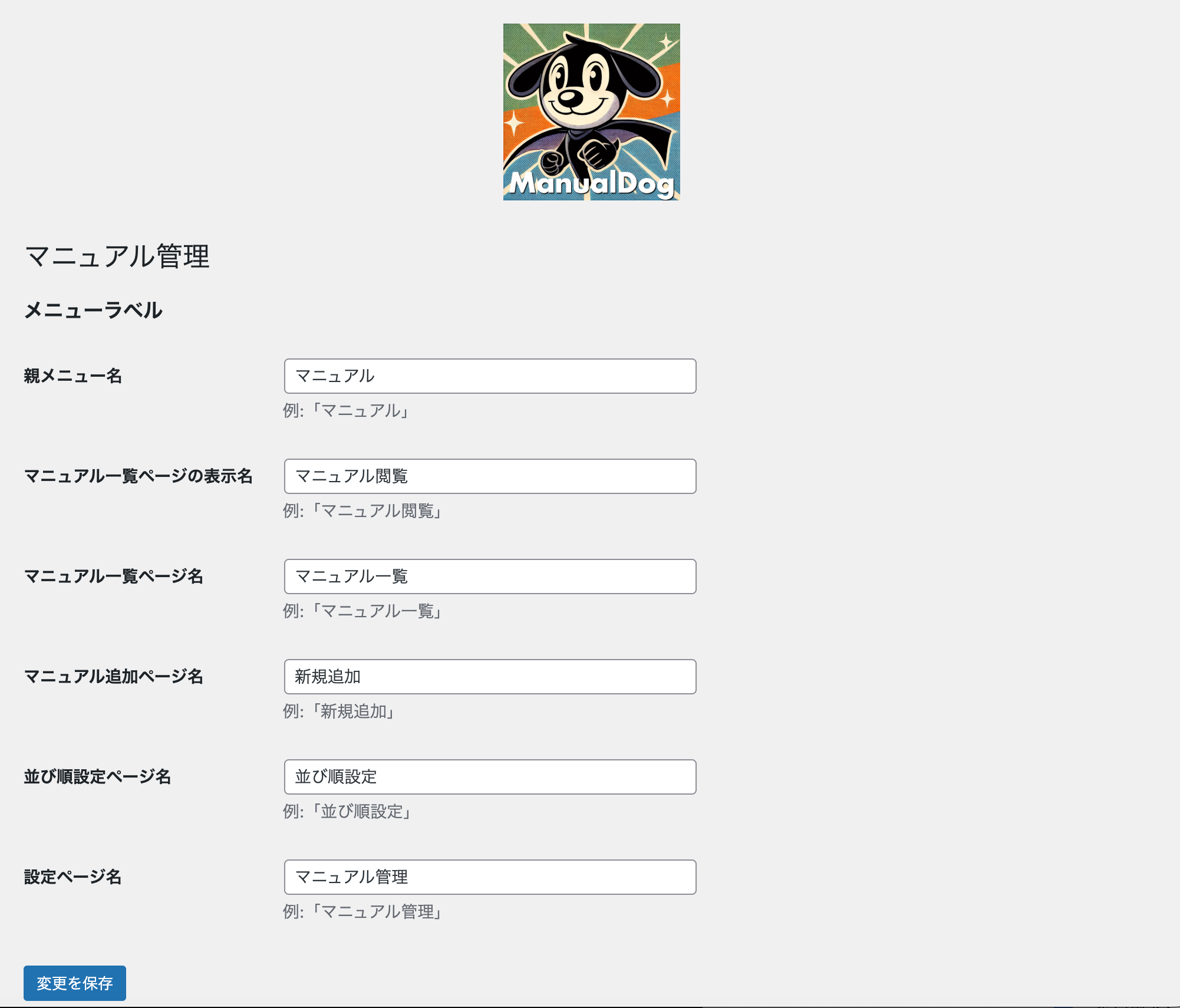
The easy-to-use settings page for renaming menus. / 管理メニュー名を自由に変更できる、シンプルな設定画面です。
התקנה
- Upload the
manualdogfolder to the/wp-content/plugins/directory via FTP, or upload the ZIP file through the WordPress admin panel (Plugins>Add New). - Activate the plugin through the 'Plugins' menu in WordPress.
- A "Manuals" menu will be added to your admin sidebar. Start creating!
שאלות נפוצות
-
Are the media files (images, PDFs) protected?
-
In this free version, no. Media files uploaded to a manual are still publicly accessible if someone knows their direct URL. This is a standard WordPress behavior. The plugin shows a reminder about this on the settings page. Full media protection is a feature planned for a future premium version.
-
Can I customize the appearance?
-
The settings page allows you to rename the admin menus. For deeper visual customizations, you would need to use custom CSS.
-
Can I reorder manuals?
-
Yes! As of v1.1.0, you can use the built-in "Sort Order" page to drag and drop manuals into any order. You can also nest manuals by dragging them to the right to create parent-child relationships.
-
Can I reorder manuals? = (日本語)
-
はい!v1.1.0より、「並び順設定」ページでマニュアルをドラッグ&ドロップで並び替えられます。右にドラッグすると入れ子(親子関係)を作ることもできます。
סקירות
There are no reviews for this plugin.
מפתחים

ניתן לתרגם את "Manual Dog" לשפה שלך.
מעוניינים בפיתוח?
עיינו בקוד, ראו את הקוד ב-SVN repository, או הירשמו ללוג פיתוח באמצעות RSS.
שינויים
1.1.0
- New: Added "All Manuals" page — a clean table view with title, author, date, edit, and trash actions.
- New: Added "Sort Order" page — drag-and-drop reordering with nested (parent-child) support powered by nestable2.
- Improved: Separated manual browsing (View Manuals) from manual management (All Manuals) for a cleaner workflow.
- Improved: Removed the "Post Types Order" plugin recommendation from the Settings page, as sorting is now built-in.
1.0.1
- Security Fix: Added nonce verification and enhanced data sanitization based on feedback from the WordPress.org review team.
- Updated "Tested up to" version for compatibility.
1.0.0
- Initial release.