

Description
This is a lightweight WordPress plugin that adds an extra confirmation dialog when clicking the Publish button in the Classic Editor, helping to prevent accidental publishing. Never publish by accident again!
This plugin adds confirmation dialogs for publishing actions in the Classic Editor.
When working with page builders such as Elementor, WPBakery, confirmations are displayed when publishing or updating content via the WordPress editor controls rather than the builder’s own interface.
If you love this plugin, buy me a cup of coffee
Screenshots

Confirmation alert showing when you click on publish button. 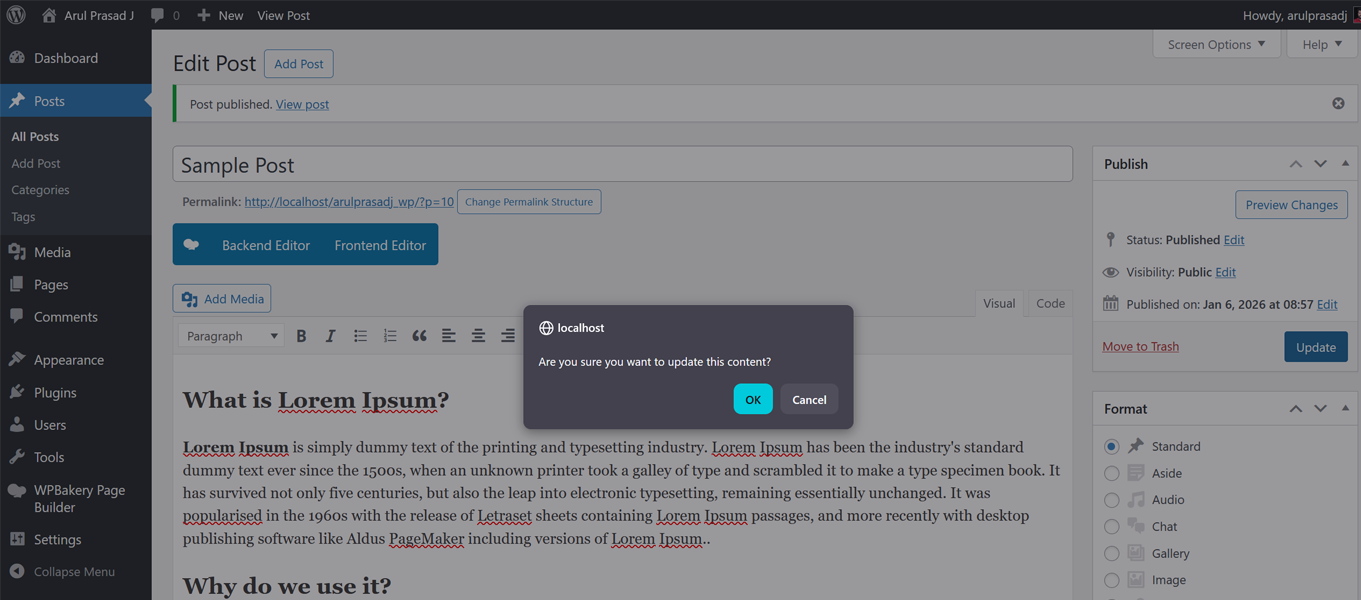
Confirmation alert showing when you click on update button. 
Confirmation alert showing when you click on shedule button. 
Admin settings Page
Installation
- Download and extract plugin files to a folder in your wp-content/plugin directory.
- Activate the plugin through the WordPress admin interface.
- Change the default message through the ‘Publish Confirm Message’ menu in WordPress.
You’re done! The Plugin ready to use according to the directions in the description.
If you have any questions or problems please make a post here: https://wordpress.org/support/plugin/publish-confirm-message/

Contributors & Developers
“Publish Confirm Message” is open source software. The following people have contributed to this plugin.
Contributors
Translate “Publish Confirm Message” into your language.
Interested in development?
Browse the code, check out the SVN repository, or subscribe to the development log by RSS.
Changelog
2.1
- Improved Classic Editor confirmation logic for Publish, Schedule, and Update actions
- Added separate configurable messages for Publish, Schedule, and Update
- Added multilingual (i18n) support
- Improved admin settings validation and capability checks
- General code cleanup, stability, and compatibility improvements
2.0
- Confirmed working with WordPress 6.4.2
- Fixed csrf issue
1.3.1
- Fixed triggering more than once.
- Confirmed working with WordPress 5.7
1.3
- Menu moved to under settings
- Confirmed working with WordPress 5.5
1.2
- Improved security
1.1
- Admin Page added
- Now customize default alert message text
1.0
- Publish Confirm Message added to wordpress.org