Sliderule Simulator Teaches You How To Do Calculations The Old Fashioned Way

Ever wanted to know how engineers made their calculations before digital calculators were on every workbench? [Richard Carpenter] and [Robert Wolf] have just the thing—a sliderule simulator that can teach you how to do a whole bunch of complex calculations the old fashioned way!

The simulator is a digital recreation of the Hemmi/Post 1460 Versalog slide rule. This was a particularly capable tool that was sold from 1951 to 1975 and is widely regarded as one of the best slide rules ever made. It can do all kinds of useful calculations for you just by sliding the scales and the cursor appropriately, from square roots to trigonometry to exponents and even multi-stage multiplication and divisions.

You can try the simulator yourself in a full-screen window here. It’s written in JavaScript and runs entirely in the browser. If you’ve never used a slide rule before, you might be lost as you drag the center slide and cursor around. Fear not, though. The simulator actually shows you how to use it. You can tap in an equation, and the simulator will both spit out a list of instructions to perform the calculation and animate it on the slide rule itself. There are even a list of “lessons” and “tests” that will teach you how to use the device and see if you’ve got the techniques down pat. It’s the sort of educational tool that would have been a great boon to budding engineers in the mid-20th century. With that said, most of them managed to figure it out with the paper manuals on their own, anyway.

We’ve featured other guides on how to use this beautiful, if archaic calculation technology, too. We love to see this sort of thing, so don’t hesitate to notify the tipsline if you’ve found a way to bring the slide rule back to relevance in the modern era!

Thanks to [Stephen Walters] for the tip!

PyScript: Python In The Web Browser

A chainsaw can make short work of clearing out the back forty. It can also make a good horror movie. So while some people will say we don’t need another tool to allow more malicious scripting in the browser, we also know that, like any tool, you can use it or abuse it. That tool? PyScript, which is, of course, Python in the browser.

The tool is in the early experimental phase, so the project doesn’t suggest using it in a production environment yet. However, if it works well, the promise is not just that you can write browser-based applications in Python — you’ll have a handy way to reuse existing Python code and even be able to run the same code on the browser that currently runs on the server. This has a lot of implications for improved client/server applications, or cases where you want to be able to run against a local backend when disconnected and a remote backend when you do have a connection. Of course, you can interoperate with JavaScript, too.

Continue reading “PyScript: Python In The Web Browser”

Learn Verilog In Your Browser

We are big fans of tools in the browser for education. You have a consistent environment maintained by someone else, you don’t have to install anything, and you can work from any computer you happen to find yourself. The HDLBits site has a great set of Verilog “exams” that would be a big help to anyone trying to learn or brush up on their Verilog skills.

The site offers a range of topics that go from the silly (output a constant 1 or 0) to full-blown state machines and testbenches. The site isn’t tutorial in nature, instead it offers a problem, an optional hint, and an editing window with some code already in place. You add your code and hit submit. Behind the scenes, the site runs Intel Quartus and Modelsim to test your work. It will either show you the results or tell you that you failed.

Continue reading “Learn Verilog In Your Browser”

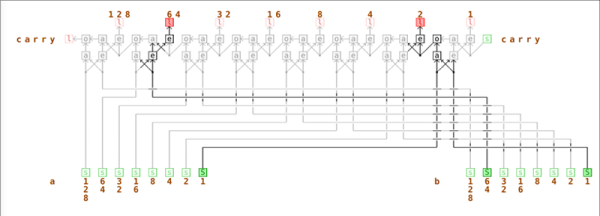
Online Logic Simulator Is Textual — No, Graphical

We have a bit of a love/hate relationship with tools in the web browser. For education or just a quick experiment, we love having circuit analysis and FPGA tools at our fingertips with no installation required. However, we get nervous about storing code or schematics we might like to keep private “in the cloud.” However, looking at [Lode Vandevenne’s] LogicEmu, we think it is squarely in the educational camp.

You can think of this as sort of Falstad for logic circuits (although don’t forget Falstad does logic, too). The interface is sort of graphical, and sort of text-based, too. When you open the site, you’ll see a welcome document. But it isn’t just a document, it has embedded logic circuits in it that work.

Continue reading “Online Logic Simulator Is Textual — No, Graphical”