
વર્ણન
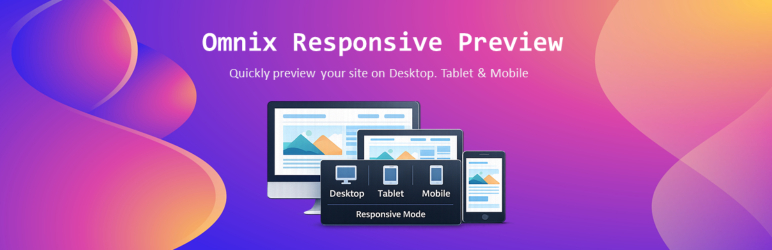
Omnix Responsive Preview helps developers, designers, and site owners instantly preview their website in different screen sizes.
The plugin adds a lightweight popup panel on the frontend that allows you to toggle between Desktop, Tablet, and Mobile views. It’s perfect for testing responsive layouts during development or content editing — no browser dev tools required.
Key Features
- Toggle between Desktop, Tablet, and Mobile views
- Popup panel with clean and minimal UI
- Instant preview without page reload
- Works on any WordPress theme
- Lightweight and performance-friendly
Ideal for:
– WordPress theme developers
– Plugin developers
– Designers & QA testers
– Content editors checking responsiveness
Usage
- Open any page on the frontend.
- Click the floating Responsive Preview.
- Choose:
- Desktop
- Tablet
- Mobile
- The page will instantly resize to the selected viewport.
- Go to Settings > Responsive Preview from WordPress admin dashboard and change screen sizes for desktop, tablet and mobile devices.
No configuration required — it works out of the box.
License
This plugin is licensed under the GPL v2 or later.
સ્ક્રીનશોટ

Omnix Responsive Preview toggler 
Responsive Preview panel 
Desktop preview mode 
Tablet preview mode 
Mobile preview mode 
Screen size settings page
સ્થાપન
- Upload the plugin folder to
/wp-content/plugins/, or install it directly from the WordPress Plugin Directory. - Activate the plugin through the Plugins menu in WordPress.
એફએક્યુ (FAQ)
-
Does this plugin affect real visitors?
-
No. The panel is visible only to logged-in users (typically administrators).
-
Does it reload the page when switching views?
-
No. View switching happens instantly without reloading.
-
Will this plugin work with any theme?
-
Yes. It works with all properly coded WordPress themes.
-
Can I change breakpoint widths?
-
Yes. Breakpoint widths can be changed.
સમીક્ષાઓ
આ પ્લગઇન માટે કોઈ સમીક્ષાઓ નથી.
ફાળો આપનાર & ડેવલપર્સ

“Omnix Responsive Preview” ને તમારી ભાષામાં અનુવાદ કરો.
વિકાસમાં રસ ધરાવો છો?
કોડ બ્રાઉઝ કરો, જોવોઅસ્વીએન રેપોઝિટરીમાંથી,અથવા સબ્સ્ક્રાઇબ કરોડેવલપમેન્ટ દ્વારાઆરઅસઅસ.
ચેન્જલૉગ
1.0.0
- Initial release
- Desktop, Tablet, and Mobile preview modes
- Frontend popup panel UI
- Screen size settings page