
Descrición
This is a bare bones option for people who are looking to simply insert the basic Microsoft Dynamics Marketing Web Site tracking code into every page without any fuss.
I’ve only included the essential options; it’s not very exciting, but works.
Support
Capturas

The options page. 
Where to find your Dynamics Marketing tracking code. 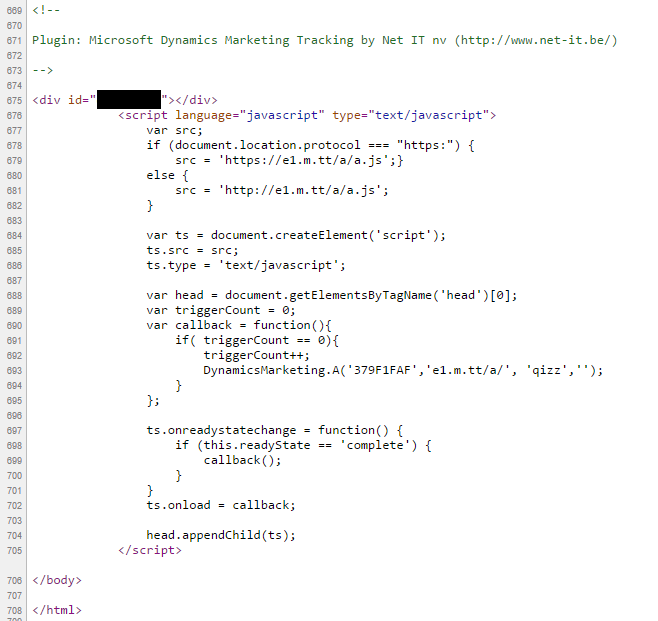
Source of the tracking code inserted just before </body>.
Instalación
- Download the latest zip file and extract the plugin zip.
- Upload the this directory inside your
/wp-content/plugins/directory. - Activate plugin on the ‘Plugins’ menu in WordPress.
- Click ‘Settings’ underneath the plugin or navigate to Settings > Dynamics Marketing Tracking and insert your tracking code and click the checkbox to turn it on.
- That’s it.
Preguntas frecuentes
- Can you add this feature I just thought of?
-
I’m trying to keep this as simple as possible.
Comentarios
Non hai recensións para este plugin.
Colaboradores e desenvolvedores
“Simple Dynamics Marketing Tracking Code Plugin” é un software de código aberto. As seguintes persoas colaboraron con este plugin.
Colaboradores
Traduce “Simple Dynamics Marketing Tracking Code Plugin” ao teu idioma.
Interesado no desenvolvemento?
Revisa o código, bota unha ollada aorepositorio SVN, ou subscríbete ao log de desenvolvemento por RSS.
Rexistro de cambios
1.0.0
- First version