

Descrición
This plugin will add the HTML code to the submit button portion of the comment.
You will be able to display messages and images there. The operation is very easy.
Capturas

Plugin setting. 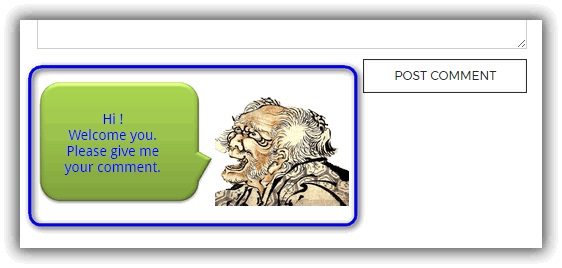
Example of HTML code (ukiyoe-0301-1) displayed in comment area on WordPress. 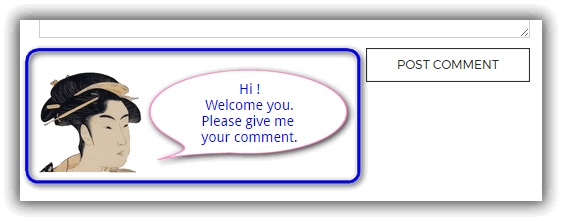
Example of HTML code (ukiyoe-0201-1) displayed in comment area on WordPress. 
Example of HTML code (ukiyoe-0701-1) displayed in comment area on WordPress.
Instalación
You can install this plugin directly from your WordPress dashboard:
- Go to the ‘Plugins’ menu and click ‘Add New’.
- Search for ‘SAMURAI’.
- Click ‘Install Now’ next to the ‘SAMURAI’ plugin.
- Click ‘Activate’ next.
Preguntas frecuentes
-
If you turn off the Display check button, the HTML code will not function.
Comentarios
Non hai recensións para este plugin.
Colaboradores e desenvolvedores
“SAMURAI” é un software de código aberto. As seguintes persoas colaboraron con este plugin.
Colaboradores
“SAMURAI” foi traducido a 1 idioma. Grazas aos desenvolvedores polas súas contribucións.
Traduce “SAMURAI” ao teu idioma.
Interesado no desenvolvemento?
Revisa o código, bota unha ollada aorepositorio SVN, ou subscríbete ao log de desenvolvemento por RSS.
Rexistro de cambios
1.0.8
- 2021-08-09
- Support & fix for PHP version 8.
- fixed Bugs.
1.0.7
- 2017-08-05
- Add preview in the setting.
1.0.6
- 2017-05-19
- Modify css style.
- Checked the operation of WordPress 4.7.5.
1.0.5
- 2017-05-04
- First published version of WordPress official.
1.0.1
- 2013-09-21
- Public version on my site.
1.0
- 2012-09-21
- First version.