
Descrición
For the individuals who claim physical shops and designers, with OREO you have assortment prepared to-utilize E-commerce formats to make your portable store application. On the off chance that you had your online shops, OREO bolsters you to change over your present sites to portable store application effectively. Your store portable application will be found in both the App Store and Google Play Store. With OREO, your versatile application gives higher client experience contrasting with site on-portable. Your items will show up clear and can be zoom with no designing mistake. While you can control your store and requests of customers, your customers likewise can interface and remain mindful everything being equal and declarations of your stores in the event that they have your application on their mobiles.
Capturas

List template 
Layout config 
General config 
Spacing config 
Colors config 
App settings
Instalación
- Install using the WordPress built-in Plugin installer, or Extract the zip file and drop the contents in the
wp-content/plugins/directory of your WordPress installation. - Activate the plugin through the ‘Plugins’ menu in WordPress.
- Go to Mobile Builder > Create New Template
- Press the ‘Configure’ button.
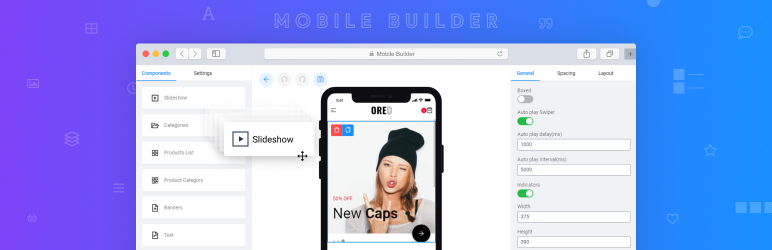
- Now you can drag and drop components from the left panel onto the mobile editor area.
Preguntas frecuentes
-
Will Mobile Builder work with RTL or other languages?
-
Yeah! The app support multi languages
Comentarios


Colaboradores e desenvolvedores
“Mobile builder” é un software de código aberto. As seguintes persoas colaboraron con este plugin.
Colaboradores
Traduce “Mobile builder” ao teu idioma.
Interesado no desenvolvemento?
Revisa o código, bota unha ollada aorepositorio SVN, ou subscríbete ao log de desenvolvemento por RSS.
Rexistro de cambios
1.4.2
- Add: Send notification for vendor *
- Add: API get attribute for product *
- Improved: Decode token *
- Improved: Meta required version *
1.4.0
- Fixed: Trying to access array offset on value of type bool *
- Fixed: Update/Create post error *
1.3.2
-
Fixed: get products variations *= 1.3.1 =
-
Add: Config query product by radius
1.3.0
- Feature: Vendor register
- Added: Get roles when login
- API: Get min max price
- API: Query products by multi attribute
1.2.0
- Improved: Allow Authentication user for WP REST API thought mobile-builder
1.1.9
- Fixed: Allow Authentication user for Wcfm and Dokan thought mobile-builder
1.1.8
- Fixed: Determine current user
- Added: API for report vendor info
1.1.7
- Fixed: not update license
1.1.6
- Added: Verify license
1.1.5
- Fixed: Missing file upload to WordPress server
1.1.4
- Fixed: Functions wcfm_get_vendor_id_by_post not exist
- Fixed: warning permission_callback function
- Improved: Cart REST API
1.1.3
- Fixed: Undefined index: vendor_id
- Fixed: Undefined index: lat and lng
1.1.2
- Add Import Template from Rnlab App Control
- Add Import Template from Oreo fashion app
- Add Import Template from Lekima app
1.1.0
- Add REST API get variable info
- Fixed: checkout via webview
- Fixed: login with phone number
1.0.6
- Add wc validation in the add_to_cart function (Thanks @raaquino)
- Get checkout user location config
1.0.0
- Initial release.