
When doing shell work, echo $variable is often invoked multiple times to check the result of a loop.
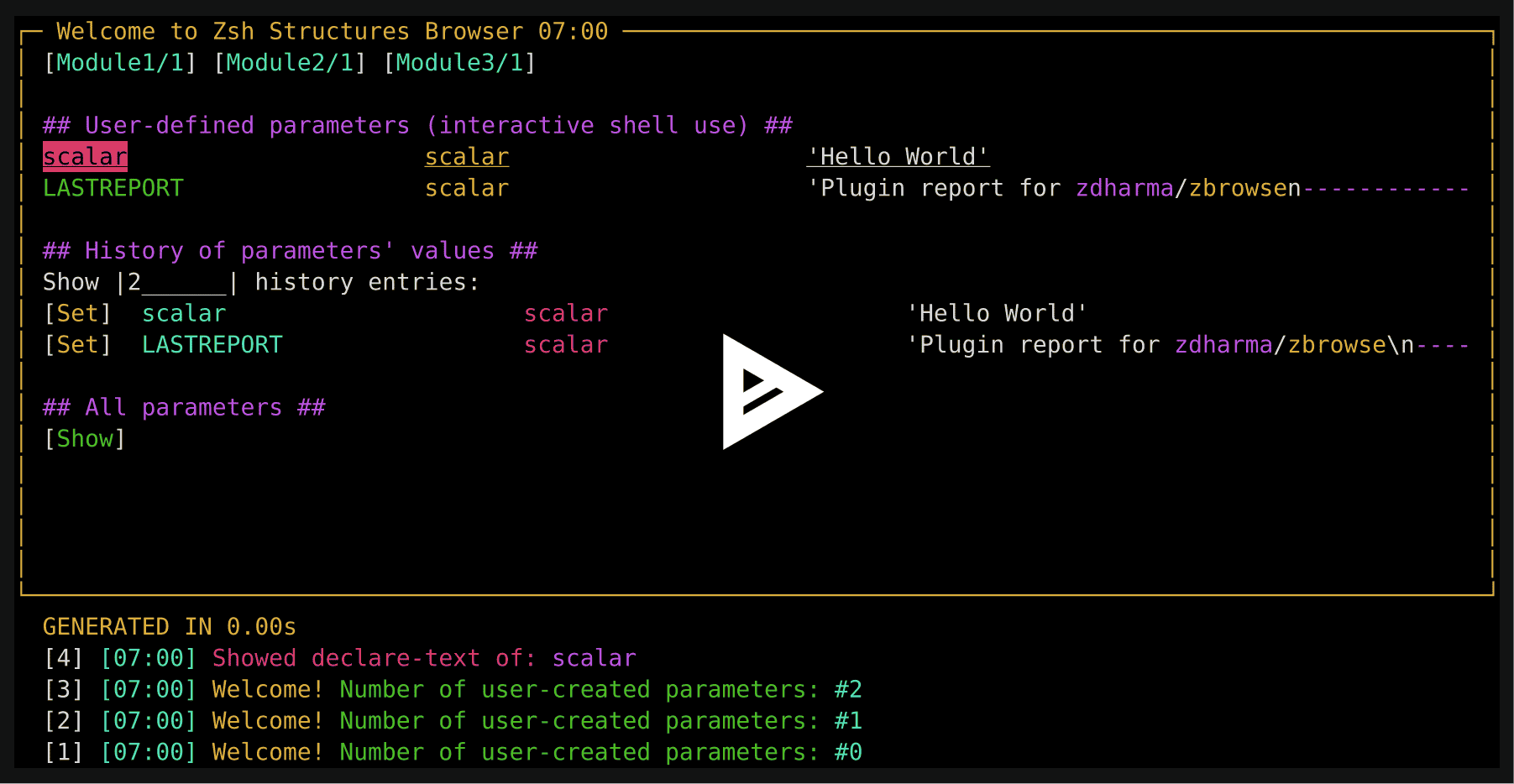
With Zbrowse, you need to press Ctrl-B, which invokes the ZBrowse – Zshell variable browser:

First, install ZUI plugin (it's a UI library).
The plugin is "standalone", meaning only sourcing it is needed. So to install, unpack zbrowse somewhere
and add the following snippet to your zshrc.
source <PATH TO ZBROWSE DIRECTORY>/zbrowse.plugin.zshIf using a plugin manager, then zinit is recommended, but you can use any other too, and also install with Oh My Zsh
(by copying directory to ~/.oh-my-zsh/custom/plugins).
Add zinit load zdharma-continuum/zbrowse to your .zshrc file. Zinit will automatically handle cloning the plugin for you
the next time you start zsh. To update, run zinit update zdharma-continuum/zbrowse.
To remap the default key binding Ctrl+B, which conflicts with GNU readline, use the following snippet:
zinit ice \
  bindmap"^B -> ^H" \
  lucid \
  trackbinds \
  wait"3"
zinit light @zdharma-continuum/zbrowse
This will make Ctrl+H the default keybinding to invoke Zbrowse.
Add antigen bundle zdharma-continuum/zbrowse to your .zshrc file. Antigen will handle cloning the plugin for you
automatically the next time you start zsh.
cd ~/.oh-my-zsh/custom/pluginsgit clone https://github.com/zdharma-continuum/zbrowse- Add
zbrowseto your plugin list
Add zgen load zdharma-continuum/zbrowse to your .zshrc file in the same place you're doing your other zgen load
calls.