L-shaped artifacts when using xterm instances with Canvas or WebGL addons on Firefox #4487

Description

Hey there! Apologies if this has been reported already. I tried searching for similar issues and came across other graphics bugs but couldn't find one that reported this exact issue.
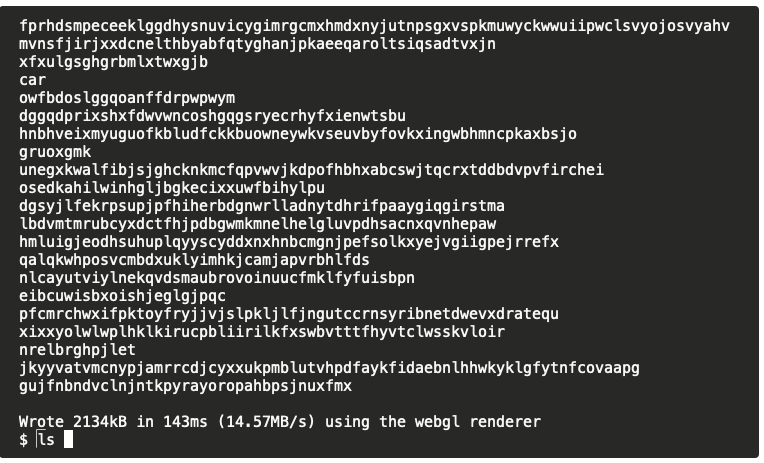
One graphical bug we've been noticing when using xterm has been these strange L-shaped artifacts that are occasionally persisted in the terminal and overlay the output after some time. They seem to be left over from the cursor as they match it in shape/size and appear to only render in places where the cursor was previously rendered. Note that this only happens when either the Canvas or WebGL addons are loaded. Rendering to the DOM, as xterm does by default, does not seem to cause this. We've also only been able to reproduce this on Firefox so it may be a bug in Firefox itself and how it renders graphics to a canvas.
This is a screenshot from our config which was using the Canvas addon (as well as a number of other addons):

We were also able to reproduce this in the terminal instance on the xterm landing page:
Details
- Browser and browser version: Firefox 112.0.1
- OS version: MacOS Ventura 13.3.1
- xterm.js version: 5.1.0 (
xterm-addon-canvasversion 0.3.0 andxterm-addon-webglversion 0.14.0)
Steps to reproduce
- Use Firefox
- Visit an xterm instance with either the Canvas or WebGL addons loaded
- Enter a bunch of commands that trigger output (e.g.
ls,pwd, etc) - After a few, you should start noticing L-shaped artifacts similar to the screenshots above, especially while the cursor moves