MOSH's escape keyboard shortcut (ctrl+^) not worked #2797


Description

Issue
In MOSH (https://mosh.mit.edu/) for exit I am need to input ctrl+^ (actually for this I am pressed keys ctrl, shift, 6).
In xterm.js this combination not worked.
In iTerm and native terminal app - this combination worked.
From MOSH manual:
ESCAPE SEQUENCES
       The  default  escape  character used by Mosh is ASCII RS (decimal 30).
       This is typically typed as Ctrl-^ or Ctrl-Shift-6, on US English keyboards.
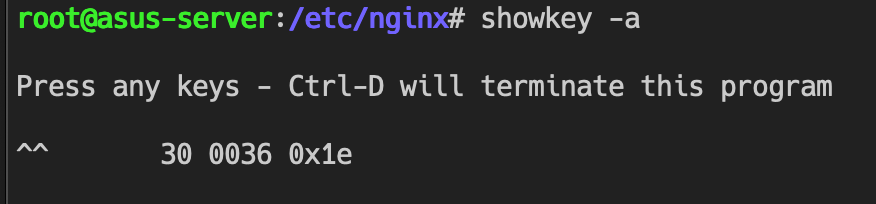
In Chrome this combination succesfully catched by event keypress like this (key code === 30):

Details
- Browser and browser version: Google Chrome Version 80.0.3987.149 (Official Build) (64-bit)
- OS version: macOS 10.15.4
- xterm.js version: 4.4.0
Steps to reproduce
- Show in
xterm.jsterminal from linux which have commandshowkey(I am use debian) and run
showkey -a
and then press ctrl, shift, 6 - nothing was happends.
- In other terminal do same - and you will see: