Repository navigation
Studio: open Audio from More and keep it in the sidebar while it is open - #12807
Conversation


|
@codex review |
1 similar comment
|
@codex review |
|
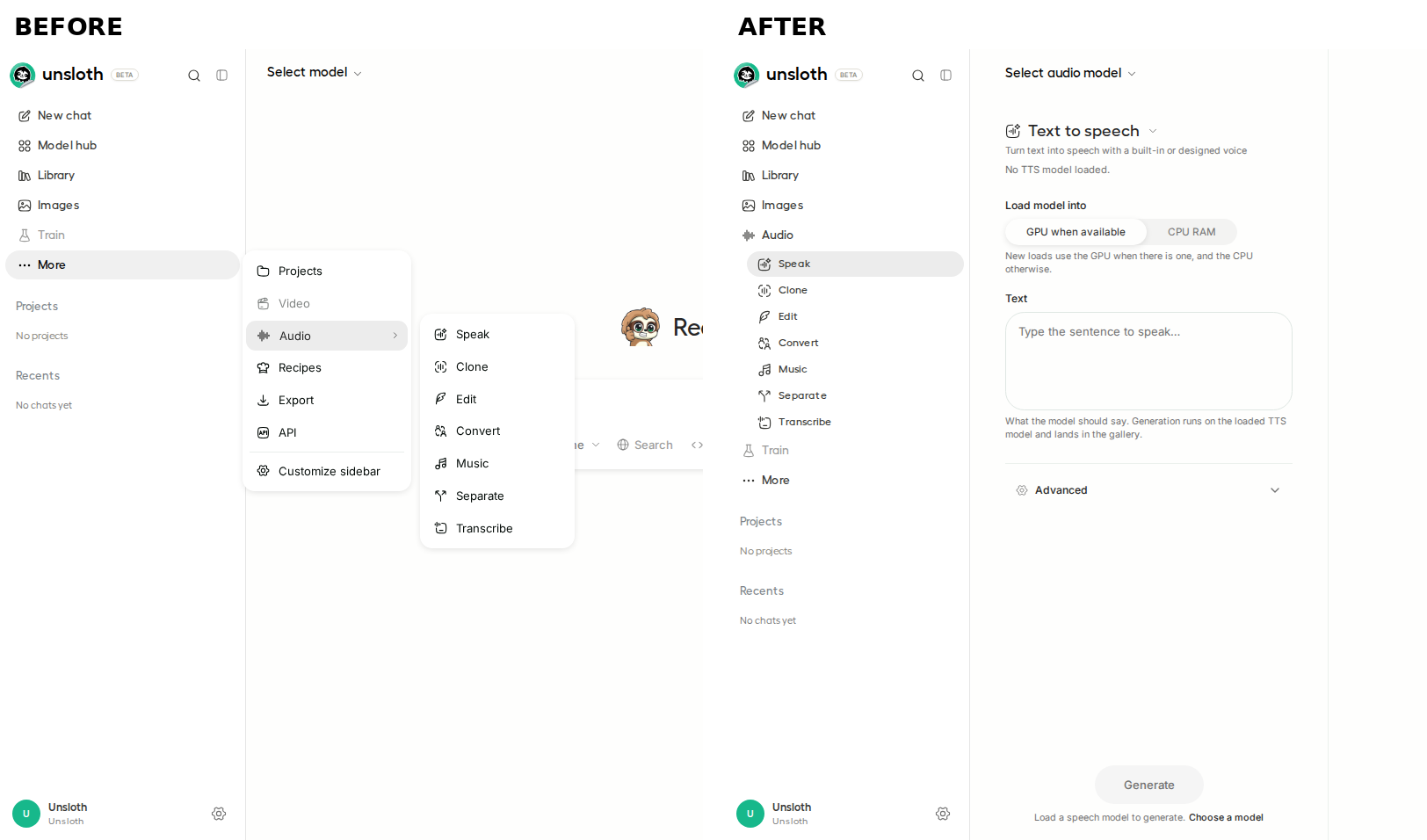
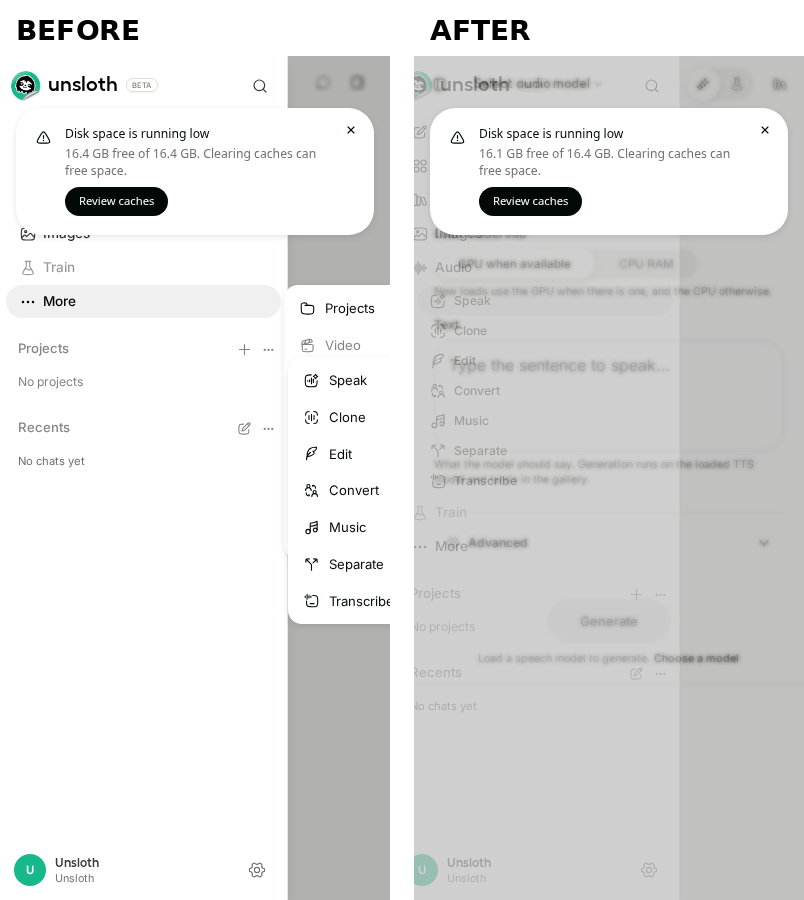
Clicking Audio in the sidebar's More menu now opens the Audio page and closes the menu. Before, it only opened the workflow submenu. The page opens on the current workflow, which is Speak in a fresh session. While any Audio page is open, Audio sits in the sidebar in its usual slot with its workflow list, and it goes back into More when you leave. Nothing is saved, and Customize sidebar still shows Audio unpinned. Checked with two Studio builds, merge base One cosmetic edge case is left. If the click lands within about 100 ms of first hovering Audio, the submenu can flash for about 60 ms while More closes (1 of 12 tries). Navigation is unaffected. Upstream CI is still running. Codex review requested at 02:27 UTC, no response yet.
Clicking Audio in More: before ( |


|
Verified the Audio sidebar behavior at source head The functional patch is sound. Radix Menu Executed checks:
UI evidence used an isolated local Studio install on Linux 7.0.0 x86_64, Node 26.8.2, Python 3.11.15, Playwright 1.62.0, and Google Chrome for Testing 151.0.7922.34. Observed on desktop and a 390 x 844 touch viewport:
Desktop before/after:
Mobile before/after:
|

 mahiatlinux
left a comment
mahiatlinux
left a comment
There was a problem hiding this comment.
LGTM! Ready to merge, all manually checked.


…nslothai#12807)

# Conflicts:
#	studio/backend/storage/credential_secrets.py
#	studio/backend/storage/mcp_servers_db.py
#	studio/backend/storage/providers_db.py
#	studio/backend/storage/studio_db.py
#	studio/frontend/tests/training-validation.test.ts


Summary
Audio is unpinned by default, so it lives in the sidebar's More flyout. Clicking the Audio row there only opened its workflow submenu, and on
/audiothe sidebar had no Audio row, so the workflow list (Speak, Clone, Edit, Convert, Music, Separate, Transcribe) was hidden.Now a click or tap on Audio in More goes to
/audioand closes the flyout. It uses the same navigation as an inline Audio row, so the page opens on the session's current workflow (Speak on a fresh session). Hovering Audio still opens the submenu, and Enter, Space and ArrowRight still open it without navigating.While an Audio page is open, the Audio row shows in the sidebar in its normal slot (between Images and Train by default) with its workflow list, and it is removed from More. Leaving Audio puts it back in More. This is not saved as a pin: Settings > Customize sidebar still shows Audio unpinned.
Changes
nav-row-state.tshas a new pureplaceNavRows(rows, shown)that splits rows between the sidebar and More. It keeps the existing rule that More is dropped when only one row is unpinned. The count is taken before the shown row leaves, so surfacing Audio never drops More and the one row still in it.app-sidebar.tsxcallsplaceNavRowswith"audio"when the Audio route is active, replacing the two inline filters.AudioMoreSubmenugets anonOpenprop. ItsSubTriggeronClickcallsevent.preventDefault()so Radix does not open the submenu, then closes More and runs the row'sonClick.Touch users lose the one-tap path from More to a workflow other than the current one. They now open Audio and pick the workflow from the sidebar row.
Testing
Added
tests/sidebar-nav-placement.test.tswith behavioral tests forplaceNavRows, extended the More submenu test intests/audio-sidebar-workflows.test.ts, and updated a source regex intests/sidebar-projects-nav-auto.test.ts.npm test: 10583 pass, 2 fail (color-themesflavor accents andfind-in-pagelight mode background). Both fail the same way on the untouched base7ccf3fcb2.typecheckandi18n:checkpass. ESLint's 8 errors inapp-sidebar.tsxare all on lines this change does not touch.Manual run with Playwright against Studio built from this branch (CPU only, no models loaded), light and dark:
/audioand closes the flyout. The sidebar shows hub, library, images, audio, train, with Speak highlighted, and More no longer lists Audio./audioshows the Audio icon inline and active./audiostill shows Audio unpinned.