
A client for Bambleweeny for the command line.
Assuming you have a Python environment, you can install the CLI using this command:
pip install b9y-cli
Windows 64 bit | MacOS | Linux 64 bit
Run b9y-cli on the shell to connect using the default credentials (admin/changeme on localhost:8080).
Alternatively, you can specify the connection parameters like this:
b9y-cli -u my_user1
b9y-cli -h http://myhost:8080 -u me -p secret
b9y-cli -h http://myhost:8080 -u me -p (for interactive password prompt)
b9y-cli -h https://b9y.myhost.com
You should see a prompt like the following:
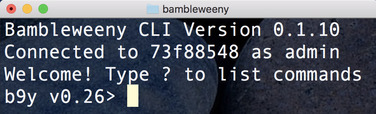
Type help to see the available commands. You can e.g. use get and set commands:
set foo bar
OK
get foo
bar
route foo text/html
/routes/485ecd97-3056-42e8-bdb2-79ced30e6853