Repository navigation
Ctrl+Alt+Shift+r (Insert Roxygen Skeleton) conflicts with GNOME's screen recorder (e.g. on Ubuntu 20.04) #8041
Description

System details
RStudio Edition : Desktop
RStudio Version : 1.4.926 (Ubuntu 18/Debian 10 package)
OS Version : Linux (Ubuntu 20.04)
R Version : 4.0.3
Steps to reproduce the problem
-
Write an R function, e.g.
dummy_fn <- function() {
  "oink"
}
-
Place the cursor inside the above function definition and press Ctrl+Alt+Shift+r to insert a roxygen2 skeleton.
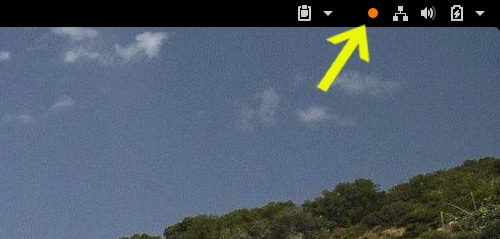
Instead of the roxygen2 skeleton insertion, GNOME's built-in screen recorder (screencast) will be started which is indicated by an orange recording symbol in GNOME system status area:
This is because GNOME Shell shortcuts have precedence over RStudio's shortcuts. Ctrl+Alt+Shift+r is reserved for
Video capture desktop.(Press Ctrl+Alt+Shift+r again to stop recording. The recorded video will be saved in
~/Videos/by default.)
Describe the problem in detail
'Nuff said.
Describe the behavior you expected
I expected the RStudio shortcut Ctrl+Alt+Shift+r to work by default, i.e. inserting a roxygen2 skeleton.
Solution
RStudio should provide a different default shortcut to insert a roxygen2 skeleton on Linux (or at least for the RStudio versions distributed as DEB packages since GNOME is the default desktop environment for both Ubuntu and Debian these days).
Since the most obvious candidate Ctrl+Shift+r is already used for Insert code section, I propose Ctrl+Shift+x.
Workaround
There are at least two possible workarounds:
-
(recommended) Change RStudio's shortcut to insert a roxygen2 skeleton. To do so, navigate to Tools→Modify Keyboard Shortcuts..., search for
Insert Roxygen Skeletonand set a different shortcut which isn't already occupied by another OS or RStudio action like Ctrl+Shift+x. -
Change the OS' screencast shortcut. This can be done through GNOME system settings in the keyboard shortcut section
Or you can do it on the terminal as described here. To change it to Ctrl+Alt+Shift+c for example, run
gsettings set org.gnome.settings-daemon.plugins.media-keys screencast '<Ctrl><Alt><Shift>C'
- I have installed the latest version of RStudio and confirmed that the issue still persists.
- If I am reporting a RStudio crash, I have included a diagnostics report. https://support.rstudio.com/hc/en-us/articles/200321257-Running-a-Diagnostics-Report
- I have read the guide to submitting good bug reports at https://github.com/rstudio/rstudio/wiki/Writing-Good-Bug-Reports .
- I have done my best to include a minimal, self-contained set of instructions for consistently reproducing the issue.
Activity
kevinushey commentedon Oct 13, 2020
In this case, I would recommend that you rebind the roxyen shortcut to something more appropriate for your system setup. I don't think we can change such a long-standing keybinding.
salim-b commentedon Oct 14, 2020
Ok, I understand. But since this affects all GNOME users out-of-the-box (probably the majority of RStudio Desktop users which are on Linux), wouldn't it make sense to change the default for RStudio for Linux only?
kevinushey commentedon Oct 14, 2020
That's a good point, and that seems reasonable. Sorry for closing pre-maturely.
salim-b commentedon May 3, 2022
Issue is also present on Ubuntu 22.04 LTS.
hannesbecher commentedon Jun 26, 2024
2 years on, I see this is still open.