Issue description
The modal form is always out of the parent div tag.
I want to put this modal popup in div tag classnamed 'wrapper01'.
This 'wrapper01' has css style 'position: relative' for parent view.
but the modal is always use 'position: relative', so I can't put this modal popup in my parent 'wrapper01'.
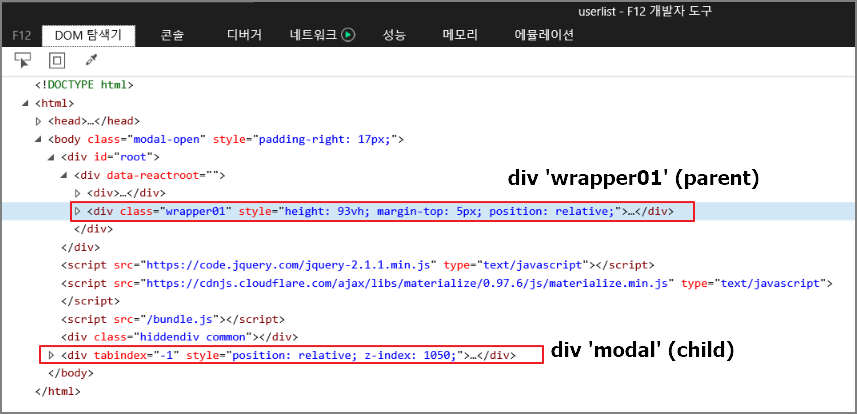
here is my html map.
I think 'show()' function in the modal.js has the static position style 'relative'.

I want to put more elements like 'position: absolute' , 'top: 100px'. so I use this modal popup in my parent div tag.
Can it be fixed?
- version: 4.8.0
- components: modal.js

Issue description
The modal form is always out of the parent div tag.
I want to put this modal popup in div tag classnamed 'wrapper01'.
This 'wrapper01' has css style 'position: relative' for parent view.
but the modal is always use 'position: relative', so I can't put this modal popup in my parent 'wrapper01'.
here is my html map.
I think 'show()' function in the modal.js has the static position style 'relative'.
I want to put more elements like 'position: absolute' , 'top: 100px'. so I use this modal popup in my parent div tag.
Can it be fixed?