Repository navigation
Full content width search results - #12653
Conversation


There was a problem hiding this comment.
Is this a good opportunity to move search to a separate file ? (with matching JS unit tests)

|
Can we make it so that the search directly modifies the list of files? Currently it overlays the whole content area, but what it really should do is cut down on the files which are shown. That means it should still be possible to see the breadcrumbs, upload/new file, and be able to perform actions on files you searched for like sharing, deleting etc. |

|
Or add a new dynamic list in the side bar "Search results" and have that section implement its own version of the file list (extended from |

There was a problem hiding this comment.
An oversight unrelated to the actual search feature. But it fixes some 500 errors when loading mime icons in the search results
@PVince81 well ideally we move the search bar from the header into the sidebar anyway – otherwise it gets very confusing what modifies the content and what not. |
|
Modifying the content is probably not a good idea because the file list currently shown isn't always the main file list, could be the share list, etc. Unless the search is supposed to apply itself on the current list ? If yes, then fine. |
|
The search is first and foremost supposed to be a filter, so primarily it should indeed be applied to the current list. Further results could also be shown below, but important is the current view. |

df582be to
74c4719
Compare

|
@jancborchardt hm I implemented this the way Matt and you specified it ... filtering the filelist clashes with search because you find results from all of the directory tree. So the file results have a path and look like this: Which is why I nagged you about "filter and find": filter when typing, find when pressing enter. filter could then do what you describe, find searches everywhere (or in subfolders if the yet to implement checkbox is ticked) |

|
An I have to disagree. search is primarily used to find out where something I know exists is. filtering is used to reduce what the user sees. finding adds content in an appropriate way, in this case full width. That was the whole point of the feature! |
|
Appending search results to the end of the list doas not make sense because with eg. search lucene you actually want relevant documents at the top, no matter in which folder they are. Anyway, it seems what we need to separate is filter from find, The question is how we do it. My proposal is to filter while typing and find on enter (because enter in filtering is without meaning). Another solution would be a separate search app that shows relevant content from all apps. That app could even register an on enter pressed handler and add show a message when the user types to filter .... hmmm that actually makes sense. @jancborchardt @andrewsbrown can we agree on moving the search code to the search app in the apps repo and making files only filter by default? |
|
@butonic let’s talk about this next week in Nürnberg. The big problem with this solution is: Why replace the content area if it has significantly less mode of interaction than the content normally in there. That’s confusing. Btw: Search and filter should not be separated. That is going to be confusing to people. |
|
@jancborchardt I'll be on vacation after the meeting in Nürnberg and then GCX will suck up my time. Also, the deadline for OC8 is 31.12. So it would be great if we could continue this discussion before that. One solution that seems generic if we don't want to separate fiter and find (which make up search) would be to filter the content of the app and add a footer like area to it where find results can be placed. For files we would have a filtered filelist of the current folder above find results from all files with path as in the last screenshot. IMHO that also works for contacts, calendar, bookmarks (find not necessary), music (find not necessary), notes, mail ... The footer could have a toolbar to further tweak the search: only in this folder and its children, search inside (when full text search is available, only images / music / mimetype x, modified in the last 3 days ...) Is that enough input for a mockup? What do you think? |
 butonic
added
1 - To develop
2 - Triaging
and removed
2 - Developing
1 - To develop
labels
|
@butonic looks great! Can we put the »Search results« block directly under the filtered content, in the same container? Two scrollable containers would be a bit much. |
|
@jancborchardt Yes, the white space there does not make sense. I'll try to make it work that way. What when the list of filtered files is longer than the visible part of the filelist? If you have a folder with dozens of doc or pdf files that can easily happen. IMHO at least three search (find) results should be visible. Although that would cause two scrollbars ... let's go with appending for now. Should we somehow indicate that search (find) results are availible? maybe in the breadcrumbs? I appended |

|
Jenkins PR: #13111 |
|
|

|
@MorrisJobke fixed! |
**Edit:**Was a problem of an outdated calendar checkout |
|
@MorrisJobke when you do what? did you clear the browser cache? |
|
@butonic Yes. I cleared the cache. I just want to search for 'Plas' and it simply just shows the spinner and no result are shown - just a spinner. |
|
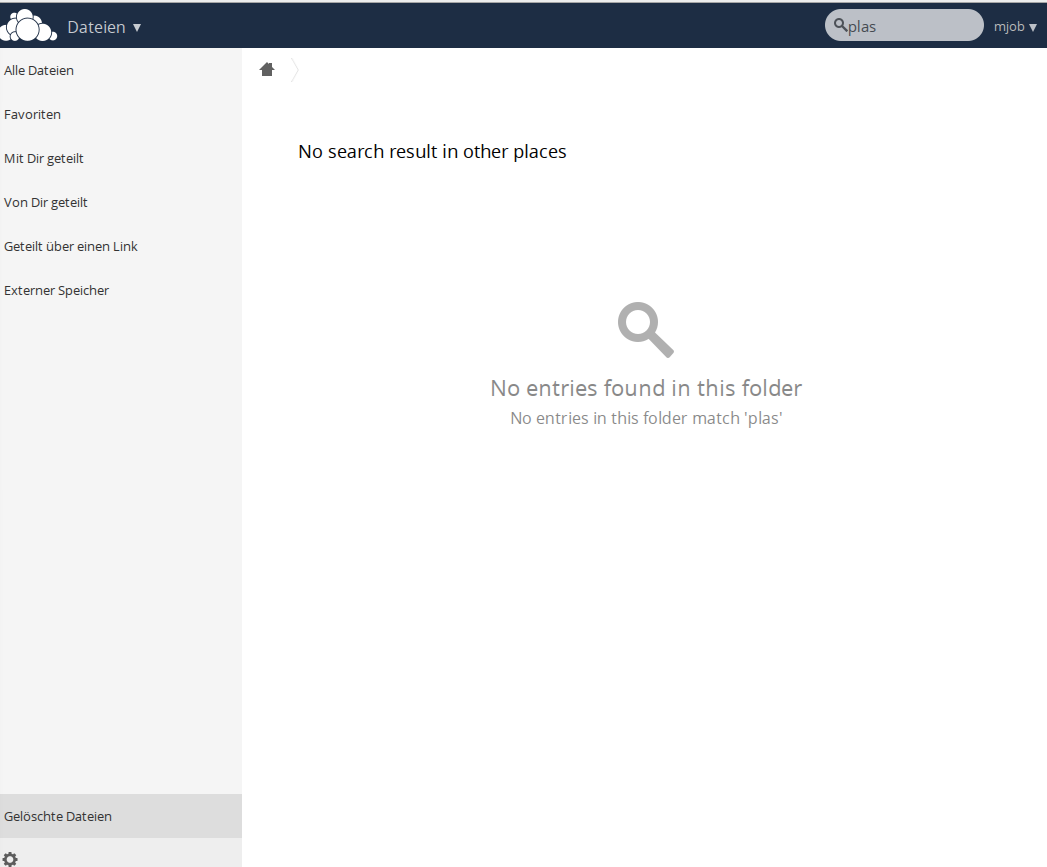
|
@MorrisJobke fixed. `$('#elementid') always returns one result. using class fixes this |
|
@butonic And I found another problem :) You all know of my file
|

|
A new inspection was created. |
|
Now I'm fine with this 👍 Thanks for all the hard work :) |
|
I also updated the Jenkins PR ;) |
|
The inspection completed: 38 new issues, 9 updated code elements |
|
@icewind1991 was fine with this and now also Jenkins #13111 (comment) is fine with this -> merge |
Full content width search results

|
cc @karlitschek @jancborchardt full content search results is in :) |

|
@butonic Very cool. Thanks |
|
@butonic nice, finally we got it done! :) 🚀 |

|
Submitted two follow-up issues for some problems I found. Only nitpicking though, the overall result is DAMN AWESOME! :)
|


This introduces
fileandfoldertypes@PVince81 how do I get the mimetype icon for a file when I am in the contacts app? How do I better encapsulate OC.Search?
@jancborchardt @MTRichards UI / css input is very welcome. I wanted to get this out as the first draft to discuss it.
TODO
cc @andrewsbrown @MorrisJobke