Plugin Discoverability Companion is used by editors to check various criteria and gain an overview of their journals. The criteria of aggregators, indexing databases, or search engines are divided into several sections. Some criteria are evaluated automatically, some must be checked manually by editors using a simple checklist, and others serve only as recommendations. Check whether your journal could be more visible and learn how to achieve that.
- The plugin model is described in the MIRO Mind Map: https://muni.cz/go/disco-plugin-model
- Indexes and aggregators are listed and described in T5.1 Knowledge Base: https://github.com/operas-eu/craft-oa-ScholIndexes-doc/
- Categorized requirements for the plugin: https://muni.cz/go/disco-requirements
- Diamond criteria
- Appearance
- Journal Description
- Landing Pages / Galleys
- Metadata Requirements
- Metadata Quality
- Journal Policy
- Regularity
- General Recommendations
- Impact Recommendations
- SEO
This plugin is licensed under the GNU General Public License v3. See the file LICENSE for the complete terms of this license.
OJS 3.2.0 or later.
- Version 3.4.0.0 – Support for OJS 3.4.0
- Version 3.3.0.0 – Support for OJS 3.3.0
- Version 3.2.0.0 – Support for OJS 3.2.0
Installing using a release from GitHub:
- Download the latest compatible release from https://github.com/munipress/disco/releases and unzip it.
- Move the DISCO plugin folder to the OJS plugins/generic/ folder.
- DISCO uses a database table to store responses. Run the update command from the command line in the OJS root folder: php tools/upgrade.php upgrade
- If you cannot run the update command, you can manually add the tables to your database. Use the MySQL query from the mysql_query.sql file.
- Go to Settings → Website → Plugins → Generic Plugin → DISCO Plugin and enable the plugin.
After enabling the plugin, you will see a new tab "Discoverability Companion" in the website settings. In each category, you will find various criteria required by databases, including the services that enforce these requirements. Some criteria are automatically checked in OJS.
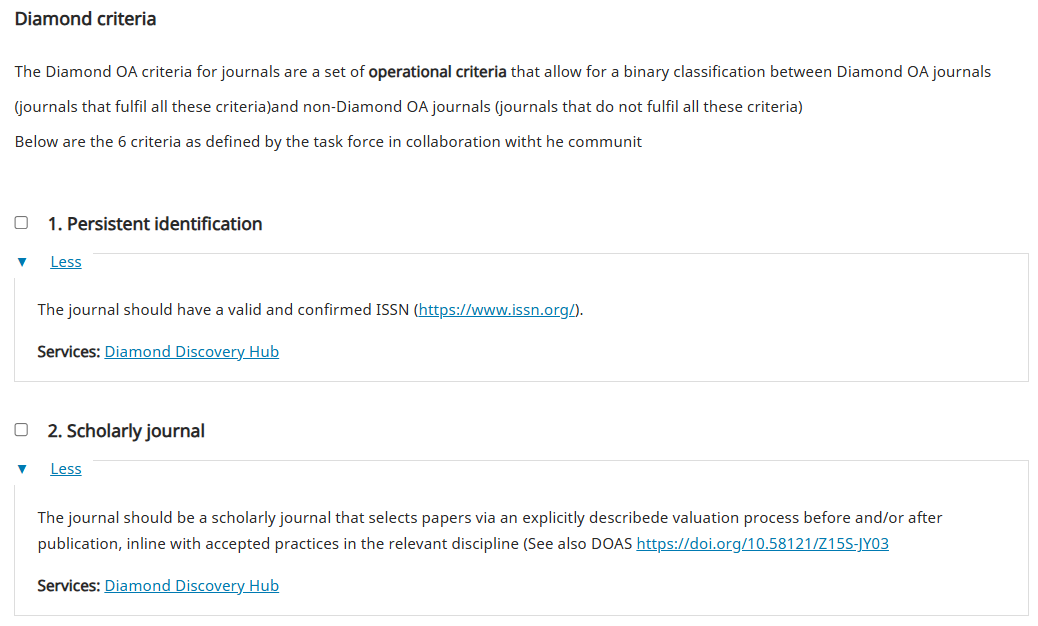
If your journal meets the criteria, you can check the corresponding box and save the settings.
In the Results section, you will find a list of different databases, including their descriptions and links to the Knowledge Base. This page is designed to display scores for individual databases that require certain prerequisites for application submission, which are then subject to evaluation. Since the Discoverability Companion tool is a self-assessment tool, it cannot guarantee that a journal will be evaluated by the service. The plugin serves only as an aid and knowledge base. Below, you will also find additional databases that may not have any evaluation criteria but are still worth considering.
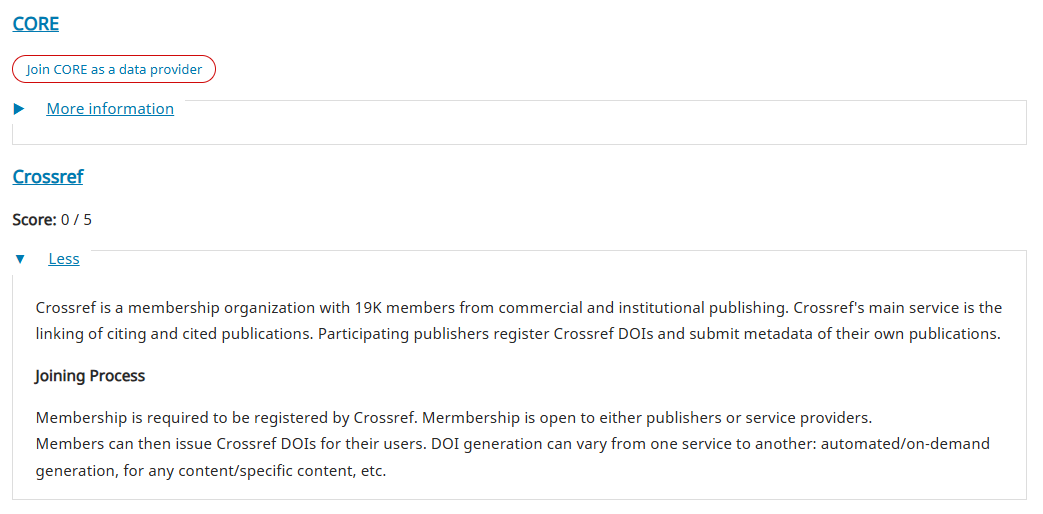
If your Journal fulfil the requerements for evaluation or registration as a content provider, a button will appear next to the database, directing you to the relevant registration page.
- JMEF plugin – The DISCO plugin checks whether you are using the JMEF format plugin. https://github.com/munipress/jmef
- iThenticate plugin – The DISCO plugin checks whether you are using the plugin for plagiarism detection. https://github.com/pkp/plagiarism
- Knowledge Base – The DISCO plugin is connected to the Knowledge Base via links, providing access to information about databases. https://github.com/operas-eu/craft-oa-ScholIndexes-doc/
- Database links – DISCO provides direct links to registration forms for databases and indexing services.
This plugin was developed at the Masaryk University Press - Munipress, as part of its active participation in the Craft-OA project.
The development was initiated, coordinated, and technically supported by Munipress.