Repository navigation
Annotation incorrectly positioned #6334
Description

Application version: 1.1.132
Client version: 5.0 (Windows NT 6.1; Win64; x64) AppleWebKit/537.36 (KHTML, like Gecko) Chrome/44.0.2383.0 Safari/537.36
Reported date: 7/18/15 8:47 AM
Reported by: A Google User
For school we had/have a project where we need to implement an rfc, but partially. To show which parts we had did and didn't have to implement, the teaching assistants crossed out some parts. (I don't know what they did exactly, but it seems that they added an image on top of the pdf pages.) It shows up fine on my linux pdf viewer and on adobe pdf viewer, but the lines show up "minimized" in the lower left corner. Since a picture tells more than a thousand words: https://www.dropbox.com/s/wslxo18ex1ghw0p/WhatItShouldLookLike.PNG?dl=0 https://www.dropbox.com/s/xueum4bubwhwk0s/WhatItLooksLike.PNG?dl=0 and one of the pdfs in question: https://www.dropbox.com/s/uago756gbli5onm/rfc3344.pdf?dl=0 (several pages, screenshots from page 2).


I did a cursory look, and it seems that PDF.js does not yet support the annotation type (12.5.6.10 Text Markup Annotations).
And the following errors are repeated many times in the console:
Warning: Unimplemented annotation type "StrikeOut", falling back to base annotation
Warning: Unimplemented annotation type "Popup", falling back to base annotation
Activity
timvandermeij commentedon Aug 9, 2015
I'm pretty sure this is a duplicate of #5974 and perhaps also another one in the
4-annotationscategory. I have tried to look into that issue a while back, but couldn't really find a good solution. I suspect this is a general problem and not just for this annotation type. The problem appears to be connected to the appearance streams (https://github.com/mozilla/pdf.js/blob/master/src/core/annotation.js#L76-L99). The placement and scale of the annotation becomes incorrect due to a translation there, but I could not find the exact cause. I think it is because JS and PDF use different planes.Rob--W commentedon Sep 30, 2015
(inlining the attachments to try out Github's PDF attachment feature)
PDF: rfc3344.pdf
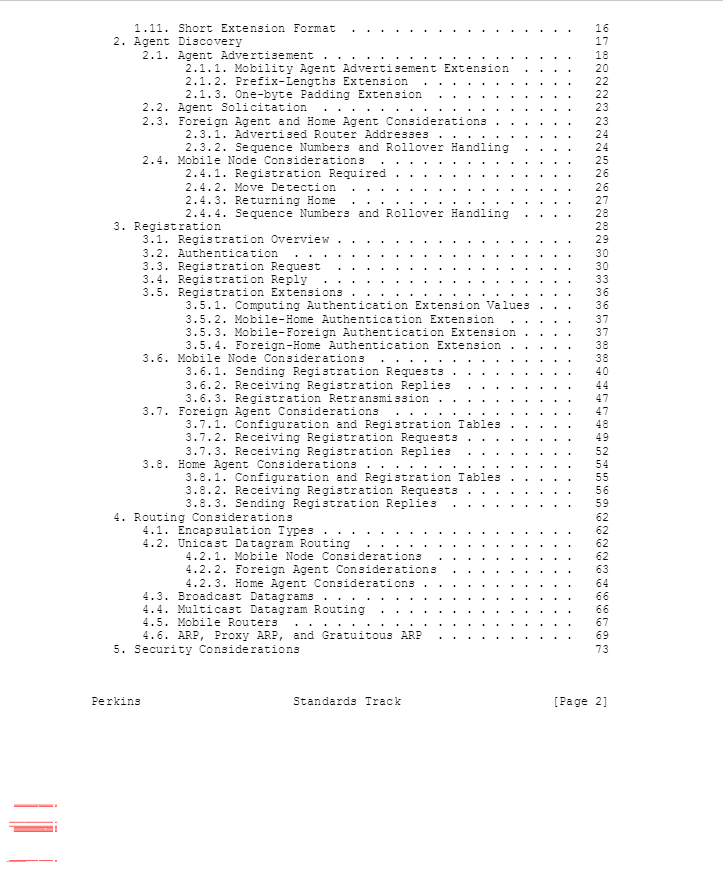

Actual result:
Expected result: