Skip to content

feat: bundle sparse package to integrate with windows context menu - #151186

Merged
Robo (deepak1556) merged 20 commits into
mainfrom
robo/explorer_sparse_bundle
Oct 21, 2022
Merged

Robo (deepak1556) merged 20 commits into
mainfrom
robo/explorer_sparse_bundle

Conversation

@deepak1556

@deepak1556 Robo (deepak1556) commented Jun 3, 2022 •

Copy link
Copy Markdown
Collaborator

Fixes #127365

  • ESRP signing
  • Inno install/uninstall
  • Update Flow

@deepak1556
Robo (deepak1556) marked this pull request as draft June 3, 2022 02:14
@deepak1556 Robo (deepak1556) added this to the June 2022 milestone Jun 3, 2022
@deepak1556
Robo (deepak1556) force-pushed the robo/explorer_sparse_bundle branch from 25b09fa to 3dd2962 Compare June 8, 2022 05:45
@deepak1556
Robo (deepak1556) force-pushed the robo/explorer_sparse_bundle branch 6 times, most recently from 14ae623 to ed85e85 Compare June 27, 2022 10:40
@deepak1556
Robo (deepak1556) marked this pull request as ready for review June 27, 2022 10:40
Comment thread build/win32/code.iss
ArchitecturesAllowed={#ArchitecturesAllowed}
ArchitecturesInstallIn64BitMode={#ArchitecturesInstallIn64BitMode}
WizardStyle=modern
SetupLogging=yes

Copy link
Copy Markdown
Collaborator Author

Choose a reason for hiding this comment

The reason will be displayed to describe this comment to others. Learn more.

For setup debugging purpose, will be removed before merging the PR

Comment thread build/win32/code.iss Resolved
@deepak1556
Robo (deepak1556) force-pushed the robo/explorer_sparse_bundle branch from ed85e85 to c89f455 Compare June 27, 2022 12:33
@deepak1556 Robo (deepak1556) removed this from the June 2022 milestone Jun 30, 2022
@deepak1556

Robo (deepak1556) commented Jul 4, 2022 •

Copy link
Copy Markdown
Collaborator Author

Status:

Highlighting some interesting corner cases when creating sparse packages with Chromium runtime,

  • Problem 1 - Fixed Installing the package with ExternalLocation set to the root of the VSCode installation folder leads to a crash on startup when application is installed under %LOCALAPPDATA/Programs (User setup)

    • Problem Child process that run with sandbox gets aborted by the runtime as soon as the sandbox phase was initialized after the process launch, currently in VSCode case it would be GPU process and some workbench processes (Process Explorer, DevTools, Issue Reporter, OOPIF). Application launches with Medium IL but the sandbox will change IL to Low IL (GPU) and Untrusted IL (Renderer). Turns out the Appx installation adds two new SID (S-1-15-2-xxx and S-1-15-3-xxx) to the folder marked as ExternalLocation and changes the IL of the folder https://devblogs.microsoft.com/oldnewthing/20220502-00/?p=106550. Based on the exit code of the crashing process, it seemed that process were unable to load DLLs. Both GPU and Renderer load certain DLLs present in the VSCode installation folder as part of the initialization phase and the lower IL of these processes causes the abort.
    • Solution Install the sparse package resources from a child folder of the VSCode Installation path so that the root folder permissions remain unchanged.
  • Problem 2 - Fixed User setup fails to persist data to the default user data path %APPDATA% when launched via the context menu

  • Problem 3 - Fixed Localization of context menu title using a resources file does not work out of box https://docs.microsoft.com/en-us/windows/uwp/app-resources/localize-strings-ui-manifest#loading-strings-in-non-packaged-applications

    • Problem ResourceLoader::GetForViewIndependentUse does not pick up the resources file when called from within the sparse DLL. Most Electron apps, don't have control over the runtime code and it is not possible to integrate the resource file for the main application.
    • Workaround Read from the localized strings in the registry that were setup as part of the old context menu.
  • Problem 4 - Pending Integrate sparse package with the Inno updater flow

    • Problem During update inno will wait for the application to exit gracefully then replace the files of the installation folder and trigger a restart. Context menu integration loads a DLL as part of the windows explorer which needs to get unloaded (via Remove-AppxPackage cmdlet) before the files are replaced by inno. This requires we make the updater code aware of the sparse package details which is not ideal as we have been keeping the updater isolated from the application logic https://github.com/Microsoft/inno-updater.

@deepak1556
Robo (deepak1556) force-pushed the robo/explorer_sparse_bundle branch 2 times, most recently from 7aaa945 to d48f65c Compare July 7, 2022 13:29
@deepak1556

Copy link
Copy Markdown
Collaborator Author

João Moreno (@joaomoreno) Selfhosting build available at
selfhost-build

@deepak1556

Robo (deepak1556) commented Jul 18, 2022 •

Copy link
Copy Markdown
Collaborator Author

Next Steps to land this for preview with Insiders:

@deepak1556

Copy link
Copy Markdown
Collaborator Author

@joaomoreno

Copy link
Copy Markdown
Contributor

@joaomoreno

Copy link
Copy Markdown
Contributor

@joaomoreno João Moreno (joaomoreno) added this to the July 2022 milestone Jul 21, 2022
@deepak1556

Copy link
Copy Markdown
Collaborator Author

Thanks for checking! That condition should not be an issue since it worked in previous builds, I think it is from this newly added condition https://github.com/microsoft/vscode/pull/151186/files#diff-8dd373ae4b3c58948172ac6408e9e57ff2451265eca1b3b3c27682b79869bfceR1416.

@deepak1556
Robo (deepak1556) force-pushed the robo/explorer_sparse_bundle branch from c958abe to e09f84b Compare October 20, 2022 07:41
@deepak1556

Copy link
Copy Markdown
Collaborator Author

@joaomoreno

Copy link
Copy Markdown
Contributor

A few more issues:

Garbled menu entry in system setup

  1. Install system setup

🐛 The menu item is garbled

image

Context menu entry not removed

  1. Install VS Code with context menu enabled
  2. Without uninstalling, reinstall VS Code and this time disable the context menu

🐛 The context menu is still there.

Double menu entry in classic menu after update

I'm fine if we don't fix this, given that it only surfaces in the classic menu and only applies to updates. A fresh installation doesn't hit this issue.

  1. Install previous VS Code version, enable context menu
  2. Use the Developer: Apply Update to update to the new version

🐛 The classic menu will contain both action items

image

No menu entry in arm64

  1. Install VS Code with context menu enabled, in Windows for ARM64

🐛 No menu entry is present

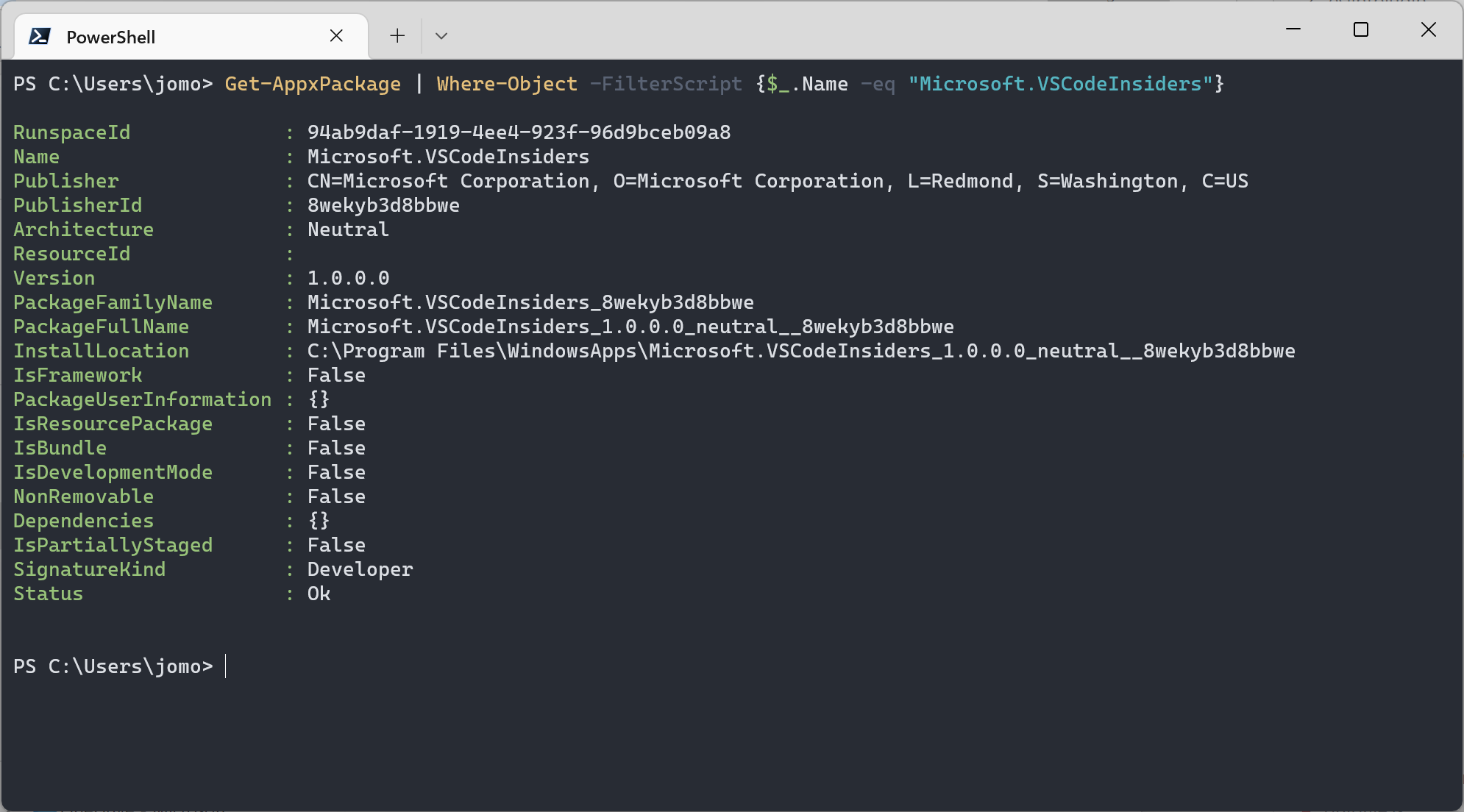
The AppX seems registered though:

image

- Remove old context menu entries when updating to newer version
- Remove context menu entry when reinstalling without menu action selected.
- Fixes garbled title for system installation
@deepak1556

Copy link
Copy Markdown
Collaborator Author

New Build: https://monacotools.visualstudio.com/Monaco/_build/results?buildId=189968&view=results

Addresses the following issues from #151186 (comment)

  • Garbled menu entry in system setup
  • Context menu entry not removed
  • Double menu entry in classic menu after update

I haven't setup Windows on arm on my new device yet, will verify the last pending issue after that.

@joaomoreno

João Moreno (joaomoreno) commented Oct 21, 2022 •

Copy link
Copy Markdown
Contributor

Getting there!

More findings:

Error when reinstalling

  1. Install VS Code with context menu entry
  2. Without uninstalling, reinstall VS Code

🐛 There's an error about COM Surrogate:

  • Choosing Automatically close the applications doesn't work
  • Choosing Do not close the applications seems to work actually!

image

Rolling back doesn't remove context menu entry

  1. Install VS code with context menu entry
  2. Use the Developer: Apply Update to update to an old version

🐛 Context menu entry is still there

@deepak1556

Copy link
Copy Markdown
Collaborator Author

DLLHost.exe aka COM surrogate holds the DLL after context menu is closed for a certain short period of time, I think this has to do with how long the Explorer references the COM object but from my testing it is not an unacceptable long period. But during this period if we perform the update step then we will run into the above error. This is an edge case we cannot solve from our DLL code or the updater. I think this case would be rarely hit by an user, I plan to ignore this issue for now and revisit based on insiders testing.

As for the rollback scenario, we don't plan to support it since it requires changes in our updater to know about the appx package. I am going to merge this PR for insiders testing and follow-up on the arm64 issue.

João Moreno (@joaomoreno) thanks a lot for the extensive testing! ❤️

@deepak1556
Robo (deepak1556) enabled auto-merge (squash) October 21, 2022 15:30
@deepak1556
Robo (deepak1556) merged commit ebea50a into main Oct 21, 2022
@deepak1556
Robo (deepak1556) deleted the robo/explorer_sparse_bundle branch October 21, 2022 18:17
Comment thread build/win32/code.iss Resolved
@deepak1556

Copy link
Copy Markdown
Collaborator Author

João Moreno (@joaomoreno) addressed in #164411

Sign up for free to subscribe to this conversation on GitHub. Already have an account? Sign in.

Labels

None yet

Projects

None yet

Development

Successfully merging this pull request may close these issues.

Integrate with the Windows 11 Context Menu

2 participants