- VSCode Version: 1.25 Insiders
- OS Version: Windows 10
Steps to Reproduce:
- Help > Release Notes
- Look for json or TypeScript code blocks
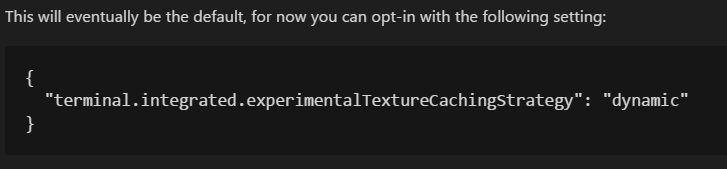
Code blocks are simply white on black (default dark theme) with no syntax highlighting.
Seems to only happen on the first time. If you close the release notes and try again, the code blocks are correctly highlighted.


Steps to Reproduce:
Code blocks are simply white on black (default dark theme) with no syntax highlighting.
Seems to only happen on the first time. If you close the release notes and try again, the code blocks are correctly highlighted.