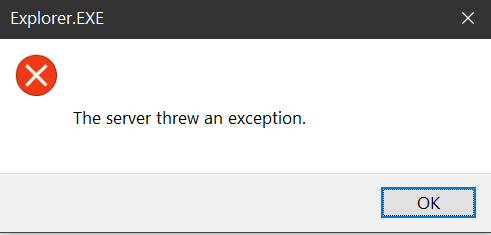
Context Menu -> Open in Windows Terminal -> "The server threw an exception" #8936

Description

Note:
- Right Clicking on a folder and then opening the terminal works.
- Going inside the folder, then right clicking on empty space, and then opening the terminal gives error.
- I believe this was a known issue with older windows versions, that is why it was disabled earlier, but i think i saw a PR that implemented the functionality differently for older windows, but it is still not working for me
- I restarted explorer.exe, still gives the error. Maybe restarting the computer will make it work? I will try later and update the issue if it works. EDIT: Nope, still not fixed.

Environment
Windows build number: Microsoft Windows [Version 10.0.18363.1256]
Windows Terminal version: Windows Terminal Preview v1.6.10272.0

Any other software?: Not applicable
Steps to reproduce
Context Menu -> Open in Windows Terminal -> "The server threw an exception"
Expected behavior
It should work
Actual behavior
It doesn't