Feature Request: Specify cursor behaviour on window focus / unfocus #2316


Description

Description of the new feature/enhancement
Currently I find it hard to find focus, and confusing to pasting text into unfocused terminals, since you cannot change cursor behaviour in unfocused terminals. For example by changing color or opacity (I do not know the feasability of this).
Proposed technical implementation details
(Speculating without looking at actual code for ease of implementation, and images curtesy of Google image search along the lines of "terminal [window] focus") Since I like box cursors, I will provide three examples with box cursors which can be extended to other types of cursors.
An example from Code (possible today, terminal in focus shows unfilled box as cursor, terminal out of focus does not):

An example from Linux (possible today, specifically Kali and Gnome terminal, focused terminal shown filled box while unfocused terminal shows nothing)

Another example from Linux (not possible today, specifically Ubuntu and Tilix terminal emulator, focused terminal shows filled box while unfocused terminal shows unfilled box)
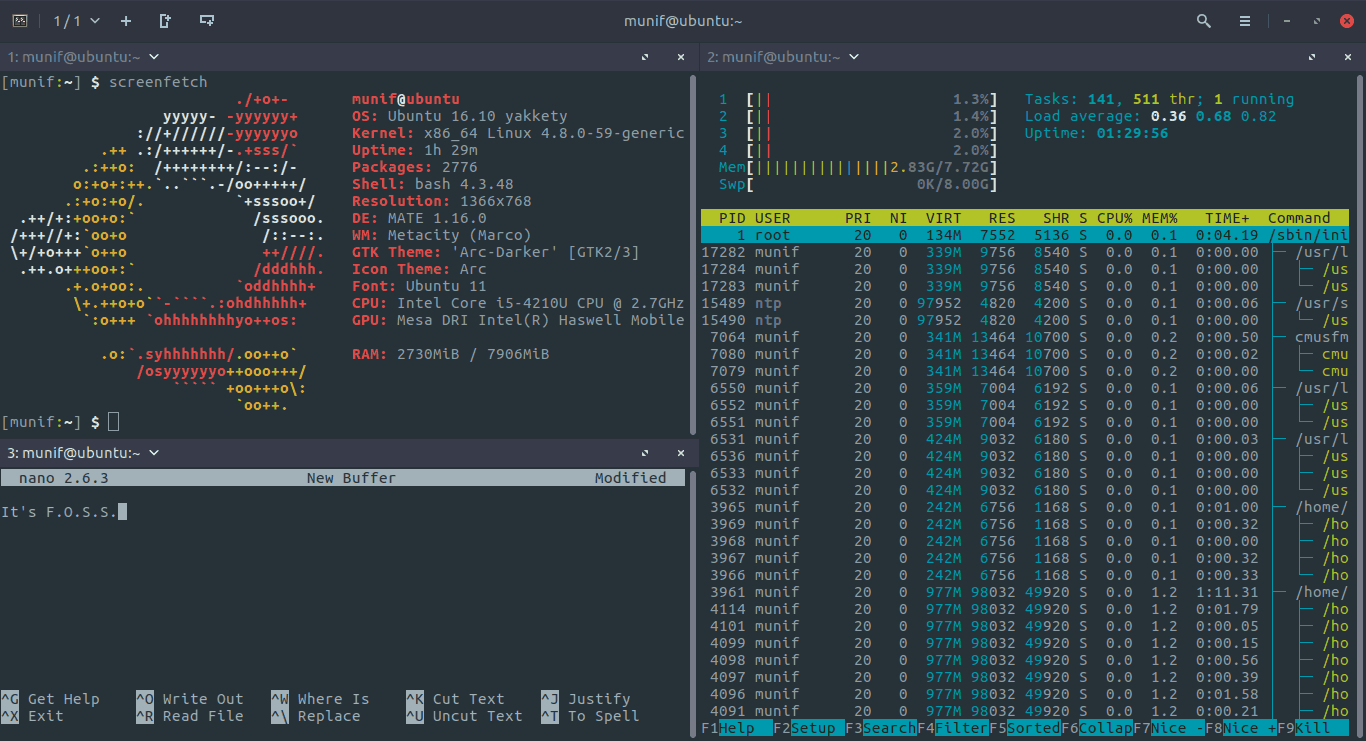
I do not propose that the result should be static, rather that the user can select what the cursor should look like in a focused window and an unfocused window. I.e.:
... profiles.json ...
"cursorShapeWindowFocus" : "filledBox",
"cursorShapeNoWindowFocus" : "emptyBox",
...
Of course taking height for #1203 so that the "filledBox" setting becomes more meaningful.