file:// links with WSL$ are not supported #10188

Description

Windows Terminal version (or Windows build number)
1.8.1444.0
Other Software
No response
Steps to reproduce
In PowerShell running in WSL2, write a string like following:
"`e]8;;file://wsl$/${env:WSL_DISTRO_NAME}$PWD`e\$PWD`e]8;;`e\"I do this in my $profile and while it renders and is recognized correctly, WT shows an error dialog it's not supported.
Expected Behavior
file:// links - Windows and WSL2 alike - open in Explorer when clicked.
Actual Behavior
Error dialog that the URL is not supported:
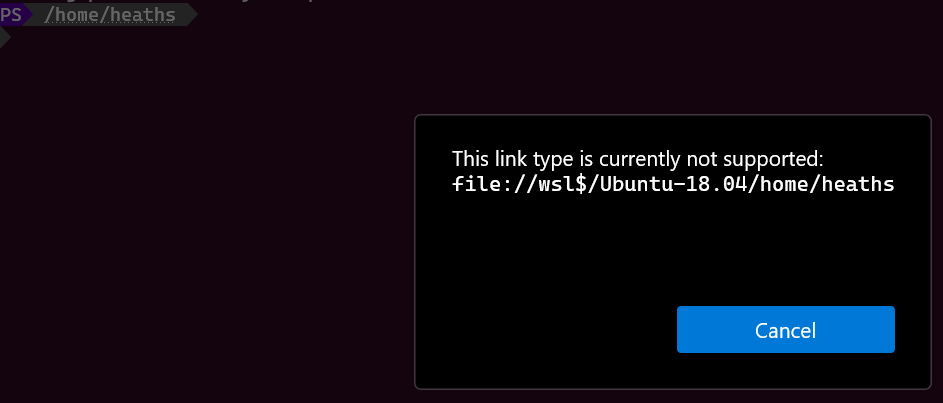
This same string e.g., file://wsl$/Ubuntu-18.04/home/heaths, I can copy from the error dialog (nice allowing us to copy the error, BTW!), paste into the Run dialog, and open it in Explorer.
The string also matches your regex and is automatically detected as a link, so the error must be coming from further in the code path. file://$PWD for a plain Windows directory e.g., file://C:\Users\heaths open in Explorer when Ctrl+Click'd just fine.