


Why spend memory on what you can predict?
LowRAM compresses the KV cache used by long-context LLMs. It reconstructs values from their keys, stores corrections for the hardest-to-predict values, and compresses keys across layers.
Base-model weights stay frozen; lightweight predictors adapt to each prompt. LowRAM can be combined with quantisation and token eviction.
The repository includes a Transformers cache implementation, pretrained predictor checkpoints, and runnable examples for Llama and Mistral.
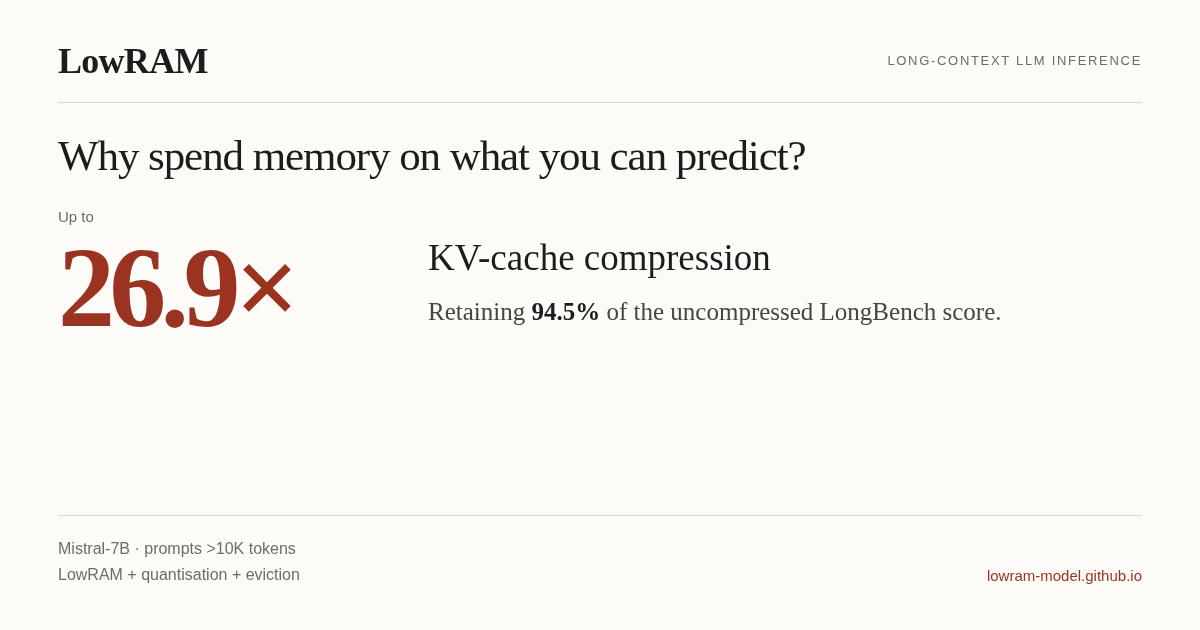
| Result | Retained score / benefit | Setting |
|---|---|---|
| Up to 26.9× KV-cache compression | 94.5% of the uncompressed LongBench score | Mistral-7B-Instruct-v0.3, prompts >10K tokens; LowRAM + quantisation + eviction; Table 11 |
| 17.8× KV-cache compression | 98% of the uncompressed LongBench score | Mistral-7B-Instruct-v0.3, prompts >10K tokens; LowRAM + quantisation + eviction; Table 11 |
| 4× value-cache compression | 99.3% of the uncompressed LongBench score | Llama-3.1-8B-Instruct; values only; Table 5 |
| Up to 5× higher peak decode throughput | Higher aggregate decode throughput across batch sizes | Llama-3.1-8B-Instruct; 262K-token context; 4× target; selective reconstruction |
These are separate experimental settings, not one configuration that achieves all four results at once. Recovered score is the method's benchmark score divided by the uncompressed baseline score; it is not absolute accuracy. Compression ratios refer to the KV cache, not total GPU memory. The throughput result compares peaks across batch sizes, not per-request latency; the uncompressed baseline is faster at small batches in the reported sweep.
Code for LowRAM: Low-Rank Keys and Amortised Values for Composable KV Cache Compression at Test-Time.
Teresa Delgado · Hugo Hazard · Martin Benfeghoul · Jun Wang · Zafeirios Fountas
Requirements: Python 3.12, a CUDA GPU, Git LFS, and access to the selected Hugging Face model. The supplied demo supports Llama and Mistral architectures. Its default model, meta-llama/Llama-3.1-8B-Instruct, requires approved model access.
GPU memory requirements depend on the model, context length and batch size. Start with the 4K-token example below; the 128K-context benchmark is a separate, much larger workload.
git clone https://github.com/lowram-model/lowram
cd lowram
git lfs install
git lfs pull
conda create -n lowram python=3.12 -y
conda activate lowram
pip install -r requirements.txt
If authentication is needed, create or edit .env in the repository root and add the line below. Preserve any existing settings, replace the placeholder with your own token, and do not commit the file.
HF_TOKEN="<your_huggingface_token>"Run the fast LowRAM preset, then compare with the uncompressed baseline:
# Fast LowRAM preset
python -m examples.lowram_demo --method fast

# Uncompressed baseline
python -m examples.lowram_demo --method baseline
The demo hides three access codes in a 4K-token document and uses a 4× target cache-compression ratio. It prints the question, reference codes, generated answer and fact-recall score. It does not print memory or timing measurements; use the comparison script below for those.
The fast preset uses meta-learned initialisation, two fitting steps and selective reconstruction. For full adaptation with more fitting steps, use --method lowram. Fewer adaptation steps and selective reconstruction change the quality/latency tradeoff; the presets are not interchangeable benchmark settings.
To explore the longer-context workload, use --context 131072 on suitable hardware. The website displays recorded 128K-context results rather than running inference in the browser.
Run from the repository root after setup and checkpoint download. This follows the supplied demo helpers for Llama and Mistral; it is not a claim of support for every Transformers architecture.
import torch
from cache import CompressedCache
from benchmarks.runtime import load_model, init_weights, cache_config, attention_mode
from utils.model import extract_kv_linear_init, get_device

name = "meta-llama/Llama-3.1-8B-Instruct"
method = "fast"   # meta-learned init, two fitting steps, selective reconstruction
prompt = "..."     # replace with your long-context prompt

model, tokenizer = load_model(name)
meta_weights, value_weights = init_weights(name, method)
config = cache_config(model, method, ratio=4, meta_weights=meta_weights,
                      value_weights=value_weights,
                      linear_weights=extract_kv_linear_init(model))

inputs = tokenizer(prompt, return_tensors="pt").to(get_device(model))
cache = CompressedCache(config=config,
                        cache_context={"padding_mask": inputs["attention_mask"]})
with attention_mode(model, method), torch.no_grad():
    out = model.generate(**inputs, past_key_values=cache, max_new_tokens=64,
                         do_sample=False, temperature=None, top_p=None,
                         logits_to_keep=1, pad_token_id=tokenizer.pad_token_id)
print(tokenizer.decode(out[0, inputs["input_ids"].shape[1]:], skip_special_tokens=True))
requirements.txt pins torch==2.10.0 and transformers==5.0.0. These are dependency pins, not a claim that this documentation example has been validated on every hardware/software combination.
CompressedCacheis a Transformers-compatible cache implementation for the supported model paths. You configure keys and values separately, and each backend reports its own byte count for compression-ratio accounting.- Key backends:
baseline(uncompressed),xkv(shared low-rank factors per layer group, with the rank set by the target ratio; the factors can optionally be quantised), andturboquant(random rotation + Lloyd-Max scalar quantisation). - Value backends:
baseline,turboquant, andmlp. Withmlp, each layer fits an MLP to its KV pairs at prefill and sparsely stores the highest-error residuals that fit in the budget. The MLP has an optional linear branch, initialised frompinv(W_k) @ W_v. - Meta-learning: first-order MAML over FineWeb-Edu learns the MLP initialisation, optimising the post-residual reconstruction loss.
- Selective reconstruction: landmark scoring at decode time rebuilds only the key chunks that matter (it uses xKV's fused CUDA kernels when they are available).
- Attention-predictor eviction: a small shared CNN predicts attention over key blocks. It drives eviction of prefill tokens and picks which value residuals to keep.
Optional: build the fused CUDA kernels used by --selective_reconstruction up front. Otherwise they are JIT-built on first use, with a fallback to a torch path. This needs nvcc, ninja and an sm_80+ GPU.
python -m efficiency.install_kernelThe pretrained checkpoints are stored with Git LFS (git lfs pull above). Checkpoints are provided for Llama-3.1-8B-Instruct and Mistral-7B-Instruct-v0.3:
| Path | Flag |
|---|---|
checkpoints/meta_init/<model>/meta_mlps.pt |
--meta_weights_path |
checkpoints/value_mlps/<model>/value_mlps.pt |
--value_mlp_weights_path |
checkpoints/attention_predictor/<model>/model_ckpt.pt |
--attn_predictor_path (reads the config.yaml next to it) |
Use the checkpoint that matches the model you are evaluating. If loading fails with UnpicklingError: invalid load key, 'v', the file is still an LFS pointer, so run git lfs pull.
The same checkpoints are also on the Hugging Face Hub (collection):
| Base model | Hugging Face repository |
|---|---|
Llama-3.1-8B-Instruct |
lowram-model/lowram-llama-3.1-8b |
Mistral-7B-Instruct-v0.3 |
lowram-model/lowram-mistral-7b |
To fetch them from the Hub instead of Git LFS, run this from the repository root (shown for Llama; for Mistral use lowram-model/lowram-mistral-7b and Mistral-7B-Instruct-v0.3):
import pathlib, shutil
from huggingface_hub import snapshot_download

src = pathlib.Path(snapshot_download("lowram-model/lowram-llama-3.1-8b"))
for part in ["meta_init", "value_mlps", "attention_predictor"]:
    shutil.copytree(src / part, pathlib.Path("checkpoints") / part / "Llama-3.1-8B-Instruct",
                    dirs_exist_ok=True)
Evaluation runs through lm-eval-harness on RULER and LongBench.
# uncompressed reference
python lm_eval_script.py --tasks ruler -kc baseline -vc baseline

# LowRAM: xKV keys + meta-learned MLP values at 4x
python lm_eval_script.py --tasks ruler \
    -kc xkv --comp_ratio 4.0 --xkv_layer_group_size 4 \
    -vc mlp --target_cr 4.0 \
    --num_epochs 2 \
    --meta_weights_path checkpoints/meta_init/Llama-3.1-8B-Instruct/meta_mlps.pt \
--batch_size 4| Flag | Effect |
|---|---|
-kc / -vc |
key / value cache backend |
-r/--comp_ratio |
target compression ratio for xKV keys |
--target_cr |
target compression ratio for MLP values |
--selective_reconstruction |
landmark-guided partial key reconstruction |
--eviction_keep_ratio |
fraction of prefill tokens kept (<1 needs --attn_predictor_path) |
--limit |
samples per task |
Run python lm_eval_script.py --help for the full list.
The command below runs the larger 128K-context comparison and requires substantially more GPU memory than the introductory demo. It writes recorded metrics and answers to JSON; it does not run in a web browser.
python -m benchmarks.compare \
  --methods baseline fast lowram \
  --meta-weights checkpoints/meta_init/Llama-3.1-8B-Instruct/meta_mlps.pt \
  --contexts 131072 --batch-sizes 1 2 4 6 8 12 \
  --ratios 4 --samples 24 --repeats 2 --warmup 1 \
  --decode-tokens 48 \
  --output results/demo/comparison.json
Configuration note: the small demo loads value-MLP warm-start weights for --method lowram, whereas the comparison script currently does not pass those weights to its full-adaptation configuration. Do not treat their results as identical reruns. The fast commands above explicitly use the matching meta-initialisation checkpoint.
# meta-learned MLP init (config in config/meta_learning.yaml)
python meta_learning.py training.inner_steps=15 training.eval_target_cr=4.0

# plain value-MLP pretraining
python train_value_mlps.py --model_name meta-llama/Llama-3.1-8B-Instruct \
    --seq_len 4096 --max_batches 32 --num_epochs 25

# attention predictor
python train_attention_predictor.py --model_name meta-llama/Llama-3.1-8B-Instruct \
--seq_len 4096 --block_size 16 --history_step 64 --topk_blocks 16 --layers allUsing LowRAM in your research? Please cite our paper.
@article{lowram2026,
  title   = {{LowRAM}: Low-Rank Keys and Amortised Values for
             Composable {KV} Cache Compression at Test-Time},
  author  = {Delgado, Teresa and Hazard, Hugo and
             Benfeghoul, Martin and Wang, Jun and
             Fountas, Zafeirios},
  journal = {arXiv preprint arXiv:2611.07025},
  year    = {2026},
  doi     = {10.48550/arXiv.2611.07025},
  url     = {https://arxiv.org/abs/2611.07025}
}This project is licensed under the Apache License 2.0.