
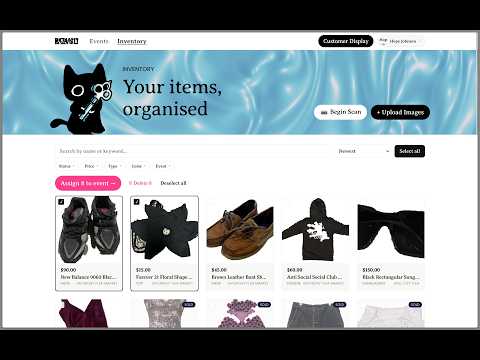
Bazaarly is a React + TypeScript dashboard for pop-up events, garment inventory, and kiosk sales. Watch the demo:
- Install dependencies with
npm install. - Copy
.env.exampleto.env.local. - Start the Solana checkout app from the
solana-pay-checkoutrepo. It listens onhttp://localhost:5174/. - Start the computer vision functionality from the
Bazaarly_Vision_Servicerepo. It listens onhttp://localhost:8000/. - Start Bazaarly with
npm run dev.
Customer Display embeds the Solana checkout in a modal and passes the selected event and inventory document IDs. Keep the modal open until the receipt appears so the checkout can confirm payment and record the sale. The checkout reads current item prices from Firestore and records a sale only after a Solana Devnet payment is confirmed. The demo requests a fixed 0.01 SOL; event revenue is recorded in USD from the inventory prices. The modal also offers a separate-tab fallback; the payment QR is intended to be scanned by a wallet on another device.
The Events page shows event finances and sales counts directly on each event tile. Open a tile to navigate to a full-page, event-scoped analytics dashboard with confirmed-sale performance, cumulative and per-order charts, product and category breakdowns, vendor-fee coverage, inventory photos and statuses, and the confirmed sales ledger. Expand the computer-vision profile for garment-type, color, status, and price-range charts plus saved item descriptions, artwork notes, search keywords, and detailed vision sections. Newly approved inventory retains the full structured vision description, visibility notes, and model metadata in Firestore.
Use “Compare completed events” on the Events page to compare up to four past events side by side. Event reports and comparisons use confirmed sale records as the analytics source of truth; event running revenue is used only to detect reconciliation differences. Product categories and images use current inventory metadata when available, while names and prices in sales reporting come from the historical sale snapshot.
Events can be deleted from their dashboard after confirmation. Deleting an event unassigns its unsold inventory and preserves sold inventory and sales history.
From an event dashboard, transfer all unsold inventory to another upcoming event or create a new upcoming event as the destination. Sold inventory and sales history remain associated with the original event.
Dashboard data is loaded from the existing shared Firestore collections. This app currently has no seller sign-in or seller-scoped data filtering; configure and verify Firestore security rules before using it with multiple sellers or real customer data. Solana payment records are Devnet demo transactions, and “revenue after vendor fee” is not profit.
See the Solana checkout and computer vision repos' README for configuration and behavior.
Run npm run build and npm run lint.
A floating "Ask Bazaarly" button on the Events pages opens a chat about your sales, inventory and past events. The browser builds a compact summary of your events from Firestore (using the helpers in src/lib/sellerAnalytics.ts) and sends it with the question to POST /api/advice on the finance service. The service holds the API keys and calls the model, so no key ever reaches the browser. Answers are grounded in the supplied numbers only; revenue is never described as profit.
- Copy
finance/env.exampletofinance/.envand pick a provider withLLM_PROVIDER:mock(default): no keys, answers are built from your numbers. Good for demos and testing.snowflake: Snowflake Cortex REST (/api/v2/cortex/inference:complete). SetSNOWFLAKE_ACCOUNT_URL(your account URL, e.g.https://myorg-myaccount.snowflakecomputing.com) andSNOWFLAKE_PAT(a programmatic access token). Choose a model withSNOWFLAKE_MODEL.anthropic: setANTHROPIC_API_KEY.
- Start the service with
node finance/server.js(it listens on port 3001). - Set
VITE_FINANCE_API_URLin.env.localif the service is not athttp://localhost:3001.
Limits: questions are capped at 500 characters, the last 6 turns of history are sent, context is capped at about 30 KB, and each client is limited to 20 questions a minute. If a Nessie account already exists, its deposits, costs and net are added to the model's context. Payments remain simulated (Solana Devnet and Nessie).