Zotero 主题
- Download the latest release (.xpi file) from the Releases Page
Note If you're using Firefox as your browser, right-click the.xpiand select "Save As.." - In Zotero click
Toolsin the top menu bar and then clickAddons - Go to the Extensions page and then click the gear icon in the top right.
- Select
Install Add-on from file. - Browse to where you downloaded the
.xpifile and select it. - Restart Zotero, by clicking
restart nowin the extensions list where the ZoteroTheme plugin is now listed.
This add-on is built on the Zotero Addon Template of zotero-pdf-translate.
Moreover, this add-on add utility with the help of Zotero PDF Background Plugin.
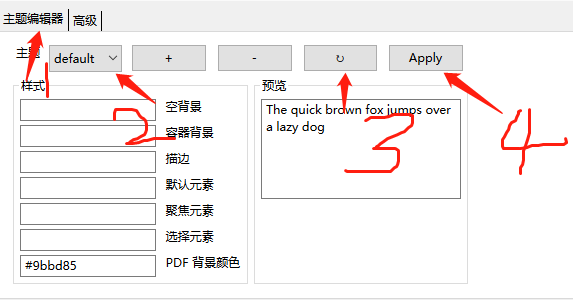
- 首选项>>主题编辑器>>选择默认主题default
- Reset>>Apply
Use this code under AGPL(open source required). No warranties are provided. Keep the laws of your locality in mind!
Part of the code of this repo refers to other open-source projects within the allowed scope.
