
A web app that shows recipes based on selected food preferences using Gemini AI and AllRecipes
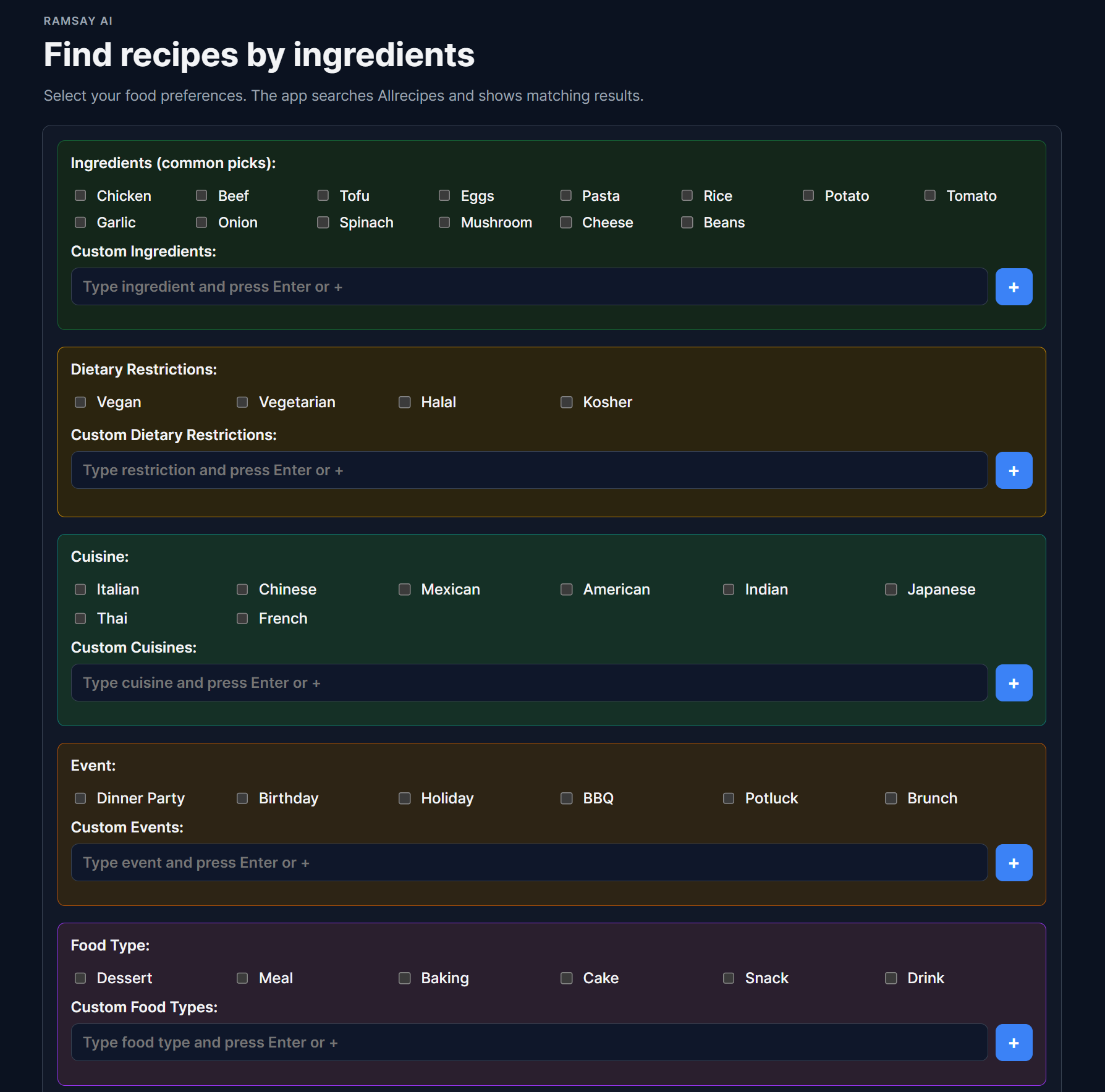
- Customize food preferences
- Ingredients
- Dietary Restrictions
- Cuisine
- Event
- Food Type
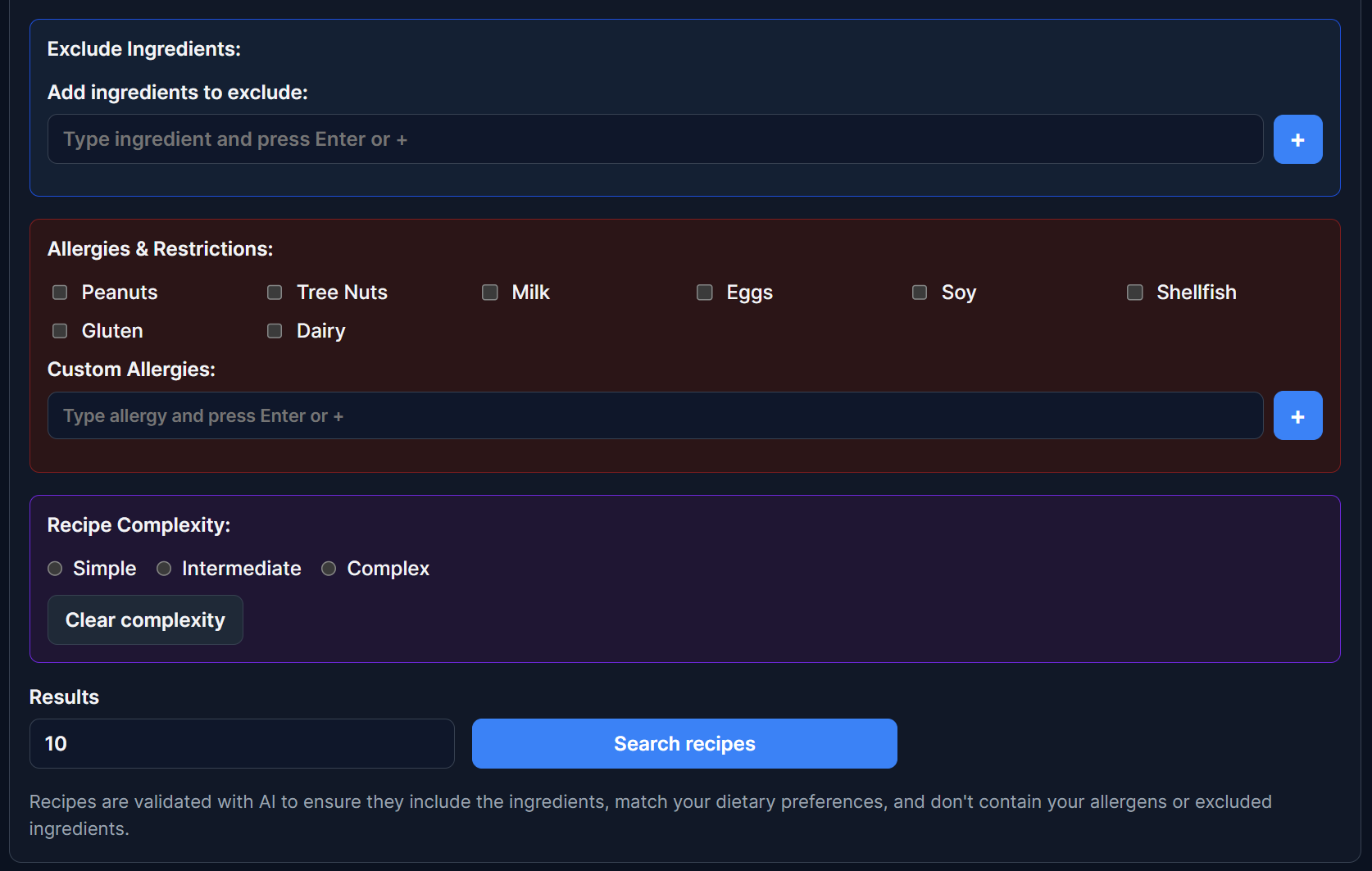
- Exclude Ingredients
- Allergies/Restrictions
- Recipe Complexity
- Recipe Result Amount
- Gemini AI checks all recipes to ensure that the recipe matches the selected preferences
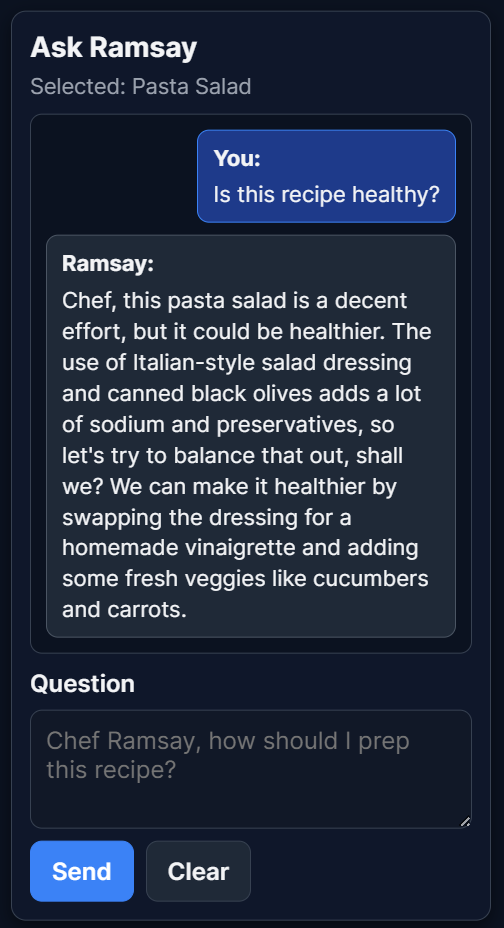
- Featherless AI Chat Bot to ask questions about a recipe to

- Create a Google Cloud Console project
- Go to APIs & Services > Enabled APIS & Services
- Click Enable APIs & Services button at the top
- Search for Vertex AI API and enable it
- Click Enable APIs & Services button at the top
- Go to APIs & Services > Enabled APIS & Services
- Get your Featherless AI API key for the chatbot
- Install Google Cloud CLI and log in with your Google account that has access to the project from step 1
- run
pip install -r requirements.txt - run
gcloud auth application-default loginand log in with your Google account that has access to the project from step 1 again (this time there will be checkboxes you have to click) - rename .env.example to .env and edit the values (mainly the GOOGLE_CLOUD_CONSOLE_PROJECT_ID and FEATHERLESS_API_KEY values)
- run
python backend/main.py
- Note: this may be not be possible to run on a server due to AllRecipes' Cloudflare anti-bot measures and there being no free public AllRecipes API