Repository navigation
Conversation


Show the commit's labels in the same colours as the history list, by
keeping them out of the filter that darkens the details page.

- In the history view, move the dark-mode invert filter from the whole
  page onto the parts around the labels, so they keep their colours
- Leave the rest of the page as it rendered before, and leave the other
  views, which have no labels, on the page-wide filter


Contributor
|
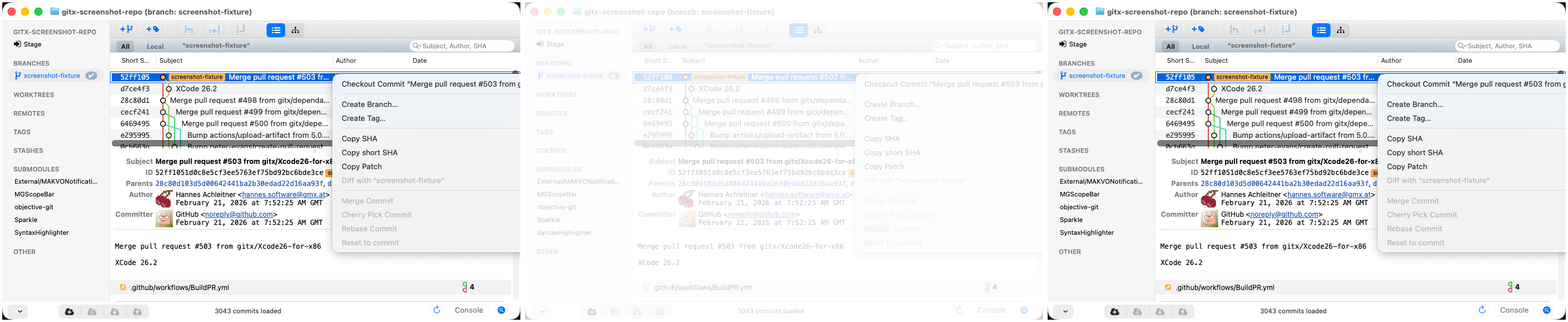
Screenshot differs: emulatorApi=arm64 with 2 screenshot(s) |

Collaborator
Author
|
Superseded by #730, which fixes the labels along with images and icons by replacing the dark-mode filter. |
This file contains hidden or bidirectional Unicode text that may be interpreted or compiled differently than what appears below. To review, open the file in an editor that reveals hidden Unicode characters.
Learn more about bidirectional Unicode characters
Sign up for free
to join this conversation on GitHub.
Already have an account?
Sign in to comment


Add this suggestion to a batch that can be applied as a single commit.This suggestion is invalid because no changes were made to the code.Suggestions cannot be applied while the pull request is closed.Suggestions cannot be applied while viewing a subset of changes.Only one suggestion per line can be applied in a batch.Add this suggestion to a batch that can be applied as a single commit.Applying suggestions on deleted lines is not supported.You must change the existing code in this line in order to create a valid suggestion.Outdated suggestions cannot be applied.This suggestion has been applied or marked resolved.Suggestions cannot be applied from pending reviews.Suggestions cannot be applied on multi-line comments.Suggestions cannot be applied while the pull request is queued to merge.Suggestion cannot be applied right now. Please check back later.
Show a commit's branch and tag labels in the details pane in the same colours as in the history list when GitX is in dark mode. Today they come out dark (the checked-out branch's orange turns brown, for instance) with light text.
The HTML views have no dark theme of their own: in dark mode
GitX.cssruns the whole page throughinvert(0.89) hue-rotate(180deg), which darkens the labels along with everything else. A filter cannot be undone from inside the element it is on, and undoing it on the labels alone cannot bring the saturated colours back (the invert squeezes every colour into a narrower range), so the labels have to be kept out of it.Changes
A real dark theme for all the HTML views would make the filter unnecessary; that is a larger change and is left for later.
Test plan
views/history/index.htmlin dark mode, with a label of each kind: the label colours now match the light-mode render exactly (they were darkened before), and outside the labels no pixel moves by more than 1 in 255 against master. The light-mode render is identical to master's.