Repository navigation
Show every worktree in the sidebar as the branch it holds - #709
Conversation


6e8f8da to
23c4474
Compare
goneng
changed the title

…d elsewhere

The lookup kept a branch-to-path mapping and dropped the rest, so a
worktree on a detached HEAD, a bare repository, and every lock or prune
state went unrecorded and could not reach the sidebar.

- Add PBGitWorktree, reading a record's path, HEAD, branch or detached
  state, bare, locked and prunable with their reasons, and whether the
  record is the worktree we have open.
- Frame records on the `worktree` line rather than on HEAD, since a bare
  repository's record carries neither a HEAD nor a branch and would
  otherwise be dropped.
- Unescape a quoted lock reason, whose octal escapes stand for bytes of
  the UTF-8 encoding rather than for characters.
- Split running git away from reading what it printed, so one run feeds
  one parse and the branch-to-path dictionary the drawing path asks for
  is derived from the snapshot rather than parsed again.
A worktree is a branch that happens to sit in its own directory, so the
sidebar lists every worktree git reports in a group of its own, named
after the branch it holds rather than after the folder it lives in.

- Add a WORKTREES group between BRANCHES and REMOTES, leaving out the
  worktree this window already has open
- Name each row after the branch parked there, keeping the directory,
  the lock state and the prune state in its tooltip
- Keep a branch held in another worktree out of BRANCHES, so it is
  listed in one place rather than under two different names
- Carry that branch's rev specifier on the row, so selecting it moves
  the history list, the ref menu builds, and a double click opens the
  worktree it stands for
A branch listed under BRANCHES can no longer be held by another
worktree, so everything that answered for that case had become
unreachable.

- Take the worktree path and the icon override out of the cell builder,
  which now reads its icon off the item like every other row
- Drop the cell's worktreePath property and the tooltip it wrote
- Let a double click on a branch row check it out, which is the only
  thing it can still mean
23c4474 to
cc24204
Compare
Double-clicking a ref label in the history list went straight to a
checkout, which git refuses for a branch another worktree holds, so it
ended in a "checkout failed" sheet. The menu on that same label has
always offered to open the worktree, and the sidebar already does.

- Ask whether a worktree holds the branch before checking it out, and
  open that worktree when one does
- Move the body of -openWorktree: into a method taking a ref, so the
  menu item and the double click open it the same way
- Decide what the double click means apart from reading the mouse, so
  the decision can be tested without one

|
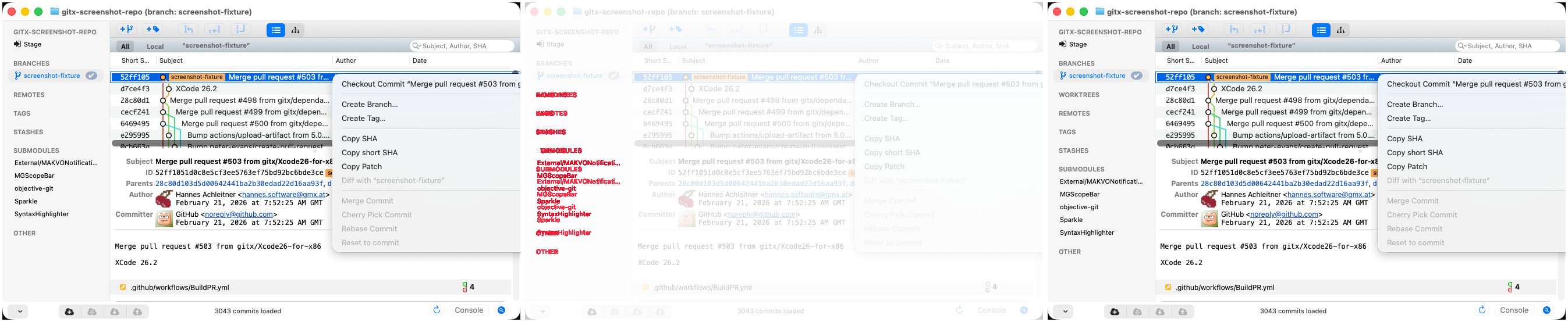
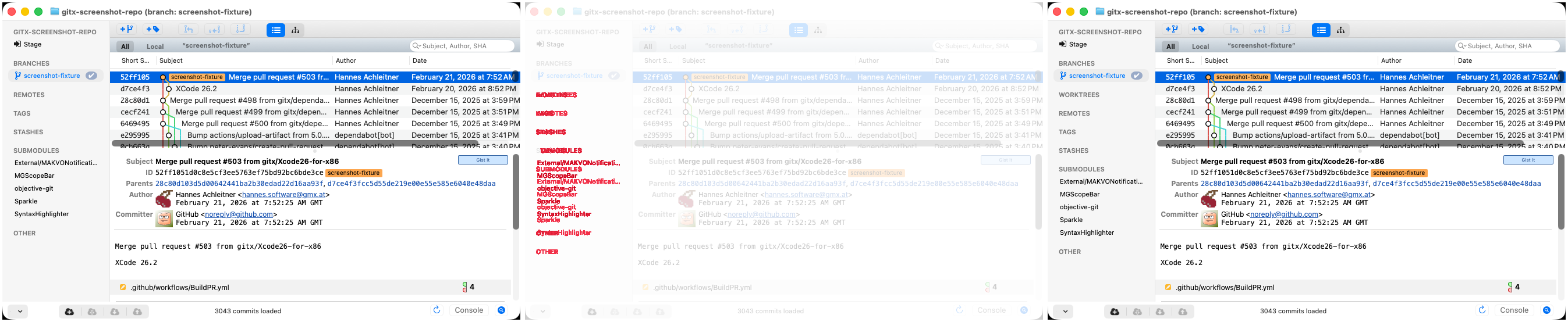
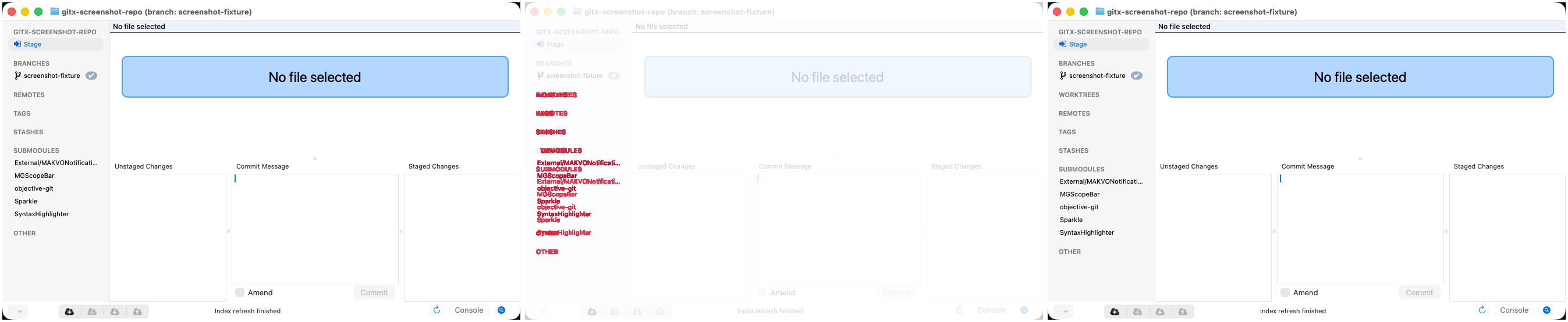
Screenshot differs: emulatorApi=arm64 with 3 screenshot(s) |
|
Interesting stuff this |

Yes 😃 - I had to rewrite the previous implementation to properly support it, so this PR is a bit big, but 60% of it is CI-tests to cover it. |

 hannesa2
left a comment
hannesa2
left a comment
There was a problem hiding this comment.
Maybe it's only me, but I see space for an "Create/Add worktree", "Delete worktree" menu. (Same like from tag and branch functionality)
If the screenshot tests also see a worktree, then we additional know, that it's work properly. This means in action step "Checkout fixed repo snapshot for screenshots" to add a worktree as well. This is just optional
yes - this is the next PR 😃 |
With no git to run, the worktree lookup called -takeWorktreePaths:,
which the move to a worktree model in #709 left declared but never
implemented, so the repository died on an unrecognized selector.

- Store an empty list through -takeWorktrees:, as a lookup that found
  nothing would
- Drop the two declarations #709 left behind with no implementation,
  one of which is what let the call compile
With no git to run, the worktree lookup called -takeWorktreePaths:,
which the move to a worktree model in #709 left declared but never
implemented, so the repository died on an unrecognized selector.

- Store an empty list through -takeWorktrees:, as a lookup that found
  nothing would
- Drop the two declarations #709 left behind with no implementation,
  one of which is what let the call compile
With no git to run, the worktree lookup called -takeWorktreePaths:,
which the move to a worktree model in #709 left declared but never
implemented, so the repository died on an unrecognized selector.

- Store an empty list through -takeWorktrees:, as a lookup that found
  nothing would
- Drop the two declarations #709 left behind with no implementation,
  one of which is what let the call compile
With no git to run, the worktree lookup called -takeWorktreePaths:,
which the move to a worktree model in gitx#709 left declared but never
implemented, so the repository died on an unrecognized selector.

- Store an empty list through -takeWorktrees:, as a lookup that found
  nothing would
- Drop the two declarations gitx#709 left behind with no implementation,
  one of which is what let the call compile


A worktree is a branch that happens to sit in its own directory, so the
sidebar now lists each one exactly once, in a group of its own, named
after the branch it holds rather than after the folder it lives in.
Description
only the branches held elsewhere, keeping the cheap lookup the drawing
path uses derived from that same snapshot
worktree this window already has open, and keep a branch held in
another worktree out of BRANCHES so it is never listed twice
the history list, the ref menu builds and already offers to open the
worktree rather than to check the branch out, and a double click
opens it
clicked, instead of attempting a checkout git will refuse
About the size -- sorry, this came out bigger than it should have. It
rewrites how worktrees are represented rather than adding to what was
there:
readWorktreePathsExcluding:parsed the porcelain straight intoa ref-to-path dictionary, which could not answer anything the sidebar
needed to show, so
PBGitWorktreenow parses it once into a model andthat dictionary is derived from it. Of the 1183 added lines, 703 are
tests and 456 are source. The first commit is the whole of the rewrite
and is the one worth reading closely; the other three sit on top of it
and are small.
Screenshots
Separate Section and a Tooltip that also shows the path to the Worktree
Dynamic menu that opens a new GitX instance for the selected Worktree
Test plan
the sidebar group and the double click, and 16 existing worktree
tests were reworked onto the new model
git worktree addandgit worktree lock, then asserts what the sidebar ends up showing, rather thanreading a fixed string
after their branches, one checkmark on master, the history list
following a worktree row, and the context menu offering to open the
worktree
Slices 3 and 4 of #675 -- adding, removing, pruning and locking a
worktree -- are still to come, so this carries no closing keyword.